Okwu mmalite
This manual provides comprehensive instructions for the Gravity C28 Rugged Smartwatch. Please read this manual carefully before using the device to ensure proper operation and maintenance. Keep this manual for future reference.
The Gravity C28 is designed for durability and advanced functionality, featuring a 2.02-inch TFT high-resolution display, AI-generated watch faces, and over 100 sports modes. It includes health monitoring features such as heart rate and sleep tracking, Bluetooth calling, and smart notifications. The smartwatch is built to withstand various environments with its 1 ATM waterproof, shockproof, and dustproof design.
Kedu ihe dị na Igbe ahụ
- Gravity C28 Smartwatch
- Ịchaji eriri
- Akwụkwọ ntuziaka (akwụkwọ a)
The product package includes the Gravity C28 Smartwatch and its essential accessories for charging and initial setup.
Ngwaahịa gafereview

Foto 1: N'ihu view of the Gravity C28 Smartwatch, showcasing its rugged design and digital display with time, date, and health metrics.
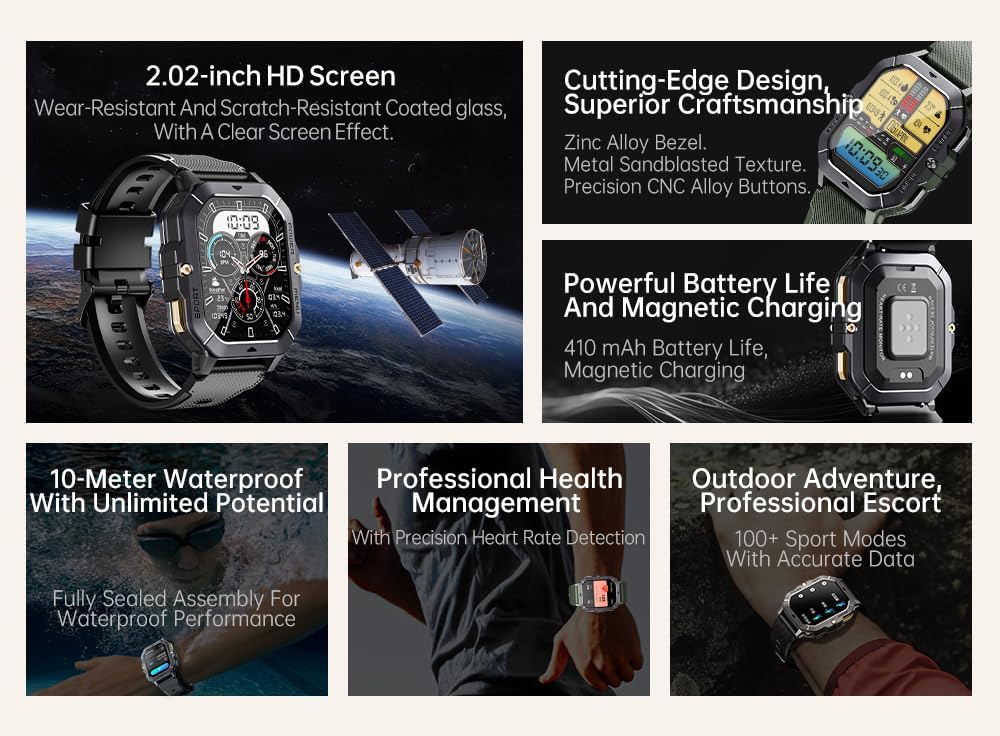
Foto 2: gafereview of key features including 2.02-inch HD screen, cutting-edge design, powerful battery, 10-meter waterproof rating, professional health management, and 100+ sport modes.
Melite
1. Ịchaji ngwaọrụ
Before first use, fully charge your Gravity C28 Smartwatch. Connect the magnetic charging cable to the charging points on the back of the watch and plug the USB end into a power adapter (not included) or a computer's USB port.

Foto 3: Close-up of the Gravity C28 Smartwatch's rear, showing the magnetic charging contacts and heart rate sensor. The watch easily attaches to the charging dock via strong magnetic force for secure and convenient charging.

Foto 4: The Gravity C28 Smartwatch highlighting its 410mAh battery, providing long-lasting endurance for worry-free travel.
- Ensure the charging contacts on the watch and cable are clean and dry.
- Ụgwọ zuru ezu na-ewekarị ihe dịka awa 2.
- The watch has a 410mAh battery, providing up to 25 days of standby time.
2. Downloading the Da Fit App
The Gravity C28 Smartwatch requires the "Da Fit" application for full functionality and synchronization with your smartphone.
- Scan the QR code provided in the quick start guide or search for "Da Fit" in your smartphone's app store (Google Play Store for Android, Apple App Store for iOS).
- Budata ma wụnye ngwa ahụ.
3. Ijikọ na ekwentị mkpanaaka gị
- Gbaa mbọ hụ na agbanyere Bluetooth na ekwentị gị.
- Open the "Da Fit" app.
- Follow the on-screen instructions to add your device. The app will search for available smartwatches. Select "Gravity C28" from the list.
- Kwenye arịrịọ maka njikọta na ekwentị gị yana smartwatch.
Note: For optimal performance, ensure the Da Fit app has necessary permissions enabled (e.g., location, notifications, background refresh).
Ntuziaka ọrụ
Nsoro ụzọ
- Bọtịnụ ike: Press and hold to power on/off. Short press to return to the watch face or wake the screen.
- Bọtịnụ menu: Short press to access the main menu.
- Bọtịnụ egwuregwu: Short press to quickly access sports modes.
- Mmegharị ihuenyo mmetụ:
- Machapụ: View ngosi.
- Swipe down: Access quick settings.
- Swipe left/right: Navigate through widgets (e.g., activity, heart rate, weather).
- Tap: Select an item or open an application.

Foto 5: Illustration of various menu display modes available on the Gravity C28 Smartwatch, including Grid View, Surface, Parallel, and Helm, allowing for flexible switching.
Nlekọta ahụike
The Gravity C28 provides comprehensive health tracking features:
- Nlekota obi obi: Real-time heart rate tracking throughout the day. Access the heart rate widget or app on the watch for detailed data.
- Nleba anya ụra: Automatically tracks your sleep patterns, including deep sleep, light sleep, and awake times. View sleep data in the Da Fit app.
- Oxygen ọbara (SpO2): Tụọ ọkwa oxygen saturation ọbara gị.
- Ọbara Ọbara: Provides an estimate of blood pressure. For medical accuracy, consult a healthcare professional.
- Nleba anya nrụgide: Tracks stress levels based on heart rate variability.
- Ndepụta mmemme: Records steps, distance, and calories burned.

Foto 6: Display of various health tracking metrics available on the Gravity C28, including heart rate, SpO2, blood pressure, stress levels, sleep patterns, and cycle tracking.
Ụdị egwuregwu
With over 100 sports modes, the Gravity C28 can accurately track various physical activities. To start a workout:
- Press the Sport button or navigate to the Sports app from the main menu.
- Select your desired activity (e.g., Running, Cycling, Swimming).
- Tap to start the activity. The watch will display real-time metrics such as duration, heart rate, and calories.
- To end the activity, swipe right or press the power button and select "End".
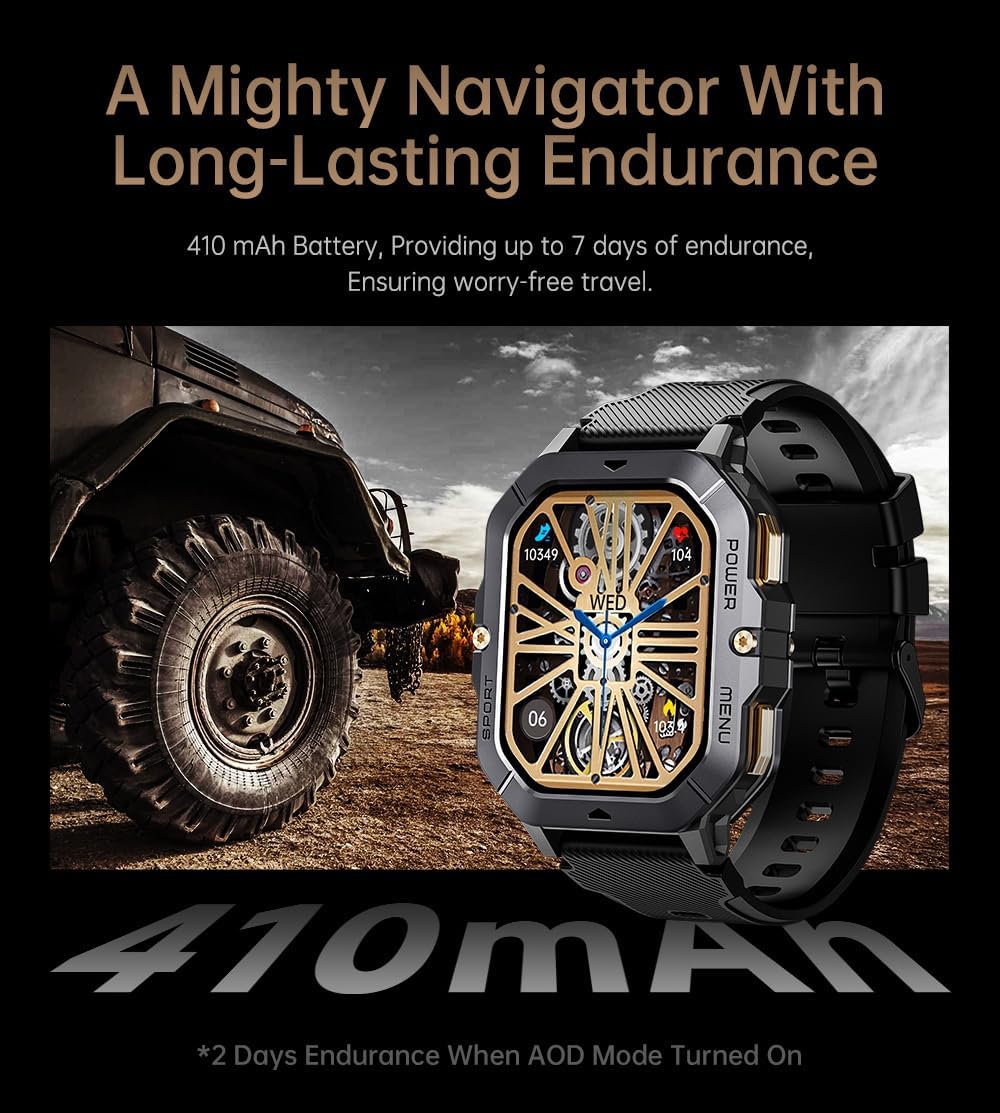
Foto 7: The Gravity C28 Smartwatch being used during snorkeling, illustrating its 1 ATM waterproof capability suitable for various water activities like daily cleaning, sweating, and rain exposure.
Bluetooth Calling & Notifications
The smartwatch supports Bluetooth calling and smart notifications:
- Oku Bluetooth: Once paired, you can answer incoming calls directly from your wrist. The watch has a built-in microphone and speaker.
- Amamọkwa Smart: Receive alerts for calls, messages, and social media apps (e.g., WhatsApp, Facebook) directly on your watch. Configure notification settings within the Da Fit app.

Foto 8: Two Gravity C28 smartwatches demonstrating the Bluetooth call and message alert functionality, showing an incoming call screen.
Nhazi
- Lelee ihu: Change watch faces directly on the device or through the Da Fit app. The app offers a wide selection and supports AI-generated watch faces for personalization.
- Ụdị menu: The watch supports various menu display modes (e.g., Grid View, List View) which can be changed in settings.

Foto 9: Explanation of the DA GPT and AI Watch Face features, showing how users can interact with DA GPT for new ideas and conveniently change watch faces, including generating images from text prompts.
Nlekọta na nlekọta
- Nhicha: Regularly clean your smartwatch and strap with a soft, damp akwa . Zere iji kemịkalụ siri ike ma ọ bụ ihe na-emebi emebi.
- Nguzogide mmiri: The Gravity C28 is 1 ATM waterproof. It is suitable for daily use, hand washing, rain, and shallow water activities like swimming. Do not use it for diving or high-pressure water activities. Avoid hot water or steam.
- Okpomọkụ: The watch is designed to withstand temperatures from -24°C to 60°C. Avoid exposing it to extreme temperatures outside this range.
- Ịchaji: Always ensure the charging contacts are dry before charging to prevent corrosion.
- Nchekwa: When not in use for extended periods, store the watch in a cool, dry place. Charge it periodically to maintain battery health.
Nchọpụta nsogbu
| Nsogbu | Ihe nwere ike ime | Ngwọta |
|---|---|---|
| Elekere anaghị agbanye | Low battery; Device frozen | Charge the watch for at least 30 minutes. If still unresponsive, press and hold the power button for 10-15 seconds to force restart. |
| Enweghị ike ijikọ ya na ekwentị | Bluetooth off; App not running; Watch not discoverable; Interference | Ensure Bluetooth is on. Restart both watch and phone. Make sure the Da Fit app is open. Forget previous pairings on phone. Try pairing in a different location. |
| Data ahụike ezighi ezi | Improper fit; Sensor obstruction; Movement during measurement | Ensure the watch is snug but comfortable on your wrist. Clean the sensor on the back of the watch. Remain still during measurements. |
| Anabataghị ọkwa | App permissions; Notification settings; Bluetooth disconnected | Check Da Fit app permissions for notifications. Verify notification settings within the app. Ensure Bluetooth connection is stable. |
| Ndụ batrị dị mkpụmkpụ | Frequent use of features; High screen brightness; AOD mode enabled | Reduce screen brightness. Limit continuous heart rate monitoring. Disable Always-On Display (AOD) if not needed. Close unused apps on the watch. |
Nkọwapụta
| Njirimara | Nkọwa |
|---|---|
| Nọmba nlereanya | W4-C28 |
| Ngosipụta | 2.02-inch TFT, 320x390 resolution |
| Ike batrị | 410 mAh |
| Ndụ batrị (Njikere) | Ruo ụbọchị 25 |
| Mmiri Nguzogide | 1 ATM (Waterproof, Shockproof, Dustproof) |
| Okpomọkụ na-arụ ọrụ | -24°C ruo 60°C |
| Njikọta | Bluetooth |
| Ndakọrịta | Android OS, iOS (via Da Fit app) |
| Nlekọta ahụike | Heart Rate, Sleep, SpO2, Blood Pressure, Stress, Activity |
| Ụdị egwuregwu | 100+ |
| Ibu Ibu | 1 pound |
| Akụkụ ngwugwu | 9 x 4 x 1 sentimita asatọ |
Akwụkwọ ikike na nkwado
Gravity provides a standard manufacturer's warranty for the C28 Smartwatch against defects in materials and workmanship under normal use. Please refer to the warranty card included with your product or visit the official Gravity websaịtị maka nkọwa na usoro akwụkwọ ikike.
For technical support, troubleshooting assistance, or warranty claims, please contact Gravity customer service through their official websaịtị ma ọ bụ ozi kọntaktị enyere na nkwakọ ngwaahịa gị.
Akụrụngwa dị n'ịntanetị:
- Official Gravity Websaịtị: www.gravity.com
- Da Fit App Support: Refer to the help section within the Da Fit application.


