Okwu mmalite
Thank you for choosing the LIORQUE SM-01 White Noise Machine with Alarm Clock. This device is designed to enhance your sleep, relaxation, and wake-up experience with a variety of soothing sounds, an adjustable night light, and a customizable alarm clock. Please read this manual carefully to ensure proper use and to fully enjoy all its features.
Ozi nchekwa
- Ịkpachara anya: Use only with the provided power cable.
- Ejila ya na gburugburu iru mmiri.
- Emela ka ọ dị oke ọkụ.
- Ngwaọrụ a abụghị ihe egwuregwu ụmụaka.
- Risk of sunburn or electric shock if mishandled.
- Avoid prolonged exposure to high sound levels.
- Debe ebe ụmụaka na-apụghị iru.
Ihe ngwugwu

The image displays the LIORQUE SM-01 White Noise Machine, a charging cable, a power adapter, and the user manual, all neatly arranged with the product packaging.
Mgbe i bupuchara, biko hụ na ihe niile dị:
- LIORQUE SM-01 White Noise Machine with Alarm Clock (x1)
- Ịchaji eriri (x1)
- Ihe nkwụnye ọkụ (x1)
- Akwụkwọ ntuziaka onye ọrụ (x1)
Ngwaahịa gafereview na njikwa

This image illustrates the top panel of the device, highlighting the various buttons and their corresponding functions for easy identification and operation.
Familiarize yourself with the control buttons located on the top of the device:
- Mgbanwe mkpu: Activates or deactivates the alarm.
- Time Set / Dimmer: Long press to set the time; short press to adjust display brightness.
- Mpịakọta -: Na-ebelata olu.
- Snooze / Light Button: Activates snooze during an alarm; short press to turn on/off or adjust the night light.
- Mpịakọta +: Na-abawanye olu.
- Bọtịnụ ụda: Selects soothing sounds.
- Bọtịnụ ngụ oge: Sets the sleep timer duration.
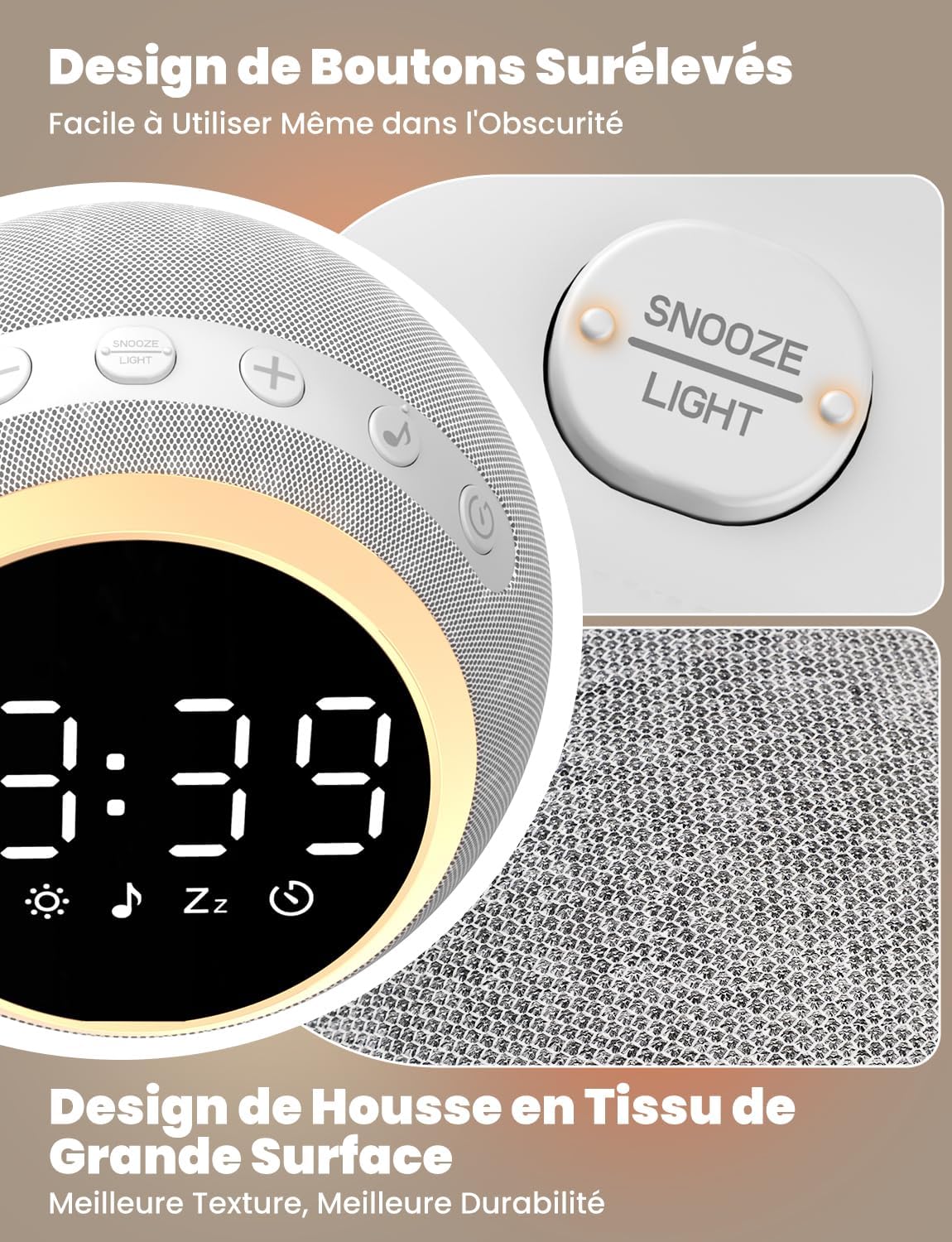
The device features raised buttons for intuitive operation, even in low light conditions, and a durable fabric-wrapped casing.
Melite
- Njikọ ike: Connect the provided power cable to the device and plug the adapter into a standard electrical outlet. The device will power on automatically.
- Ntọala Oge Mmalite: Pịa ogologo Nhazi oge button. Use the Volume +/- buttons to adjust the hour and minute. Press the Time Set button again to confirm each setting.
Ntuziaka ọrụ
1. White Noise and Soothing Sounds

The device offers 25 natural sounds, including various nature sounds and lullabies, to promote relaxation and sleep.
- Ịhọrọ ụda: Pịa Bọtịnụ ụda to cycle through the 25 available natural sounds (e.g., thunderstorms, rain, lullabies).
- Na-agbanwe olu: Jiri ihe Mpịakọta + na Mpịakọta - buttons to set your desired sound level. The device offers 16 levels of volume adjustment.
2. Ọrụ Elekere Mkpu
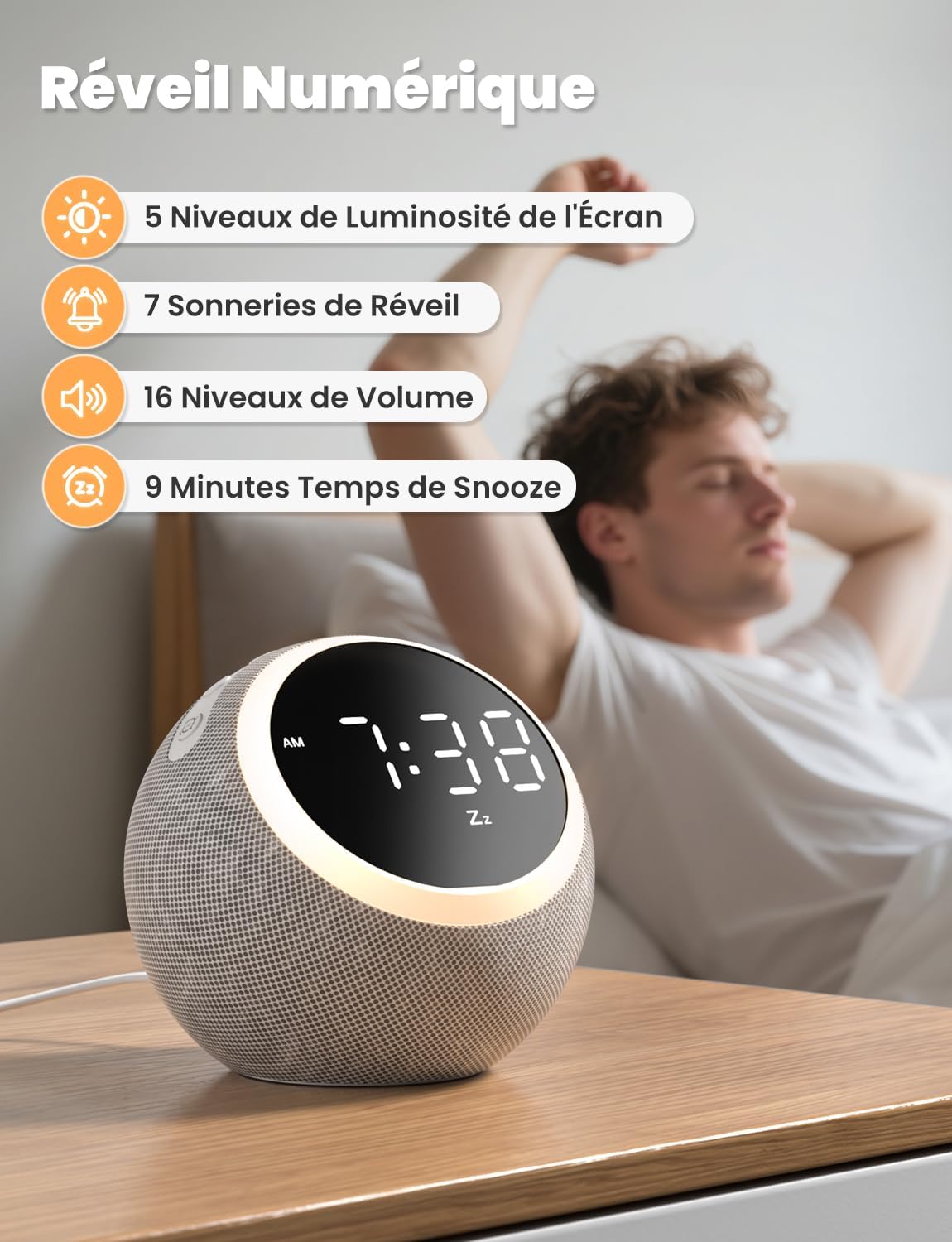
The digital alarm clock features 5 display brightness levels, 7 alarm tones, 16 volume levels, and a 9-minute snooze function.
- Ịtọ ntọala: Pịa ogologo Mgbanwe mkpu button. Use the Volume +/- buttons to set the alarm time. Press the Alarm Switch again to confirm.
- Choosing Alarm Tone: While setting the alarm, you can select from 7 pleasant alarm tones.
- Ọrụ Sooze: Mgbe oti mkpu dara, pịa Snooze / Light Button to get an additional 9 minutes of sleep.
- Disabling Alarm: Pịa Mgbanwe mkpu button to turn off the alarm for the day.
3. Ìhè abalị

The night light offers 10 adjustable levels of brightness and color temperature from 1500K to 6500K, allowing for personalized ambiance.
- Activating/Adjusting Light: Mkpirisi pịa Snooze / Light Button to turn on the night light. Continue pressing to cycle through 10 levels of brightness and color temperature (1500K to 6500K).
- Ịgbanyụ ọkụ: Pịa Snooze / Light Button ruo mgbe ọkụ na-agbanyụ.
4. Gosipụta ihie

The display brightness can be adjusted across 5 levels, including a completely dark mode, suitable for light-sensitive sleepers.
- Ngosipụta nhazi: Mkpirisi pịa Time Set / Dimmer button to cycle through 5 levels of display brightness, including a complete blackout mode.
5. Ngụ oge ụra

The sleep timer allows you to set the device to automatically turn off sounds and lights after a duration between 5 and 480 minutes.
- Ịtọ ngụ oge: Pịa Bọtịnụ ngụ oge to select a desired sleep timer duration (e.g., 5, 15, 30, 60, 90, 120, 180, 240, 300, 360, 420, 480 minutes). The sound and light will automatically turn off after the set time.
- Disabling Timer: Continue pressing the Timer Button until the timer indicator disappears from the display.
Nlekọta
- Nhicha: Disconnect the power before cleaning. Wipe the device with a soft, dry cloth. Do not use liquid cleaners or abrasive materials.
- Nchekwa: Chekwaa ngwaọrụ ahụ n'ebe dị jụụ, kpọrọ nkụ mgbe ọ naghị eji ya ogologo oge.
Nchọpụta nsogbu
- Ngwaọrụ anaghị agbanye: Ensure the power cable is securely connected to both the device and the power outlet. Verify the outlet is functional.
- Enweghị ụda: Check the volume level using the Volume +/- buttons. Ensure a sound is selected.
- Oti mkpu na-adịghị ada: Verify the alarm is set and activated (check the alarm icon on the display). Ensure the alarm volume is not set to zero.
- Display too bright/dark: Adjust the display brightness using the Time Set / Dimmer button.
Nkọwapụta
| Njirimara | Nkọwapụta |
|---|---|
| Nọmba nlereanya | SM-01 |
| Ụdị | LIORQUE |
| Akụkụ | 14.7 x 13.6 x 13.5 cm |
| Ibu | 480 grams |
| Isi Iyi Ike | Igwe ọkụ eletrik |
| Number of Soothing Sounds | 25 |
| Gosipụta ọkwa ihie | 5 (including off) |
| Night Light Levels | 10 |
| Night Light Color Temperature | 1500K - 6500K |
| Ụda mkpu | 7 |
| Ogologo oge snooze | 9 nkeji |
| Sleep Timer Duration | Nkeji 5 ruo 480 |
Akwụkwọ ikike na nkwado
LIORQUE products are designed and manufactured to the highest quality standards. For any questions, technical support, or warranty claims, please refer to the contact information provided on the product packaging or visit the official LIORQUE websaịtị.
Biko dowe ihe akaebe nke ịzụrụ ihe maka ebumnuche ikike.


