1. Okwu mmalite
The Roborock Q10 X5 is an advanced robot vacuum and mop combo designed to provide comprehensive floor cleaning. Featuring powerful suction, intelligent navigation, and automated mopping capabilities, this device simplifies your home maintenance routine.
2. Ihe ngwugwu
Chọpụta na akụrụngwa niile dị na ngwugwu:
- Vacuum robot (1)
- Charging Dock (1)
- Ihe nkwụnye (1)
- Mop Module (1)
- Mop (1)
- Moisture-Proof Mat (1)
- Akwụkwọ ntuziaka onye ọrụ (1)
3. Ngwaahịa gafereview
The Roborock Q10 X5 integrates cutting-edge technology for efficient cleaning:
- HyperForce 10,000 Pa Suction: Delivers powerful suction for deep cleaning carpets and hard floors.
- Dual Anti-Tangle System: Features a JawScrapers Comb main brush and an anti-tangle arc side brush to minimize hair tangles.
- Auto-Lifting Mopping System: Automatically lifts the mop when carpet is detected and helps the robot glide over obstacles up to 2cm.
- PreciSense LiDAR Navigation: Scans 360° to create detailed maps for efficient route planning and supports multi-level mapping.
- Reactive Tech Obstacle Avoidance: Uses structured light technology to detect and navigate around obstacles.
- Intelligent Carpet Cleaning: Automatically boosts suction on carpets and allows customizable cleaning settings for carpeted areas.
- Roborock App Control: Offers customizable cleaning modes, scheduling, temporary cleaning, and no-go zones.

Figure 1: Roborock Q10 X5 Robot Vacuum and Mop Combo with companion app interface.
4. Nhazi
- Unpack and Position the Charging Dock: Place the charging dock against a wall on a hard, level surface. Ensure there is at least 0.5 meters (1.6 feet) of clear space on both sides and 1.5 meters (4.9 feet) in front of the dock. Connect the adapter to the dock and a power outlet.
- Install Moisture-Proof Mat: Place the moisture-proof mat under the charging dock to protect the floor from damp mop pads.
- Chekwaa Robot: Place the robot vacuum on the charging dock. The power indicator light will illuminate, indicating charging has begun. Fully charge the robot before first use.
- Download and Connect to Roborock App: Download the Roborock app from your device's app store. Follow the in-app instructions to connect your robot vacuum to your 2.4GHz Wi-Fi network.
- Nkewa mbụ: Once connected, initiate a quick mapping run through the app. The robot will navigate your home to create a detailed floor plan.
5. Ntuziaka ọrụ
5.1 Ụdị nhicha
Select desired cleaning modes via the Roborock app:
- Naanị oghere: For dry debris removal.
- Naanị kpochaa: Maka mmiri ihicha ala siri ike.
- Vacuum & mop: Ịsachapụ ihe na ihicha ihe n'otu oge.
- Custom Modes: Adjust suction power and water flow for specific areas.

Figure 2: Roborock App interface showing customizable cleaning settings for different rooms.
5.2 Ntugharị na Mwepu ihe mgbochi
The robot uses PreciSense LiDAR for precise navigation and Reactive Tech for obstacle avoidance. Ensure floors are clear of small objects and cables for optimal performance.

Figure 3: Roborock Q10 X5 utilizing LiDAR navigation to map and clean a room.

Figure 4: Roborock Q10 X5 demonstrating Reactive Tech obstacle avoidance around household items.
5.3 Mopping Functionality
The Auto-Lifting Mopping System automatically adjusts to different floor types. For optimal mopping results, ensure the water tank is filled and the mop pad is clean.
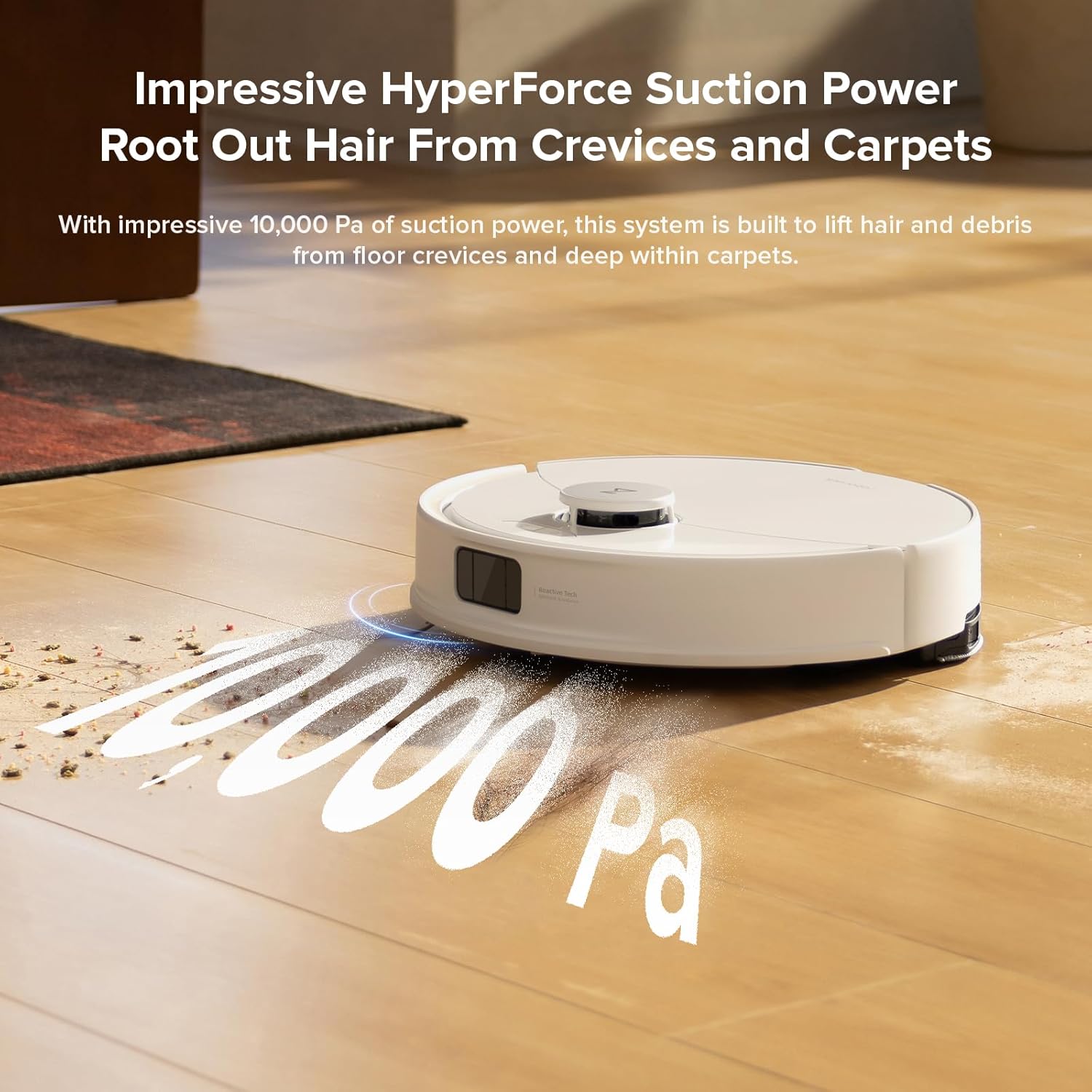
Figure 5: Roborock Q10 X5 showing the auto-lifting mop feature when transitioning from hard floor to carpet.
6. Nlekọta
Regular maintenance ensures optimal performance and extends the lifespan of your Roborock Q10 X5:
- Ogwe Ntụfu Ihe Gbara Ọtọ: Empty the robot's dustbin after each cleaning cycle.
- Ahịhịa Isi Dị Ọcha: Remove and clean the JawScrapers Comb main brush regularly to remove tangled hair and debris.
- Ahịhịa Akụkụ Dị Ọcha: Check and clean the anti-tangle arc side brush for any trapped hair or debris.
- Pad Mop Dị Ọcha: Wash the mop pad after each mopping session. The base station will also dry the mop pads.
- Ihe nzacha dị ọcha: Tap out or rinse the filter as needed. Replace the filter periodically according to usage.
- Ihe mmetụta dị ọcha: Wipe all sensors (LiDAR, cliff sensors, reactive tech sensors) with a soft, dry cloth.
- Kọntaktị Nchaji dị ọcha: Wipe the charging contacts on both the robot and the dock.
7. Nchọpụta nsogbu
| Nsogbu | Ngwọta |
|---|---|
| Robot anaghị akwụ ụgwọ | Ensure charging contacts on robot and dock are clean and properly aligned. Check power connection to the dock. |
| Robot na-arapara mgbe mgbe | Clear small obstacles, cables, and loose rugs from the cleaning path. Ensure Reactive Tech sensors are clean. |
| Arụmọrụ afọ na-adịghị mma | Empty dustbin, clean main brush and filter. Check for blockages in the suction inlet. |
| Mopping leaves streaks or is ineffective | Clean or replace mop pad. Ensure water tank is filled and water flow setting is appropriate for the floor type. |
| Nsogbu njikọ Wi-Fi | Ensure your Wi-Fi is 2.4GHz. Restart your router and the robot. Try reconnecting via the app. |
8. Nkọwapụta
| Njirimara | Nkọwa |
|---|---|
| Ụdị | roborock |
| Aha Nlereanya | roborock Q10 X5 |
| Ike imi | 10,000 Pa HyperForce |
| Nsoro ụzọ | PreciSense LiDAR |
| Mpụ Ihe mgbochi | Teknụzụ reactive |
| Sistemụ mopping | Auto-Lifting Mopping System, High-Intensity Mop |
| ahịhịa | JawScrapers Comb Anti-Tangle Main Brush, Anti-Tangle Arc Side Brush |
| Ndụ batrị | 150 nkeji |
| Usoro njikwa | Ngwa, metụ |
| Akụkụ ngwaahịa | 16.14"L x 13.9"W x 3.98"H |
| Ibu Ibu | 10.36 pound |
9. Official Product Videos
Watch these official videos from Roborock for visual guides and demonstrations:
Roborock Q10 X5 Robot Vacuum and Mop Cleaner - White
Vidiyo a na-enye nkọwa zuru ezuview of the Roborock Q10 X5 Robot Vacuum and Mop Cleaner in White, highlighting its key features and design.
10. Akwụkwọ ikike na nkwado
For warranty information and customer support, please refer to the official Roborock website or contact their customer service directly. Protection plans are available for purchase separately.


