Okwu mmalite
This manual provides essential information for the safe and efficient operation of your TELEFUNKEN 2025 Smart TV 40 inch Full HD, model TE40750B49V4DAZ. Please read these instructions thoroughly before using the television and retain them for future reference.
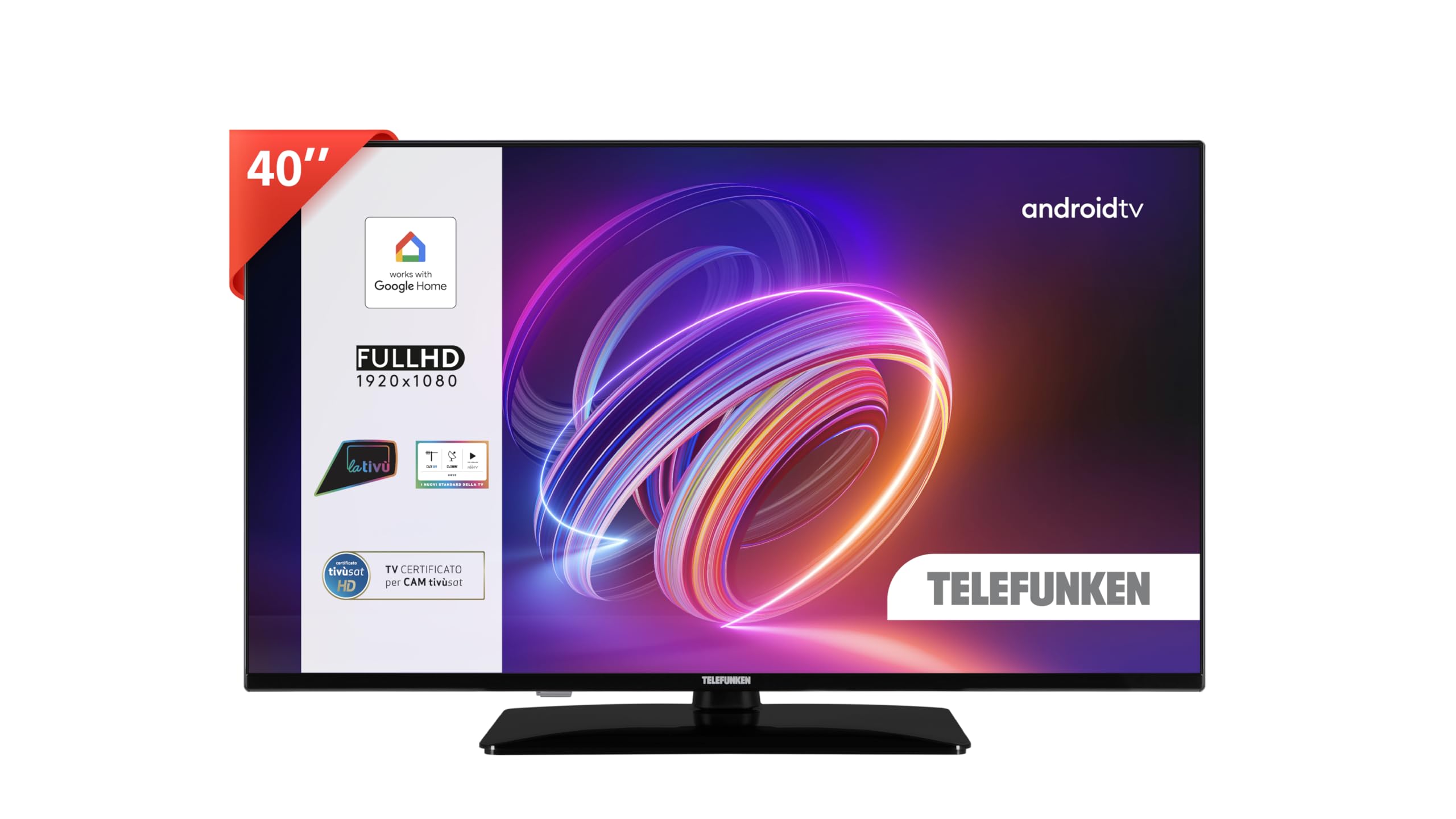
Image: The TELEFUNKEN 40 inch Smart TV displayed in a contemporary living room environment, showcasing its design and screen quality.
Ozi nchekwa
Na-edebe ihe nchekwa nchekwa ndị a mgbe niile iji gbochie ujo eletrik, ọkụ, ma ọ bụ mmerụ ahụ:
- Ewepụla TV na mmiri ozuzo ma ọ bụ mmiri.
- Emeghela TV casing; zigara ndị ọrụ ruru eru ọrụ niile.
- Gbaa mbọ hụ na ikuku ikuku dị na gburugburu TV.
- Debe TV ahụ ka ọ ghara ịnọ n'ebe okpomọkụ na anwụ na-acha kpọmkwem.
- Jiri naanị eriri ọkụ enyere na TV.
- Kwụpụ TV n'oge oké ifufe ọkụ ma ọ bụ mgbe ejighi ya ogologo oge.
Kedu ihe dị na Igbe ahụ
Chọpụta na akụrụngwa niile dị:
- TELEFUNKEN 40 inch Smart TV (TE40750B49V4DAZ)
- Igwe ọkụ ọkụ
- Njikwa anya
- Akwụkwọ ntuziaka (akwụkwọ a)
- TV Stand (if not pre-attached)
- Ihe nkedo maka TV Stand
Melite
1. Iwepu ngwongwo
Carefully remove the TV from its packaging. It is recommended to keep the original packaging for potential future transport or servicing.
2. Na-agbakwunye nkwụsi ike
If your TV stand is not pre-attached, follow these steps:
- Debe ihu TV ahụ n'elu ala dị nro ma dị larịị iji gbochie mmebi ihuenyo.
- Hazie ihe nkwụnye ahụ na oghere ndị dị n'okpuru TV ahụ.
- Chekwaa nkwudo ahụ site na iji kposara enyere.

Image: A technical diagram illustrating the dimensions of the 40-inch TELEFUNKEN TV, including its width, height, and depth, along with the stand's dimensions and attachment points.
3. Mgbidi mgbidi (nhọrọ)
This TV is compatible with wall mounts. Refer to the wall mount manufacturer's instructions for installation. Ensure the wall mount can support the TV's weight (9.5 kg).
4. Njikọ eriri
Connect external devices to the TV's ports. Refer to the image below for port locations.

Foto: A nso nso view of the rear panel of the TELEFUNKEN TV, highlighting the available connectivity ports such as HDMI, USB, Ethernet, and antenna input.
- Ike: Jikọọ eriri ọkụ na TV wee banye na mgbidi mgbidi.
- HDMI: Connect HDMI devices (e.g., Blu-ray player, game console) to the HDMI ports.
- USB: Jikọọ ngwaọrụ nchekwa USB maka ịkpọghachi mgbasa ozi.
- Antenna/Cable: Connect an antenna or cable TV signal to the DVB-T2 input.
- Ethernet: Maka njikọ ịntanetị ejikọrọ.
- CI+ oghere: For Conditional Access Modules (CAM) for encrypted channels.
- Mmepụta ekweisi: Maka ijikọ ekweisi.
5. Ọkachamara Mmalite na Ntọlite
After connecting the power, press the power button on the remote control or TV. The TV will guide you through the initial setup process, including language selection, network connection, and Google account login for Android TV features.
Na-arụ ọrụ TV gị
1. Ọrụ njikwa anya
The remote control allows you to navigate the TV's features. Common buttons include:
- Ike: Gbanyụọ/gbanyụọ TV.
- Isi mmalite: Na-ahọrọ isi mmalite ntinye (HDMI, TV, USB).
- Bọtịnụ Nsoroụzọ (Akụ): Gaa n'ihu na menus.
- OK/Banye: Na-akwado nhọrọ.
- Azu: Na-alaghachi na ihuenyo gara aga.
- Ụlọ: Na-enweta ihuenyo ụlọ Android TV.
- Mpịakọta +/-: Na-edozi olu.
- Ọwa +/-: Na-agbanwe ọwa.
- bọtịnụ enyemaka Google: Na-eme ka njikwa olu rụọ ọrụ.
2. Ihe ntanetị TV Android
The Android TV home screen provides access to installed apps, recommended content, and settings. Use the navigation buttons on your remote to browse.
3. Google Assistant Voice Control
Press the Google Assistant button on your remote and speak into the microphone to control your TV. Examples:
- "Open Netflix"
- "Increase volume"
- "Switch to HDMI 1"
- "Gịnị bụ ihu igwe?"
The TV is also compatible with Google Home for integrated smart home control.
4. Ijikọ na Wi-Fi
To access online features and apps:
- Gaa na Ntọala on the Android TV home screen.
- Họrọ Netwọk & Ịntanetị.
- Họrọ netwọk Wi-Fi gị wee tinye paswọọdụ.
5. E wuru Chromecast n'ime ya
Cast content from your smartphone, tablet, or computer directly to your TV using the Chromecast built-in feature. Look for the Cast icon in compatible apps.
6. Foto na Ntọala ụda
Adjust picture and sound preferences via the TV's settings menu. This TV supports Dolby Vision HDR10 for enhanced picture quality and Dolby Audio for immersive sound.
7. Channel Tuning (DVB-T2)
To scan for digital terrestrial channels:
- Ensure an antenna is connected to the DVB-T2 input.
- Gaa na Ntọala.
- Họrọ Ọwa or Mgbasa ozi.
- Initiate an Nyocha akpaaka maka ọwa.
Nlekọta
1. Na-ehicha ihuenyo
Jiri nwayọ hichaa ihuenyo ahụ site na iji akwa dị nro, kpọrọ nkụ, akwa enweghị akwa. Maka akara isi ike, ntakịrị dampen akwa na mmiri ma ọ bụ pụrụ iche ihuenyo Cleaner. Afesala mmiri mmiri ozugbo na ihuenyo.
2. Mmelite ngwanrọ
Your Android TV may receive software updates to improve performance and add features. Ensure your TV is connected to the internet. Updates can usually be found in Settings > About > System update.
Nchọpụta nsogbu
| Nsogbu | Ngwọta enwere ike |
|---|---|
| Enweghị ike | Check if the power cable is securely connected to the TV and the wall outlet. Ensure the outlet has power. |
| Enweghị foto, mana ụda dị | Nyochaa isi mmalite ntinye ziri ezi ahọpụtara. Lelee njikọ eriri na ngwaọrụ mpụga. |
| Enweghị ụda, mana foto dị | Check volume levels. Ensure Mute is not active. Check audio settings and external device audio output. |
| Njikwa anya anaghị arụ ọrụ | Replace batteries. Ensure no obstructions between the remote and the TV's IR sensor. |
| Enweghị ike ijikọ na Wi-Fi | Ensure Wi-Fi is enabled on the TV. Check Wi-Fi password. Restart your router. |
| Android TV dị nwayọ ma ọ bụ anaghị anabata ya | Restart the TV by unplugging it for a few minutes. Close unused applications. Consider a factory reset if issues persist (note: this will erase all data). |
Nkọwapụta
| Njirimara | Nkọwa |
|---|---|
| Aha Nlereanya | TE40750B49V4DAZ |
| Nha ihuenyo | 40 sentimita asatọ |
| Ngosipụta teknụzụ | Ikanam |
| Mkpebi | 1080p HD zuru oke (1920x1080) |
| Ọnụego ume ọhụrụ | 120 Hz |
| Sistemụ nrụọrụ | Android TV |
| Atụmatụ pụrụ iche | Integrated Voice Support (Google Assistant), HDR10, Dolby Vision, Dolby Audio, Chromecast Built-in |
| Njikọta | Wi-Fi, Ethernet, Bluetooth, 2x HDMI, 1x USB, 1x CI+, Headphone Output |
| Akụkụ (W x H x D) | 90.2 x 57 x 23.5 cm (ya na nkwụnye) |
| Ibu | 9.5 n'arọ |
| Ịnye ọkụ | AC 100-240V, 50/60Hz |
| Ngwa gụnyere | Power Cable, Remote Control, User Manual |
Akwụkwọ ikike na nkwado
Your TELEFUNKEN TV comes with a standard manufacturer's warranty. Please refer to the warranty card included in the packaging for specific terms and conditions. For technical support, service, or further inquiries, please contact your local TELEFUNKEN customer service or visit the official TELEFUNKEN websaịtị.


