1. Ngwaahịa gafereview
The WhalesBot Rocky Smart Robot Car is an educational kit designed to introduce users to robotics, coding, and engineering principles. It supports multiple operating modes including remote control, automatic functions, and various programming languages. This manual provides essential information for assembly, operation, and maintenance.
2. Ozi nchekwa
ỊDỌ AKA NA NTỊ: OHERE ỊGBACHI - Akụkụ ndị dị obere. Adịghị mma maka ụmụaka na-erubeghị afọ 3.
Always supervise children during assembly and operation. Keep small components away from young children to prevent choking. Ensure all connections are secure before operating the robot.
3. Kedu ihe dị na Igbe ahụ
The WhalesBot Rocky kit includes the following components:
- 1x njikwa
- 1x Ultrasonic Sensor
- 1x 5-in-1 Grayscale Sensor
- 1x Chassis
- 1x njikwa anya
- 1x Ultrasonic Sensor Cable
- 1x Grayscale Sensor Cable
- 2x Motor Cables
- 2x M2 Flange Screws
- 3x M3 Combination Screws
- 6x M6 Short Screws
- 6x M6 Long Screws
- 2x Gears
- 1x Universal Wheel
- 2x Tires
- 1x Building Guide
- Ntuziaka mbido 1x ngwa ngwa
- 1x C battery (included)

Image: All components of the WhalesBot Rocky kit, including sensors, chassis, remote, cables, screws, gears, wheels, and documentation.
4. Ntuziaka Mgbakọ
The WhalesBot Rocky features a modular structure for easy assembly. Follow the included Building Guide booklet for detailed, step-by-step instructions. The WhalesBot APP also offers interactive 3D model building guides.
- Unpack all components and verify against the 'What's in the Box' list.
- Attach the motors and universal wheel to the chassis using the provided screws.
- Mount the ultrasonic sensor and 5-in-1 grayscale sensor to the front of the chassis.
- Connect the sensors and motors to the main controller board using the appropriate cables.
- Secure the controller board to the chassis.
- Install the tires onto the gears and attach them to the motor shafts.
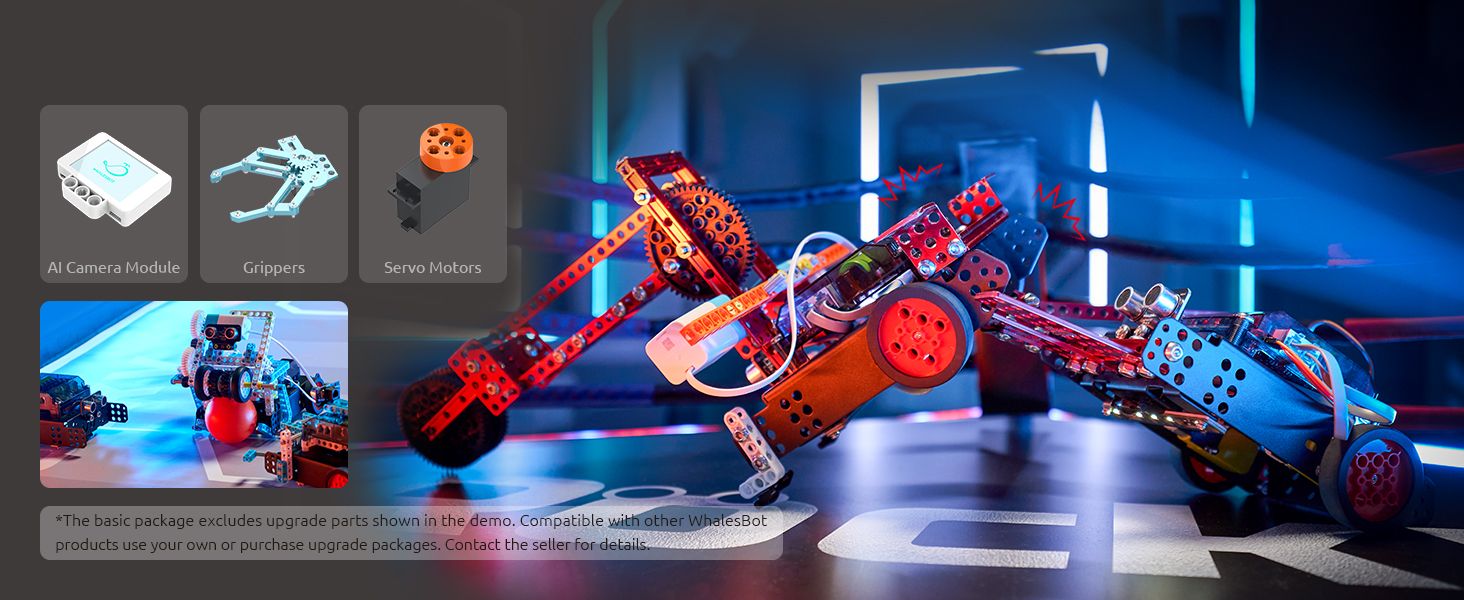
Image: Hands demonstrating the assembly process of the robot car, showing the chassis and electronic components.
5. Na-agbanye ọkụ na nhazi mbụ
After assembly, ensure the C battery is correctly installed in the controller. Press the power button on the controller to turn on the robot. Download the WhalesBot APP on your mobile device or PC for further interaction and programming.
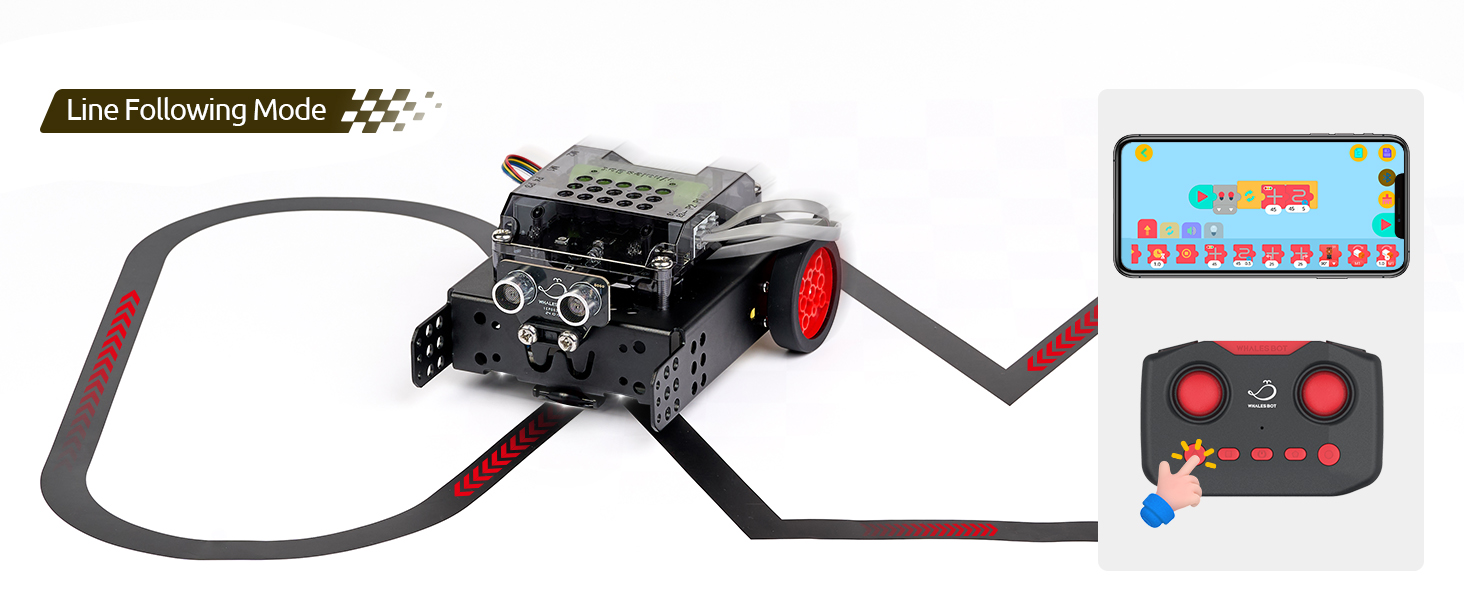
Image: The WhalesBot Rocky robot shown alongside its remote control and a smartphone displaying the control application.
6. Ụdị arụ ọrụ
Rocky supports various interactive modes:
6.1. Ụdị njikwa anya
Use the included remote control to manually steer and operate Rocky. The remote allows for basic movements and can switch between different pre-programmed functions.

Foto: nkọwa zuru ezu view of the WhalesBot Rocky remote control, highlighting its buttons for various functions like line following and obstacle avoidance.
6.2. Line Following Mode
Utilizing its 5-in-1 grayscale sensor, Rocky can detect and follow lines on a designated track. Place Rocky on the provided track and activate this mode via the remote or programmed instructions.
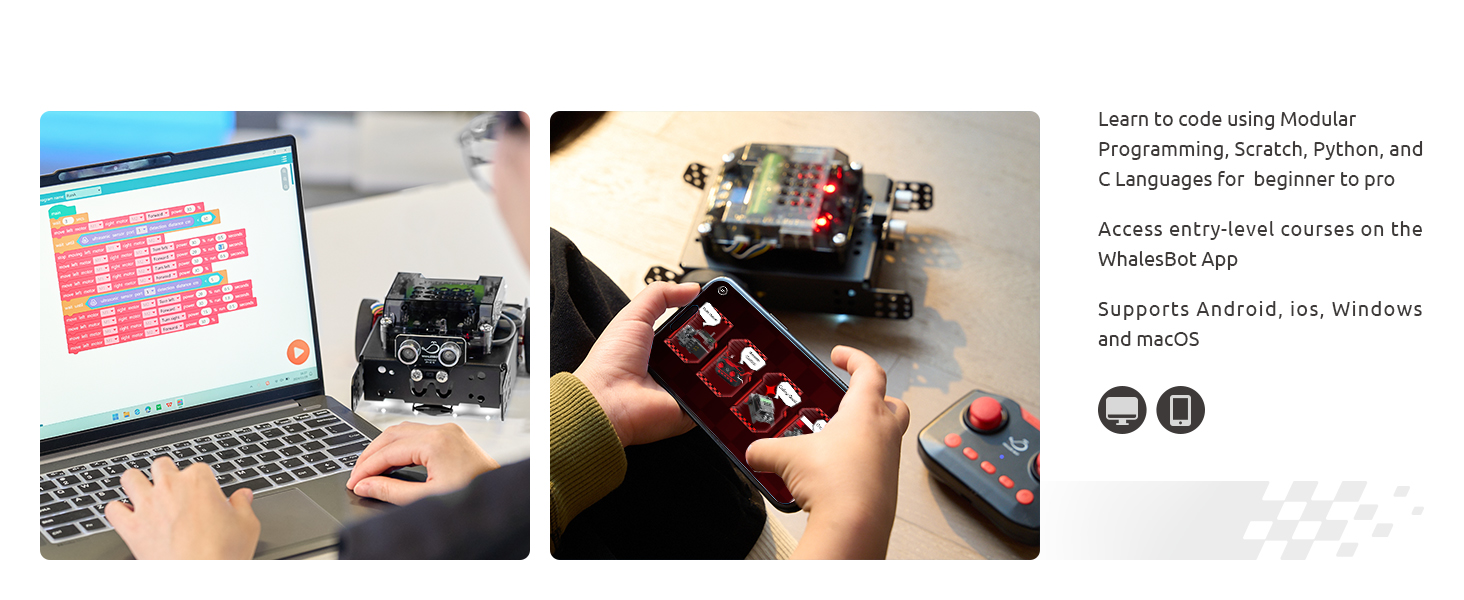
Image: The WhalesBot Rocky robot actively following a black line on a white track, demonstrating its line-following capability.
6.3. Obstacle Avoidance Mode
The ultrasonic sensor allows Rocky to detect objects in its path and navigate around them. This mode can be activated for autonomous movement.
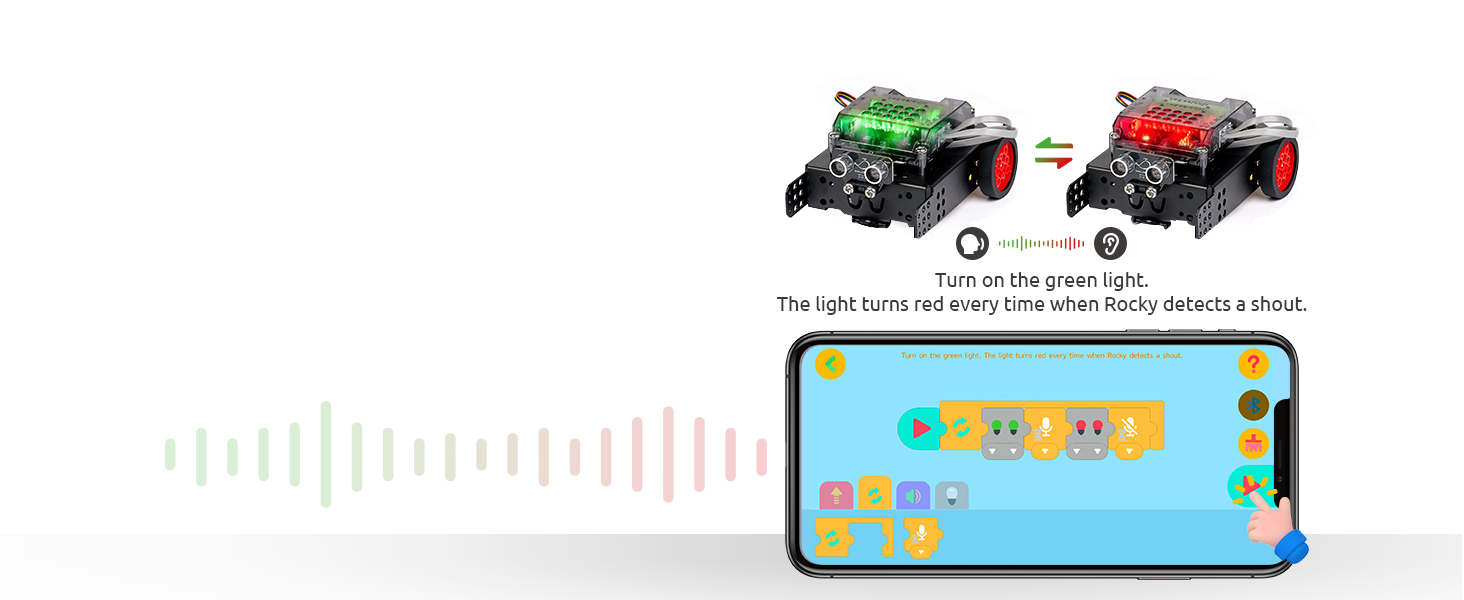
Image: The WhalesBot Rocky robot shown in motion, detecting and avoiding an orange cone obstacle using its ultrasonic sensor.
6.4. Light & Sound Detection
Rocky is equipped with sensors to detect ambient light and sound, allowing for interactive responses based on environmental stimuli. This can be programmed for various creative tasks.
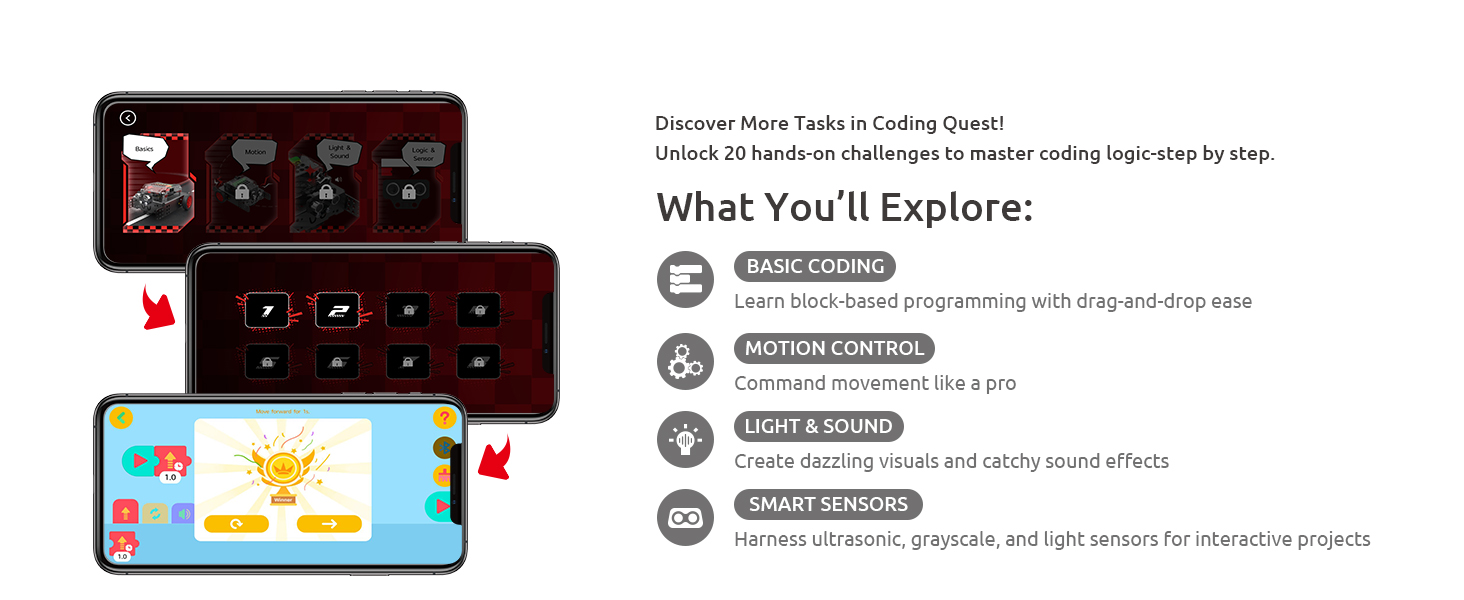
Image: The WhalesBot Rocky robot demonstrating light and sound detection, with its lights changing color in response to a sound input.
7. Koodu na mmemme
Rocky supports multiple programming methods, catering to various skill levels:
- Modular Programming: Entry-level block-based coding for beginners.
- Ikpochapu: Visual programming language for easy drag-and-drop coding.
- Python: Text-based programming for more advanced users.
- C: Advanced programming for experienced coders.
The WhalesBot APP provides step-by-step coding courses and 20 hands-on challenges in 'Coding Quest' to help users master logic and programming concepts.
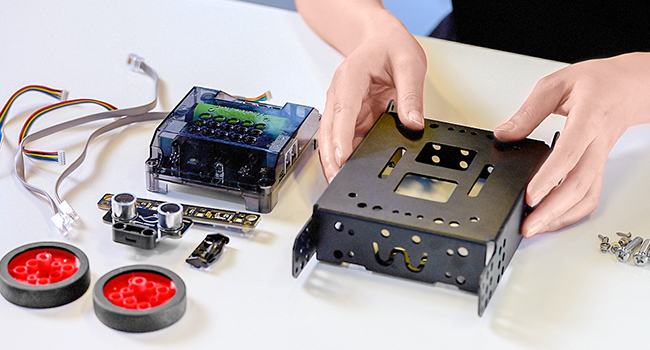
Image: A laptop and a smartphone showing different coding environments, including block-based and text-based programming, for the WhalesBot Rocky.
8. Components and Sensors
Rocky is equipped with advanced components for enhanced performance and learning:
- Closed-Loop Motors: Provide higher precision and control for movement.
- 5-in-1 Grayscale Sensor: Offers enhanced line detection capabilities.
- Ihe mmetụta Ultrasonic: Used for accurate obstacle detection.
- Onye njikwa agbakwunyere: The central processing unit for the robot.
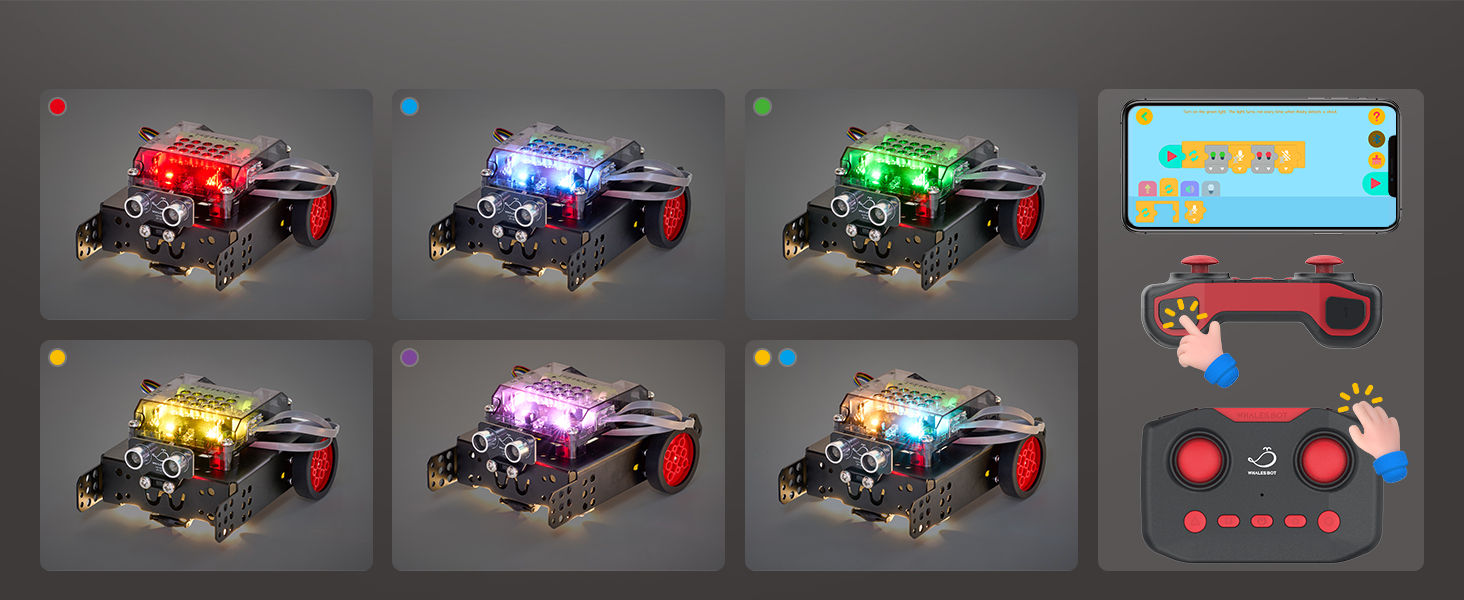
Image: An exploded diagram illustrating the key internal components of the WhalesBot Rocky, including the controller, sensors, and motors.
9. Nkọwapụta
- Akụkụ ngwaahịa: 11.81 x 9.25 x 3.54 sentimita asatọ
- Ibu ihe: 2.43 pound
- Afọ akwadoro: Afọ 8 na karịa
- Batrị: Achọrọ batrị 1C (gụnyere)
- Asụsụ mmemme: Modular, Scratch, Python, C
- Platform akwadoro: Android, iOS, Windows, macOS
10. Nchọpụta nsogbu
If you encounter issues with your WhalesBot Rocky, consider the following:
- Okwu ike: Ensure the C battery is fully charged and correctly inserted.
- Nsogbu njikọ: Verify Bluetooth connection between the robot and your device. Restart the app and robot if necessary.
- Movement Irregularities: Check all motor and sensor cable connections. Ensure wheels are properly attached and free from obstructions.
- Ihe mmetụta sensọ adịghị arụ ọrụ: Clean sensor lenses if they appear dirty. Ensure sensors are correctly positioned according to the building guide.
- Programming Errors: Review your code for logical mistakes. Utilize the step-by-step tutorials in the WhalesBot APP for guidance.
For further assistance, refer to the detailed User Manual or contact WhalesBot customer support.
11. Akwụkwọ ikike na nkwado
WhalesBot is committed to providing quality educational robotics products. For any questions, technical support, or warranty inquiries, please refer to the contact information provided in your product packaging or visit the official WhalesBot websaịtị.


