1. Okwu mmalite
The August SE15 is a versatile portable CD player designed for a comprehensive audio experience. It features Bluetooth 5.3 for both transmitting and receiving audio, a USB port for digital music playback, and 3.5mm AUX In/Out connections. Equipped with built-in stereo speakers and a rechargeable battery, it offers portability and high-quality sound for various environments. The device supports CD, CD-R, CD-RW, MP3, and WMA formats, and includes features like adjustable EQ, anti-skip protection, and remote control for enhanced usability.
2. Ihe ngwugwu
Biko lelee igbe maka ihe ndị a:
- August SE15 Portable CD Player
- Njikwa anya
- Igwe ntị
- USB-C eriri USB
- 3.5mm AUX USB
- Ngwa Mgbidi Maka Mgbidi (skru na arịlịka)
- Ntọala guzo
- Akwụkwọ ntuziaka onye ọrụ
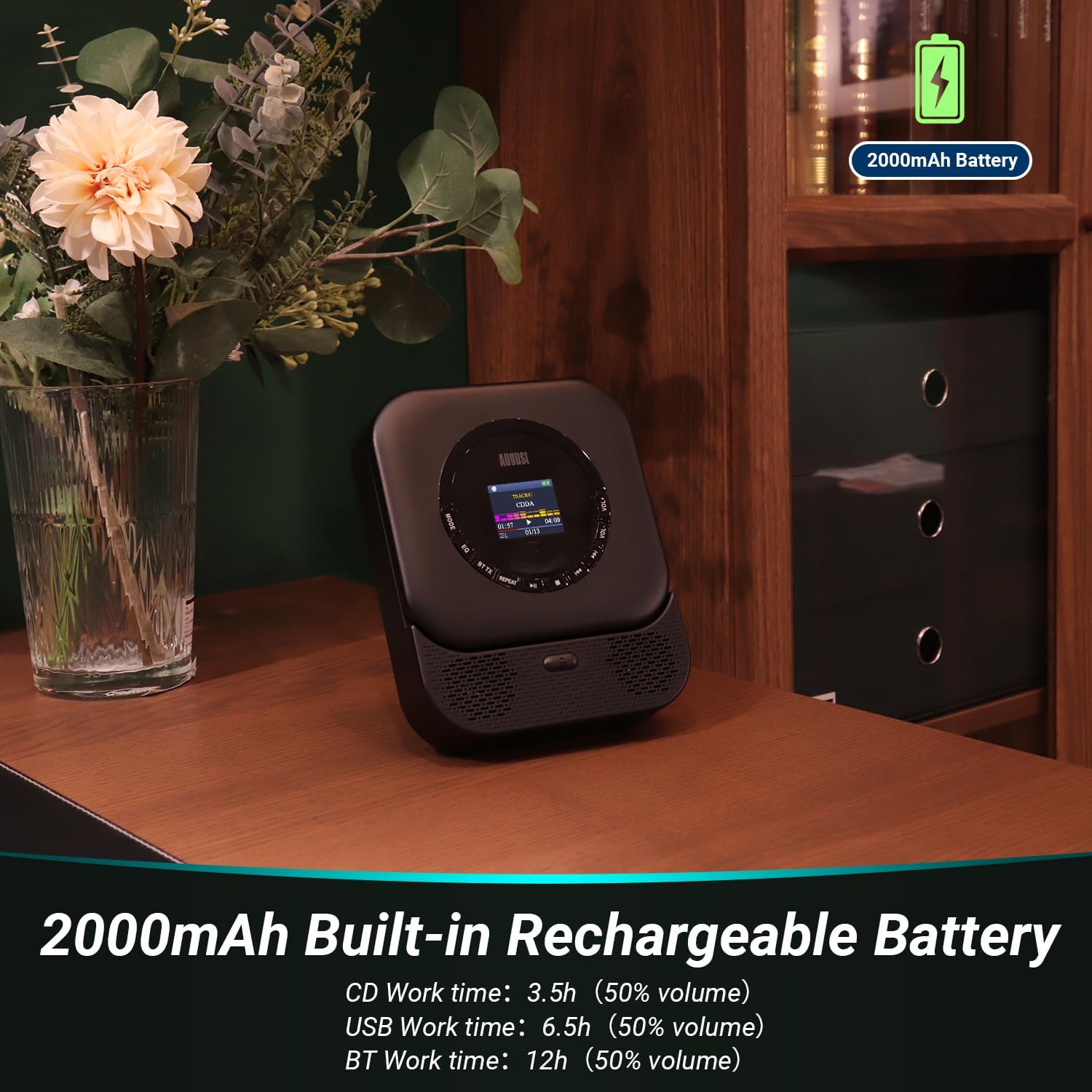
Image: All items included in the August SE15 product box.
3. Nhazi na Njikwa Ngwaahịa
Familiarize yourself with the various ports and controls on your SE15 CD player.

Foto: Zuru ezu view of the SE15's connectivity ports.
- 3.5mm AUX-Out: Jikọọ ekweisi ma ọ bụ okwu na mpụga.
- Ọdụ ụgbọ mmiri USB: Insert a USB stick for MP3/WMA playback (Max 64GB, FAT32).
- 3.5mm AUX-In: Jikọọ isi mmalite ọdịyo dị na mpụga.
- Mgbanwu ma ọ bụ gbanyụọ ọkụ: Gbanyụọ ma ọ bụ gbanyụọ ngwaọrụ.
- Type-C Charging Socket: Maka ịchaji batrị dị n'ime.
- Ngosipụta ihuenyo: Shows track information, mode, and settings.
- bọtịnụ njikwa: Play/Pause, Skip/Search, Mode, EQ, Volume Up/Down.
4. Nhazi
4.1 Ịchaji ngwaọrụ
Before first use, fully charge the SE15 using the provided USB-C cable and a compatible USB power adapter (not included). The built-in 2000mAh battery provides up to 40 hours of CD playback on a single charge.

Image: The SE15 highlighting its 2000mAh rechargeable battery and usage times.
4.2 Ntinye na ntinye
The SE15 can be used freestanding with its integrated stand or mounted on a wall using the included wall bracket kit.
- Nnwere onwe: Pull out the integrated stand on the back of the unit to place it on a desk, shelf, or bedside table.
- Ịkwanye mgbidi: Use the provided screws and anchors to securely attach the wall bracket to a suitable wall surface. Once the bracket is installed, slide the SE15 onto the bracket until it clicks into place.

Image: Demonstrating the wall-mounted and freestanding options for the SE15.
4.3 Gbanyụọ ma ọ bụ gbanyụọ
Slide the Power On/Off switch located on the side of the unit to the 'ON' position to power on the device. Slide it to 'OFF' to power off.
5. Ntuziaka ọrụ
5.1 CD ịkpọghachi
- Mepee mkpuchi nke CD ahụ.
- Carefully place a CD (CD, CD-R, CD-RW) onto the spindle, label side up.
- Close the CD compartment cover. The player will automatically begin reading the disc.
- Use the Play/Pause, Skip/Search buttons on the unit or remote to control playback.
5.2 USB playback
- Insert a USB flash drive (formatted to FAT32, max 64GB) containing MP3 or WMA audio files n'ọdụ ụgbọ mmiri USB.
- Press the 'MODE' button until 'USB' mode is selected on the display.
- The player will automatically scan and begin playing audio files site na USB mbanye.
5.3 Bluetooth Connectivity (TX & RX)
The SE15 supports Bluetooth 5.3 for both transmitting (TX) and receiving (RX) audio.
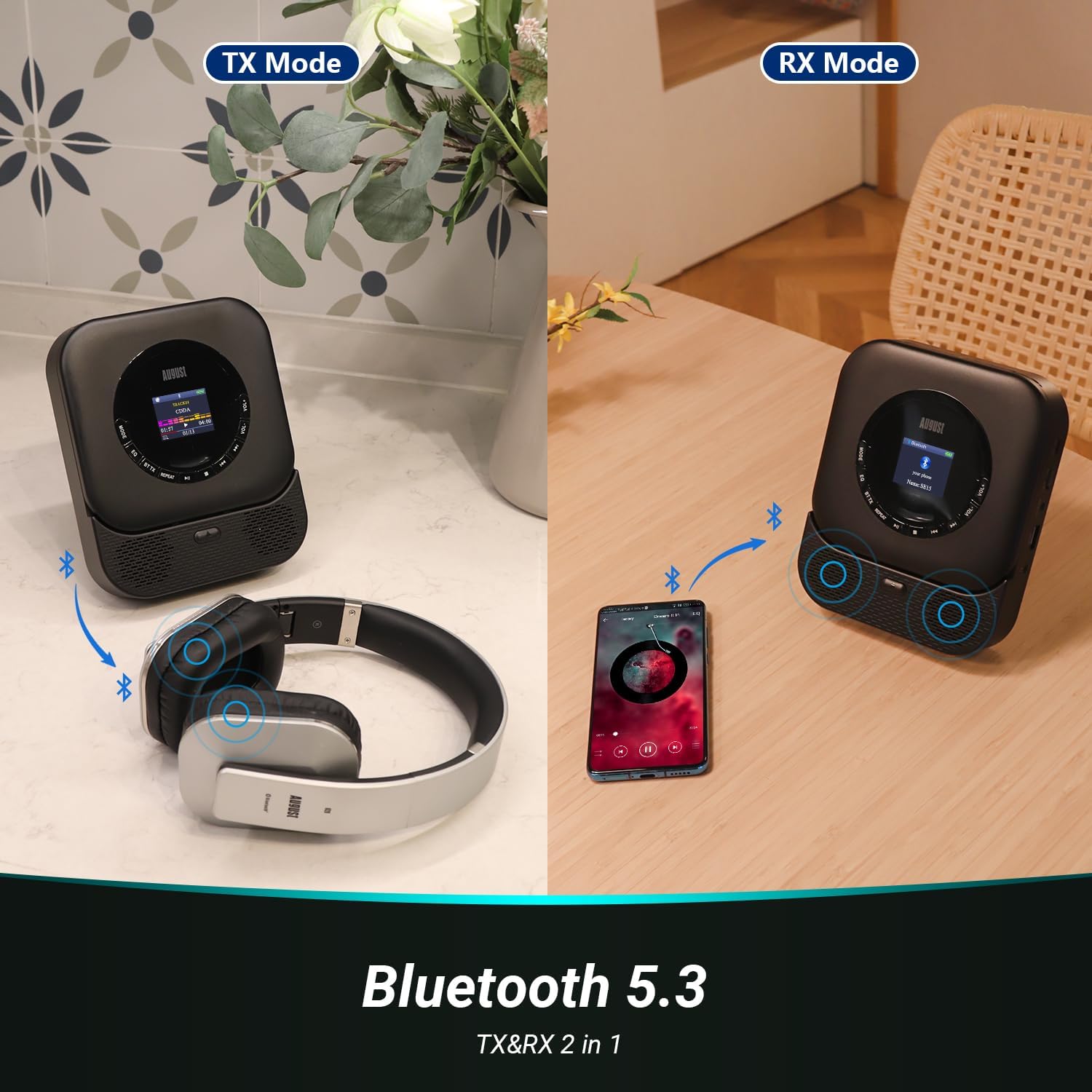
Image: Illustrating Bluetooth Transmit (TX) and Receive (RX) modes.
5.3.1 Bluetooth Transmit (TX) Mode
In TX mode, the SE15 transmits audio from CD, USB, or AUX-In to Bluetooth headphones or speakers.
- Ensure the SE15 is playing audio from a source (CD, USB, AUX-In).
- Press the 'BT TX' button on the remote control or the corresponding button on the unit to enter TX mode. The Bluetooth indicator will flash.
- Tinye ekweisi ma ọ bụ ọkà okwu Bluetooth gị n'ọnọdụ njikọta.
- The SE15 will automatically search for and connect to nearby Bluetooth devices. Once connected, audio will play through the paired device.
5.3.2 Bluetooth Receive (RX) Mode
In RX mode, the SE15 acts as a Bluetooth speaker, receiving audio from a smartphone or tablet.
- Press the 'MODE' button until 'BT RX' mode is selected on the display. The Bluetooth indicator will flash.
- On your smartphone or tablet, enable Bluetooth and search for 'August SE15'.
- Select 'August SE15' to pair. Once connected, audio from your device will play through the SE15's speakers.
5.4 AUX Bata/Ọpụpụ
- AUX n'ime: Connect an external audio source (e.g., MP3 player, phone) to the 3.5mm AUX-In port using the provided AUX cable. Select 'AUX In' mode using the 'MODE' button.
- AUX pụta: Connect the 3.5mm AUX-Out port to external speakers or headphones using an AUX cable for wired audio output.
5.5 Iji njikwa anya
The included remote control provides convenient access to all functions from a distance.

Image: The SE15 CD player and its remote control in use.
- Bọtịnụ ike: Gbanyụọ/gbanyụọ unit
- Bọtịnụ ụkpụrụ: Cycles through CD, USB, AUX In, BT RX modes.
- BT TX Button: Activates Bluetooth Transmit mode.
- Play/Pause, Skip/Search Buttons: Njikwa egwu ọkpụkpọ nkịtị.
- VOL+/- Buttons: Gbanwee olu.
- EQ bọtịnụ: Na-agagharị site na nhazi nhazi nha nhata.
- Bọtịnụ ikwughachi: Controls repeat playback modes (e.g., repeat one, repeat all).
5.6 EQ Settings and Anti-Skip Protection
- Ntọala EQ: Press the 'EQ' button on the unit or remote to cycle through various equalizer presets (e.g., Pop, Rock, Classic, Jazz, Flat) to optimize sound for different music genres.
- Mgbochi Mwụpụ: The SE15 features automatic shock and skip protection, providing 40 seconds for CD and 120 seconds for MP3 playback, ensuring uninterrupted audio even during movement.
6. Nlekọta
To ensure the longevity and optimal performance of your August SE15 CD player, follow these maintenance guidelines:
- Nhicha: Use a soft, dry cloth to clean the exterior of the unit. For stubborn marks, a slightly damp cloth can be used, followed by a dry one. Do not use abrasive cleaners or solvents.
- Ngalaba CD: Keep the CD compartment clean and free of dust. Avoid touching the laser lens. If necessary, use a specialized CD lens cleaner disc.
- Nchekwa: When not in use for extended periods, store the player in a cool, dry place away from direct sunlight and extreme temperatures.
- Nlekọta batrị: To preserve battery life, avoid fully discharging the battery frequently. Charge the device regularly, even if not in constant use.
7. Nchọpụta nsogbu
If you encounter issues with your August SE15, please refer to the following common problems and solutions:
| Nsogbu | Ihe nwere ike ime | Ngwọta |
|---|---|---|
| Onye ọkpụkpọ anaghị agba ọkụ. | Batrị agwụla; mgbanyụ ọkụ agbanyụrụla. | Charge the device; Ensure the power switch is in the 'ON' position. |
| Enweghị ụda sitere na igwe okwu / ekweisi. | Volume too low; Incorrect mode selected; Loose cable connection; Bluetooth not paired. | Increase volume; Select correct mode (CD, USB, AUX, BT); Check cable connections; Re-pair Bluetooth device. |
| CD na-awụli elu ma ọ bụ anaghị egwu egwu. | CD is dirty or scratched; CD inserted incorrectly; Player is on an unstable surface. | Clean the CD; Re-insert CD correctly; Place player on a stable surface. |
| USB drive not recognized. | USB drive not FAT32; Drive capacity too large; Corrupt files. | Ensure USB is FAT32 and max 64GB; Try a different USB drive; Check file formats (MP3/WMA). |
| Njikọ Bluetooth ada ada. | Device too far; Not in pairing mode; Interference. | Ensure devices are close; Put both devices in pairing mode; Turn off other Bluetooth devices. |
If the problem persists after trying these solutions, please contact August customer support.
8. Nkọwapụta
| Njirimara | Nkọwapụta |
|---|---|
| Ụdị | Ọgọst |
| Nlereanya | SE15B |
| Teknụzụ Njikọta | Wireless (Bluetooth 5.3), Wired (USB, 3.5mm AUX) |
| Ụdị ọdịyo akwadoro | CD, CD-R, CD-RW, MP3, WMA, HDCD |
| Mmepụta Ọkà Okwu | 6 watts (Stereo, 2.0 channel) |
| Isi Iyi Ike | Battery Powered (2000mAh Lithium Ion) |
| Ndụ batrị (ihe dị ka) | 40 hours (CD playback) |
| USB ndakọrịta | Max 64GB, FAT32 format |
| Atụmatụ pụrụ iche | Bluetooth TX/RX, Built-in Microphone, Display, Shockproof, USB Port, Auto EQ, Wall Mountable |
| Akụkụ ngwaahịa (L x W x H) | 14.3 x 17.6 x 4.4 cm |
| Ibu Ibu | 468 grams |
| Ụdị ihe | Plastic |
9. Akwụkwọ ikike na nkwado
August International Ltd. provides a warranty for this product. For detailed warranty information and customer support, please visit the official August websaịtị ma ọ bụ kpọtụrụ ndị ahịa ha ozugbo.
Ị nwere ike ịchọta ozi ndị ọzọ na nkwado na August Store on Amazon.
For the PDF version of this user manual, please refer to: Akwụkwọ ntuziaka onye ọrụ (PDF)


