1. Okwu mmalite na gafereview
The PAJ GPS Dog Tracker is an advanced 4G real-time tracking device designed to ensure the safety and well-being of your pet. This compact and waterproof tracker provides precise location monitoring, runaway alerts, and health activity insights directly to your smartphone via a dedicated app. It is suitable for dogs weighing 8.8 lbs (4 kg) and above, offering peace of mind whether at home or during outdoor adventures.
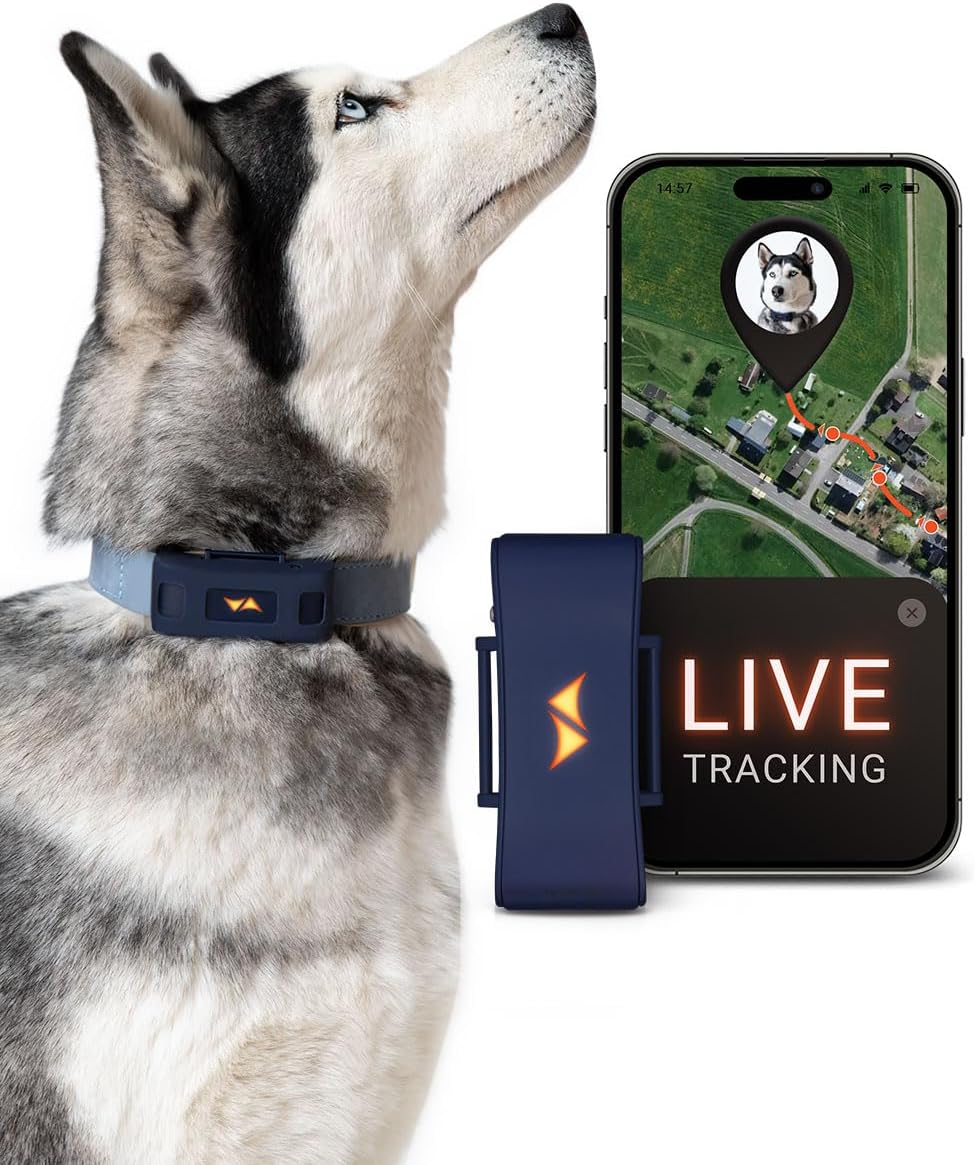
Image: The PAJ GPS Dog Tracker in blue, shown attached to a dog's collar, alongside a smartphone displaying the live tracking interface of the PAJ GPS app.
2. Gịnị gụnyere
Your PAJ GPS Dog Tracker package includes the following components:
- PAJ PET Finder 4G device (blue) with built-in PAJ SIM card
- 2x rubber covers
- 3 caps with different colors for LEDs (for customization)
- USB nchaji eriri
- 3x Velcro fasteners (for secure attachment to collars)
- 2x flexible mounting cases

Image: A visual representation of all items included in the PAJ GPS Dog Tracker package, neatly arranged to show the main device, accessories, and packaging.
3. Nhazi
3.1. Ịchaji ngwaọrụ
Before first use, fully charge your PAJ GPS Dog Tracker using the provided USB charging cable. Connect the cable to the tracker and a standard USB power source (e.g., computer USB port, wall adapter). The device's LED indicator will show charging status.
3.2. App Download and Activation
To utilize the full features of your tracker, download the official PAJ GPS app from your device's app store (available for Android and iOS). Follow the in-app instructions to create an account and activate your device. A subscription plan is required for real-time tracking services.
3.3. Attaching to Your Pet's Collar
The PAJ GPS Dog Tracker is designed to fit securely on most dog collars. Use the included durable Velcro straps to attach the device firmly to your pet's collar. Ensure the tracker is positioned comfortably and does not impede your pet's movement.

Foto: nkọwa zuru ezu view showing how the PAJ GPS Dog Tracker is securely fastened to a pet collar using the provided Velcro strap, highlighting the ease of attachment.
4. Ntuziaka ọrụ
4.1. Real-Time Tracking
Access your pet's live location at any time through the PAJ GPS app. The app provides precise, real-time updates on a map, allowing you to monitor your pet's whereabouts instantly.

Image: A dog with the tracker on its collar, next to a smartphone displaying the PAJ GPS app's live tracking map, indicating the pet's current location.
4.2. Runaway Alerts (Geofence)
Set up virtual fences (geofences) within the app to define safe zones for your pet. If your pet enters or exits these predefined areas, you will receive instant notifications on your smartphone, allowing for quick response.
4.3. Callback Function
The app features a unique callback function that emits a distinct sound from the tracker. This can be used as a training tool to teach your dog to return to you when they hear the sound.

Image: A vibrant image of a dog enjoying an outdoor run, accompanied by a smartphone screen illustrating the "Callback Function" and "Real-time Tracking" features of the PAJ GPS app.
4.4. LED Lights for Enhanced Visibility
The PAJ GPS Dog Tracker is equipped with built-in LED lights that enhance your pet's visibility, especially during night walks or in low-light conditions. The light sensor automatically adjusts brightness for optimal visibility.
Video: This video demonstrates the PAJ GPS Tracker for Dogs 4G, highlighting its runaway alarm capabilities and the functionality of its LED lights for improved visibility in low-light conditions. It shows a dog walking with the illuminated tracker and a user interacting with the app to control the lights.
4.5. Health & Activity Monitoring
Monitor your dog's health and activity levels through the app. This includes early health insights, a wellness score, and daily activity tracking (calories, active minutes). You can also review up to 365 days of route history.

Image: A composite image displaying various health and activity monitoring features within the PAJ GPS app, including wellness scores, daily activity logs, and historical route information.
4.6. Ikekọrịta Ezinụlọ
The Family Sharing feature allows multiple individuals to track the same device simultaneously, ensuring that all family members can monitor the pet's location.
4.7. Battery Saving Zone
Utilize the Battery Saving Zone feature to extend battery life. This mode optimizes power consumption when your pet is within a designated safe area, such as your home Wi-Fi zone.
4.8. Seamless Map Modes
Switch between different map modes (e.g., satellite, 3D, outdoor maps) seamlessly within the app for the best viewing experience, especially for outdoor tracking.
5. Ozi batrị
The PAJ GPS Dog Tracker is powered by a Lithium Ion battery. Battery performance varies based on usage:
- Up to 10 days in power-saving mode (e.g., within a Battery Saving Zone).
- 4-6 days with mixed use.
- 1-2 days with continuous 24/7 tracking.
Regular charging is recommended to ensure continuous tracking availability.
6. Nlekọta
The PAJ GPS Dog Tracker is IP67-rated waterproof, making it suitable for various weather conditions and activities like swimming. To maintain optimal performance and longevity:
- Jiri nwayọ na-ehicha ngwaọrụ ahụ mgbe niile, damp akwa .
- Avoid exposing the charging port to water when not in use.
- Ensure the rubber cover is properly sealed to maintain water resistance.
- Chekwaa ngwaọrụ ahụ n'ebe dị jụụ, kpọrọ nkụ mgbe ọ naghị eji ya ogologo oge.
7. Nchọpụta nsogbu
If you encounter issues with your PAJ GPS Dog Tracker, consider the following:
- No Location Data: Ensure the device is charged and has a clear line of sight to the sky for GPS signal. Check your subscription status in the app.
- Ngwaọrụ anaghị ejikọta: Verify your smartphone's internet connection. Restart both the tracker and your smartphone.
- Ndụ obere batrị: Review your tracking interval settings in the app. More frequent updates consume more battery. Utilize power-saving modes or Battery Saving Zones when possible.
- Anabataghị ọkwa: Check app notification settings on your smartphone and within the PAJ GPS app. Ensure geofences are correctly configured.
For persistent issues, refer to the official PAJ GPS websaịtị ma ọ bụ kpọtụrụ nkwado ndị ahịa.
8. Nkọwapụta
| Njirimara | Nkọwa |
|---|---|
| Aha Nlereanya | PET Finder 4G - Blue |
| Teknụzụ Njikọta | Cellular (4G) |
| GPS | GPS arụnyere n'ime ya |
| Ngosi nke enweghị mmiri | IP67 |
| Ibu Ibu | 48 grams (1.69 ounces) |
| Akụkụ ngwaahịa (LxWxH) | 3.11 x 1.26 x 0.75 sentimita asatọ |
| Ụdị batrị | 1 batrị lithium ion (gụnyere) |
| Ndị na-ege ntị lekwasịrị anya | Dogs (8.8 lbs and above) |
| Njirimara Pụrụ Iche | LED Lights, Light Sensor |
| Ngwa dakọtara | Ama ekwentị (gam akporo, iOS) |
9. Akwụkwọ ikike na nkwado
9.1. Akwụkwọ ikike Ozi
The PAJ GPS Dog Tracker comes with a Akwụkwọ ikike onye nrụpụta afọ 2. Biko dowe ihe akaebe nke ịzụrụ ihe maka akwụkwọ ikike.
9.2. Nkwado ndị ahịa
For any questions, technical assistance, or support, PAJ GPS offers 24/7 multilingual customer support. You can find more detailed information and contact options on the official PAJ GPS website or refer to the comprehensive user manual PDF:


