Okwu mmalite
The PUREMIC Wireless Dynamic Microphone is a versatile audio tool designed for a wide range of applications, including vocal recording, live streaming, podcasting, and gaming. Its plug-and-play functionality, combined with advanced features like real-time monitoring and a cardioid polar pattern, ensures high-fidelity sound capture and an immersive user experience. This manual provides detailed instructions for setting up, operating, and maintaining your microphone to achieve optimal performance.
Kedu ihe dị na Igbe ahụ
Biko hụ na ihe ndị a niile dị na ngwugwu gị:
- Igwe okwu x 1
- Igwe okwu ekweisi x 1
- kwụrụ x1
- USB C Dongle x 1
- Lightning Adapter x 1

Ntuziaka nhazi
The PUREMIC microphone offers a simple plug-and-play setup for immediate use.
1. Ijikọ na ngwaọrụ gị
Your microphone comes with both a USB-C dongle and a Lightning adapter to ensure compatibility with a wide range of smartphones and tablets.
- For Android Phones and iPhone 15/Newer: Use the USB-C dongle.
- For iPhone 14/Older: Use the Lightning adapter.
Simply plug the appropriate dongle into your phone's charging port. The microphone will automatically connect.

2. Connecting Earphones for Monitoring
For real-time audio monitoring, connect the included earphone to the 3.5mm jack on the microphone. This allows you to hear your voice and the audio output directly, ensuring optimal sound levels during recording or streaming.

3. Using with an External Speaker (Optional)
Iji amplify your sound for karaoke or parties, you can connect the microphone setup to an external speaker. First, connect the dongle to your phone. Then, use an AUX cable (not included) to connect the microphone to your speaker's AUX input. The sound will emanate from the speakers.
Ntuziaka ọrụ
Njikwa igwe okwu
The microphone features intuitive controls for easy operation:
- Oghere bọtịnụ: Press to instantly mute or unmute the microphone. An LED light indicates the mute status, helping you avoid accidental audio incidents.
- Vocal Cancel Button: Easily switch to the original karaoke track by pressing this button, eliminating the vocal track for singing along.
- Njikwa olu: Adjust your microphone's output volume using the dedicated up/down buttons.
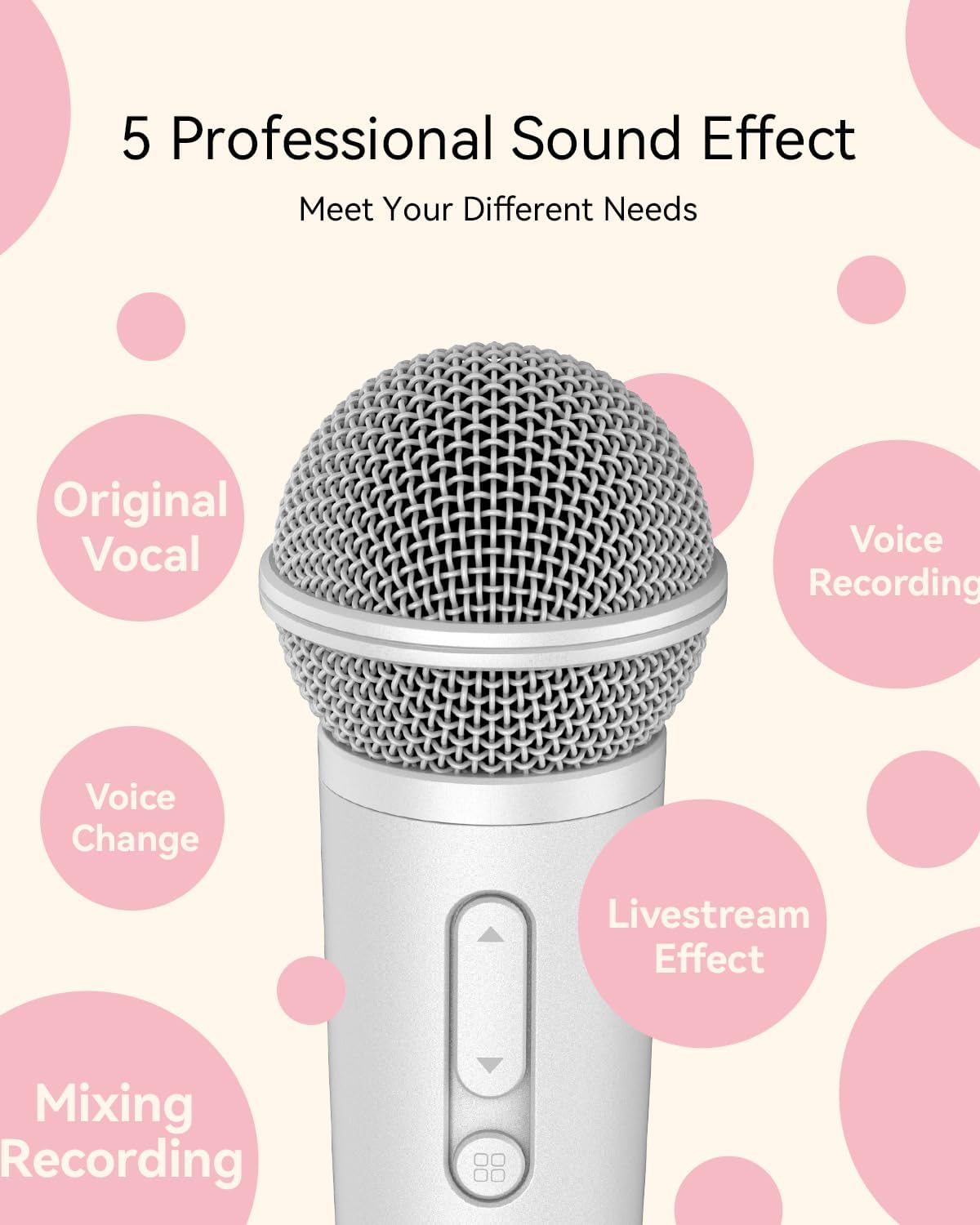
Sound Effects and Modes
The PUREMIC microphone includes a built-in reverberation mode and DSP chip for enhanced audio quality. It offers 5 professional sound effects to meet various needs:
- Original Vocal
- Ndekọ olu
- Mgbanwe olu
- Livestream Effect
- Ịgwakọta ndekọ

Ihe ngosi ojiji
The PUREMIC microphone is designed for versatility across multiple platforms and activities:
- Singing Apps: Compatible with Smule, Starmaker, Spotify, Apple Music, and more.
- Mgbasa ozi dị ndụ: Ideal for Twitch, TikTok, and YouTube.
- Pọdkastị: Use for recording podcasts on platforms like Apple Podcasts and Stitcher.
- Egwuregwu: Ensures clear communication with teammates and enhances your gaming experience.


Ndụ batrị na Nchaji
The microphone provides up to 15 hours of working time on a full charge. A full charge takes approximately 2 hours. The dual Type-C ports support simultaneous broadcasting and charging.

Nkọwapụta
| Njirimara | Nkọwapụta |
|---|---|
| Ụdị | PUREMIC |
| Aha Nlereanya | Bluetooth Microphone-MX1 |
| Ibu Ibu | 12 ounces |
| Akụkụ ngwaahịa (L x W x H) | 6.8 x 2 x 2 sentimita asatọ |
| Ihe kpatara ụdị igwe okwu | Ejidere |
| Ụkpụrụ Polar | Unidirectional (Cardioid) |
| Teknụzụ Njikọta | UHF |
| Ụdị njikọ | USB Ụdị-C |
| Isi Iyi Ike | Batrị kwadoro (1 batrị lithium polymer gụnyere) |
| Ụdị batrị | Lithium polymer |
| Oge Nchaji | Ihe ruru. awa 2 |
| Oge ọrụ | Ruo awa iri abụọ |
| Oke ugboro ugboro | 657MHz - 662MHz |
| Nzaghachi ugboro ugboro | 20000 Hz |
| Signgbaàmà-na-Noise ruru | 75 dB |
| Mgbochi | 80 Ohm |
| Ihe onwunwe | Acrylonitrile Butadiene Styrene |
| Agba | Ọcha |
| Ngwa dakọtara | Karaoke Machine, Smartphone, Speaker, Voice Recorder |
Nchọpụta nsogbu
If you encounter issues with your PUREMIC microphone, please refer to the following common solutions:
- Microphone Not Pairing/Connecting:
- Ensure the dongle is fully inserted into your phone's charging port.
- Verify you are using the correct dongle (USB-C for newer devices, Lightning for older iPhones).
- Check if your phone's operating system is up to date.
- Restart your phone and try connecting again.
- Ensure the microphone is charged.
- Enweghị mpụta ụda:
- Lelee ọkwa olu igwe okwu ahụ.
- Ensure earphones are properly plugged into the microphone's 3.5mm jack.
- If using an external speaker, confirm the AUX cable connection and speaker volume.
- Verify that the microphone is not muted.
- Poor Sound Quality/Interference:
- Ensure you are within the optimal range of your device.
- Minimize obstructions between the microphone and the dongle.
- Lelee maka ngwaọrụ ikuku ndị ọzọ nwere ike ibute nsogbu.
- Ensure the microphone grille is clean and free from debris.
Nlekọta
To ensure the longevity and optimal performance of your PUREMIC microphone, follow these maintenance guidelines:
- Nhicha: Use a soft, dry cloth to wipe the microphone's exterior. For the grille, use a soft brush to gently remove dust or debris. Avoid using harsh chemicals or abrasive materials.
- Nchekwa: Store the microphone in a cool, dry place away from direct sunlight and extreme temperatures. Keep it in its original packaging or a protective case when not in use to prevent damage.
- Nlekọta batrị: For long-term storage, ensure the battery is partially charged (around 50%) to preserve its health. Avoid fully discharging the battery for extended periods.
Akwụkwọ ikike na nkwado
PUREMIC products are designed for reliability and performance. For specific warranty details and terms, please refer to the warranty card included with your product or visit the official PUREMIC website. If you require technical assistance or have questions not covered in this manual, please contact PUREMIC customer support through their official channels.