Okwu mmalite
Welcome to your new BEISHI Large TV Floor Stand. This manual provides detailed instructions for assembly, operation, and maintenance to ensure safe and optimal use of your product. Please read this manual thoroughly before beginning assembly or use.
Akụkụ ndị bụ isi:
- Nhazi Pụrụ Iche: Features a trapezoidal structure with two sturdy back frames and thick wooden storage shelves, providing both stability and a modern aesthetic.
- Mobile Functionality: Equipped with modern hollow design caster wheels, including lockable mechanisms, for easy relocation and secure positioning.
- Ndakọrịta sara mbara: Supports most television screens ranging from 50 to 100 inches, with a maximum weight capacity of 220 lbs. Compatible with VESA mounting patterns from 100x100mm to 800x600mm.
- Ngwọta Nchekwa: Includes two tiers of wooden shelves, offering ample space for media devices such as DVD players, receivers, gaming consoles (PS4, PS5, Xbox, Switch), soundbars, and other accessories.
- Mgbakọ dị mfe: Comes with all necessary accessories and clear, step-by-step installation instructions for straightforward setup.
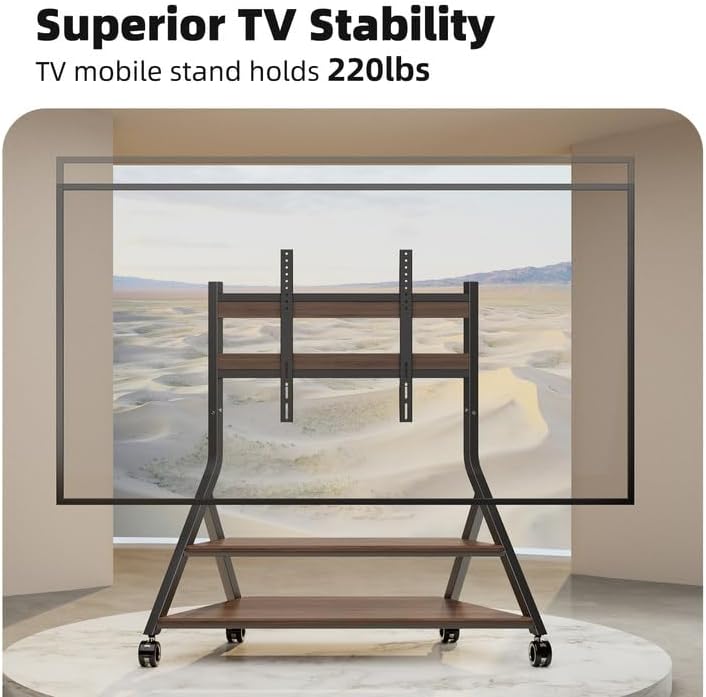
Image: The BEISHI TV stand supporting a large television, highlighting its stable design and capacity to hold up to 220 lbs.
Ozi nchekwa
Nchekwa ndị dị mkpa:
- Always assemble and use the TV stand on a flat, stable surface to prevent tipping.
- Do not overload the stand. The maximum weight capacity is 220 lbs. Exceeding this limit can cause instability and damage.
- Utilize the lockable caster wheels to secure the stand in place when it is not being moved. This prevents unintended motion.
- Keep the stand away from children and pets to prevent accidents, especially during movement or if the TV is not securely mounted.
- Regularly inspect the stand for any signs of wear, loose connections, or damage. Address any issues promptly and follow the manufacturer's instructions for proper maintenance.
Ihe ngwugwu
Tupu ịmalite:
Please verify that all components listed below are present and undamaged. If any parts are missing or damaged, contact customer support before proceeding with assembly.
- Main Frame Components (Metal A-frame structures)
- Igwe ngwunye TV
- Wooden Shelves (2 tiers)
- Caster Wheels (4 units, with locking mechanism)
- Assembly Hardware (various screws, bolts, washers, and tools)
- Cable Management Straps
- Akwụkwọ ntuziaka

Image: An illustration showing the various components included in the package, such as the frame, shelves, and mounting hardware.
Ntuziaka na Nhazi na Mgbakọ
Ntuziaka nzọụkwụ site na nzọụkwụ:
Mara: Assembly is generally easier and safer with two people. Ensure all screws are threaded loosely before fully tightening to allow for minor adjustments and proper alignment.
- Wepu akụrụngwa: Carefully remove all parts from the packaging. Lay them out on a clean, soft surface (e.g., a blanket or carpet) to prevent scratches and ensure easy identification.
- Chịkọta Frame Base: Connect the metal A-frame structures according to the diagrams provided in the included instruction manual. Secure all connections with the appropriate hardware, but do not fully tighten screws at this stage.
- Gbakwunye wiil nkedo: Securely attach the four caster wheels to the designated points on the bottom of the base frame. Verify that the locking mechanisms on the wheels are functional.
- Install Wooden Shelves: Place the two wooden shelves onto their respective supports on the frame. Align the pre-drilled holes on the shelves with the mounting points on the frame and insert the screws. Keep screws slightly loose initially to facilitate alignment, then tighten evenly.
- Attach TV Mounting Brackets: Secure the TV mounting brackets to the rear vertical supports of the stand. Refer to the VESA compatibility chart in your TV's manual and this stand's specifications for correct positioning based on your TV size and VESA pattern.
- Wụnye TV ahụ: With assistance, carefully lift your television and attach it to the mounting brackets on the stand. Ensure the TV is centered and securely fastened to the brackets using the appropriate hardware. Double-check all connections for stability.
- Njikwa USB: Use the provided cable management straps to organize and secure any TV and device cables along the stand's frame, preventing tangles and improving appearance.
- Mmechi ikpeazụ: Once all components are in place and properly aligned, go back and fully tighten all screws and bolts on the entire stand. Do not overtighten.

Image: The BEISHI TV stand fully assembled with a television, demonstrating its complete structure.
Video: A demonstration of the BEISHI Mobile TV Stand in use, highlighting its mobility and how a TV can be displayed on it.
Ntuziaka ọrụ
Ịkwaga ihe nkwụnye ahụ:
To move the TV stand, ensure all four caster wheels are unlocked. Gently push the stand to your desired location. Once positioned, engage the locking mechanism on all wheels by pressing down on the levers to prevent accidental movement and ensure stability.
Ịgbanwe Ogologo TV:
The TV mounting brackets allow for height adjustment by repositioning them on the vertical supports. To change the TV height, carefully remove the TV from the brackets (always with assistance), reposition the brackets to a different height setting, and then re-mount the TV. Always ensure the TV is securely fastened at the new height before use.
Iji Shelves Nchekwa:
The two wooden shelves are designed to hold various media devices, gaming consoles, and accessories. Distribute weight evenly on the shelves and do not exceed the stand's overall weight capacity of 220 lbs. Avoid placing excessively heavy items on the edges of the shelves.
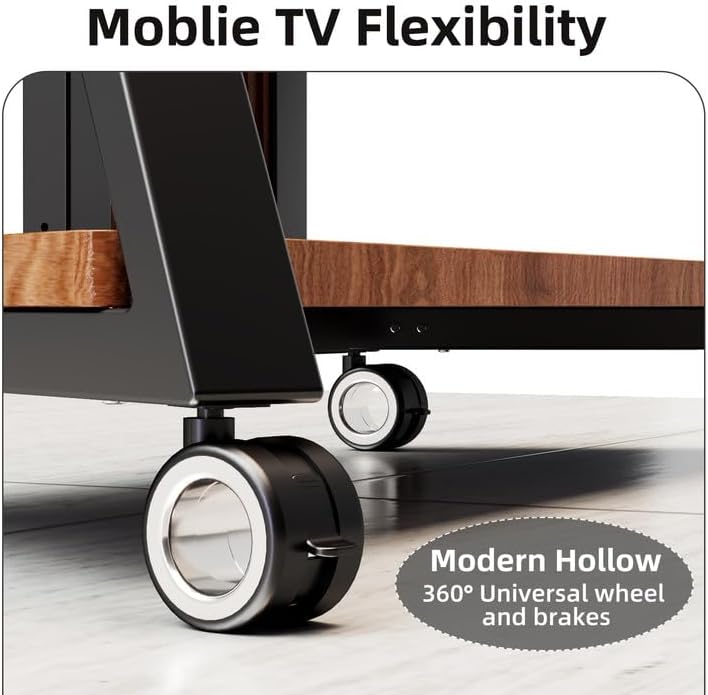
Foto: nkọwa zuru ezu view of the stand's 360-degree universal wheels, featuring a locking mechanism for stability.

Image: The double-layer wooden storage shelves, demonstrating their capacity for media devices and accessories.
Nlekọta
General Nlekọta:
- Nhicha: To clean the metal and wooden surfaces, use a soft, dry cloth. For more persistent marks, a slightly damp cloth can be used, followed immediately by drying. Avoid using harsh chemicals, abrasive cleaners, or solvents, as these can damage the finish.
- Nyochaa ngwaike: Periodically (e.g., every 3-6 months), inspect all screws, bolts, and connections to ensure they remain tight. Loose hardware can compromise the stability and safety of the stand. Tighten any loose fasteners, but do not overtighten.
- Nyocha wheel: Regularly check the caster wheels for any accumulated debris such as hair, dust, or carpet fibers. Clean them as needed to ensure smooth movement and proper locking functionality.
- Nkesa arọ: Always ensure that the weight of your TV and any items placed on the shelves is evenly distributed. Avoid concentrating heavy items in one area, and never exceed the maximum load capacity of 220 lbs.
Nchọpụta nsogbu
Okwu na azịza ndị nkịtị:
- Stand is wobbly or unstable after assembly:
- Ensure all screws and bolts are fully tightened. Verify that the stand is placed on a flat, level, and stable surface. If the issue persists, disassemble the affected sections and carefully reassemble, paying close attention to alignment and ensuring all parts are correctly seated.
- TV does not fit the mounting brackets:
- First, check your TV's VESA mounting pattern against the stand's compatibility (100x100mm to 800x600mm). Ensure you are using the correct screws and spacers provided for your specific TV model. If your TV is larger than 100 inches or heavier than 220 lbs, it is not compatible with this stand.
- Caster wheels do not roll smoothly or lock:
- Inspect the wheels for any accumulated debris such as hair, dust, or carpet fibers and clean them thoroughly. Ensure the locking mechanism is fully engaged or disengaged as intended. If a wheel appears damaged, contact customer support for potential replacement parts.
- Shelves do not align properly during assembly:
- This issue can occur if screws are tightened prematurely. Loosen all screws on the frame and shelves, carefully align the shelves into their correct positions, and then gradually tighten all screws evenly across the entire structure.
Nkọwapụta
| Njirimara | Nkọwa |
|---|---|
| Ụdị | BEISHI |
| Nlereanya | Large TV Floor Stand (B0DRBMV7PV) |
| Ihe onwunwe | Stainless Steel, Wood |
| Nha TV dakọtara | 50-100 sentimita asatọ |
| Ikike ịdị arọ kacha | 220 n'arọ |
| Ndakọrịta VESA | 100x100mm - 800x600mm |
| Ibu Ibu | 71.8 pound |
| Akụkụ ngwugwu | 55 x 25 x 7 sentimita asatọ |
| Agba | Nwa |
| Mgbakọ chọrọ | Ee |

Image: A technical diagram illustrating the key dimensions of the BEISHI TV stand.
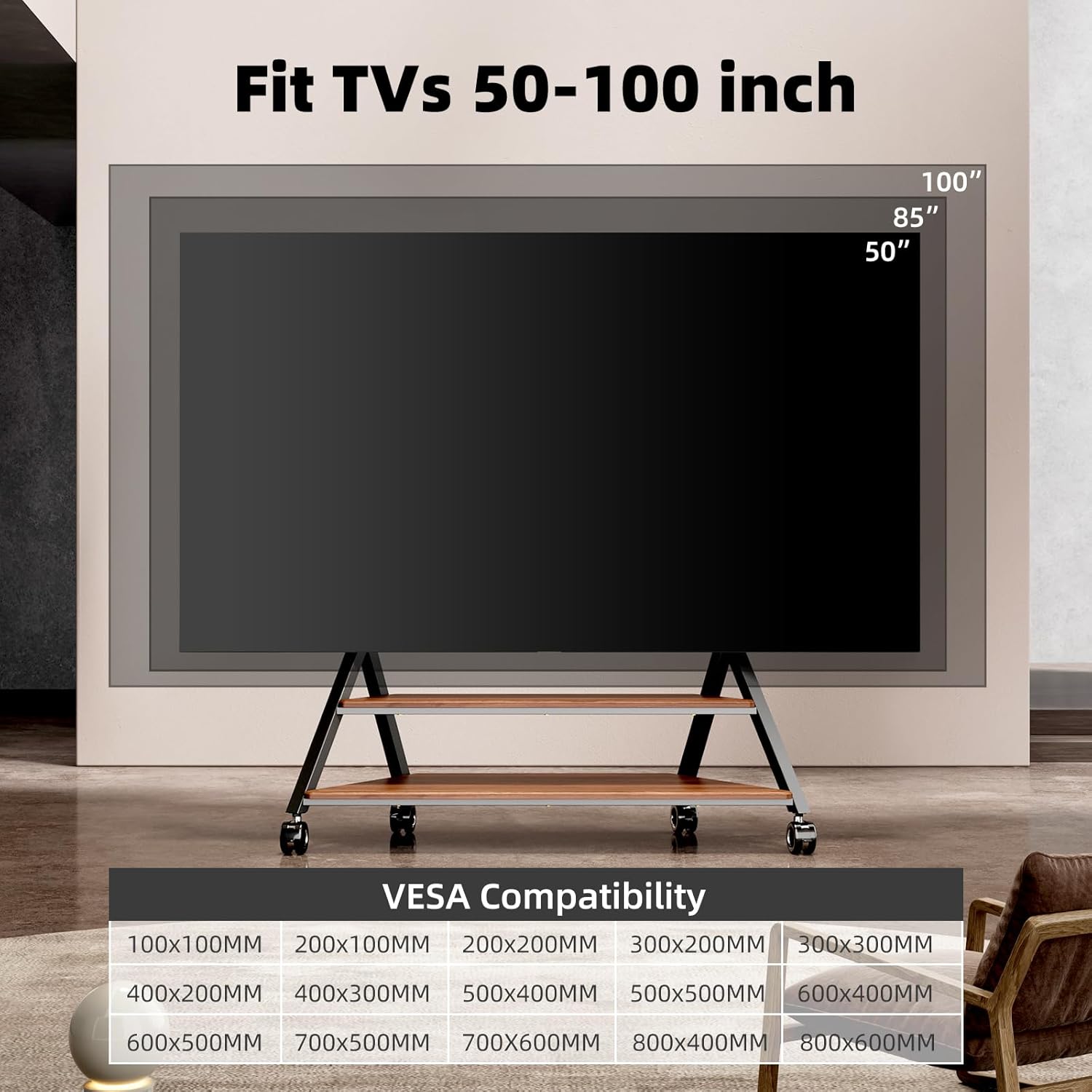
Image: Visual representation of VESA compatibility and supported TV sizes (50-100 inches) for the stand.
Akwụkwọ ikike na nkwado
Ozi akwụkwọ ikike:
BEISHI products are manufactured with a commitment to quality and durability. For specific warranty details, including coverage period and terms, please refer to the warranty card included with your product packaging. You may also find detailed warranty information on the official BEISHI websaịtị.
Nkwado ndị ahịa:
If you encounter any issues, have questions regarding assembly, operation, or maintenance of your BEISHI Large TV Floor Stand, or require replacement parts, please do not hesitate to contact our dedicated customer support team. Contact information can typically be found on the BEISHI brand store page or through your purchase platform.
For further assistance and to explore other BEISHI products, visit the BEISHI Store on Amazon.


