Okwu mmalite
This manual provides detailed instructions for the safe and effective use of your RovyVon A8 G4 EDC Flashlight and RovyVon E90 Flat Flashlight. Please read this manual thoroughly before operating the devices to ensure optimal performance and longevity.

Image: The RovyVon A8 G4 EDC Flashlight (transparent body) and the RovyVon E90 Flat Flashlight (black body) shown together.
Ngwaahịa gafereview
RovyVon A8 G4 EDC Flashlight
The A8 G4 is a compact Everyday Carry (EDC) flashlight designed for portability and versatility. It features multiple lighting modes and a momentary-on function.
- Momentary On Mode: Long press and hold the button to activate high mode (max 650 lumens). Release to turn off.
- Ụdị ọkụ 10: Includes Front LED (moonlight, low, medium, high) and Side LED (365nm UV, red, red beacon, red flash, white low, white high).
- 365nm Sidelight: Useful for checking banknotes or other UV-reactive items.

Image: The RovyVon A8 G4 flashlight attached to a wooden surface via its magnetic two-way pocket clip, illuminating wires.

Image: A hand holding the RovyVon A8 G4 flashlight, demonstrating the momentary ON function with a bright beam of light.

Image: Three panels demonstrating the RovyVon A8 G4's sidelight functions: white light illuminating the ground, red light illuminating the ground, and UV light revealing a snail in the dark.
RovyVon E90 Flat Flashlight
The E90 is a powerful flat flashlight offering high brightness and multiple light sources for diverse applications.
- Icha ọkụ dị elu: Up to 3500 lumens for EDC and emergency situations.
- Ọrụ 4-na-1: Combines cool white light, warm white light, 365nm UV light, and red light.
- Ịrụ ọrụ dị mfe: Features three separate buttons for convenient mode switching.
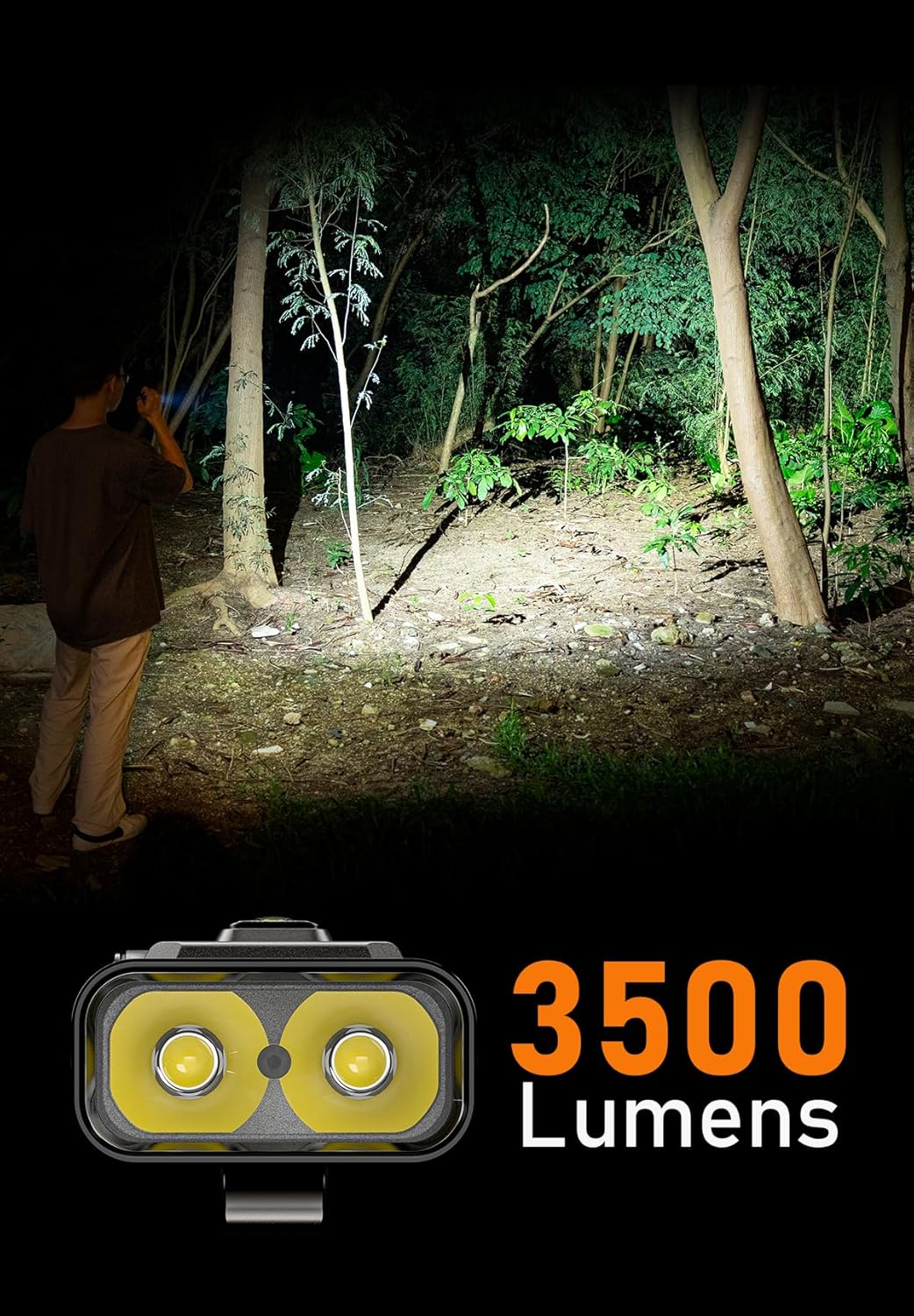
Image: A person standing in a forest at night, illuminated by the powerful 3500-lumen beam of the RovyVon E90 Flat Flashlight.

Image: A hand holding a flashlight emitting 365nm UV light, revealing security features on a 100-dollar banknote.

Image: A close-up of the RovyVon E90 Flat Flashlight, highlighting its three control buttons: Side Switch, Tactical Switch, and EDC Switch.
Melite
Ịchaji
Both the A8 G4 and E90 flashlights are rechargeable and powered by Lithium-Ion batteries. To charge, connect the flashlight to a compatible USB power source using the provided charging cable. The charging indicator will show the charging status (e.g., red for charging, green for fully charged).
Ensure the charging port is clean and dry before connecting the cable.
Ntuziaka ọrụ
RovyVon A8 G4 Operation
- Gbanwuo/ Gbanyụọ: Press the main button once to turn on the front LED. Press again to cycle through modes. Long press to turn off.
- Nwa oge na: From off, long press and hold the main button for instant high output. Release to turn off.
- Front LED Modes: Moonlight → Low → Medium → High. Cycle by pressing the main button.
- Side LED Modes: Double-click the main button to activate the side LED. Press again to cycle through: 365nm UV → Red → Red Beacon → Red Flash → White (Low) → White (High). Long press to turn off the side LED.
RovyVon E90 Operation
The E90 features three distinct buttons for intuitive control:
- Mgbanwe akụkụ: Typically controls the main white light modes (cool white, warm white). Press to turn on/off and cycle modes.
- Mgbanwe Amụma: Often used for momentary high output or quick access to specific modes. Refer to the specific E90 model's detailed instructions for exact functionality.
- EDC Switch: May control auxiliary lights such as 365nm UV or red light. Press to activate and cycle through these modes.
Note: Specific button functions and mode sequences for the E90 may vary slightly. Please refer to the packaging or product page for the most precise instructions for your E90 model.
Nlekọta
- Nhicha: Jiri nwayọ hichaa ahụ ọkụ, damp akwa . Ejila ihe nchacha abrasive ma ọ bụ ihe mgbaze.
- Nlekọta batrị: Recharge the flashlight regularly, even if not in frequent use, to maintain battery health. Avoid fully depleting the battery for extended periods.
- Nchekwa: Chekwaa ọkụ ọkụ ahụ n'ebe dị jụụ, kpọrọ nkụ na-adịghị na ìhè anyanwụ kpọmkwem na oke okpomọkụ.
- Nguzogide mmiri: Note that the product specifications indicate "Not Water Resistant." Avoid exposing the flashlights to water or high humidity.
Nchọpụta nsogbu
| Nsogbu | Ihe nwere ike ime | Ngwọta |
|---|---|---|
| Igwe ọkụ anaghị agbanwu. | Low battery; button malfunction. | Charge the battery. Ensure the button is pressed correctly. |
| Mwepụta ọkụ adịghị ada. | Low battery; lens obstruction. | Recharge the battery. Clean the lens. |
| Flashlight gets warm during use. | Normal operation at high output. | This is normal for high-lumen flashlights. Reduce output if discomfort occurs. |
Nkọwapụta
| Njirimara | Nkọwa |
|---|---|
| Ụdị | RovyVon |
| Nlereanya | A8 G4, E90 |
| Njirimara Pụrụ Iche | Enwere ike ibugharị |
| Isi Iyi Ike | Akwanyere batrị |
| Ụdị isi iyi ọkụ | Ikanam |
| White Brightness (E90) | 3500 Lumen |
| White Brightness (A8 G4) | 650 Lumens (High Mode) |
| Ngwakọta cell batrị | Lithium ion |
| Ọkwa Nguzogide mmiri | Ọ bụghị mmiri na-eguzogide |
Akwụkwọ ikike na nkwado
For warranty information and customer support, please refer to the official RovyVon websaịtị ma ọ bụ kpọtụrụ ndị ahịa ha ozugbo. Debe nnata nzụta gị ka ihe akaebe nke ịzụrụ.
Nkwado n'ịntanetị: Visit the RovyVon Store on Amazon


