Okwu mmalite
Daalụ maka ịzụrụasing the ZEBRONICS Sound Feast 800 Portable Bluetooth Speaker. This manual provides essential information for the safe and efficient operation of your device. Please read it thoroughly before use and retain it for future reference.
Ntuziaka nchekwa dị mkpa
- Ewepụla ọkà okwu na oke okpomọkụ, ìhè anyanwụ kpọmkwem, ma ọ bụ oke iru mmiri.
- Zere idobe ma ọ bụ idobe ọkà okwu na mmetụta siri ike.
- Keep the speaker away from water and other liquids. While it is splash-proof, it is not fully waterproof and should not be submerged.
- Agbalịla ịgbasa, rụzie, ma ọ bụ gbanwee ọkà okwu ahụ n'onwe gị. Nye ndị ọrụ ruru eru ọrụ niile.
- Jiri naanị eriri chaja enyere maọbụ nke e nyere ikike.
- Hụ na ikuku na-abata nke ọma mgbe ị na-arụ ọrụ na ọkà okwu.
- Jiri akwa dị nro hichaa ọkà okwu. Ejila ihe nchacha abrasive ma ọ bụ ihe mgbaze.
- Debe ebe ụmụaka na-apụghị iru.
Ihe ngwugwu
Biko lelee igbe maka ihe ndị a:
- Ọkà okwu ZEBRONICS Sound Feast 800 - otu nkeji
- Wireless Microphone - 1 unit
- Eriri Nchaji (Ụdị-C) - 1 nkeji
- Eriri AUX - 1 nkeji
- Ntuziaka Koodu QR - otu nkeji

Image: The ZEBRONICS Sound Feast 800 speaker in black with a purple-lit grille, accompanied by its wireless microphone.
Ngwaahịa gafereview
Atụmatụ igodo
- Ike dị ike: 55 Watts output for robust sound.
- Powerful Driver: Equipped with a 16.51 cm (6.5 inch) driver for enhanced audio.
- Njikọ ọtụtụ: Supports Bluetooth v5.3, USB, mSD, AUX, and FM radio.
- Ogologo oge egwuregwu: Up to 6 hours of playback on a single charge (at 50% volume with LED off).
- Igwe ọkụ RGB LED: Multiple light modes to enhance ambiance.
- Ọrụ TWS: Connect two Sound Feast 800 speakers for a stereo experience.
- Karaoke dị njikere: Includes a 6.3mm mic input and a wireless microphone.
- Convenient Mobile Holder: Integrated holder for smartphones.
- Ngosipụta ihe ngosi: Offers protection against splashes.
Njikwa na ọdụ ụgbọ mmiri
Familiarize yourself with the control panel and connectivity ports for optimal use.

Foto: Zuru ezu view of the speaker's control buttons (Power, Mode, Play/Pause, Volume/Track, RGB light control, Bass) and connectivity ports (6.3mm Mic In, USB, mSD, AUX In, Type-C Charging).
- Bọtịnụ ike: Pịa ma jide ka ịgbanwuo/ gbanyụọ.
- Bọtịnụ Ụdị (M): Short press to switch between Bluetooth, USB, mSD, AUX, and FM modes.
- Bọtịnụ Kwụsị/Kwụsị: Pịa obere oge iji kpọọ ma ọ bụ kwụsịtụ ọdịyo.
- Egwu ala / egwu gara aga: Pịa obere oge maka egwu gara aga, pịa ogologo oge iji belata olu.
- Elu elu/ Track na-esote: Pịa obere oge maka egwu na-esote, pịa ogologo oge iji bulie olu.
- Njikwa ọkụ RGB: Button to cycle through different RGB light modes.
- Bọtịnụ Bass: Activates or deactivates bass boost.
- Bọtịnụ TWS: Na-amalite njikọta True Wireless Stereo.
- 6.3mm Mic Input: For connecting a wired microphone.
- Ọdụ ụgbọ mmiri USB: Maka ịkpọghachi draịva USB.
- Oghere kaadị mSD: For mSD card playback.
- Ntinye AUX: Maka ijikọ ngwaọrụ ọdịyo mpụga site na eriri AUX.
- Ụdị-C ọdụ ụgbọ mmiri: Maka ịchaji ọkà okwu.
Ntuziaka nhazi
Nchaji mbụ
- Before first use, fully charge the speaker. Connect the provided Type-C charging cable to the speaker's charging port and the other end to a USB power adapter (not included).
- The charging indicator will illuminate during charging and turn off once fully charged. A full charge takes approximately 4 hours.
Ịgbanyụ/ Gbanyụọ
- Iji gbanye, pịa ma jide bọtịnụ ike until the speaker activates.
- Iji gbanyụọ, pịa ma jide bọtịnụ ike again until the speaker shuts down.
Ntuziaka ọrụ
Ọnọdụ Bluetooth
- Turn on the speaker. It will automatically enter Bluetooth mode, indicated by a prompt sound.
- Enable Bluetooth on your mobile device and search for "ZEB-SOUND FEAST 800" in the list of available devices.
- Select the speaker to pair. Once paired, you will hear a confirmation sound.
- Ị nwere ike ugbu a kpọọ ụda site na ngwaọrụ gị site na ọkà okwu.
USB / mSD Card Mode
- Insert a USB drive or mSD card (with audio files) banye n'ọdụ ụgbọ mmiri dị na ọkà okwu.
- The speaker will automatically detect the storage device and begin playback. If not, press the Bọtịnụ ọnọdụ (M) to switch to USB or mSD mode.
- Jiri ihe Sochie nke gara aga/ọzọ buttons to navigate songs and Gwuo/kwụsịtụ for playback control.
Ọnọdụ AUX
- Connect one end of the provided AUX cable to the speaker's AUX input and the other end to the audio output of your external device (e.g., smartphone, MP3 player).
- Pịa Bọtịnụ ọnọdụ (M) ka ịgbanwee gaa na ọnọdụ AUX.
- Jikwaa ọkpụkpọ na olu site na ngwaọrụ ejikọrọ gị.
Ọnọdụ redio FM
- Pịa Bọtịnụ ọnọdụ (M) ka ịgbanwee gaa na ọnọdụ redio FM.
- Pịa ogologo Bọtịnụ Kwụsị/ Kwụsị to automatically scan and save available FM channels.
- Jiri ihe Sochie nke gara aga/ọzọ buttons to switch between saved channels.
Ezi ọrụ stereo ikuku ikuku (TWS).
The TWS function allows you to connect two ZEB-SOUND FEAST 800 speakers wirelessly for a stereo sound experience.
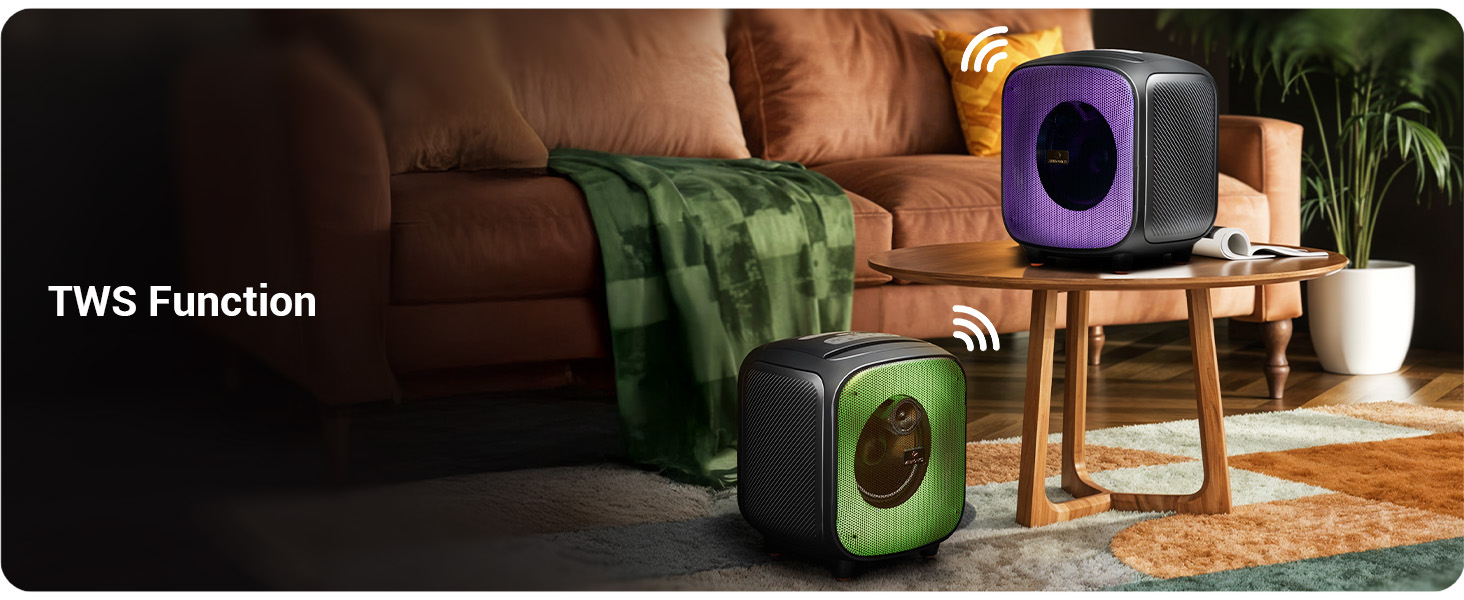
Image: Two Sound Feast 800 speakers positioned in a living room, illustrating the TWS connection.
- Ensure both ZEB-SOUND FEAST 800 speakers are powered on and in Bluetooth mode, but not connected to any device.
- On one of the speakers (this will be the primary speaker), short press the TWS bọtịnụ. It will search for the secondary speaker.
- Once connected, you will hear a confirmation sound. The primary speaker's Bluetooth indicator will flash, and the secondary speaker's indicator will be solid.
- Now, connect your mobile device to the primary speaker via Bluetooth as described in the Bluetooth Mode section.
- Audio will play in stereo through both speakers.
Ọrụ Karaoke

Image: A woman holding the wireless microphone, demonstrating the karaoke function.
- Ensure the speaker is powered on and playing music (e.g., via Bluetooth, USB, or AUX).
- Turn on the provided wireless microphone. It will automatically connect to the speaker.
- Alternatively, connect a wired microphone to the 6.3mm Mic Input port.
- Adjust the microphone volume and echo effect (if available on the mic) for your desired karaoke experience.
Igwe ọkụ RGB LED
The speaker features dynamic RGB LED lights with various modes.
- Mkpirisi pịa RGB Light Control button to cycle through different light modes.
- Press and hold the button to turn the RGB lights off or on.
Nlekọta
- Nhicha: Use a soft, dry, lint-free cloth to clean the speaker's exterior. Do not use liquid cleaners, aerosols, or solvents.
- Nchekwa: Mgbe a naghị eji ya eme ihe ruo ogologo oge, chekwaa ọkà okwu n'ebe dị jụụ, nke kpọrọ nkụ, na-adịghị na ìhè anyanwụ kpọmkwem na oke okpomọkụ.
- Nlekọta batrị: To prolong battery life, avoid fully discharging the speaker frequently. Charge the speaker regularly, even if not in use, to maintain battery health.
- Mkpughe mmiri: While splash-proof, avoid direct exposure to heavy rain or submersion in water. Ensure all ports are dry before charging.
Nchọpụta nsogbu
| Nsogbu | Ihe nwere ike ime | Ngwọta |
|---|---|---|
| Ọkà okwu anaghị agbanwuo. | Batrị dị ala. | Charge the speaker fully using the provided Type-C cable. |
| Enweghị ụda. | Olu dị oke ala; ọnọdụ na-ezighi ezi; ejikọtaghị ngwaọrụ. | Increase speaker and source device volume. Ensure correct input mode (BT, AUX, USB, mSD). Re-pair Bluetooth device. |
| Njikọ Bluetooth ada ada. | Ọkà okwu adịghị n'ụdị njikọta; ngwaọrụ tere aka; nnyonye anya. | Ensure speaker is in Bluetooth mode and discoverable. Move device closer to speaker. Turn off other Bluetooth devices. |
| Igwe okwu anaghị arụ ọrụ. | Microphone off; battery low (wireless mic); incorrect connection. | Ensure wireless mic is powered on and charged. For wired mic, ensure it's fully inserted into the 6.3mm port. |
| Njikọ TWS daa. | Ejikọlarị igwe okwu na ngwaọrụ; igwe okwu dị anya nke ukwuu. | Ensure both speakers are disconnected from other devices. Place speakers within close proximity (e.g., 5 meters). |
| Speaker turns off frequently. | Low battery; overheating; unstable power supply. | Charge the speaker. Ensure adequate ventilation. If problem persists, contact customer support. |
Nkọwapụta

Image: Diagram showing the dimensions of the ZEBRONICS Sound Feast 800 speaker: 25.5cm Depth, 26.4cm Width, 30.2cm Height.
| Njirimara | Nkọwa |
|---|---|
| Aha Nlereanya | Oriri Ụda ZEB-800 |
| Ụdị Ọkà Okwu | Ọkà Okwu Nwere Ike |
| Ike mmepụta | 55 Watt |
| Nha ọkwọ ụgbọ ala | 16.51 cm (6.5 sentimita) |
| Njikọta | Bluetooth v5.3, USB, mSD, AUX, FM Radio |
| Teknụzụ nzikọrịta ozi ikuku | Bluetooth |
| Isi Iyi Ike | Akwanyere batrị |
| Nkezi Ndụ batrị | Up to 6 Hours (at 50% volume, LED off) |
| Oge Nchaji | Ihe dị ka awa 4 |
| Usoro njikwa | Pịa bọtịnụ |
| Signgbaàmà-na-Noise ruru | 65 dB |
| Nzaghachi ugboro ugboro | 60 Hz |
| Akụkụ ngwaahịa (D x W x H) | 25.5 x 26.4 x 30.2 centimita |
| Ibu Ibu | 3.65 n'arọ |
| Agba | Nwa |
| Atụmatụ pụrụ iche | Wireless MIC, Karaoke Function, RGB LED Lights, TWS Function, Mobile Holder, Splash-proof |
Akwụkwọ ikike na nkwado
The ZEBRONICS Sound Feast 800 comes with a Akwụkwọ ikike nwere oke. For detailed warranty terms and conditions, please refer to the QR Code Guide included in your package or visit the official ZEBRONICS websaịtị.
For technical support, service, or any queries regarding your product, please contact ZEBRONICS customer service. Contact information can typically be found on the official ZEBRONICS websaịtị ma ọ bụ na nkwakọ ngwaahịa.
Manufacturer: Zebronics India Private Limited, No.13/7, Smith Road, Royapettah, Chennai - 600 002.


