Okwu mmalite
This manual provides detailed instructions for the setup, operation, and maintenance of your Transformers TF-T31 Bluetooth TWS Wireless Earbuds. Please read this manual thoroughly before using the product to ensure proper function and longevity.
Ngwaahịa gafereview
Ihe ngwugwu
- Transformers TF-T31 Wireless Earbuds (Left and Right)
- Nchaji case
- USB Type-C Nchaji USB
- Akwụkwọ ntuziaka onye ọrụ (Akwụkwọ a)
Atụmatụ igodo
- Bluetooth Bluetooth: Provides a stable, fast, and low-power connection.
- Arụ Ọrụ Abụọ Abụọ: Switch between Gaming Mode for low latency audio and Music Mode for HiFi sound.
- Ọdịda Ntụkwasị Obi Dị Elu: Features 13mm magnetically levitated drivers for rich, detailed sound with deep bass.
- Mkpuchi mkpọtụ gburugburu (ENC): Enhances call clarity by reducing ambient noise.
- Njikwa mmetụ aka: Manage music playback, calls, and mode switching directly from the earbuds.
- Ndụ batrị agbatịkwuru: Up to 5 hours of playback per charge, with the charging case providing up to 50 hours total.
- Nhazi Ergonomic: Lightweight and comfortable for prolonged wear.
- Mechanical Shell Design: Unique aesthetic inspired by Transformers.

Image: The Transformers TF-T31 wireless earbuds and their distinctive mechanical shell charging case, shown in yellow.

Image: Close-up of the Transformers TF-T31 charging case, highlighting its unique mechanical shell design and the Transformers logo.
Melite
1. Ịchaji ihe ntị na akpa
Tupu ojiji nke mbụ, chajie nke ọma ekwe ntị na akpa nchaji.
- Tinye ekwe ntị abụọ ahụ n'ime akpa chaja. Hụ na ha nọdụrụ nke ọma.
- Connect the provided USB Type-C cable to the charging port on the case and plug the other end into a USB power source (e.g., wall adapter, computer).
- The LED digital display on the charging case will indicate the battery status during charging.
- Charging typically takes approximately 1.5 hours for a full charge.
Mara: The charging case has a 3.7V/300mAh battery, and each earbud has a 3.7V/30mAh built-in battery.
2. Njikọ Bluetooth
Follow these steps to pair your earbuds with a Bluetooth-enabled device:
- Ike Na: Open the charging case. The earbuds will automatically power on and enter pairing mode. You may hear an audible prompt.
- Mee ka Bluetooth rụọ ọrụ: On your device (smartphone, tablet, computer), go to the Bluetooth settings and ensure Bluetooth is enabled.
- Họrọ Ngwaọrụ: Look for "TF-T31" in the list of available Bluetooth devices and select it to connect.
- nkwenye: Once connected, you will hear a confirmation sound from the earbuds, and your device will show "TF-T31" as connected.
Mara: Igwe ntị ntị ga-ejikọta ya na ngwaọrụ ejikọtara ikpeazụ na-akpaghị aka mgbe ewepụrụ ya na ikpe ahụ, ọ bụrụ na agbanyere Bluetooth na ngwaọrụ ahụ.

Image: Diagram illustrating the advanced Bluetooth 5.4 technology, emphasizing stable and fast connection.
Ntuziaka ọrụ
Gbanyụọ/ Gbanyụọ
- Ike Na: Mepee igbe chaja, ma ọ bụ pịa ebe aka dị na ntị abụọ ahụ ruo sekọnd atọ.
- Gbanyụọ: Tinyeghachi ekweisi n'ime akpa chaja ma mechie mkpuchi ahụ, ma ọ bụ pịa ebe aka dị na ekweisi abụọ ahụ ruo sekọnd ise.
Njikwa mmetụ
The TF-T31 earbuds feature intuitive touch controls on the outer surface of each earbud. The functions are as follows:
| Omume | Ọrụ |
|---|---|
| Otu mgbata (aka ekpe/aka nri) | Kpọọ/Kwụsịtụ egwu, zaa/Kwụsị oku |
| Pịa ugboro abụọ (mbọchị ntị aka nri) | Track na-esote |
| Pịa ugboro abụọ (mkpọ ntị aka ekpe) | Egwu gara aga |
| Pịa ugboro atọ (aka ekpe/aka nri) | Switch between Gaming Mode and Music Mode |
| Long Press (Left/Right, 2 seconds) | Reject incoming call, Activate Voice Assistant |
Switching Modes (Gaming/Music)
The TF-T31 earbuds offer two distinct audio modes:
- Ọnọdụ egwuregwu: Provides ultra-low latency audio synchronization, ideal for gaming and video playback to minimize delay between audio and visuals.
- Ụdị egwu: Delivers rich HiFi sound with enhanced bass and clear highs, optimized for an immersive music listening experience.
To switch between modes, okpukpu atọ the touch area on either earbud. You will hear an audible prompt indicating the current mode.
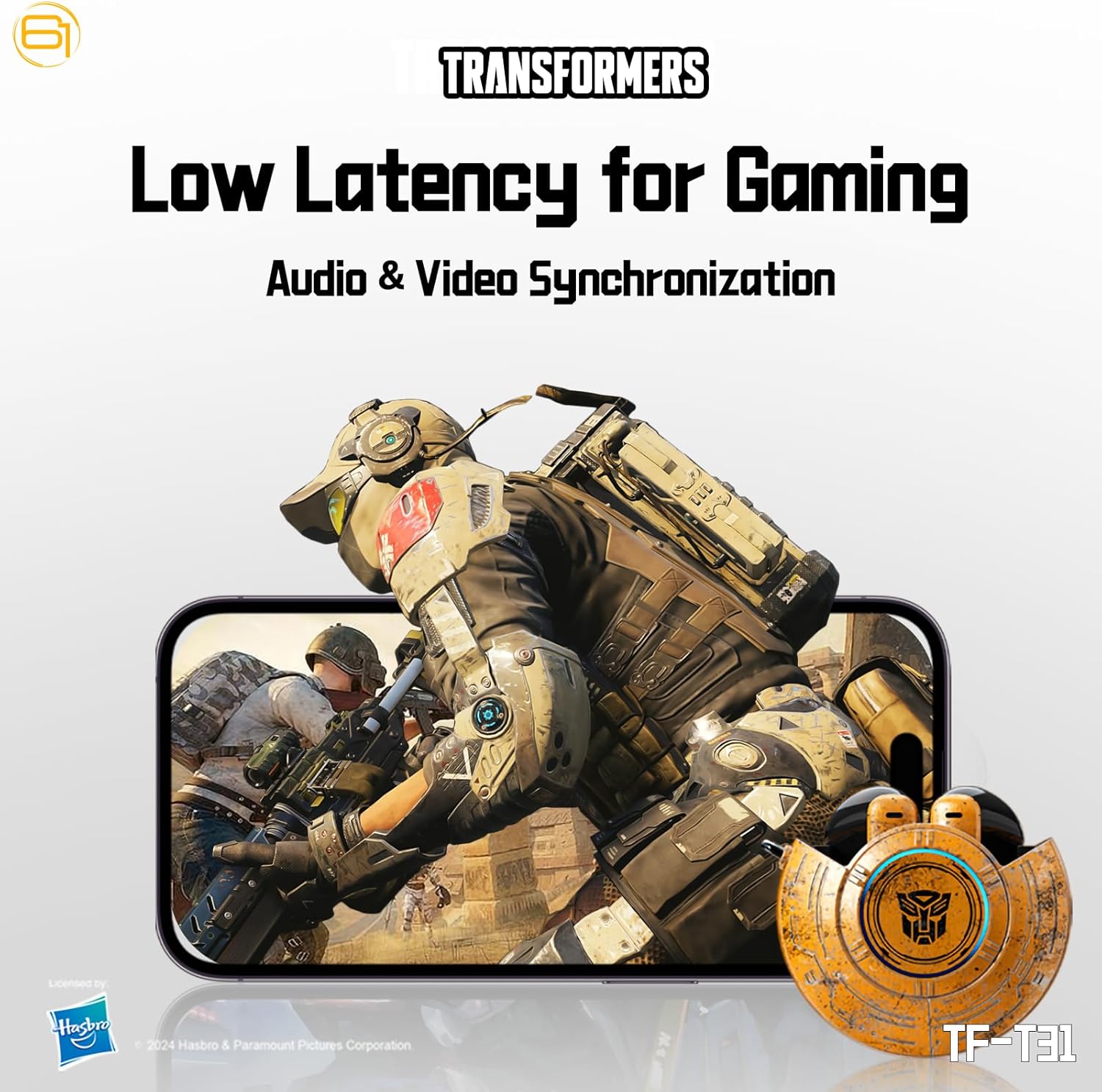
Image: Illustration of the earbuds providing low latency audio for gaming, showing a mobile gaming scenario.
Nlekọta
Nhicha
- Jiri akwa dị nro, kpọrọ nkụ na-adịghị na-ehicha ntị ntị na chaja mgbe niile.
- Ejila ihe mkpocha abrasive, mmanya, ma ọ bụ ihe mgbaze kemịkal.
- Jiri obere ahịhịa dị nro ma ọ bụ owu swab wepụ ihe ọ bụla dị n'ime ihe mkpuchi ntị ma ọ bụ ihe mkpofu ọ bụla dị na ihe mkpuchi ntị ahụ nwayọ.
- Hụ na kọntaktị chajị dị na ekwe ntị na akpa ahụ dị ọcha ma kpọọ nkụ iji mee ka chajị dị mma.
Nchekwa
- Mgbe ejighị ya, chekwaa earbuds n'ime akpa nchaji ha iji chebe ha ma debe ha ebubo.
- Debe ngwaahịa a n'ebe dị jụụ ma kpọọ nkụ, ebe okpomọkụ na anwụ na-anaghị apụta oke.
- Avoid exposing the earbuds or case to water or excessive moisture. While the product is water-resistant, it is not waterproof.
Nchọpụta nsogbu
If you encounter issues with your TF-T31 earbuds, please refer to the following common problems and solutions:
Earbuds Not Pairing or Connecting
- Gbaa mbọ hụ na akwụgoro ekwe ntị abụọ ahụ.
- Gbaa mbọ hụ na agbanyere Bluetooth na ngwaọrụ gị.
- Tinyeghachi ntị ntị n'ime akpa chaja, mechie mkpuchi ahụ, chere sekọnd ole na ole, wee mepee ya ọzọ ka ọ banye ọzọ na ọnọdụ njikọta.
- On your device, forget or delete "TF-T31" from your Bluetooth device list, then attempt to pair again.
- Nwaa ijikọ ya na ngwaọrụ dị iche iji wepụ nsogbu ndị metụtara ngwaọrụ.
Enweghị ụda ma ọ bụ ụda dị ala
- Lelee ọkwa olu dị na ma ngwaọrụ gị ejikọtara ma ekweisi.
- Gbaa mbọ hụ na ekwe ntị na-anọdụ ala nke ọma na ntị gị.
- Clean any debris from the earbud mesh that might be obstructing sound.
- Jikọọkwa ntị ntị na ngwaọrụ gị.
Okwu Ịchaji
- Hụ na eriri chaja ahụ jikọtara nke ọma na akpa ahụ na isi iyi ike ahụ.
- Hụ na kọntaktị chaja dị na ntị ntị na n'ime akpa ahụ dị ọcha ma ghara inwe ihe mgbochi ọ bụla.
- Nwaa iji eriri USB Type-C dị iche ma ọ bụ ihe nkwụnye ike.
- Confirm the power source is active.
Earbuds Disconnect Frequently
- Ensure your device is within the Bluetooth transmission distance (26-32 feet or 8-10 meters) without significant obstacles.
- Zere gburugburu ebe nwere nnukwu nnyonye anya eletrọnịkị.
- Fully charge both the earbuds and the charging case.
Nkọwapụta
| Njirimara | Nkọwa |
|---|---|
| Aha Nlereanya | TF-T31 |
| Ụdị Bluetooth | Bluetooth 5.4 |
| Ogologo nnyefe Bluetooth | 26-32 ụkwụ (8-10 mita) |
| Ike batrị ekweisi | 3.7V/30mAh (each earbud) |
| Ịchaji Ike batrị Case | 3.7V / 300mAh |
| Nchaji ọdụ ụgbọ mmiri | Ụdị-C |
| Oge Nchaji | Ihe dị ka awa 1.5 |
| Battery Talk/Music Time | Ruo awa 5 (buds ntị), ihe ruru awa 50 (ya na igbe nchaji) |
| Ogologo nzaghachi ugboro ugboro | 20Hz-20KHz |
| Mmetụta Ọkà Okwu | 32Ω |
| Mmetụta | 109dB±3dB |
| Ụdị njikwa | Njikwa aka |
| Ọkwa Nguzogide mmiri | Mmiri na-eguzogide |
| Akụkụ ngwaahịa | 3.15 x 3.15 x 4.72 sentimita asatọ |
| Ibu Ibu | 5.3 ounces (0.15 Kilogram) |
Ozi nchekwa
- Nchedo Ntị: Zere ige ntị n'ogo dị elu ruo ogologo oge iji gbochie mmebi ntị.
- Nchekwa ịnya ụgbọ ala: Do not use earbuds while driving or operating machinery where the inability to hear ambient sounds could pose a danger.
- Mkpughe mmiri: The earbuds are water-resistant, not waterproof. Do not submerge them in water or expose them to heavy rain. Dry them thoroughly if they get wet.
- Ụmụaka: Keep earbuds and small parts away from children to prevent choking hazards.
- Nchekwa batrị: Do not attempt to replace the built-in batteries. Do not expose batteries to excessive heat or direct sunlight. Dispose of batteries according to local regulations.
- Nhicha: Use only recommended cleaning methods. Avoid harsh chemicals.
Akwụkwọ ikike na nkwado
For warranty information or technical support, please refer to the documentation provided at the time of purchase or contact the retailer/manufacturer directly. Keep your proof of purchase for warranty claims.
You can visit the official Transformers store on Amazon for more product information: Transformers Store


