1. Okwu mmalite
This manual provides essential information for the safe and efficient use of your MESWAO 15.6 Inch Pro Android 14 Tablet. Please read this manual thoroughly before operating the device and retain it for future reference.
2. Ozi nchekwa
- Etinyela mbadamba ahụ n'ebe okpomọkụ dị oke elu, anwụ kpọmkwem, ma ọ bụ oke iru mmiri dị elu.
- Zere ịda ma ọ bụ itinye mbadamba ahụ n'ihe ike dị ukwuu.
- Use only the provided power adapter and Type-C cable for charging.
- Debe mbadamba ihe ahụ ka ọ ghara ịbanye na mmiri na ihe ndị ọzọ dị na mmiri.
- Do not attempt to disassemble or repair the tablet yourself. Contact customer support for assistance.
- Ensure proper ventilation when using the tablet for extended periods.
3. Ihe ngwugwu
Chọpụta na ihe niile dị na ngwugwu:
- 1 x MESWAO 15.6 inch Android Tablet
- 1 x nkwụnye ọkụ
- 1 x Ụdị C USB
- 1 x Akwụkwọ ntuziaka onye ọrụ
- 1 x Ụdị-C na eriri USB
- 1 x Stuck pin
4. Ngwaọrụ gafereview
Familiarize yourself with the physical components of your MESWAO tablet.
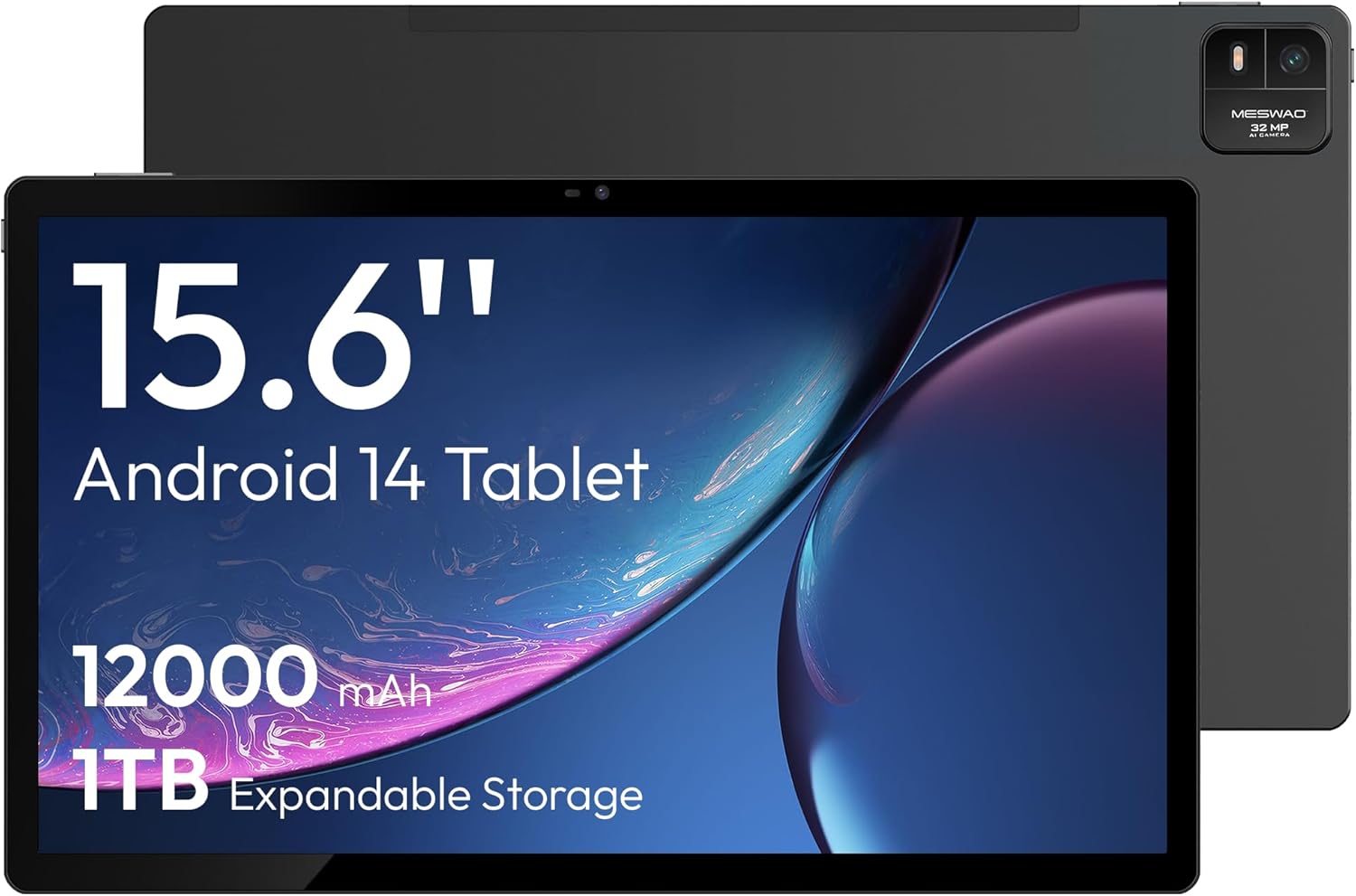
Foto 4.1: N'ihu view of the MESWAO 15.6-inch Android 14 Tablet, highlighting the large display and key specifications such as 12000mAh battery and 1TB expandable storage.
Foto 4.2: Akụkụ na azụ view of the tablet, indicating the location of the quad speakers, Type-C port, TF card slot, power button, volume controls, and front/rear cameras.
Isi ihe:
- 15.6-inch FHD IPS Display: Large screen for immersive viewing.
- Igwefoto ihu: Maka oku vidiyo na selfie.
- Igwefoto azụ (32MP): Maka ịse foto na vidiyo.
- Bọtịnụ ike: To turn the tablet on/off or put it to sleep.
- Bọtịnụ olu: To adjust audio levels.
- Ụdị-C Port: Maka ịchaji na ịnyefe data.
- Oghere TF Kaadị: For expandable storage (MicroSD card).
- Ndị ọkà okwu anọ: Maka mmepụta ọdịyo.
5. Nhazi
5.1 Nchaji izizi
Before first use, fully charge the tablet. Connect the provided Type-C cable to the tablet's Type-C port and the power adapter to a wall outlet. The tablet supports 30W fast charging.

Foto 5.1: The tablet connected to its charger, showing the charging indicator on the screen.
5.2 Gbanyụọ ma ọ bụ gbanyụọ
- Iji gbanye: Pịa ma jide bọtịnụ ike ruo mgbe ihuenyo gbanye ọkụ.
- Iji gbanyụọ: Pịa ma jide Ike bọtịnụ, wee họrọ 'Power gbanyụọ' si nhọrọ na ihuenyo.
- Ịrahụ Ụra/Teta: Jiri nwayọ pịa bọtịnụ Ike.
5.3 Nhazi izizi
Upon first power-on, follow the on-screen prompts to set up your Android 14 operating system. This includes selecting your language, connecting to Wi-Fi, and signing in with your Google account.
5.4 Njikọ Wi-Fi
- Gaa na Ntọala > Netwọk & ịntanetị > Wi-Fi.
- Gbanwee Wi-Fi On.
- Họrọ netwọk nke ịchọrọ na listi ahụ.
- Tinye paswọọdụ ma ọ bụrụ kpaliri wee pịa Jikọọ. The tablet supports dual-band Wi-Fi (2.4GHz and 5GHz).
5.5 Ịtinye kaadị MicroSD
To expand storage up to 1TB, insert a MicroSD card:
- Locate the TF card slot on the side of the tablet.
- Use the provided stuck pin to gently press into the small hole next to the slot to eject the tray.
- Place the MicroSD card into the tray with the gold contacts facing down.
- Jiri nlezianya tinyegharịa traị ahụ n'ime mbadamba ihe.

Foto 5.2: Illustration of the tablet's internal storage and the option for expandable storage via MicroSD card.
6. Na-arụ ọrụ mbadamba nkume
6.1 Nsoro ụzọ
The Android 14 operating system uses touch gestures for navigation:
- Kpatụ: Họrọ otu ihe ma ọ bụ mepee ngwa.
- Mịpụta: Pịgharịa gaa na ihuenyo ma ọ bụ ndepụta.
- Tuo: Bugharịa ma ọ bụ pụta na onyonyo na web ibe.
- Ogologo Pịa: Nweta menu onodu okirikiri ma ọ bụ bugharịa akara ngosi.
6.2 Ngosipụta atụmatụ
The 15.6-inch FHD IPS display offers a resolution of 1920 x 1080 pixels, providing clear and vibrant visuals for various applications.

Foto 6.1: Comparison of the MESWAO 15.6-inch display size to an A4 sheet of paper and a smaller tablet, emphasizing its expansive viewmpaghara.
6.3 Arụmọrụ
Powered by the Helio G99 octa-core processor and 8GB RAM, the tablet delivers efficient performance for multitasking, gaming, and media consumption.

Foto 6.2: An illustration of the Helio G99 Octa-Core chipset, detailing its technical specifications and performance benefits.
6.4 Ojiji igwefoto
The tablet features a 32MP rear camera and a 5MP front camera. Open the Camera app to capture photos and videos.
6.5 Audio
The quad speakers provide clear audio. You can connect Bluetooth headphones or use the Type-C port for audio output with a suitable adapter.
6.6 Android 14 Features
The tablet runs on Android 14, offering features such as:
- Smooth Multitasking: Efficiently switch between applications.
- Njikwa Nne na Nna: Manage content and usage for children.
- Enhanced Privacy & UI: Improved security and user interface experience.

Foto 6.3: The Android 14 operating system interface, showcasing various applications and system features.
7. Nlekọta
7.1 Na-ehicha ngwaọrụ
Jiri akwa dị nro na-enweghị lint hichaa ihuenyo na ahụ nke mbadamba ihe. Zere iji kemịkalụ siri ike ma ọ bụ ihe na-emebi emebi.
7.2 Mmelite ngwanrọ
Na-elele mgbe niile maka mmelite sistemụ iji hụ na arụmọrụ na nchekwa kacha mma. Gaa na Ntọala > Sistemu > Mmelite sistemụ.
7.3 Nlekọta batrị
Ka ịgbatị ndụ batrị:
- Zere ịchaji batrị ugboro ugboro.
- Do not expose the tablet to high temperatures.
- Kwupu chaja ozugbo batrị jupụtara.
8. Nchọpụta nsogbu
8.1 Mbadamba ụrọ anaghị agbanwu
- Gbaa mbọ hụ na agbagoro batrị. Jikọọ chaja wee chere nkeji ole na ole tupu ị nwaa ịgbanye.
- Pịa ma jide bọtịnụ Ike maka opekata mpe sekọnd 10-15 iji mee ka ọ malitegharịa.
8.2 Okwu Njikọ Wi-Fi
- Malitegharịa ekwentị Wi-Fi gị.
- Chezọ netwọkụ dị na ntọala mbadamba ma jikọọ ọzọ.
- Ensure the tablet is within range of the Wi-Fi signal.
8.3 Ịrụ ọrụ nwayọ
- Mechie ngwa ndabere na-adịghị mkpa.
- Hichapụ data nchekwa maka ngwa.
- Hụ na ebe nchekwa zuru oke.
8.4 Ihuenyo anaghị anabata
- Malitegharịa ekwentị ahụ.
- Hụ na ihuenyo ahụ dị ọcha ma ghara inwe ihe ruru unyi.
9. Nkọwapụta
| Njirimara | Nkọwapụta |
|---|---|
| Aha Nlereanya | MES-B3 |
| Sistemụ nrụọrụ | Android 14 |
| Ngosipụta nha | 15.6 sentimita asatọ |
| Mkpebi ihuenyo | 1920 x 1080 pikselụ (FHD) |
| Nhazi | MediaTek Helio G99 Octa-Core |
| Ihe eserese eserese | Mali-G75 |
| RAM | 8GB |
| Nchekwa ime (ROM) | 256GB |
| Nchekwa enwere ike ịgbasa | Ruo 1TB site na kaadị MicroSD |
| Igwefoto azụ | 32MP |
| Igwefoto ihu | 5MP |
| Ike batrị | 12000mAh |
| Ịchaji | Nchaji ngwa ngwa 30W |
| Njikọ ikuku | Dual-Band Wi-Fi (802.11a/b/ac/ad/ax), Bluetooth |
| Ibu Ibu | 4.55 pound |
| Akụkụ ngwaahịa | 14.49 x 8.66 x 0.39 sentimita asatọ |
10. Akwụkwọ ikike na nkwado
10.1 Ozi akwụkwọ ikike
Your MESWAO tablet comes with a Akwụkwọ ikike nke ọnwa 12 covering manufacturing defects. Please retain your proof of purchase for warranty claims.
10.2 Nkwado ndị ahịa
For technical assistance, troubleshooting, or warranty inquiries, please contact MESWAO customer support. Our support team is available to assist you.
- Nkwado ndị ahịa 24-hour: Assistance is available around the clock.
- Local After-sales Centers: Service centers are available in regions including the US, Germany, Japan, and more.
- Quick Response Flow: Issues reported receive a team response within 24 hours, aiming for prompt problem resolution or replacement.