1. Okwu mmalite
Thank you for choosing the mojawa StarClip Open-Ear Wireless Bluetooth Headphones. These headphones are designed to provide a comfortable, open-ear listening experience with high-quality sound and clear calls. This manual will guide you through the setup, operation, and maintenance of your new headphones.
2. Kedu ihe dị na Igbe ahụ
- StarClip Open-Ear Wireless Bluetooth Headphones
- Ịchaji eriri
- Nchedo Nchaji
- Akwụkwọ ntuziaka (akwụkwọ a)
3. Ngwaahịa gafereview
The StarClip headphones feature an elegant, lightweight ear clip design for comfortable all-day wear. They are equipped with a metallic spherical listening unit for 4D panoramic sound and AI ENC noise cancellation for clear calls.

Image: StarClip headphones and charging case.
4. Nhazi
4.1 Ịchaji ekweisi na akpa
Before first use, fully charge the headphones and the charging case. Place the headphones into the charging case. Connect the charging cable to the case and a power source. The indicator lights on the case will show the charging status.
4.2 Njikọ Bluetooth
- Ensure the headphones are in the charging case and the case has sufficient power.
- Open the charging case lid. The headphones will automatically enter pairing mode, indicated by a flashing light (if applicable, refer to specific light indicators in a separate diagram if provided).
- Na ngwaọrụ gị (ama, mbadamba, wdg), gaa na ntọala Bluetooth wee gbanye Bluetooth.
- Select "StarClip" from the list of available devices.
- Ozugbo ejikọtara ya, ụda olu ga-akwado ijikọ na-aga nke ọma.
Ekweisi ga-ejikọghachi na ngwaọrụ ikpeazụ ejikọtara na akpa ahụ ozugbo ewepụrụ ya na ekwentị, ọ bụrụ na Bluetooth agbanyere na ngwaọrụ ahụ.
5. Ntuziaka ọrụ
5.1 Gbanyụọ ma ọ bụ gbanyụọ
- Ike Na: Open the charging case lid. The headphones will power on automatically.
- Gbanyụọ: Place the earbuds inside the charging case and close the lid. The headphones will power off automatically.
5.2 Njikwa mmetụ
The StarClip headphones feature intuitive touch controls on each earbud.
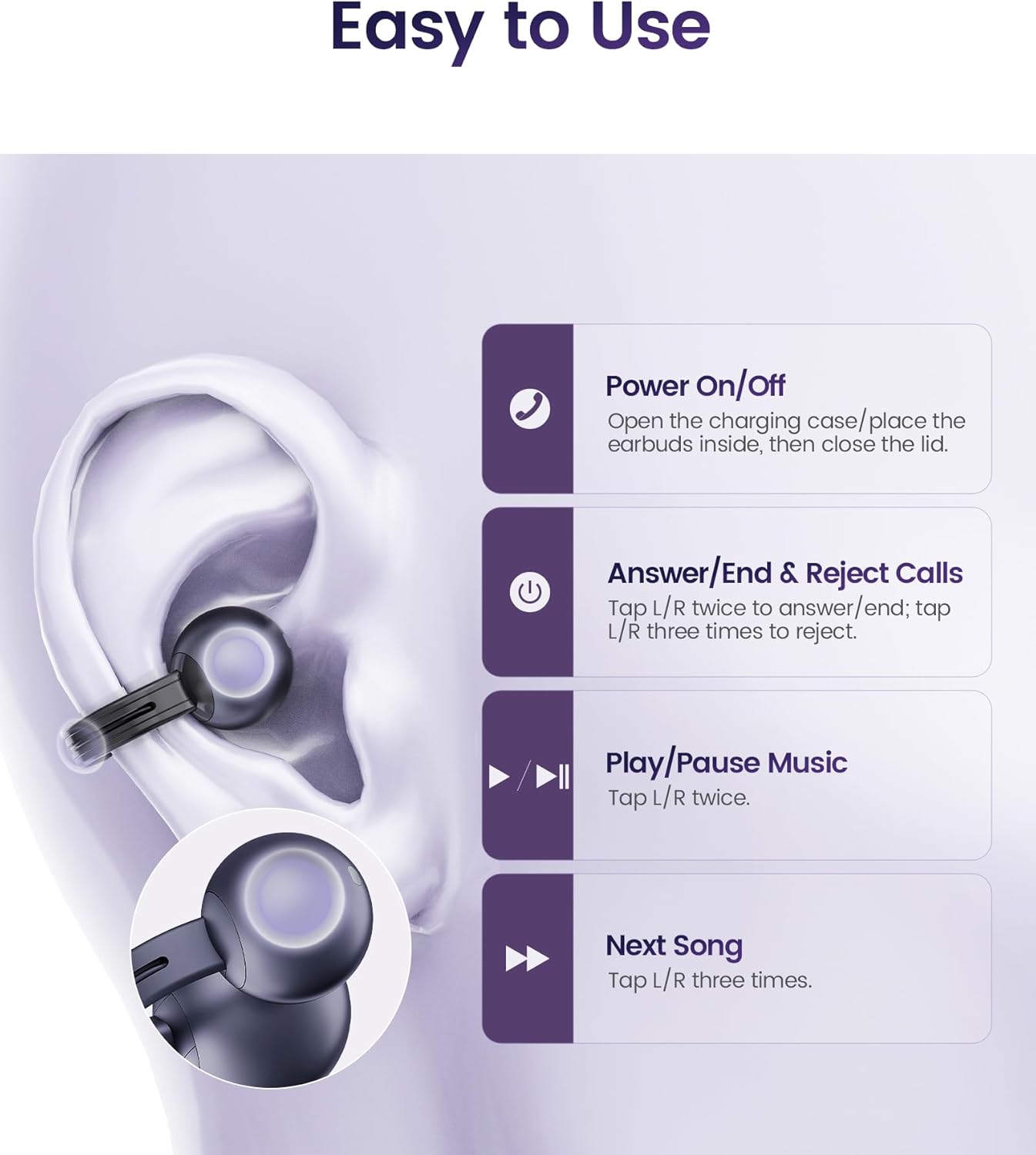
Image: Touch control functions.
- Zaa/Kwụsị Oku: Tap L/R earbud twice.
- Jụ oku: Tap L/R earbud three times.
- Kpọọ/Kwụsị Egwu: Tap L/R earbud twice.
- Abụ na-esote: Tap L/R earbud three times.
5.3 Yiri ekweisi
The StarClip headphones are designed for an open-ear, clip-on fit. Gently clip each earbud onto your ear, ensuring a secure and comfortable position. The lightweight design (5.5g per earbud) allows for extended wear without discomfort.

Image: Proper wearing of StarClip headphones.
6. Nlekọta
6.1 Nhicha
Regularly clean your StarClip headphones with a soft, dry, lint-free cloth. Do not use harsh chemicals or abrasive materials. Ensure the charging contacts on both the earbuds and the case are clean and dry.
6.2 Mmiri Na-eguzogide Mmiri (IP54)
The StarClip headphones are IP54 water and sweat resistant, making them suitable for workouts and daily use in light rain. This rating means they are protected from dust ingress and splashing water from any direction. Do not submerge the headphones in water or expose them to strong jets of water. Avoid using them in saunas or steam rooms.
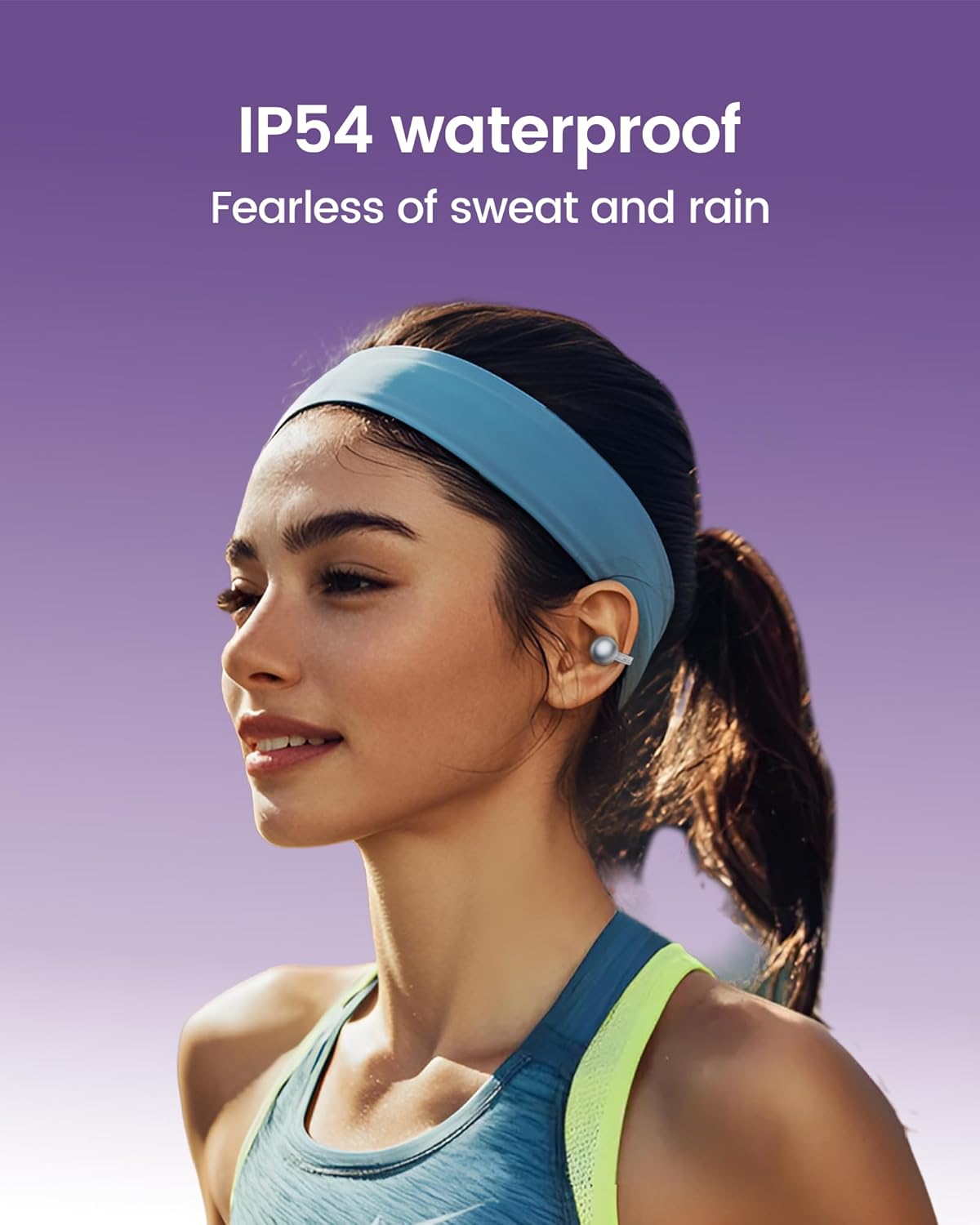
Image: StarClip headphones are IP54 water resistant.
7. Nchọpụta nsogbu
- Ekweisi anaghị agba ọkụ: Ensure the charging case is charged and the headphones are properly seated in the case. Open the lid to power on.
- Enweghị ụda ma ọ bụ ụda adịghị mma: Check Bluetooth connection. Ensure headphones are charged. Adjust volume on your connected device. Ensure earbuds are worn correctly.
- Enweghị ike ijikọ na ngwaọrụ: Ensure Bluetooth is enabled on your device. Make sure the headphones are in pairing mode (open case lid). Try forgetting the device on your phone and re-pairing.
- Oku anaghị edo anya: Ensure the microphone is not obstructed. AI ENC noise cancellation is active for clearer calls, but extreme noise environments may still affect clarity.
- Discomfort during wear: Adjust the position of the ear clips on your ear until a comfortable and secure fit is achieved.
8. Nkọwapụta
| Njirimara | Nkọwapụta |
|---|---|
| Aha Nlereanya | StarClip |
| Ụdị | mojawa |
| Teknụzụ Njikọta | Ikuku (Bluetooth 5.4) |
| Ntinye ntị | Mepee Ntị |
| Ụdị njikwa | Njikwa aka |
| Ọkwa Nguzogide mmiri | IP54 mmiri na-eguzogide |
| Ndụ Batrị (na ikpe) | Ruo awa 32 |
| Ibu Ibu | ounce 4.2 (mkpokọta) |
| Oke ugboro ugboro | 20 Hz - 20,000 Hz |
| Ụdị ọkwọ ụgbọ ala ọdịyo | Ọkwọ ụgbọala dị ike |
| Njikwa mkpọtụ | AI ENC Noise Cancellation (for calls) |
9. Akwụkwọ ikike na nkwado
Your mojawa StarClip headphones come with a standard manufacturer's warranty. For detailed warranty information, please refer to the warranty card included in your product packaging or visit the official mojawa website. For technical support, troubleshooting assistance, or any product-related inquiries, please contact mojawa customer service through their official channels.
Maka ozi ndị ọzọ, gaa na mojawa Store on Amazon.


