Okwu mmalite
This manual provides essential information for the setup, operation, and maintenance of your NIMO 15.6" FHD IPS Business Gaming Laptop. Designed for both productivity and light gaming, this laptop features an AMD Ryzen 5 6600H processor, 32GB DDR5 RAM, and a 1TB PCIe SSD, ensuring fast performance and ample storage. Please read this manual thoroughly to ensure proper use and longevity of your device.
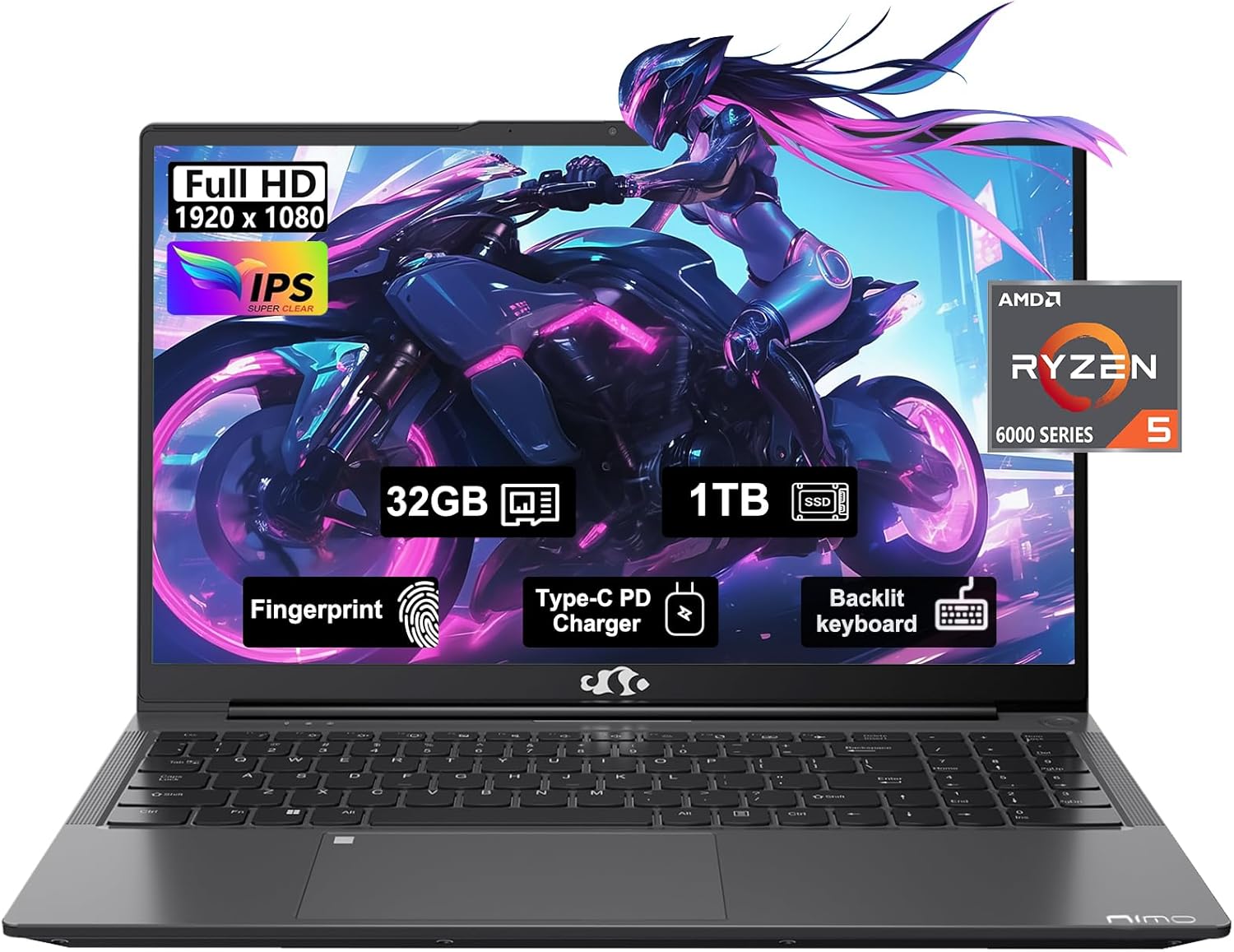
Figure 1: NIMO 15.6" FHD IPS Business Gaming Laptop overview.
Melite
1. Unboxing na mbido nyocha
Carefully remove all components from the packaging. The box should contain:
- 1 x Nimo N153 Laptop
- 1 x Type-C 100W PD Fast Charger
- 1 x Akwụkwọ ntuziaka onye ọrụ
Inspect the laptop and accessories for any signs of damage. If any components are missing or damaged, contact customer support immediately.
2. Agbanye na Nchaji mbụ
Before first use, it is recommended to fully charge the laptop.
- Connect the Type-C 100W PD Fast Charger to the laptop's Type-C port (Multifunction) and to a power outlet.
- The charge LED indicator will illuminate. Allow the laptop to charge until the LED indicates a full charge.
- Pịa bọtịnụ ike ka ịgbanwuo laptọọpụ.

Figure 2: Connecting the Type-C 100W PD Fast Charger.
3. Ntọala Sistemụ Ọrụ (Windows 11)
Follow the on-screen prompts to complete the initial setup of Windows 11. This typically includes:
- Ịhọrọ mpaghara gị na nhazi ahụigodo gị.
- Jikọọ na netwọk Wi-Fi.
- Ịbanye na akaụntụ Microsoft ma ọ bụ ịmepụta akaụntụ.
- Setting up a PIN or password.
- Configuring privacy settings.
Na-arụ ọrụ Laptọọpụ gị
1. Ahụigodo na Touchpad
The NIMO laptop features a full-size backlit keyboard and a large touchpad for comfortable and efficient input.
- Ahụigodo azụ azụ: Use the function keys (Fn + F-key combination, typically F3 or F4) to adjust keyboard backlight brightness.
- Mpempe aka: Supports multi-touch gestures for navigation. Refer to Windows settings for customization.
- Ọgụgụ mkpịsị aka: Located on the touchpad, allows for secure login via Windows Hello.

Figure 3: Laptop keyboard layout with backlit keys and integrated fingerprint reader.
2. Ports na Njikọta
Your NIMO laptop is equipped with various ports for versatile connectivity:
- ọdụ ụgbọ mmiri USB 2.0: 1 port for connecting peripherals.
- ọdụ ụgbọ mmiri USB 3.0: 2 ports for high-speed data transfer.
- Type-C Ports (Multifunction): 2 ports supporting power delivery (PD) and data.
- Ọdụ ụgbọ mmiri HDMI: Maka ijikọ na ngosipụta mpụga.
- Jack ekweisi: Maka mmepụta ọdịyo.
- Oghere kaadị Micro SD: For expanding storage or transferring data from memory cards.
- Oghere mkpọchi Kensington: Maka nchekwa anụ ahụ.
- Ikuku Njikọ: Supports Wi-Fi 802.11a/b/g/n/ac and Bluetooth 5.2.

Nyocha 4: N'eluview of laptop ports for various connections.
3. Ngosipụta
The laptop features a 15.6" FHD IPS (1920x1080) Anti-Glare Display with an 85% screen-to-body ratio. This display is designed to provide clear visuals and reduce eye strain during extended use.

Figure 5: The 15.6-inch Full HD IPS display.
4. Arụmọrụ
Powered by an AMD Ryzen 5 6600H processor (6 Cores, 12 Threads, up to 4.5 GHz) and 32GB DDR5 RAM, the laptop delivers robust performance for business tasks, content creation, and light gaming. The integrated AMD Radeon 660M GPU handles graphics processing efficiently.

Figure 6: AMD Ryzen 5 6600H processor, central to the laptop's performance.
The 1TB PCIe SSD provides fast boot times and rapid data access, enhancing overall system responsiveness.
Nlekọta
1. Na-ehicha laptọọpụ gị
- Jiri akwa dị nro na-enweghị ntụpọ dampejiri mmiri ma ọ bụ ihe nhicha ihuenyo ihicha ihe ngosi.
- Maka ahụigodo na chassis, jiri akwa dị nro. Zere kemịkalụ siri ike ma ọ bụ ihe na-emebi emebi.
- Use compressed air to clear dust from vents and ports periodically.
2. Mmelite ngwanrọ
Na-enyocha ma wụnye mmelite Windows na mmelite ọkwọ ụgbọala mgbe niile iji hụ na arụmọrụ na nchekwa kacha mma.
- Gaa na Ntọala > Mmelite Windows to check for OS updates.
- Visit the NIMO support websaịtị maka mmelite ọkwọ ụgbọala kacha ọhụrụ.
3. Njikwa nchekwa
To maintain performance, regularly manage your 1TB SSD storage:
- Hichapụ adịghị mkpa files na ngwa.
- Jiri nchekwa igwe ojii maka nnukwu ihe files.
- Periodically run Disk Cleanup (built-in Windows tool).
4. Nlekọta batrị
Iji bulie ogologo ndụ batrị:
- Zere oke okpomọkụ.
- Ahapụla laptọọpụ ahụ na chajị 100% ruo ogologo oge ma ọ bụrụ na ejighi ya.
- Calibrate the battery occasionally by fully discharging and recharging it.
5. Memory and Storage Upgrades
The NIMO laptop supports dual-channel memory upgrades (up to 2 x 16GB DDR5 RAM) and features an upgradable PCIe SSD. Consult a qualified technician for hardware upgrades to avoid voiding your warranty.
Nchọpụta nsogbu
Akụkụ a na-ekwu maka nsogbu ndị ị nwere ike izute.
Laptọọpụ anaghị agba ọkụ
- Ensure the charger is securely connected to both the laptop and a working power outlet.
- Nyochaa na ntinye ọkụ na-arụ ọrụ site na nkwụnye na ngwaọrụ ọzọ.
- Gbalịa ijide bọtịnụ ike maka sekọnd 15-20 iji mee nrụpụta siri ike.
- Ọ bụrụ na batrị agbachapụ kpamkpam, hapụ ya ka ọ chajị opekata mpe nkeji iri atọ tupu ị nwaa ịgbanye.
Screen Remains Blank
- Check if the laptop is powered on (listen for fan noise or look for indicator lights).
- Connect an external monitor via the HDMI port to check if the display output works.
- Malitegharịa ekwentị ahụ.
Ịrụ ngwa ngwa
- Mechie ngwa na-adịghị mkpa na-agba n'azụ.
- Lelee ma wụnye mmelite Windows ọ bụla na-echere.
- Ensure there is sufficient free space on your SSD.
- Gbaa nyocha nje.
Okwu Njikọta Wi-Fi
- Hụ na enyere Wi-Fi aka na ntọala Windows.
- Malitegharịa ekwentị gị na modem gị.
- Melite draịva nkwụnye netwọk ikuku gị.
- Chezọ netwọk wee jikọọ ọzọ.
For issues not covered here, please refer to the Warranty and Support section for contact information.
Nkọwapụta
| Njirimara | Nkọwa |
|---|---|
| Ụdị | NIMO |
| Aha Nlereanya | Nimo N153G |
| Nha ihuenyo | 15.6 sentimita asatọ |
| Mkpebi ihuenyo | 1920 x 1080 pixels (FHD IPS Anti-Glare) |
| Nhazi | AMD Ryzen 5 6600H (Igwe 6, eriri 12, ruo 4.5 GHz) |
| RAM | 32GB DDR5 (Dual-channel, upgradable to 2x16GB) |
| Draịvụ ike | 1 TB PCIe SSD |
| Ihe eserese eserese | AMD Integrated graphics (Radeon 660M GPU) |
| Sistemụ nrụọrụ | Windows 11 |
| Ụdị ikuku | 802.11a/b/g/n/ac (Wi-Fi 5), Bluetooth 5.2 |
| ọdụ ụgbọ mmiri | 1x USB 2.0, 2x USB 3.0, 2x Type-C (Multifunction), 1x HDMI, 1x Headphone Jack, 1x Micro SD Slot |
| Atụmatụ pụrụ iche | Fingerprint Reader, HD Audio, Backlit Keyboard, Numeric Keypad |
| Isi Iyi Ike | Battery Powered, Type-C 100W PD Fast Charger |
| Nkezi Ndụ batrị | Awa 5 |
| Ibu Ibu | 6 pound |
| Akụkụ ngwaahịa | 14.07 x 8.98 x 0.76 sentimita asatọ |
| Agba | Oghere isi awọ |
Akwụkwọ ikike na nkwado
Akwụkwọ ikike nke onye nrụpụta
Your NIMO laptop is covered by a comprehensive Akwụkwọ ikike nke onye nrụpụta afọ 2 offered by Nimo Direct Inc. This warranty covers defects in materials and workmanship under normal use.
Additionally, Nimo Direct Inc. offers 90-Day Hassle-Free Returns. If you encounter any concerns or issues with your product within this period, please contact customer support for assistance with resolution or replacement.
Nkwado kọntaktị
For technical assistance, warranty claims, or return inquiries, please contact NIMO customer support. Refer to the contact information provided on the official NIMO websaịtị ma ọ bụ akwụkwọ agụnyere na ngwaahịa gị.
Please have your product model number (Nimo N153) and purchase details ready when contacting support.


