Okwu mmalite
Thank you for choosing the Sealy Wireless Sleep Sound Machine & Night Light. This device is designed to create a calming environment for sleep, relaxation, or focused work. It features 14 sound modes, a Bluetooth speaker, adjustable night light, and timer settings, all powered by a rechargeable battery for portability. Please read this manual carefully to ensure proper use and maintenance of your device.
Njirimara ngwaahịa
- 14 Relaxing Sound Modes: A diverse selection of white noise, nature, and fan sounds for deep sleep, focused work, or calming infants.
- Dual Brightness Levels: Two adjustable light settings for customized ambiance, suitable for nighttime reading, nursing, or creating a cozy sleep environment.
- Rechargeable Battery & Portability: Up to 3 hours of wireless playtime on a single charge. Lightweight and compact for use at home or on-the-go.
- Built-In Bluetooth Speaker: High-quality audio streaming from your smartphone for music, podcasts, and meditation.
- Timer for Energy Savings: Auto-off feature with 15 or 30-minute timer options.
Ihe ngwugwu
Biko lelee ngwungwu maka ihe ndị a:
- Sealy Wireless Sleep Sound Machine & Night Light
- USB Type-C Nchaji USB
- Akwụkwọ ntuziaka onye ọrụ
Melite
Ebo mbụ
Before first use, fully charge the device. Connect the provided USB Type-C cable to the charging port on the device and to a compatible USB power adapter (not included). The charging indicator will illuminate. A full charge provides up to 3 hours of wireless playtime.
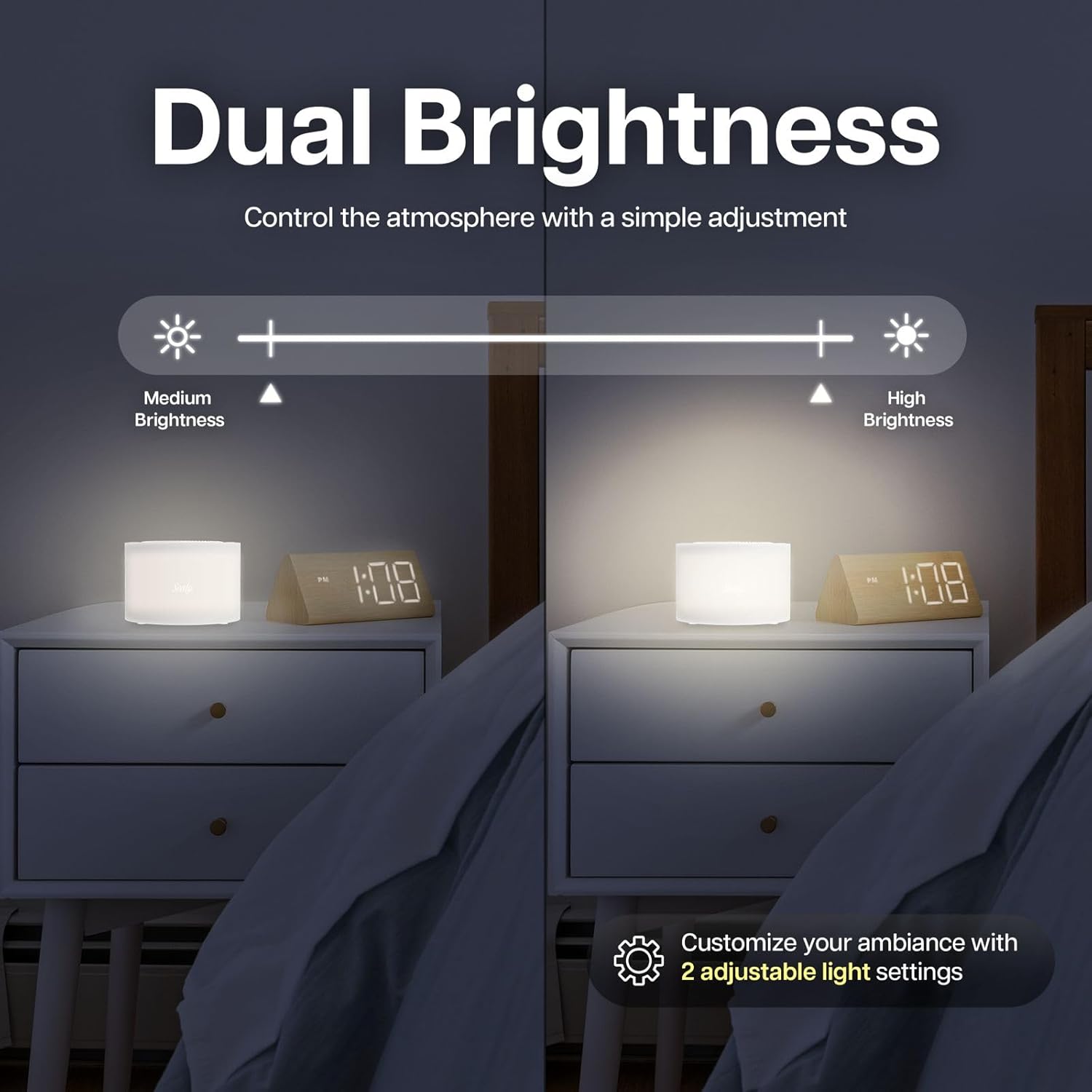
Foto: The Sealy Sleep Sound Machine connected to a USB-C charging cable. The image highlights the charging port and indicates that a 20-minute charge provides 3 hours of use. The device also features an auto-off timer.
Ntuziaka ọrụ
Gbanyụọ/ Gbanyụọ
Pịa ma jide Gbanye/ Gbanyụọ button located on the top of the device to power it on or off.
Ụdị ụda
The device offers 14 distinct sound modes, categorized into White Noise, Nature Sounds, and Fan Sounds. Use the dedicated buttons on the top panel to cycle through these categories and select your preferred sound.
- Ụda Ọcha: 5 variations
- Ụda okike: 6 variations
- Ụda ndị fan: 3 variations

Foto: The Sealy Sleep Sound Machine positioned near a sleeping baby, illustrating its use for creating a calming environment. The image highlights the sound categories: 5 White Noise, 6 Nature Sounds, and 3 Fan Sounds.
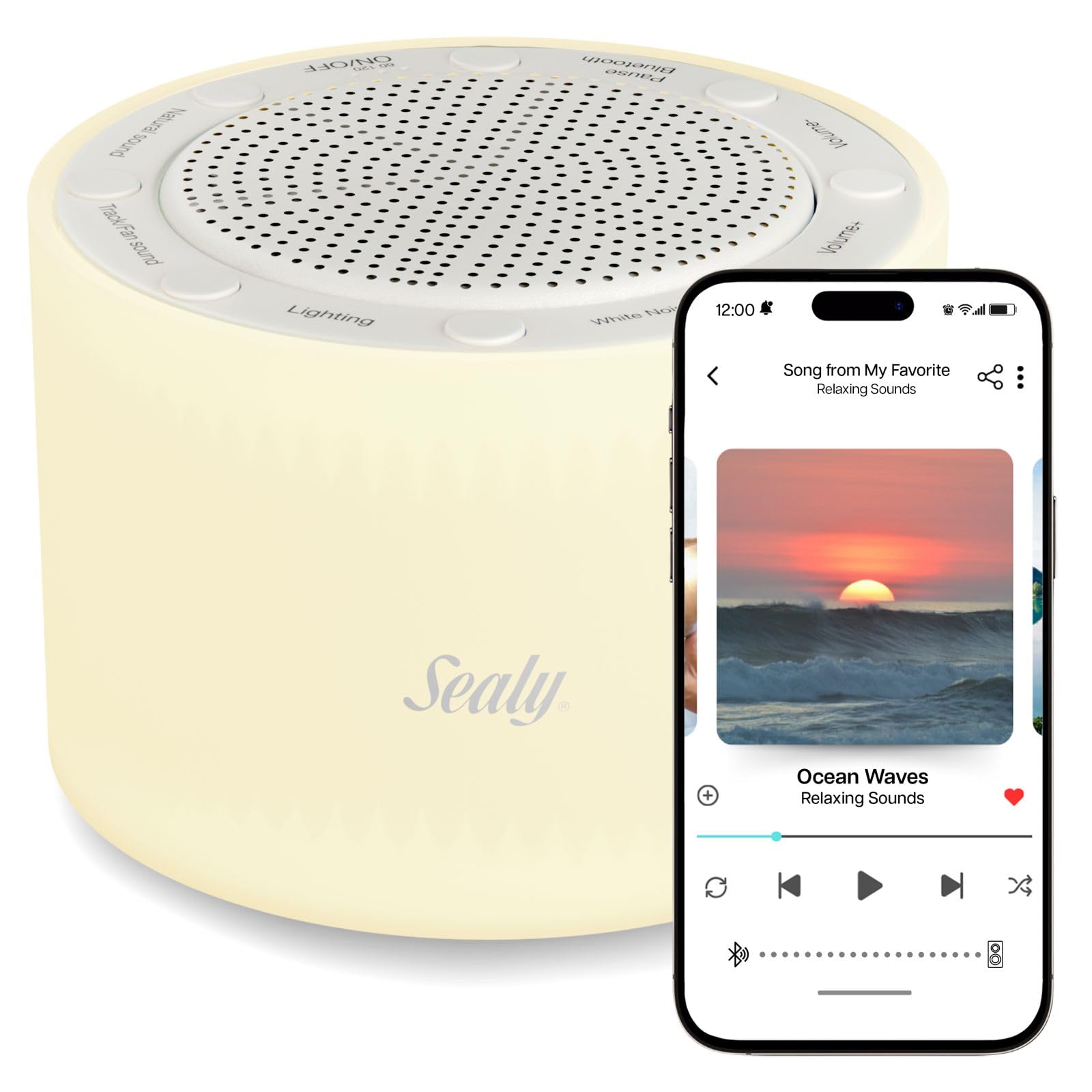
Foto: The Sealy Sleep Sound Machine on a desk, demonstrating its utility for enhancing focus during work or creative tasks. The image emphasizes the availability of 14 sound modes for optimal concentration.
Mgbanwe olu
Jiri ihe Mpịakọta + na Mpịakọta - buttons to adjust the sound level to your preference.
Njikọ Bluetooth
To use the device as a Bluetooth speaker:
- Gbaa mbọ hụ na agbanyere ngwaọrụ ahụ.
- Pịa Bluetooth button. The device will enter pairing mode, indicated by a flashing light or audio cue.
- On your smartphone or other Bluetooth-enabled device, search for "Sealy Sound Machine" in the Bluetooth settings.
- Select the device to pair. Once paired, you can stream audio wirelessly.
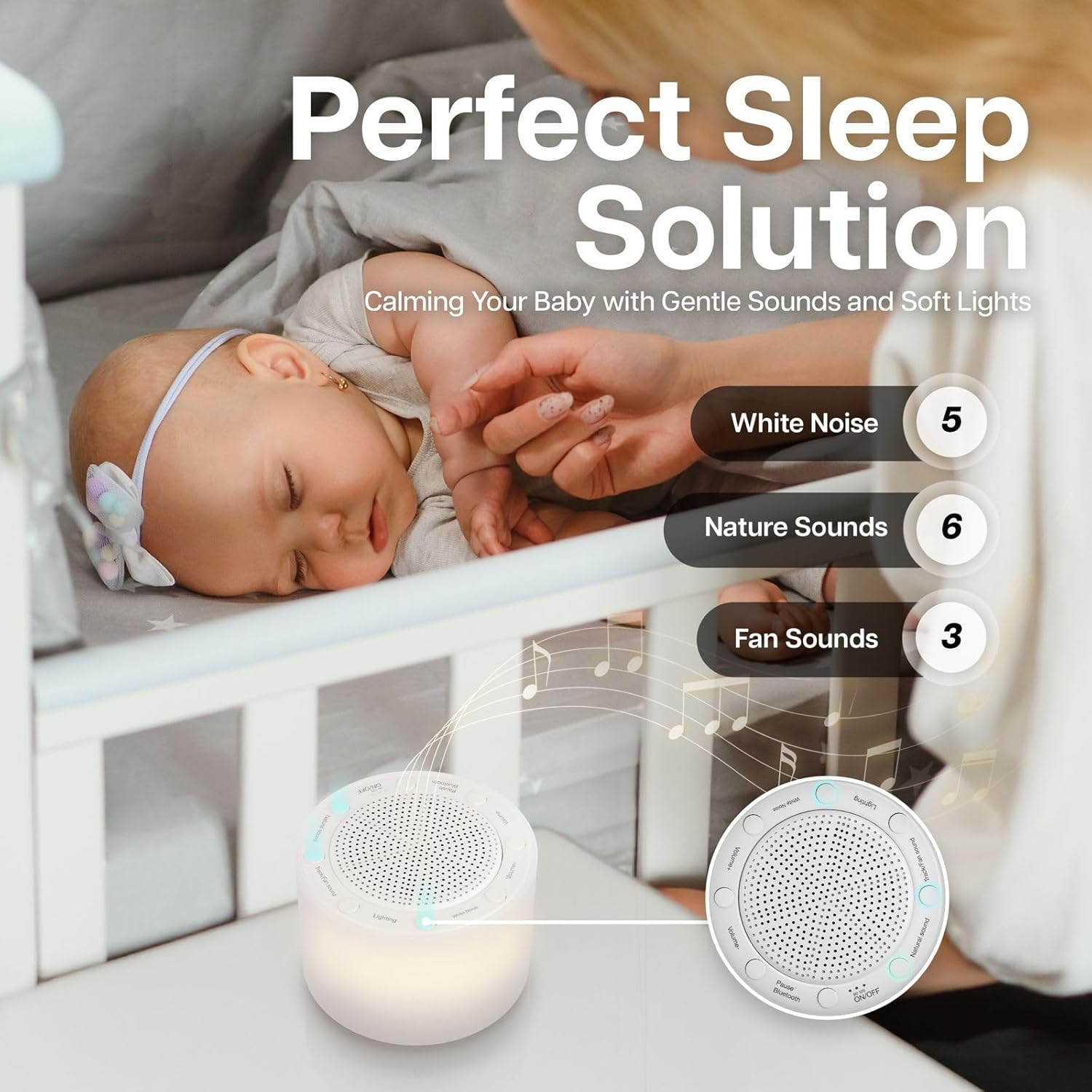
Foto: The Sealy Sleep Sound Machine shown in a living room setting, demonstrating its Bluetooth pairing capability with a smartphone. The image highlights the ease of connecting for high-quality audio streaming.
Ọrụ Ìhè abalị
Pịa Ọkụ button to turn the night light on or off. The device features two brightness levels. Press the button repeatedly to cycle between the low brightness, high brightness, and off settings.
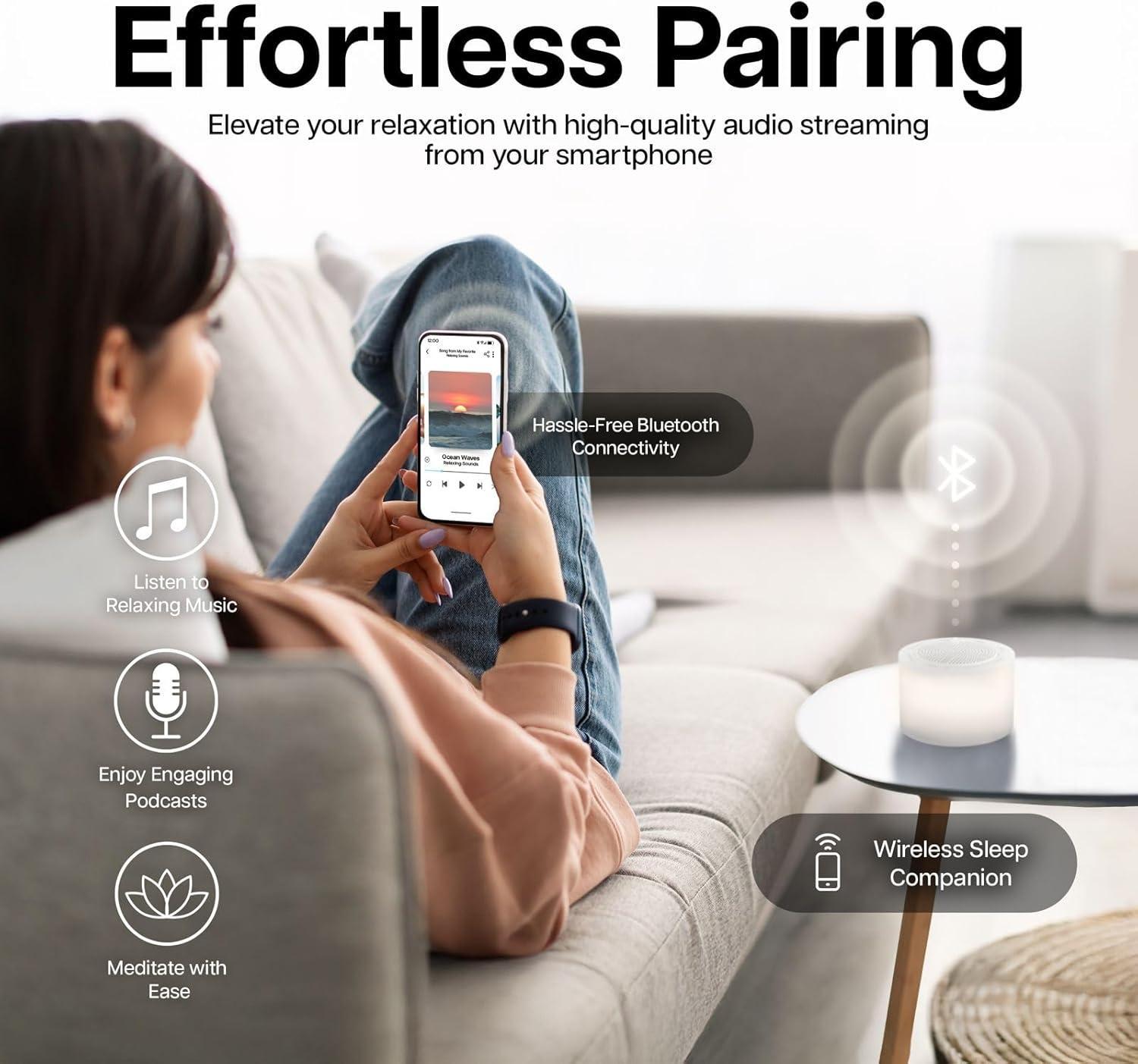
Foto: The Sealy Sleep Sound Machine on a nightstand, illustrating its dual brightness levels. A visual slider indicates the adjustment from medium to high brightness, allowing users to customize the ambiance.
Ntọala ngụ oge
The device includes an auto-off timer to conserve energy. Press the Ngụ oge button to select a 15-minute or 30-minute auto-off duration. The device will automatically power off after the selected time.
Vidiyo: This video demonstrates the features of the Sealy Wireless Sleep Sound Machine, including its various sound modes, night light, Bluetooth connectivity, and timer settings. It highlights the device's ease of use and portability.
Nlekọta
- Nhicha: Jiri ákwà dị nro ma kpọọ nkụ hichaa ngwaọrụ ahụ. Ejila ihe nhicha mmiri ma ọ bụ ihe ndị na-eme ka ọ dị nro hichaa ya.
- Nchekwa: Chekwaa ngwaọrụ ahụ n'ebe dị jụụ, kpọrọ nkụ mgbe ọ naghị eji ya.
- Nlekọta batrị: Iji mee ka batrị dị ogologo, zere iwepụ batrị ahụ mgbe niile. Chaji ngwaọrụ ahụ mgbe niile, ọbụlagodi na ọ naghị arụ ọrụ mgbe niile.
Nchọpụta nsogbu
| Nsogbu | Ngwọta enwere ike |
|---|---|
| Ngwaọrụ anaghị agbanwu ọkụ. | Ensure the battery is charged. Connect the device to a power source using the USB Type-C cable. |
| Enweghị ụda sitere na ọkà okwu. | Check the volume level. Ensure the correct sound mode is selected. If using Bluetooth, ensure it is properly paired and the volume on the connected device is up. |
| Njikọ Bluetooth ada ada. | Ensure the device is in pairing mode. Turn off and on Bluetooth on your smartphone. Move closer to the device. Disconnect from other Bluetooth devices. |
| Night light is not working. | Press the Lighting button to cycle through brightness levels. Ensure the device is powered on. |
Nkọwapụta
- Nọmba nlereanya: SL-HW-SN-121-WT
- Akara: Sealy
- Akụkụ: 6 x 6 x 3 sentimita asatọ
- Arọ: 16 ounces
- Ụdị ụda: 14 (White Noise, Nature, Fan)
- Ọkwa ihie: 2
- Ntọala oge: Nkeji 15, nkeji iri na ise
- Ndụ batrị: Up to 3 hours (wireless playtime)
- Njikọta: Bluetooth
- Nchaji ọdụ ụgbọ mmiri: USB Ụdị-C
- UPC: 805112124923
- Onye nrụpụta: Bytech NY
Akwụkwọ ikike na nkwado
For warranty information and customer support, please refer to the documentation included with your product packaging or visit the official Sealy websaịtị. Debe akwụkwọ nnata ịzụrụ maka akwụkwọ ikike.
Nkwusa iwu: FDA enyochabeghị nkwupụta gbasara mgbakwunye nri na ebughị n'obi ịchọpụta, gwọọ, gwọọ ma ọ bụ gbochie ọrịa ọ bụla ma ọ bụ ọnọdụ ahụike.


