Okwu mmalite
The 1Mii AI Y8+ Noise Cancelling Headphones are designed to provide an immersive audio experience with advanced features. These over-ear wireless headphones incorporate LDAC Hi-Res Audio technology, hybrid Active Noise Cancellation (ANC), and AI-powered functionalities including voice chat and real-time translation. With an extended battery life and comfortable design, they are suitable for various environments, from travel to home use.
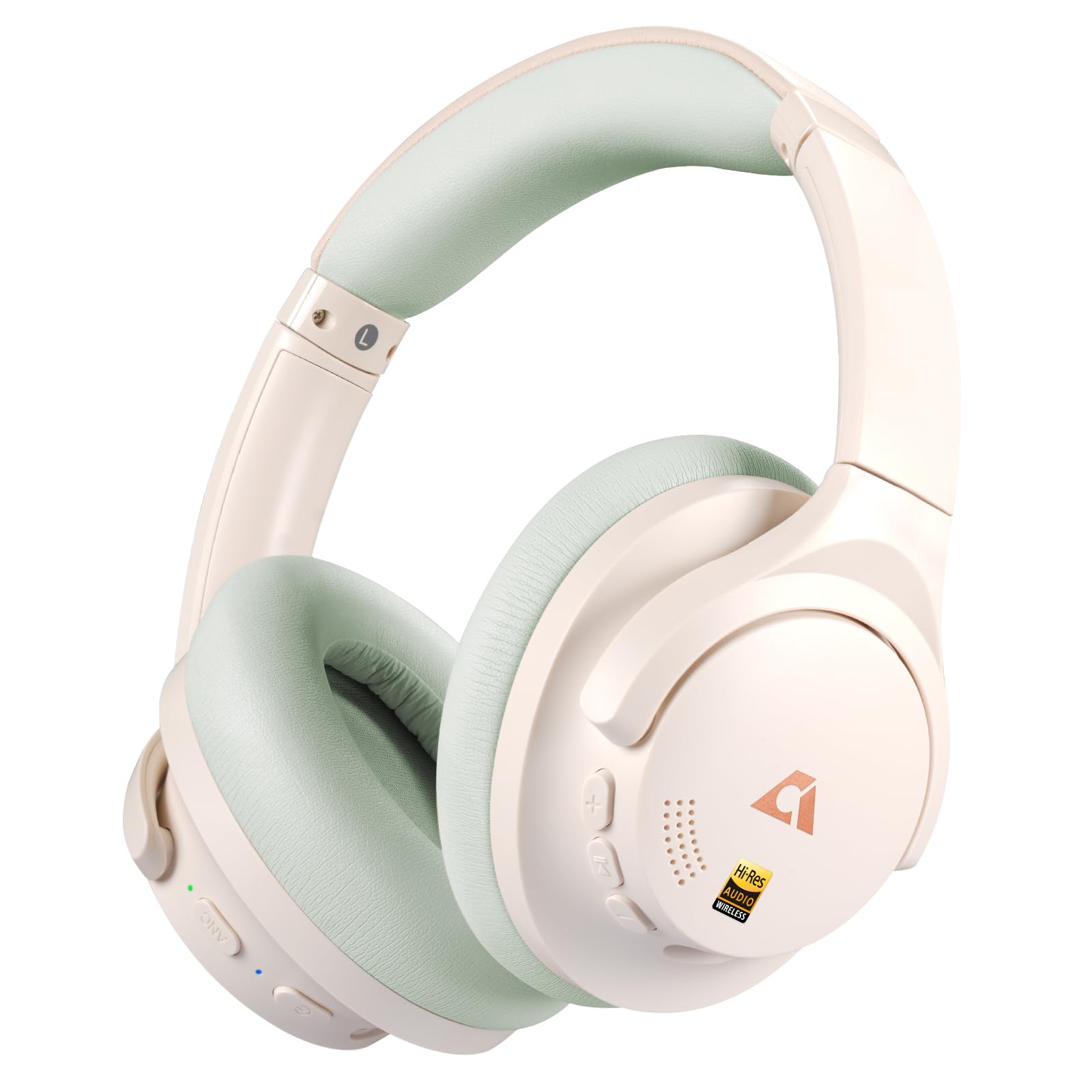
Image: 1Mii AI Y8+ Noise Cancelling Headphones, showcasing the beige green color variant.
Kedu ihe dị na Igbe ahụ
Gbaa mbọ hụ na ihe niile dị mgbe ị na-ewepụ igbe:
- 1Mii Y8+ Beige Green Hybrid Active Noise Cancelling Over Ear Bluetooth Headphones
- USB USB (3.5mm)
- USB-C eriri USB
- Okwu nchekwa
- Akwụkwọ ntuziaka (akwụkwọ a)
Ngwaahịa gafereview
Familiarize yourself with the headphone components and controls.

Image: Right earcup with power, volume, and multi-function buttons.

Image: Left earcup with ANC button and 3.5mm audio jack.
Njikwa na ọdụ ụgbọ mmiri:
- Bọtịnụ ike: Used for powering on/off and Bluetooth pairing.
- Elu elu (+): Increases volume. Hold for next track.
- Mpịakọta ọnụ (-): Decreases volume. Hold for previous track.
- Bọtịnụ ọrụ ọtụtụ: Play/Pause, answer/end calls, activate voice assistant.
- Bọtịnụ ANC: Cycles through Noise Cancelling, Normal, and Transparency modes.
- Ọdụ ụgbọ mmiri USB-C: Maka ịchaji ekweisi.
- Jack Audio: 3.5mm Maka njikọ ọdịyo wired.
Atụmatụ Ngwaahịa Vidiyo:
Vidiyo: Efereview of the 1Mii AI Y8+ Noise Cancelling Headphones, demonstrating features such as Active Noise Cancellation, Hi-Res Audio, Bluetooth connectivity, driver technology, earcup comfort, adjustable headband, wired connection capability, app customization, and battery life.
Melite
1. Ịchaji ekweisi
Before first use, fully charge the headphones. Connect the supplied USB-C charging cable to the headphone's USB-C port and a power source (e.g., USB wall adapter, computer USB port). The LED indicator will show charging status and turn off or change color when fully charged.
2. Njikọ Bluetooth
- Gbaa mbọ hụ na agbanyụrụ ekweisi.
- Pịa ma jide bọtịnụ ike for approximately 5 seconds until the LED indicator flashes blue and red, indicating pairing mode.
- Na ngwaọrụ gị (smartphone, tabletị, laptọọpụ), gbanye Bluetooth wee chọọ ngwaọrụ dị.
- Select "1Mii Y8+" from the list of found devices.
- Once connected, the LED indicator will turn solid blue or flash blue slowly.
3. Njikọ eriri
For a wired connection, plug one end of the 3.5mm audio cable into the headphone's 3.5mm audio jack and the other end into your audio source. The headphones can be used in wired mode even if the battery is depleted, though some features like ANC may require battery power.
Image: Headphones connected to a laptop via a 3.5mm audio cable, demonstrating wired usage.
4. App Installation and Customization
Download the "YeeMall" app from the Google Play Store or Apple App Store to unlock custom EQ settings, monitor battery levels, toggle ANC/Transparency Mode, and explore soothing sleep sounds.
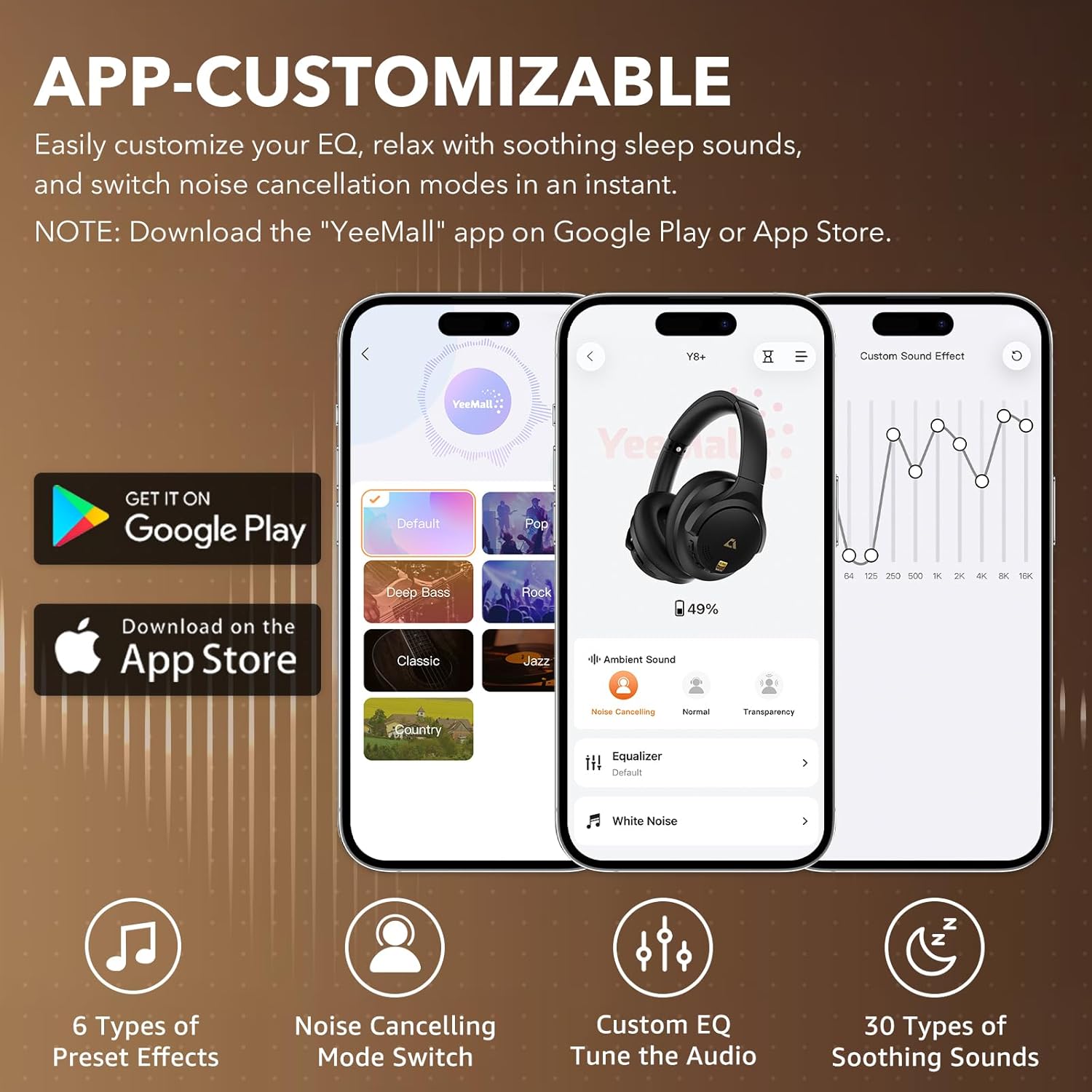
Image: The YeeMall app interface on a smartphone, illustrating custom EQ and sound effect options for the 1Mii Y8+ headphones.
Ntuziaka ọrụ
1. Gbanyụọ / gbanyụọ
- Ike Na: Pịa ma jide bọtịnụ ike for 3 seconds. The LED indicator will light up.
- Gbanyụọ: Pịa ma jide bọtịnụ ike for 3 seconds. The LED indicator will turn off.
2. Nkagbu mkpọtụ mkpọtụ (ANC) na ọnọdụ nghọta
- Pịa Bọtịnụ ANC once to cycle through modes: Ịkagbu mkpọtụ → Nkịtị → nghọta.
- Jide ya Bọtịnụ ANC for 2 seconds to directly toggle between Ịkagbu mkpọtụ na nghọta ụdịdị.

Image: A visual representation of the headphones reducing ambient noise by up to 90%.
3. Njikwa ọkpụkpọ egwu egwu
- Gwuo/kwụsịtụ: Pịa Bọtịnụ ọrụ ọtụtụ otu ugboro.
- Olu elu: Pịa + bọtịnụ otu ugboro.
- Olu ala: Pịa - bọtịnụ otu ugboro.
- Track na-esote: Pịa ma jide + bọtịnụ maka 1 sekọnd.
- Gara aga Track: Pịa ma jide - bọtịnụ maka 1 sekọnd.
4. Njikwa oku
- Azịza/Kwụsị Oku: Pịa Bọtịnụ ọrụ ọtụtụ otu ugboro.
- Jụ oku: Pịa ma jide Bọtịnụ ọrụ ọtụtụ maka 2 sekọnd.
- Mee ka onye enyemaka olu rụọ ọrụ: Pịa Bọtịnụ ọrụ ọtụtụ ugboro abụọ.
5. Njirimara AI
The 1Mii Y8+ headphones integrate AI for enhanced communication and learning:
- AI Voice Chat: Engage in hands-free voice conversations.
- English Practice: Utilize for contextual learning and improving English speaking skills.
- Ntụgharị asụsụ ozugbo: Supports translation across 103 languages.
Ozi batrị
The 1Mii Y8+ headphones offer extended battery performance:
- Continuous Playback: Up to 100 hours (with ANC off at 50% volume; varies with usage).
- Nchaji ngwa ngwa: A 10-minute charge provides approximately 5 additional hours of playback.
- Oge nchaji: Ihe dị ka awa 3.5 maka ụgwọ zuru ezu.

Image: Visualizing the long battery life and quick charge capability of the headphones.
Nkasi obi na ibughari
The headphones are designed for comfort during extended wear and ease of transport:
- Nkasi obi dabara adaba: Plush memory foam cushions and an adjustable headband ensure a personalized, pressure-free fit.
- Enwere ike ibugharị: The sleek, foldable design allows for easy storage in the protective case and convenient carrying for daily commutes or travel.

Image: Headphones being folded for compact storage, highlighting their portable design.
Nlekọta
To ensure the longevity and optimal performance of your 1Mii AI Y8+ headphones, follow these maintenance guidelines:
- Nhicha: Use a soft, dry cloth to wipe the headphones. Do not use liquid cleaners or solvents.
- Nchekwa: When not in use, store the headphones in their protective case to prevent dust accumulation and damage. Avoid storing in extreme temperatures or high humidity.
- Nlekọta USB: Jikwaa waya chaja na ụda olu nwayọ. Zere ịgbagọ nkọ ma ọ bụ ịdọpụ ya gabiga ókè.
Nchọpụta nsogbu
Ọ bụrụ na ịnwee nsogbu na ekweisi gị, rụtụ aka na azịza ndị a na-ahụkarị:
| Nsogbu | Ngwọta enwere ike |
|---|---|
| Igwe ekweisi anaghị agba ọkụ | Hụ na ekweisi ndị ahụ chajị. Jiri eriri USB-C jikọọ na isi iyi ike. |
| Enweghị ike ijikọ site na Bluetooth | Ensure headphones are in pairing mode (flashing blue/red LED). Turn off and on Bluetooth on your device. Forget previous pairings and try again. |
| No sound in wireless mode | Check if headphones are connected to your device. Adjust volume on both headphones and device. Ensure media is playing. |
| ANC anaghị arụ ọrụ nke ọma | Ensure ANC mode is activated. Check for proper fit of earcups over your ears to create a seal. |
| Sound quality issues (LDAC) | Ensure your connected device supports LDAC technology for optimal Hi-Res Audio. Check app EQ settings. |
Nkọwapụta
- Aha nlereanya:
- Y8+
- Njikwa mkpọtụ:
- Nkagbu mkpọtụ nọ n'ọrụ
- Nzaghachi ugboro ugboro:
- 40 kHz
- Mmetụta:
- 105 dB
- Jack ekweisi:
- 3.5mm ọkpụrụkpụ
- Teknụzụ Njikọta:
- Ikuku (Bluetooth 6.0)
- Teknụzụ nzikọrịta ozi ikuku:
- Bluetooth
- Ihe:
- Faux Leather, Memory Foam, Metal, Plastic
- Oge nchaji:
- Awa 3.5
- Ndụ batrị:
- 75 Hours (up to 100 hours with ANC off at 50% volume)
- Ụdị ọkwọ ụgbọala ọdịyo:
- Ọkwọ ụgbọala dị ike
- Nha ọkwọ ụgbọ ala ọdịyo:
- 40 millimeters
- Ogologo Bluetooth:
- 32.8 ụkwụ (10 mita)
- Ụdị Bluetooth:
- 6.0
- Latency ọdịyo:
- 200 nkeji
- Ibu ihe:
- 268 grams (9.5 ounces)
- Akụkụ ngwaahịa:
- 7.87 x 6.42 x 3.31 sentimita asatọ
- Ọkwa Nguzogide mmiri:
- Ọ bụghị mmiri na-eguzogide
- Atụmatụ pụrụ iche:
- Android Phone Control, Foldable, Noise Cancellation, Volume Control, iOS Phone Control, AI Translation, Voice Chat, Custom EQ via App
Akwụkwọ ikike na nkwado
1Mii products come with a standard manufacturer's warranty. For detailed warranty information, product support, or technical assistance, please refer to the warranty card included in your product packaging or visit the official 1Mii website. You may also contact 1Mii customer service directly through their website or the contact information provided in the packaging.