KLIM K8

KLIM K8 Cassette Player Instruction Manual

Ụdị: K8

1. Ntuziaka nchekwa dị mkpa

2. Ihe ngwugwu

Chọpụta na ihe niile dị na ọ dị mma:

3. Ngwaahịa gafereview

KLIM K8 Cassette Player with included earbuds and a cassette tape inserted

Foto nke 3.1: The KLIM K8 Cassette Player, showing the cassette compartment, main controls, and included earbuds.

3.1. Njikwa na Ọdụ Ụgbọ Mmiri

4. Nhazi

4.1. Ịkwanye ngwaọrụ

The KLIM K8 can be powered by two AA batteries or via a USB Type-C cable connected to a compatible AC-DC adapter (not included) or USB power source.

  1. Nwụnye batrị:
    • Mepee mkpuchi mkpuchi batrị n'azụ ngwaọrụ.
    • Tinye batrị AA abụọ, hụ na polarity ziri ezi (+/-) dịka egosiri n'ime ngalaba ahụ.
    • Mechie mkpuchi nke batrị batrị nke ọma.
    KLIM K8 Cassette Player showing 2x AA batteries and a USB Type-C cable

    Foto nke 4.1: Powering options for the KLIM K8, including AA batteries and USB Type-C cable.

  2. Ike Mpụga:
    • Connect the provided USB Type-C cable to the DC IN port on the device.
    • Jikọọ nsọtụ nke ọzọ nke eriri USB na isi iyi ike USB dakọtara (dịka ọmụmaatụ, ihe nkwụnye mgbidi, ọdụ USB kọmputa).

4.2. Inserting a Cassette Tape

  1. Gently slide open the cassette compartment door.
  2. Insert a standard audio cassette tape with the open edge facing the playback head and the desired side (A or B) facing outwards.
  3. Close the cassette compartment door until it clicks securely.

5. Ntuziaka ọrụ

5.1. Cassette Playback

  1. Ensure a cassette tape is properly inserted.
  2. Set the AM/FM/TAPE selector to "TAPE".
  3. Pịa KWURU bọtịnụ ka ịmalite ịkpọghachi.
  4. Hazie nke VOL control to your desired listening level.
  5. Iji mee ngwa ngwa gaa n'ihu, pịa F.FWD button. To rewind, press the REW bọtịnụ. Pịa KWỤSỊ to resume playback after fast forwarding or rewinding.
  6. Pịa KWỤSỊ bọtịnụ iji kwụsị ọkpụkpọ egwu.

5.2. Cassette Recording

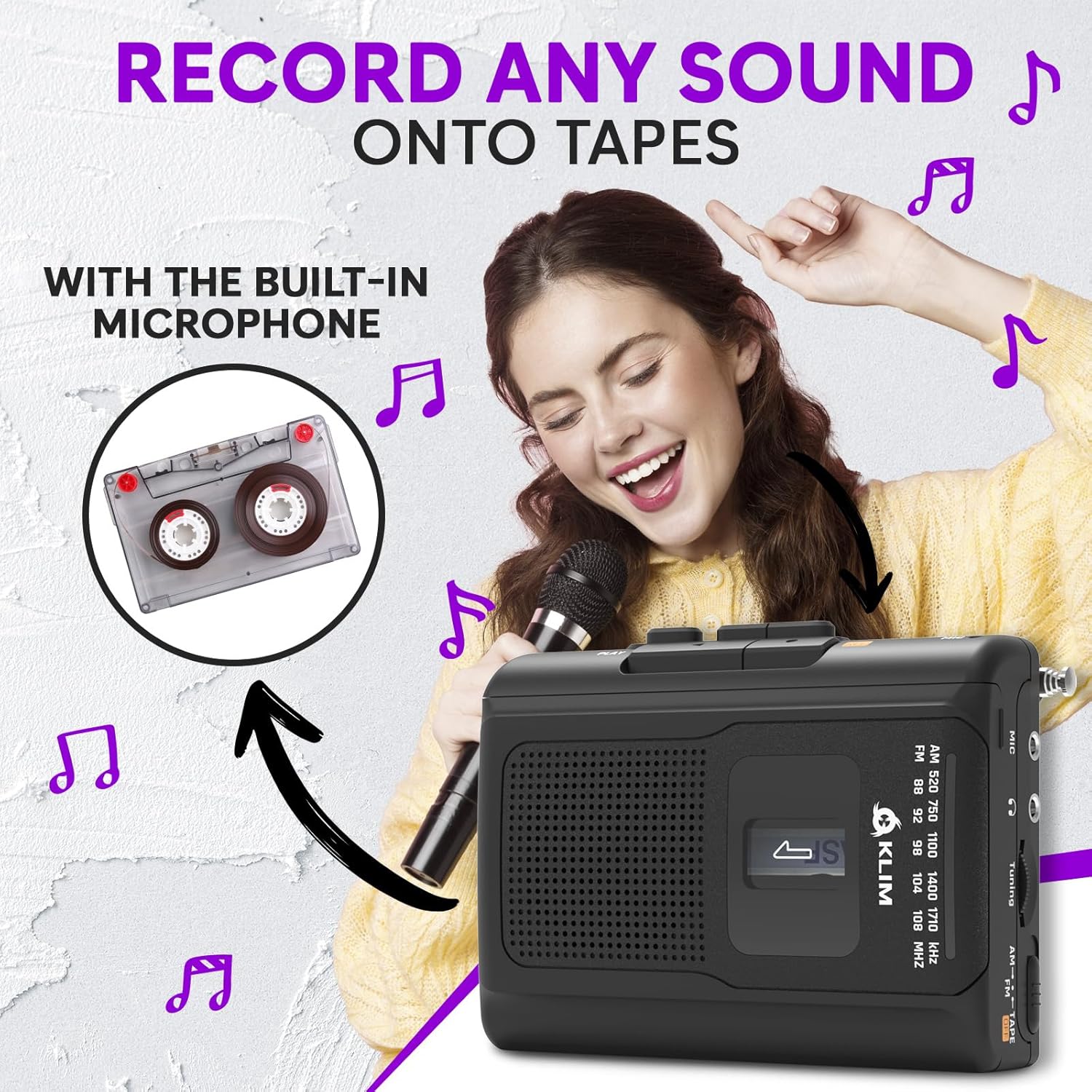
The KLIM K8 allows recording audio directly onto a cassette tape using its built-in microphone.

  1. Insert a blank or recordable cassette tape. Ensure the tape's erase protection tabs are intact if you intend to record over existing content.
  2. Set the AM/FM/TAPE selector to "TAPE".
  3. Pịa REC bọtịnụ n'otu oge na KWURU button. The tape will start moving, and recording will begin.
  4. Speak clearly into the built-in microphone (MIC).
  5. Pịa KWỤSỊ bọtịnụ iji kwụsị ndekọ.
Woman smiling and holding a microphone, with an inset image of a cassette tape, illustrating the recording function of the KLIM K8

Foto nke 5.1: Recording audio onto a cassette tape using the integrated microphone.

5.3. AM/FM Radio Operation

  1. Set the AM/FM/TAPE selector to "AM" or "FM".
  2. Extend the telescopic antenna for optimal FM reception. For AM reception, rotate the unit for best signal.
  3. Tugharia ihe Ntughari mkpu to scan for radio stations.
  4. Hazie nke VOL control to your desired listening level.
KLIM K8 Cassette Player with an extended antenna, showing the AM/FM tuning dial, indicating radio functionality

Foto nke 5.2: Tuning into AM/FM radio stations with the KLIM K8.

5.4. Iji ekweisi

For private listening, connect the included KLIM Fusion earbuds or any standard 3.5mm headphones to the headphone jack on the side of the device. The built-in speaker will automatically mute when headphones are connected.

Person listening to music with headphones connected to the KLIM K8, highlighting the 3.5mm jack port

Foto nke 5.3: Enjoying audio privately with headphones.

6. Nlekọta

7. Nchọpụta nsogbu

NsogbuIhe nwere ike imeNgwọta
Enweghị ike / ngwaọrụ anaghị agbanye.
  • Batrị anwụọla ma ọ bụ tinye na ezighi ezi.
  • USB power cable is not connected or faulty.
  • Dochie batrị ma ọ bụ lelee polarity.
  • Ensure USB cable is securely connected and power source is active.
Poor sound quality from cassette.
  • Tape heads are dirty.
  • Cassette tape is old or damaged.
  • Olu dị oke ala.
  • Clean tape heads and pinch rollers.
  • Try a different cassette tape.
  • Welie olu.
Nnabata redio adịghị mma.
  • Antenna not extended (FM).
  • Ntinye aka ma ọ bụ mgbaàmà adịghị ike.
  • Gbatịa antenna telescopic nke ọma.
  • Rotate the device for AM reception.
  • Try moving to a different location.
Ndekọ anaghị arụ ọrụ.
  • REC and PLAY buttons not pressed simultaneously.
  • Cassette tape is write-protected (tabs removed).
  • Ensure both buttons are pressed together.
  • Use a recordable tape or cover the write-protect tabs with adhesive tape.

8. Nkọwapụta

ỤdịKLIM
NlereanyaK8
ỌrụCassette Player, Cassette Recorder, AM/FM Radio
Igwe okwuWuru n'ime
Jack ekweisi3.5mm Universal
Isi Iyi Ike2x AA Batteries (included) or USB Type-C (DC IN)
AgbaNwa
Akụkụ (Ihe dị ka)4.7" x 3.4" x 1.5" (based on image PT06)
Ibu (Ihe dị ka.)6.8 oz (based on image PT06)
KLIM K8 Cassette Player showing dimensions of 4.7 inches by 3.4 inches by 1.5 inches and a weight of 6.8 ounces

Foto nke 8.1: Approximate dimensions and weight of the KLIM K8.

9. Akwụkwọ ikike na nkwado

The KLIM K8 Cassette Player comes with a 5-afọ akwụkwọ ikike. This warranty covers manufacturing defects and ensures the quality and durability of your device.

For technical support, warranty claims, or any questions regarding your KLIM K8, please contact KLIM Technologies France, the seller, through your purchase platform or visit the official KLIM websaịtị maka ozi kọntaktị.

Biko dowe ihe akaebe nke ịzụrụ ihe maka ebumnuche ikike.