1. Okwu mmalite
Thank you for choosing the BACHMANN PIX Built-in Socket 926.001. This manual provides essential information for the safe and correct installation, operation, and maintenance of your new built-in power outlet. Please read these instructions carefully before beginning installation and retain them for future reference.
2. Ntuziaka nchekwa
- Nchekwa Eletriki: Installation must be performed by a qualified electrician or competent person in accordance with all local and national electrical codes and regulations.
- Ịkwụsị ike: Always disconnect the main power supply before performing any installation, maintenance, or troubleshooting.
- Voltage na ugbu a: Ensure the socket's voltage and current ratings are compatible with your electrical system and the devices you intend to connect.
- Mmiri: Do not install or use the socket in excessively wet or damp gburugburu ebe obibi belụsọ ma ọ bụrụ na e nyere ya ọkwa kpọmkwem maka ọnọdụ ndị dị otú ahụ.
- Mmebi: Do not use the socket if it appears damaged. Contact a qualified technician for inspection or replacement.
- Ụmụaka: Debe ebe ụmụaka na-apụghị iru.
3. Ihe ngwugwu
Chọpụta na akụrụngwa niile dị na ngwugwu:
- 1 x BACHMANN PIX Built-in Socket Unit (Model 926.001)
- 3 x Interchangeable Decorative Rings (Black, White, and Stainless Steel Look)
- 1 x 2-meter connection cable

Figure 3.1: Complete package contents of the PIX Built-in Socket.
4. Ngwaahịa gafereview na Atụmatụ
The BACHMANN PIX Built-in Socket 926.001 is designed for seamless integration into various environments such as kitchens, offices, or living rooms. Its minimalist and aesthetic design, combined with practical features, makes it a versatile power solution.
- Interchangeable Decorative Rings: Customize the appearance with included black, white, and stainless steel look rings to match your interior design.
- Low Installation Depth: With an installation depth of only 45 mm, the PIX socket is space-saving and suitable for thin panels or furniture.
- Ngwa dịgasị iche iche: Ideal for desks, kitchen countertops, conference tables, or any surface requiring discreet power access.
- Nhazi kacha nta: Features a round, flat shape for a clean and unobtrusive look.
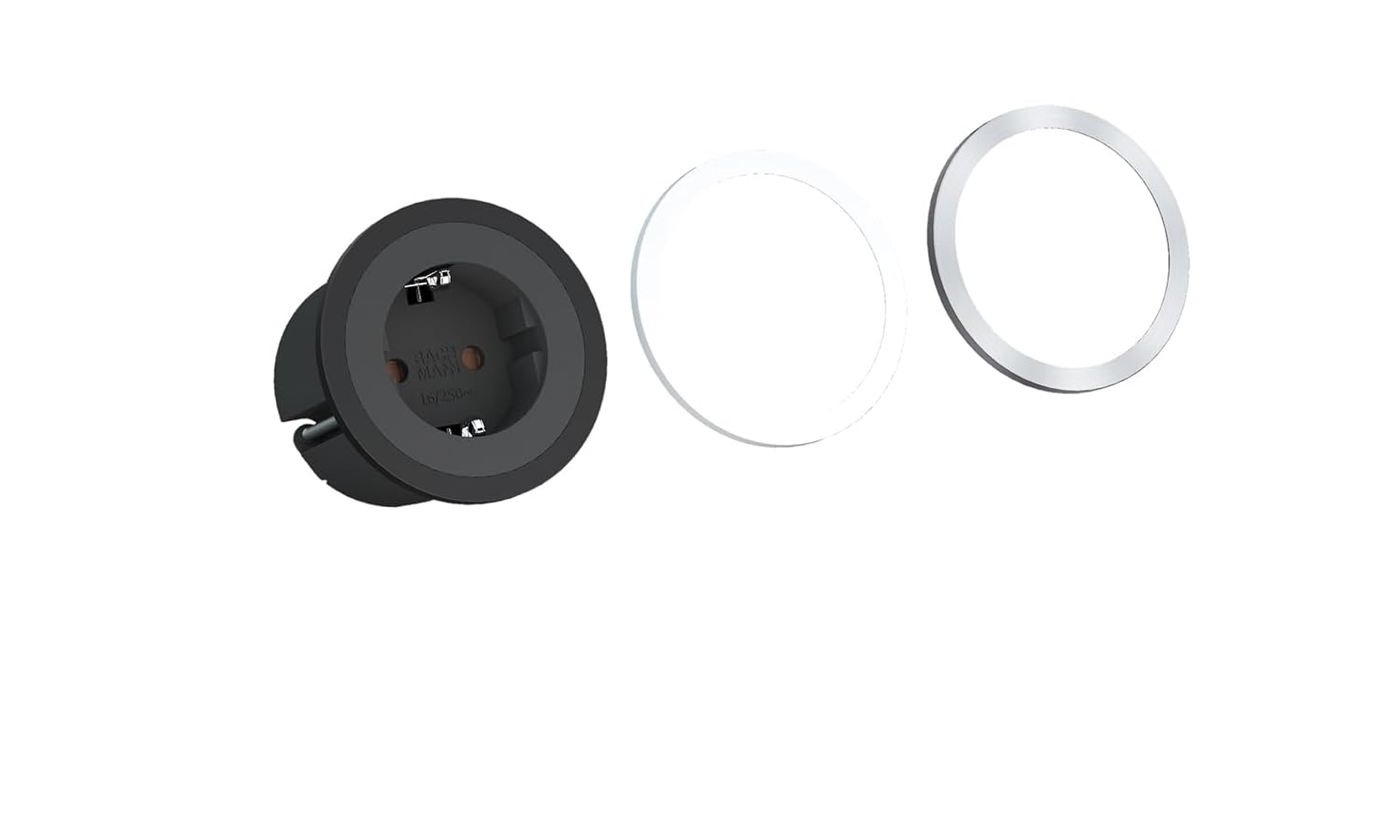
Figure 4.1: PIX Built-in Socket with interchangeable decorative rings.
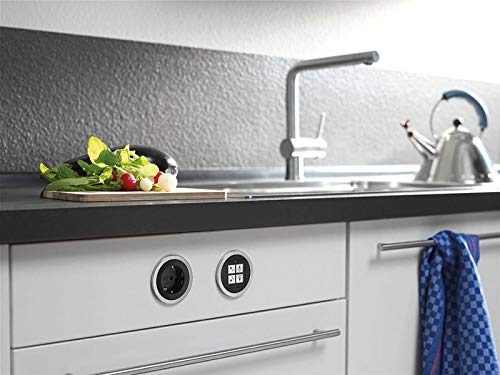
Ọgụgụ 4.2: Ọpụample installation of PIX sockets in a kitchen environment.
5. Ntọala na nwụnye
Follow these steps for proper installation of your BACHMANN PIX Built-in Socket. Ensure power is disconnected before proceeding.
- Kwadebe Oghere Ịwụnye: Using appropriate tools, create a circular mounting hole in your desired surface. The recommended installation diameter for the visible part is 68 mm (Ø68mm), with the main body requiring a minimum diameter of 55 mm (Ø55mm) and an installation depth of at least 45 mm. Refer to the dimension diagram below.
- Njikọ waya: Connect the 2-meter cable to your electrical supply. Ensure correct wiring of live, neutral, and earth conductors according to local regulations. If unsure, consult a qualified electrician.
- Insert Socket Unit: Carefully insert the PIX socket unit into the prepared mounting hole. The unit should fit snugly.
- Attach Decorative Ring: Choose your preferred decorative ring (black, white, or stainless steel look) and snap it onto the socket unit. Ensure it is securely seated.
- Weghachi ike: Ozugbo echichi zuru ezu na njikọ niile echekwara, weghachi ike na sekit.

Figure 5.1: Dimensional drawing for installation planning.
6. Ọrụ
The BACHMANN PIX Built-in Socket operates like any standard power outlet. Once installed and powered, simply plug in your electrical devices to use them. Ensure that the total power consumption of connected devices does not exceed the socket's maximum rated capacity.
7. Nlekọta
- Nhicha: To clean the socket, first disconnect power. Use a soft, dry cloth. Do not use abrasive cleaners or solvents.
- Mgbanaka ịchọ mma: The decorative rings can be easily removed and replaced if you wish to change the aesthetic or clean underneath them. Gently pry off the ring and snap the new one into place.
- Nyocha: Periodically inspect the socket for any signs of wear, damage, or loose connections. If any issues are found, disconnect power and consult a qualified electrician.
8. Nchọpụta nsogbu
If you encounter issues with your PIX Built-in Socket, consider the following:
- Enweghị ike:
- Lelee ma ọ bụrụ na isi ihe na-enye ike na sekit ahụ na-arụ ọrụ.
- Verify that the circuit breaker or fuse for the circuit has not tripped.
- Ensure all wiring connections are secure and correctly made. If in doubt, consult a qualified electrician.
- Njikọ rụrụ arụ: If a device feels loose when plugged in, disconnect power and inspect the socket for any damage or debris. Do not force plugs into the socket.
For problems not resolved by these steps, contact a qualified electrician or Bachmann customer support.
9. Nkọwapụta
| Nọmba nlereanya | 926.001 |
| Ụdị | Bachmann |
| Akụkụ ngwaahịa | 78.74 x 2.68 x 0.1 inches (200 x 6.8 x 0.25 cm); 14.53 ounces (412 g) |
| Dayameta nwụnye | Ø68 mm (visible part), Ø55 mm (body) |
| Omimi nwụnye | 45 mm (nke kacha nta) |
| Ihe onwunwe | Plastic |
| Agba | Black (socket unit) |
| Ogologo eriri USB | 2 mita |
| Ngwa dakọtara | All devices (within rated capacity) |
| Onye nrụpụta | Bachmann Electric |
10. Akwụkwọ ikike na nkwado
For information regarding warranty coverage, terms, and conditions, please refer to the documentation provided with your purchase or contact your retailer. For technical support or further assistance, please visit the official Bachmann websaịtị ma ọ bụ kpọtụrụ ngalaba ọrụ ndị ahịa ha.


