Okwu mmalite
This manual provides detailed instructions for the proper use and maintenance of your ACEFAST H2 Wireless Headset. Designed with advanced Active Noise Cancelling (ANC) technology and Bluetooth 5.3 connectivity, these headphones offer a high-quality audio experience. Please read this manual thoroughly before using the product to ensure optimal performance and longevity.
Ihe ngwugwu
- ACEFAST H2 Wireless Headset
- USB-C eriri USB
- 3.5mm Aux USB
- Akwụkwọ ntuziaka (akwụkwọ a)
Ngwaahịa gafereview
Familiarize yourself with the components and controls of your ACEFAST H2 headset.
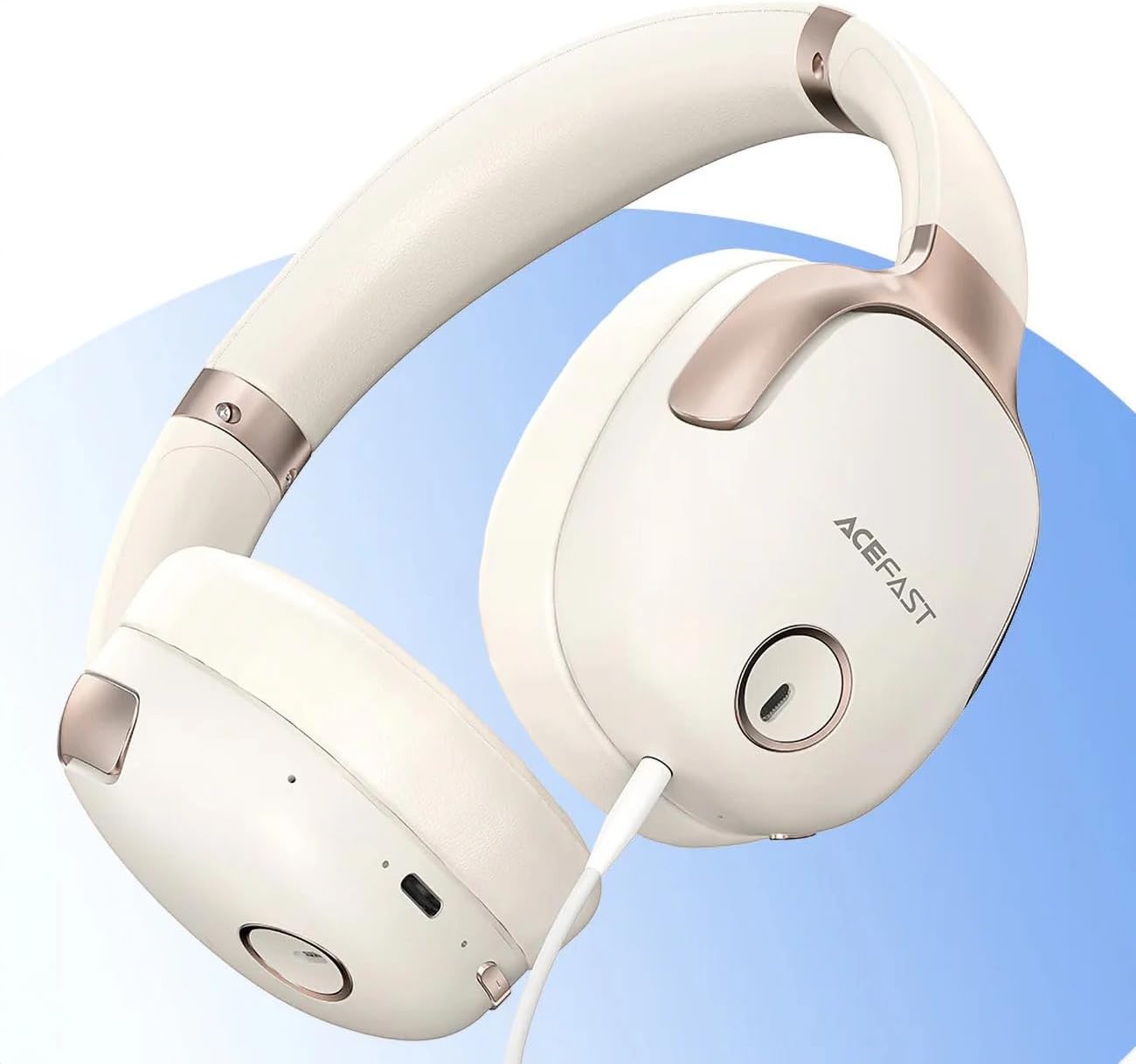
Foto 1: ACEFAST H2 Headset showing USB-C charging port, 3.5mm audio jack, and control buttons.
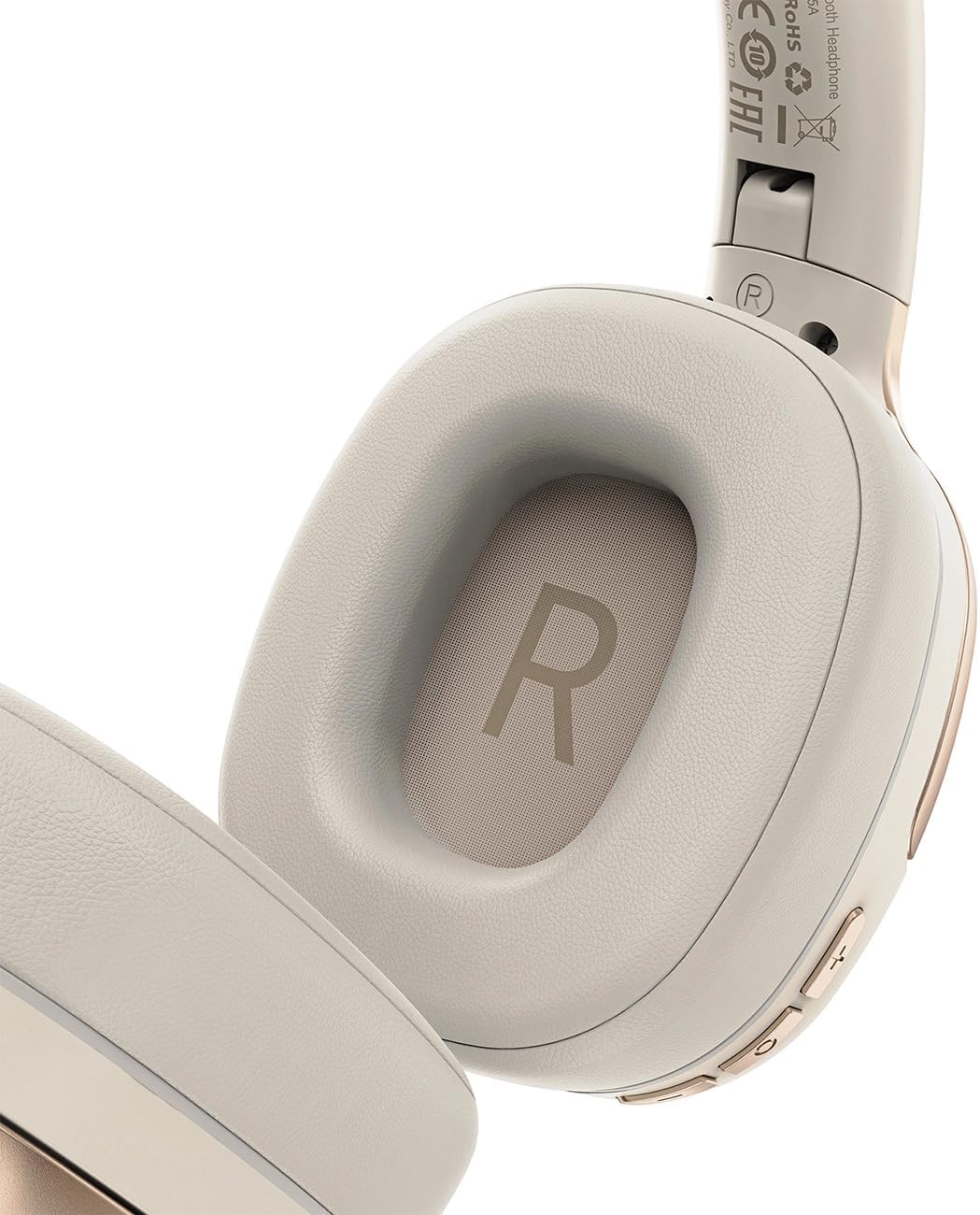
Foto 2: Interior of the right earcup, indicating proper orientation for wearing.

Foto 3: Headband adjustment mechanism and ear cup swivel for comfortable fit.

Foto 4: The foldable design of the headset for easy storage and transport.
Isi ihe:
- Bọtịnụ Ike/Ọtụtụ Ọrụ: Used for power on/off, play/pause, answer/end calls.
- Mgbakwunye olu/Bọtịnụ egwu na-esote: Pịa ka iwelie olu, jide maka egwu ọzọ.
- Mbelata olu/Bọtịnụ egwu gara aga: Pịa maka ụda ala, jide maka egwu gara aga.
- Bọtịnụ ANC: Activates or deactivates Active Noise Cancellation.
- Ọdụ ụgbọ mmiri USB-C: Maka ịchaji ekweisi.
- Jack Audio: 3.5mm For wired connection using the Aux cable.
- Igwe okwu: Built-in for calls.
- Ihe ngosi LED: Na-egosi ike, chaja, na ọnọdụ njikọta.
Melite
1. Ịchaji ekweisi
- Connect the provided USB-C charging cable to the headset's USB-C port.
- Jikọọ nsọtụ nke ọzọ nke eriri na ihe nkwụnye ọkụ USB (anaghị etinye ya) ma ọ bụ ọdụ ụgbọ USB nke kọmputa.
- The LED indicator will show charging status (e.g., red while charging, blue when fully charged).
- A full charge takes approximately 2 hours and provides up to 80 hours of music playback.
2. Ịgbanye / gbanyụọ
- Iji gbanye: Press and hold the Power/Multi-function button for approximately 3 seconds until the LED indicator flashes.
- Iji gbanyụọ: Press and hold the Power/Multi-function button for approximately 5 seconds until the LED indicator turns off.
3. Njikọ Bluetooth
- Gbaa mbọ hụ na agbanyụrụ ekweisi.
- Press and hold the Power/Multi-function button for about 5-7 seconds until the LED indicator flashes red and blue alternately, indicating pairing mode.
- Na ngwaọrụ gị (smartphone, tabletị, kọmpụta), mee ka Bluetooth nwee ike wee chọọ ngwaọrụ dị.
- Select "ACEFAST H2" from the list of found devices.
- Once paired, the LED indicator will flash blue slowly.
- The headset will automatically connect to the last paired device when powered on, if within range.
4. Wired Connection (Aux Mode)
- Connect one end of the 3.5mm Aux cable to the headset's 3.5mm audio jack.
- Connect the other end to your audio source's 3.5mm audio output.
- In wired mode, the headset functions passively, and Bluetooth features are disabled. ANC may still be active if powered on.
Ntuziaka ọrụ
Egwu Egwu
- Gwuo/kwụsịtụ: Short press the Power/Multi-function button.
- Olu elu: Pịa obere bọtịnụ Mpịakọta Elu.
- Olu ala: Pịa obere bọtịnụ Mbelata Olu.
- Track na-esote: Pịa bọtịnụ Mpịakọta Elu ruo ogologo oge.
- Gara aga Track: Pịa bọtịnụ Mbelata Olu ruo ogologo oge.
Oku ekwentị
- Azịza/Kwụsị Oku: Short press the Power/Multi-function button.
- Jụ oku: Long press the Power/Multi-function button.
- Enyemaka Olu: Double-press the Power/Multi-function button (if supported by your device).
Nkagbu Noise nọchiri anya (ANC)
- Mee ka ANC rụọ ọrụ/gbanyụọ ya: Press the dedicated ANC button. The LED indicator will change to confirm status.
- ANC reduces ambient noise up to -40dB, providing a quieter listening environment.
Nlekọta
- Nhicha: Jiri akwa dị nro dị nro hichaa ekweisi. Ejila ihe nchacha abrasive ma ọ bụ ihe mgbaze.
- Nchekwa: Store the headset in a cool, dry place away from direct sunlight and extreme temperatures. When not in use, it is recommended to fold the headset for compact storage.
- Nguzogide mmiri: The headset is IPX4 water-resistant, meaning it is protected against splashing water from any direction. It is not designed for submersion or exposure to heavy rain. Avoid exposing the charging port and audio jack to moisture.
- Nlekọta batrị: To preserve battery life, charge the headset fully before long periods of storage and recharge it at least once every three months.
Nchọpụta nsogbu
| Nsogbu | Ihe nwere ike ime | Ngwọta |
|---|---|---|
| Igweisi anaghị agba ọkụ. | Batrị dị ala. | Chajie ekweisi ahụ nke ọma. |
| Enweghị ike ijikọ na ngwaọrụ. | Headset not in pairing mode; device Bluetooth off; too far from device. | Ensure headset is in pairing mode (flashing red/blue). Turn on device Bluetooth. Move headset closer to device (within 10 meters). |
| Enweghị ụda ma ọ bụ àgwà ọdịyo adịghị mma. | Volume too low; headset not connected; interference; incorrect audio output selected. | Adjust volume on headset and device. Re-pair headset. Move away from sources of interference. Check device's audio output settings. |
| ANC anaghị arụ ọrụ nke ọma. | ANC anaghị arụ ọrụ; adabaghị adaba. | Press the ANC button to activate. Adjust headset for a snug fit over your ears. |
Nkọwapụta
| Aha Nlereanya | H2 |
| Teknụzụ Njikọta | Wireless (Bluetooth 5.3) / Wired (3.5mm Aux) |
| Oke Bluetooth | Ruo mita 10 |
| Njikwa mkpọtụ | Active Noise Cancellation (ANC) up to -40dB, Environmental Noise Cancelling (ENC) for microphone |
| Ndụ batrị | Up to 80 hours (music playback) |
| Oge Nchaji | Approximately 2 hours (via USB-C) |
| Mmiri Nguzogide | IPX4 (na-eguzogide ọgwụ) |
| Ntinye ntị | Na Ntị |
| Ihe onwunwe | Acrylonitrile Butadiene Styrene (ABS) |
| Agba | Agba aja aja |

Foto 5: Illustration of the dynamic HiFi audio driver components.
Ozi akwụkwọ ikike
The ACEFAST H2 Wireless Headset comes with a Akwụkwọ ikike nke onye nrụpụta ọnwa iri na abụọ site na ụbọchị azụrụ ya. Akwụkwọ ikike a na-ekpuchi ntụpọ nrụpụta na ọrụ aka n'oge ojiji nkịtị. Ọ naghị ekpuchi mmebi sitere na ojiji na-ezighị ezi, ihe mberede, mgbanwe na-akwadoghị, ma ọ bụ mmebi nkịtị. Biko debe ihe akaebe nke ịzụrụ ihe gị maka nkwupụta akwụkwọ ikike.
Nkwado
For further assistance, technical support, or warranty inquiries, please refer to the contact information provided by your retailer or visit the official ACEFAST website. Ensure you have your product model number (H2) and proof of purchase ready when contacting support.


