1. Okwu mmalite
Thank you for choosing the HONOR CHOICE Portable Bluetooth Speaker. This speaker is designed for portability and durability, allowing you to enjoy high-quality audio wherever you go. With a long-lasting battery providing up to 10 hours of continuous playback and an IP67 rating for water and dust resistance, it is ideal for outdoor activities such as beach trips, poolside relaxation, or hiking.
2. Ihe ngwugwu
- HONOR CHOICE Portable Bluetooth Speaker
- USB-C eriri USB
- Akwụkwọ ntuziaka onye ọrụ
3. Ngwaahịa gafereview
Mara onwe gị na akụkụ na njikwa ọkà okwu.
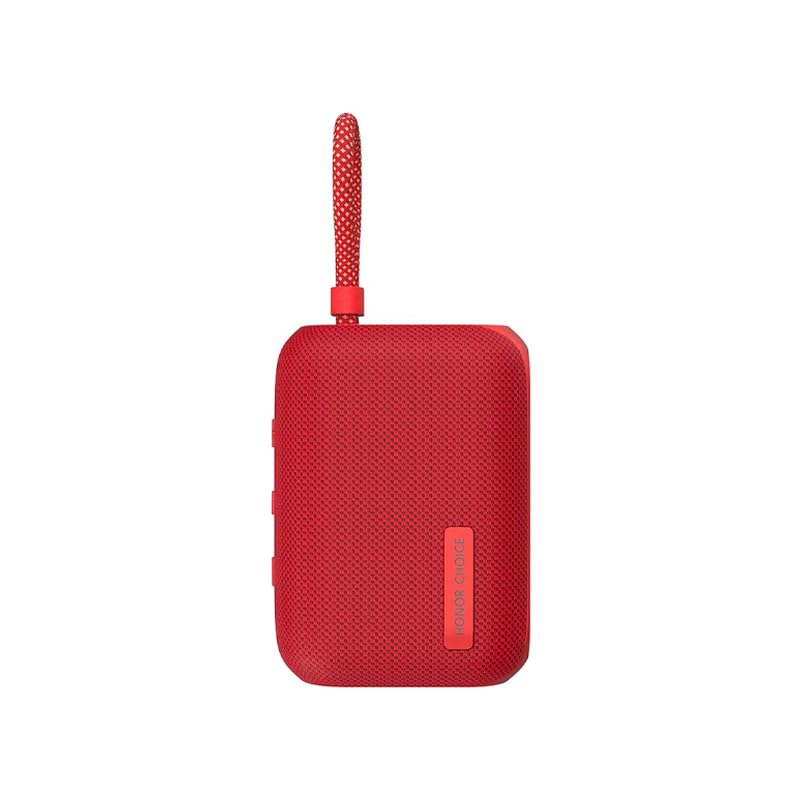
Foto 3.1: Akụkụ view of the HONOR CHOICE Portable Bluetooth Speaker, highlighting the USB-C charging port and the integrated carrying strap.

Foto 3.2: N'elu view of the HONOR CHOICE Portable Bluetooth Speaker, displaying the control buttons for power, volume, and playback.
Njikwa na egosi:
- Bọtịnụ ike: Pịa ma jide ka ịgbanwuo/ gbanyụọ.
- Elu elu (+): Na-abawanye olu.
- Mpịakọta ọnụ (-): Na-ebelata olu.
- Bọtịnụ Kwụsị/Kwụsị: Controls music playback and call handling.
- Ihe ngosi Bluetooth: Na-egosi ọkwa njikọ Bluetooth.
- Nchaji ọdụ ụgbọ mmiri: ọdụ ụgbọ USB-C maka ịchaji.
4. Nhazi
4.1 Ịchaji ọkà okwu
- Connect the provided USB-C charging cable to the speaker's charging port.
- Jikọọ nsọtụ nke ọzọ nke eriri na ihe nkwụnye ọkụ USB (anaghị etinye ya) ma ọ bụ ọdụ ụgbọ USB nke kọmputa.
- Ọkụ na-egosi nchaji ga-enwu n'oge ịchaji wee gbanyụọ mgbe chajịrị ya.
Note: For optimal performance, fully charge the speaker before first use.
4.2 Njikọ Bluetooth Mmalite
- Gbaa mbọ hụ na chajịrị ọkà okwu.
- Press and hold the Power Button for 2-3 seconds to turn on the speaker. The Bluetooth indicator will flash, indicating it is in pairing mode.
- Na ekwentị mkpanaaka gị, gbanye Bluetooth wee chọọ ngwaọrụ dị.
- Select "HONOR CHOICE Speaker" from the list of devices.
- Once connected, the Bluetooth indicator will stop flashing and remain solid.
5. Ntuziaka ọrụ
5.1 Gbanyụọ ma ọ bụ gbanyụọ
- Iji gbanye: Pịa ma jide bọtịnụ ike maka 2-3 sekọnd.
- Iji gbanyụọ: Pịa ma jide bọtịnụ ike maka 2-3 sekọnd.
5.2 Njikọ Bluetooth
- After initial pairing, the speaker will automatically attempt to connect to the last paired device when powered on.
- If connection fails, ensure Bluetooth is enabled on your device and the speaker is within range.
5.3 Nghaghachi egwu
- Gwuo/kwụsịtụ: Pịa bọtịnụ Play/kwụsịtụ otu ugboro.
- Olu elu: Pịa bọtịnụ '+'.
- Olu ala: Pịa bọtịnụ '-'.
- Track na-esote: Pịa ma jide bọtịnụ '+'.
- Gara aga Track: Pịa ma jide bọtịnụ '-'.
5.4 Njikwa oku
- Azịza/Kwụsị Oku: Pịa bọtịnụ Play/kwụsịtụ otu ugboro.
- Jụ oku: Pịa ma jide bọtịnụ Play/kwụsịtụ maka sekọnd 2.
5.5 IP67 Water and Dust Resistance
The speaker is rated IP67, meaning it is protected from dust ingress and can withstand immersion in water up to 1 meter for 30 minutes. Ensure the charging port cover is securely closed before exposing the speaker to water or dust.
6. Nlekọta
6.1 Nhicha
- Jiri nwayọ hichaa ọkà okwu, damp akwa .
- Ejila ihe nchacha abrasive ma ọ bụ ihe mgbaze.
- Gbaa mbọ hụ na igwe okwu akpọnwụwo tupu chajịa.
6.2 Nchekwa
- Chekwaa ọkà okwu n'ebe dị jụụ, kpọrọ nkụ na-adịghị na ìhè anyanwụ kpọmkwem na oke okpomọkụ.
- If storing for an extended period, charge the battery to approximately 50% every three months to prolong battery life.
7. Nchọpụta nsogbu
| Nsogbu | Ihe nwere ike ime | Ngwọta |
|---|---|---|
| Ọkà okwu anaghị agbanwuo | Batrị dị ala | Chajie ọkà okwu zuru ezu. |
| Enweghị ụda | Volume too low; Not connected via Bluetooth | Increase speaker and device volume; Re-pair the speaker with your device. |
| Enweghị ike ijikọ na ngwaọrụ | Ọkà okwu adịghị n'ụdị njikọta; Bluetooth agbanyụrụ ngwaọrụ; Ọ dị oke anya site na ngwaọrụ | Ensure speaker is flashing Bluetooth indicator; Turn on device Bluetooth; Move speaker closer to device. |
8. Nkọwapụta
- Akara: Nsọpụrụ
- Ụdị: HONOR CHOICE Portable Bluetooth Speaker
- Agba: Uhie
- Akụkụ (L x W x H): 4.25 x 10.5 x 7.7 cm
- Arọ: 250 g
- Ndụ batrị: Ruo awa iri abụọ
- Ụdị batrị: Lithium-ion (1 cell, 3.7 Watt-hours)
- Water & Dust Resistance: IP67
- Njikọta: Bluetooth
- Nchaji ọdụ ụgbọ mmiri: USB-C
9. Ozi nchekwa
- Ewepụla, rụkwaa, ma ọ bụ gbanwee ngwaahịa.
- Keep the speaker away from extreme heat sources, direct sunlight, and open flames.
- Do not expose the speaker to strong magnetic fields.
- Jiri naanị eriri chaja na ihe nkwụnye ọkụ akwadoro.
- Tụfuo ngwaahịa ahụ na batrị ya n'ụzọ kwesịrị ekwesị dịka iwu obodo si dị.
10. Akwụkwọ ikike na nkwado
For warranty information and customer support, please refer to the warranty card included in your package or visit the official HONOR websaịtị. Debe ihe akaebe nke ịzụrụ maka akwụkwọ ikike.


