1. Okwu mmalite
This manual provides essential information for the safe and efficient operation of your Xiaomi Toaster BHR8811EU. Please read these instructions carefully before first use and retain them for future reference. This 2-slice toaster features 6 browning settings, a defrost function, and a removable crumb tray for easy cleaning.
2. Ntuziaka nchekwa
- Always ensure the toaster is placed on a stable, heat-resistant surface, away from flammable materials.
- Emetụla ebe dị ọkụ aka. Jiri aka ma ọ bụ mkpọ.
- Unplug the toaster from the outlet when not in use and before cleaning. Allow it to cool completely before handling or cleaning.
- Iji kpuchido ihe egwu eletriki, etinyela eriri, plọg, ma ọ bụ toaster n'ime mmiri ma ọ bụ mmiri mmiri ndị ọzọ.
- Do not insert oversized foods, metal foil packages, or utensils into the toaster as this may create a fire or electric shock hazard.
- Do not operate the toaster if the cord or plug is damaged, or if the appliance malfunctions or has been damaged in any manner.
- Ahapụla toaster ahụ n'echeghị ya mgbe ị na-eji ya.
- Do not use abrasive cleaners or sharp objects to clean the toaster.
- Ngwa a bụ maka naanị ụlọ.
3. Ngwa ngwaahịa

Foto nke 1: N'ihu view of the Xiaomi Toaster BHR8811EU. This image displays the control panel with the browning control knob, defrost button, and cancel button, along with the bread slots.
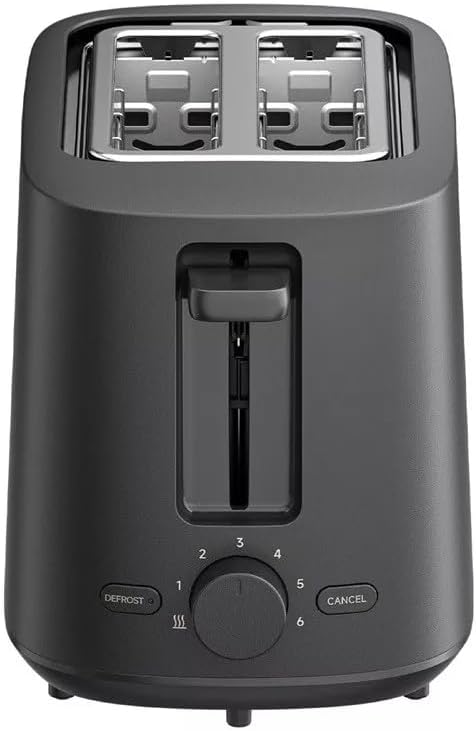
Foto nke 2: N'elu view of the Xiaomi Toaster BHR8811EU. This image highlights the two wide bread slots designed to accommodate various bread types.

Foto nke 3: Akụkụ view of the Xiaomi Toaster BHR8811EU. This image shows the side of the toaster, featuring the pull-out handle for the removable crumb tray at the bottom.
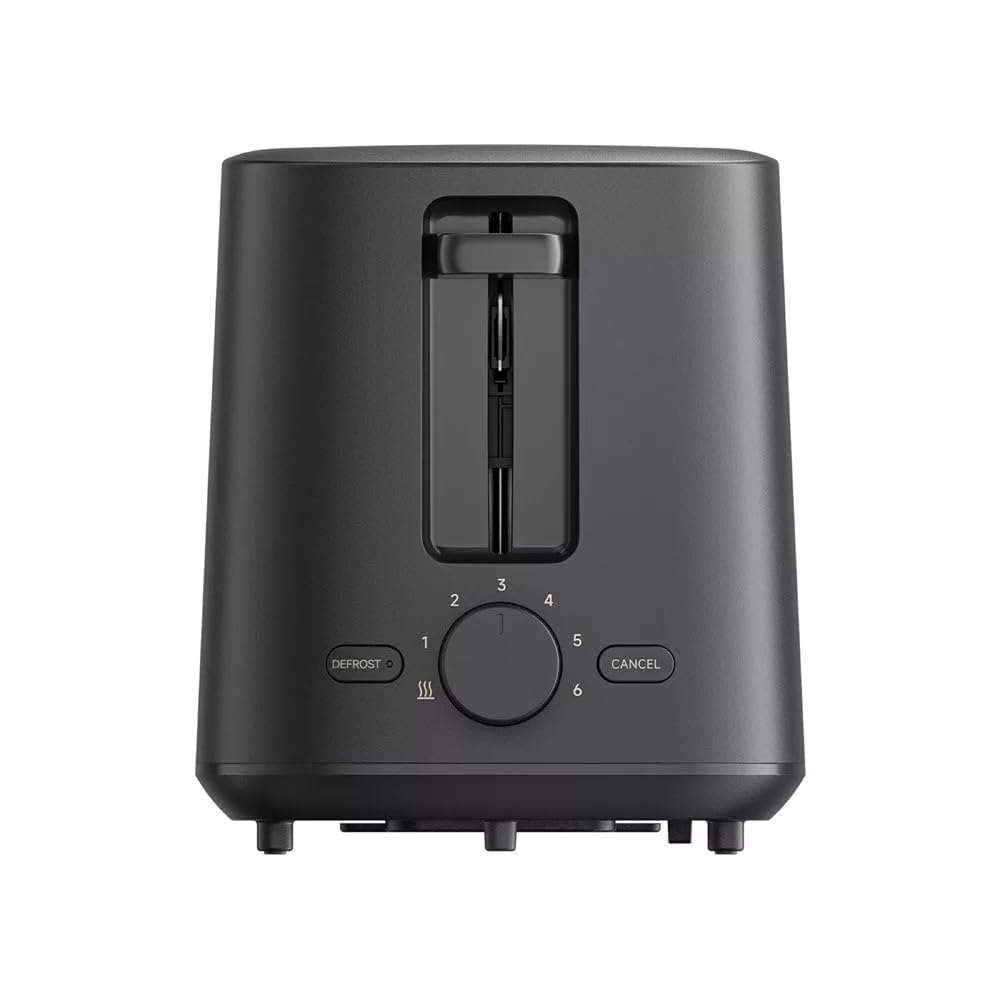
Foto nke 4: N'azụ view of the Xiaomi Toaster BHR8811EU. This image displays the back of the appliance, featuring the Xiaomi brand logo.
- Oghere achịcha: Two wide slots for bread slices.
- Toasting Lever: Lowers bread into the slots and initiates the toasting cycle.
- Browning Control Knob: Adjusts the desired level of browning from 1 (lightest) to 6 (darkest).
- Bọtịnụ ntu oyi: Activates the defrost function for frozen bread.
- Bọtịnụ kagbuo: Kwụsị okirikiri toasting n'oge ọ bụla.
- Tray Crumb nke mbughari: Na-anakọta crumbs maka nhicha dị mfe.
4. Nhazi
- Iwepu: Jiri nlezianya wepụ ihe e ji esi nri na ihe niile e ji ekpuchi ihe. Hụ na ihe niile dị na ya dị ma ghara imebi emebi.
- Nkwanye: Place the toaster on a flat, stable, and heat-resistant surface. Ensure there is adequate space around the toaster for ventilation.
- Ojiji mbụ: Before toasting bread for the first time, operate the toaster without bread for a few cycles at the highest browning setting. This will burn off any manufacturing residues and eliminate initial odors. A slight smell or smoke is normal during this process. Ensure the area is well-ventilated.
5. Ntuziaka ọrụ
- Njikọ Ike: Plug the power cord into a suitable 220-240V, 60Hz electrical outlet.
- Tinye achịcha: Place one or two slices of bread into the bread slots. The toaster features automatic bread centering for even toasting.
- Họrọ Ọkwa Ịgba Achịcha: Turn the browning control knob to your desired setting, from 1 (lightest) to 6 (darkest).
- Malite ịcha achịcha: Press the toasting lever down until it locks into place. The indicator light will illuminate, and the toasting cycle will begin.
- Defrost Function (for frozen bread): If toasting frozen bread, insert the bread, select your desired browning level, press the toasting lever down, and then press the KWURU bọtịnụ. Ọkụ ihe ngosi gbazee ga-enwu.
- Kagbuo ọrụ: Iji kwụsị usoro ịcha achịcha n'oge ọ bụla, pịa bọtịnụ KAgbuo button. The bread will automatically pop up.
- Mmecha: Once the selected browning cycle is complete, the bread will automatically pop up, and the toaster will switch off.
6. Nlekọta na nhicha
Ịsacha ihe mgbe niile na-eme ka arụmọrụ ya dịkwuo mma ma na-eme ka ihe e ji esi nri gị dịgide ogologo oge.
- Kwụpụ mgbe niile: Tupu ị sachaa ya, wepụ ihe mkpuchi toaster ahụ na ebe a na-etinye ọkụ eletrik ma hapụ ya ka ọ jụọ oyi kpamkpam.
- Tray Crumb dị ọcha: Pull out the removable crumb tray from the bottom of the toaster. Dispose of accumulated crumbs. Wipe the tray with a damp cloth and dry thoroughly before reinserting it. Ensure the crumb tray is fully inserted before using the toaster.
- Nchacha mpụta: Jiri nwayọ hichaa mpụta nke toaster, damp cloth. Do not use abrasive cleaners, metal scouring pads, or harsh chemicals, as these can damage the surface.
- Ime nhicha: Do not attempt to clean the inside of the toaster with any tools or objects. If bread becomes jammed, unplug the toaster and carefully remove the bread after it has cooled.
7. Nchọpụta nsogbu
- Anụ toaster anaghị agba ọkụ: Ensure the power cord is securely plugged into a working outlet. Check if the toasting lever is fully pressed down and locked.
- Bread is unevenly toasted: Ensure bread slices are not too thick or irregularly shaped. The automatic centering mechanism works best with standard bread slices.
- Anwụrụ ọkụ ma ọ bụ isi ọkụ: This can occur if crumbs accumulate in the toaster or if food is jammed. Immediately press the KAgbuo button, unplug the toaster, and allow it to cool. Clean the crumb tray and remove any jammed food.
- Achịcha anaghị apụta: Pịa KAgbuo button. If the bread still does not pop up, unplug the toaster and carefully remove the bread once it has cooled.
8. Nkọwapụta
| Ụdị | Xiaomi |
| Nọmba nlereanya | BHR8811EU |
| Agba | Nwa |
| Ike / Wattage | 930 Watt |
| Voltage | 220-240 volts |
| Ugboro ugboro | 60 Hz |
| Ihe onwunwe | Metal, aluminum |
| Ọnụọgụ nke oghere | 2 |
| Atụmatụ pụrụ iche | Defrost function, 6 browning settings, Removable crumb tray, Automatic bread centering |
| Akụkụ ngwaahịa (D x W x H) | 15 cm x 28 cm x 26 cm (ihe dị ka) |
| Ibu Ibu | 1.7 kilogram |
9. Akwụkwọ ikike na nkwado
Your Xiaomi Toaster BHR8811EU is covered by a manufacturer's warranty. Please refer to the warranty card included with your purchase for specific terms and conditions, including warranty duration and coverage details. For technical support, service, or inquiries, please visit the official Xiaomi website or contact their customer service department in your region. Keep your proof of purchase for warranty claims.


