1. Okwu mmalite
The Cellularline ION PRO ROUND Smartwatch is designed to integrate seamlessly into your daily routine, offering advanced features for communication, health monitoring, and fitness tracking. This manual provides detailed instructions to help you set up, operate, and maintain your smartwatch effectively.

Image 1.1: Cellularline ION PRO ROUND Smartwatch
2. Kedu ihe dị na Igbe ahụ
Upon unpacking your Cellularline ION PRO ROUND Smartwatch, please ensure all the following components are present:
- Cellularline ION PRO ROUND Smartwatch
- Ịchaji eriri
- Akwụkwọ ntuziaka
3. Nhazi
3.1. Nchaji mbụ
Before first use, fully charge your smartwatch. Connect the provided charging cable to the charging port on the back of the smartwatch and plug the USB end into a compatible power adapter (not included) or a computer's USB port. A full charge typically takes approximately 3 hours.

Image 3.1: Smartwatch displaying charging status, indicating long-lasting battery life.
3.2. Ngwa nwụnye
To unlock the full functionality of your smartwatch, download and install the Cellularline ION app on your smartphone. The app is compatible with both iOS and Android devices. You can find the app by scanning the QR code provided on the product packaging or by searching for "Cellularline ION" in your device's app store.
3.3. Ngwakọta ngwaọrụ
- Hụ na elekere smart gị na-achaji ma na-agba ọkụ.
- Kwado Bluetooth na ekwentị gị.
- Open the Cellularline ION app and follow the on-screen instructions to add a new device.
- Select your ION PRO ROUND Smartwatch from the list of available Bluetooth devices.
- Confirm the pairing request on both your smartphone and smartwatch if prompted.
4. Ntuziaka ọrụ
4.1. Nsoro ụzọ
The smartwatch features a 1.38-inch TFT Full Touch display. Swipe left, right, up, or down to navigate through menus, notifications, and widgets. Tap to select items or confirm actions. The side button typically serves as a home button or to wake/sleep the screen.

Image 4.1: High-definition 1.38-inch display of the smartwatch.
4.2. Njikwa oku
With Bluetooth connectivity, you can answer calls directly from your smartwatch. When a call comes in, the smartwatch will display the caller ID. Tap the green icon to answer or the red icon to reject the call. You can also initiate calls through the app.
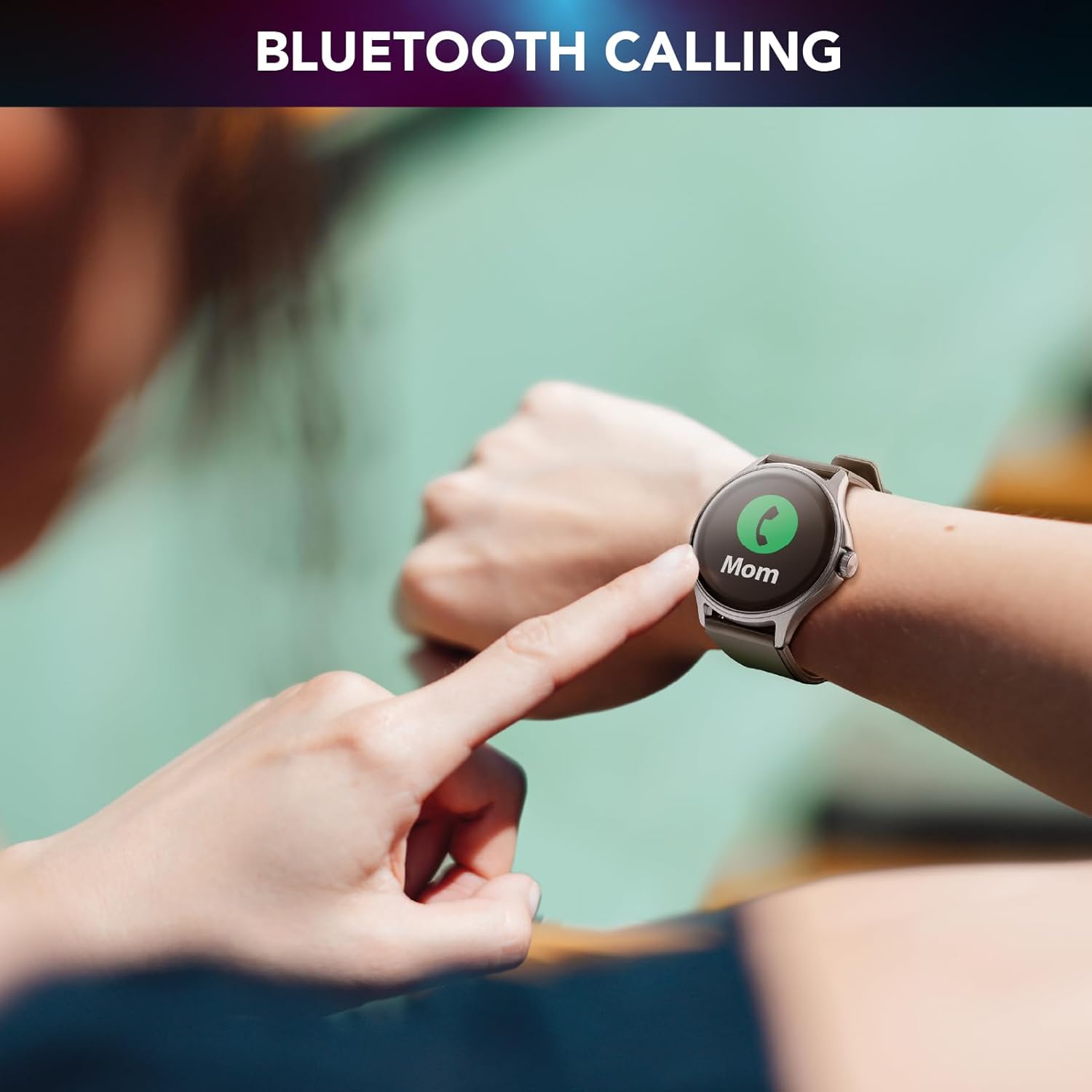
Image 4.2: Bluetooth calling feature in use.
4.3. Activity and Wellness Monitoring
The smartwatch continuously monitors various health and fitness metrics:
- Ntughari: Tracks your daily steps.
- Ọnụọgụgụ obi: Na-enyocha ọnụọgụ obi gị ụbọchị niile.
- Ọbara Ọbara: Provides estimates of your blood pressure.
- Oxygen ọbara (SpO2): Na-atụ ọkwa oxygen gị n'ọbara.
- Nchicha ụra: Analyzes your sleep patterns and quality.
- Nleba anya nrụgide: Helps track your stress levels.
- Kalori: A na-eme atụmatụ kalori ọkụ dabere na ọrụ ahụ.

Image 4.3: Heart rate and sleep monitoring features.
4.4. Fitness Modes
The smartwatch supports various fitness modes to track specific activities, including walking, running, climbing, and general fitness exercises. Select the appropriate mode before starting your workout for accurate data collection.

Image 4.4: Smartwatch displaying various fitness modes.
4.5. Amamọkwa
Once paired with your smartphone, the smartwatch will display real-time notifications for calls, messages, and app alerts. Swipe down from the top of the screen to view your notification history.
4.6. Chọta ekwentị m
If your paired smartphone is misplaced, use the "Find My Phone" feature on your smartwatch to make your phone ring, helping you locate it quickly.
5. Nlekọta
5.1. Nhicha
To clean your smartwatch, gently wipe the screen and body with a soft, dry, lint-free cloth. For stubborn smudges, slightly dampJiri mmiri kpuchie ákwà ahụ. Zere iji kemịkalụ siri ike ma ọ bụ ihe ndị na-emebi ihe, n'ihi na ihe ndị a nwere ike imebi ngwaọrụ ahụ.
5.2. Mgbochi mmiri na uzuzu
The Cellularline ION PRO ROUND Smartwatch is certified IP67, meaning it is resistant to dust and can withstand immersion in water up to 1 meter for 30 minutes. While it is suitable for daily wear and light water exposure (e.g., hand washing, rain), it is not recommended for swimming, showering, or diving.

Image 5.1: Smartwatch demonstrating IP67 waterproof and dustproof capabilities.
6. Nchọpụta nsogbu
If you encounter issues with your smartwatch, refer to the following common problems and solutions:
- Ngwaọrụ anaghị agbanwu: Ensure the smartwatch is fully charged. Connect it to the charger and wait a few minutes before attempting to power it on again.
- Unable to pair with smartphone: Make sure Bluetooth is enabled on your phone and the smartwatch is within range. Restart both devices and try pairing again through the Cellularline ION app.
- Data ahụike ezighi ezi: Ensure the smartwatch is worn snugly on your wrist, not too tight or too loose. Clean the sensor on the back of the device. Note that health monitoring features are for reference only and not for medical diagnosis.
- Amamọkwa anaghị apụta: Check app permissions on your smartphone to ensure the Cellularline ION app has access to notifications. Verify that notifications are enabled within the smartwatch settings and the app.
- Ndụ batrị dị mkpụmkpụ: Reduce screen brightness, disable unnecessary features, and ensure background app usage is optimized on your phone.
If problems persist, consult the Cellularline support websaịtị ma ọ bụ kpọtụrụ ndị ahịa maka enyemaka ọzọ.
7. Nkọwapụta
| Njirimara | Nkọwa |
|---|---|
| Aha Nlereanya | BTIONWATCHPRORK |
| Ngosipụta | 1.38-inch TFT Full Touch |
| Njikọta | Bluetooth |
| Sistemụ nrụọrụ | Wear OS (compatible with iOS and Android app) |
| Ike batrị | 300mAh Lithium Polymer |
| Ndụ batrị | Ruo ụbọchị 7 |
| Oge Nchaji | Ihe dị ka awa 3 |
| Mmiri & Uzuzu Nguzogide | IP67 |
| Ihe mmetụta | Ọnụọgụgụ obi, Ọbara Ọbara, Ọbara oxygen |
| Ibu | 100 g |
| Akụkụ | 16.3 x 9 x 3.2 cm (packaging) |
8. Akwụkwọ ikike na nkwado
For information regarding the product warranty, please refer to the warranty card included in your product packaging or visit the official Cellularline website. For technical support, frequently asked questions, or to contact customer service, please visit the Cellularline support page:


