1. Okwu mmalite
Thank you for choosing the Hello Kitty Bluetooth Wireless Earbuds. These earbuds are designed to provide a high-quality audio experience with the convenience of wireless connectivity. This manual will guide you through the setup, operation, and maintenance of your new earbuds.
2. Kedu ihe dị na Igbe ahụ
Your Hello Kitty Bluetooth Wireless Earbuds package includes the following items:
- Hello Kitty Bluetooth Wireless Earbuds (Left and Right)
- Hello Kitty-shaped Charging Case
- Igwe nchaji USB
- Akwụkwọ ntuziaka (akwụkwọ a)

Foto: N'ihu view of the Hello Kitty Bluetooth Wireless Earbuds packaging, showing the earbuds and charging case.

Foto: Azụ view of the Hello Kitty Bluetooth Wireless Earbuds packaging, detailing product features and specifications.
3. Ngwaahịa gafereview
The Hello Kitty Bluetooth Wireless Earbuds are designed for comfort and ease of use, featuring a distinctive Hello Kitty aesthetic.
3.1. Igwe ntị
- Nhazi Ergonomic: Designed for a snug, secure fit in your ears.
- Igwe okwu arụnyere n'ime ya: Maka oku na-enweghị aka.
- Njikwa mmetụ: Manage music and calls directly from the earbuds.
3.2. Nchaji Okwu
- Hello Kitty Shape: A stylish and portable charging case.
- Ihe ngosi batrị: Lights on the case indicate charging status.
- Ọdụ USB-C: Maka ịchaji ikpe ahụ.
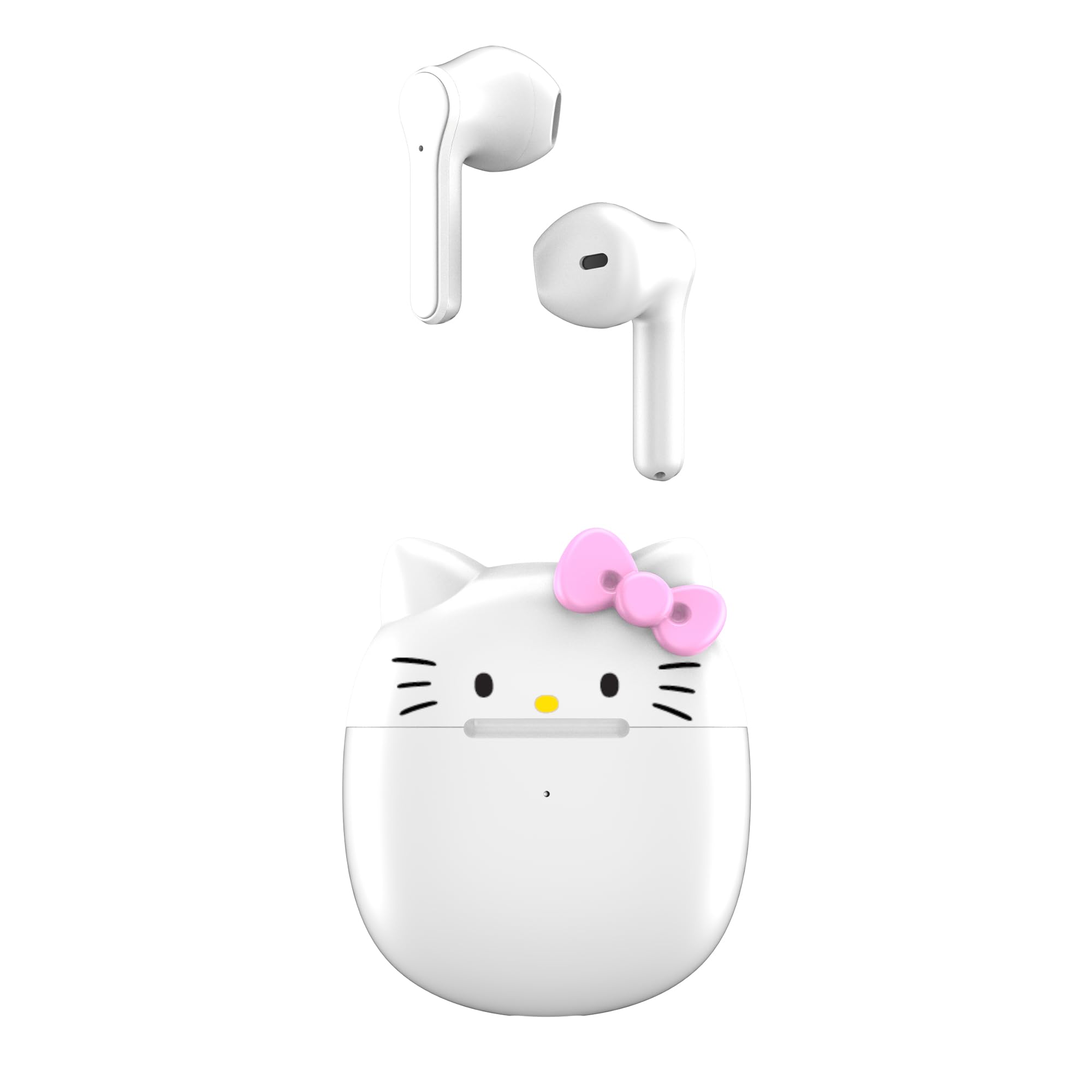
Image: The Hello Kitty wireless earbuds resting in their open Hello Kitty-shaped charging case.

Foto: Nhọrọ ọzọ view of the Hello Kitty wireless earbuds and their charging case, highlighting the design.
Vidiyo: Efereview of the Hello Kitty Bluetooth Wireless Earbuds, showcasing their design and key features.
4. Nhazi
4.1. Ịchaji Okwu na Earbuds
- Tupu ojiji nke mbụ, chajie chaja chaja na ihe ntị ntị.
- Tinye ntị ntị n'ime akpa nchaji. Gbaa mbọ hụ na ha nọkwasịrị nke ọma.
- Jikọọ eriri USB na nchaji na ọdụ ụgbọ mmiri na akpa ahụ yana na isi iyi ike (dịka ọmụmaatụ, eriri USB nkwụnye, ọdụ ụgbọ USB kọmputa).
- The indicator lights on the case will show the charging status. Once fully charged, the lights may turn off or change color.
4.2. Ijikọ na ngwaọrụ
- Gbaa mbọ hụ na a na-akwụ ụgwọ ekwe ntị ma tinye ya n'ime igbe nchaji.
- Mepee mkpuchi mkpuchi nchaji. Igwe ntị ga-abanye na ọnọdụ njikọta na-akpaghị aka.
- Na ngwaọrụ gị (ama, mbadamba, wdg), gaa na ntọala Bluetooth.
- Chọọ maka available devices and select "Hello Kitty Earbuds" or "HKTWSMD-HK-MFN" from the list.
- Ozugbo ejikọrọ, ị ga-anụ ngwa ngwa odiyo, na ntị ntị ga-adị njikere maka ojiji.
5. .rụ ọrụ
The Hello Kitty earbuds feature intuitive touch controls for easy management of your audio and calls.
5.1. Gbanyụọ / gbanyụọ
- Ike Na: Open the charging case, or press and hold the touch area on both earbuds for 3 seconds.
- Gbanyụọ: Place the earbuds back into the charging case and close the lid, or press and hold the touch area on both earbuds for 5 seconds.
5.2. Njikwa ọkpụkpọ egwu egwu
- Gwuo/kwụsịtụ: Otu pịa ma ọ bụ ekwe ntị.
- Track na-esote: Kpatụ ntị ntị aka nri ugboro abụọ.
- Gara aga Track: Kpatụ ntị ntị aka ekpe ugboro abụọ.
- Olu elu: Kpatụ ntị ntị aka nri ugboro atọ.
- Olu ala: Pịa bọtịnụ ntị aka ekpe ugboro atọ.
5.3. Njikwa oku
- Azịza/Kwụsị Oku: Single tap either earbud during an incoming call.
- Jụ oku: Pịa ma jide otu ntị ntị maka sekọnd 2 n'oge oku mbata.
5.4. Onye enyemaka olu
- Mee ka onye enyemaka olu rụọ ọrụ: Press and hold either earbud for 3 seconds (e.g., Siri, Google Assistant).
6. Nlekọta
Nlekọta kwesịrị ekwesị na-eme ka ntị ntị gị dị ogologo ma rụọ ọrụ nke ọma.
- Nhicha: Jiri ákwà dị nro ma kpọọ nkụ hichaa ntị ntị na ihe mkpuchi chaja. Ejila kemịkal siri ike ma ọ bụ ihe ndị na-emebi emebi.
- Nchekwa: Chekwaa ntị ntị n'akpa chaja ha mgbe anaghị eji ya iji chebe ha ma debe ya ebubo.
- Zenarị mmiri: While designed for daily use, avoid submerging the earbuds or charging case in water.
7. Nchọpụta nsogbu
Ọ bụrụ na ịnwee nsogbu ọ bụla, biko rụtụ aka na azịza ndị a na-ahụkarị:
| Nsogbu | Ngwọta |
|---|---|
| Igwe ntị anaghị ejikọta ọnụ | Ensure earbuds are charged. Turn off and on your device's Bluetooth. Place earbuds back in case, close, then open to re-enter pairing mode. |
| Enweghị ụda sitere na otu ntị ntị | Check battery level of both earbuds. Re-pair the earbuds with your device. |
| Nchaji anaghị akwụ ụgwọ | Verify the USB cable is securely connected to both the case and the power source. Try a different USB cable or power adapter. |
| Ogo ụda adịghị mma | Ensure earbuds are clean and properly seated in your ears. Move closer to your connected device to avoid interference. |
8. Nkọwapụta
| Njirimara | Nkọwa |
|---|---|
| Aha Nlereanya | Hello Kitty Bluetooth Wireless Earbuds |
| Nọmba nlereanya | HKTWSMD-HK-MFN |
| Ụdị | hello Kitty |
| Teknụzụ Njikọta | Ikuku (Bluetooth) |
| Ụdị Bluetooth | 4.0 |
| Battery Life (with charging case) | Ruo awa 30 |
| Ngwa gụnyere | Nchaji case |
| Ihe onwunwe | Plastic |
| Ibu Ibu | 0.45 Pound (7.2 ounces) |
| Usoro njikwa | Pịa bọtịnụ, metụ |
| Njirimara Pụrụ Iche | Lightweight, Microphone Included, Rechargeable Battery |
| Onye nrụpụta | Southern Telecom |
9. Akwụkwọ ikike na nkwado
For warranty information and customer support, please refer to the documentation provided with your purchase or visit the manufacturer's official websaịtị. Debe ihe akaebe nke ịzụrụ ihe maka akwụkwọ ikike ọ bụla.
Manufacturer: Southern Telecom


