Okwu mmalite
This manual provides essential information for the safe and efficient operation of your Panasonic TV-65Z80AEZ 65-inch 4K Ultra HD OLED Smart TV. Please read these instructions thoroughly before using your television and retain them for future reference. This 4K OLED television from the Z80 series features integrated Fire TV, offering a comprehensive entertainment experience.
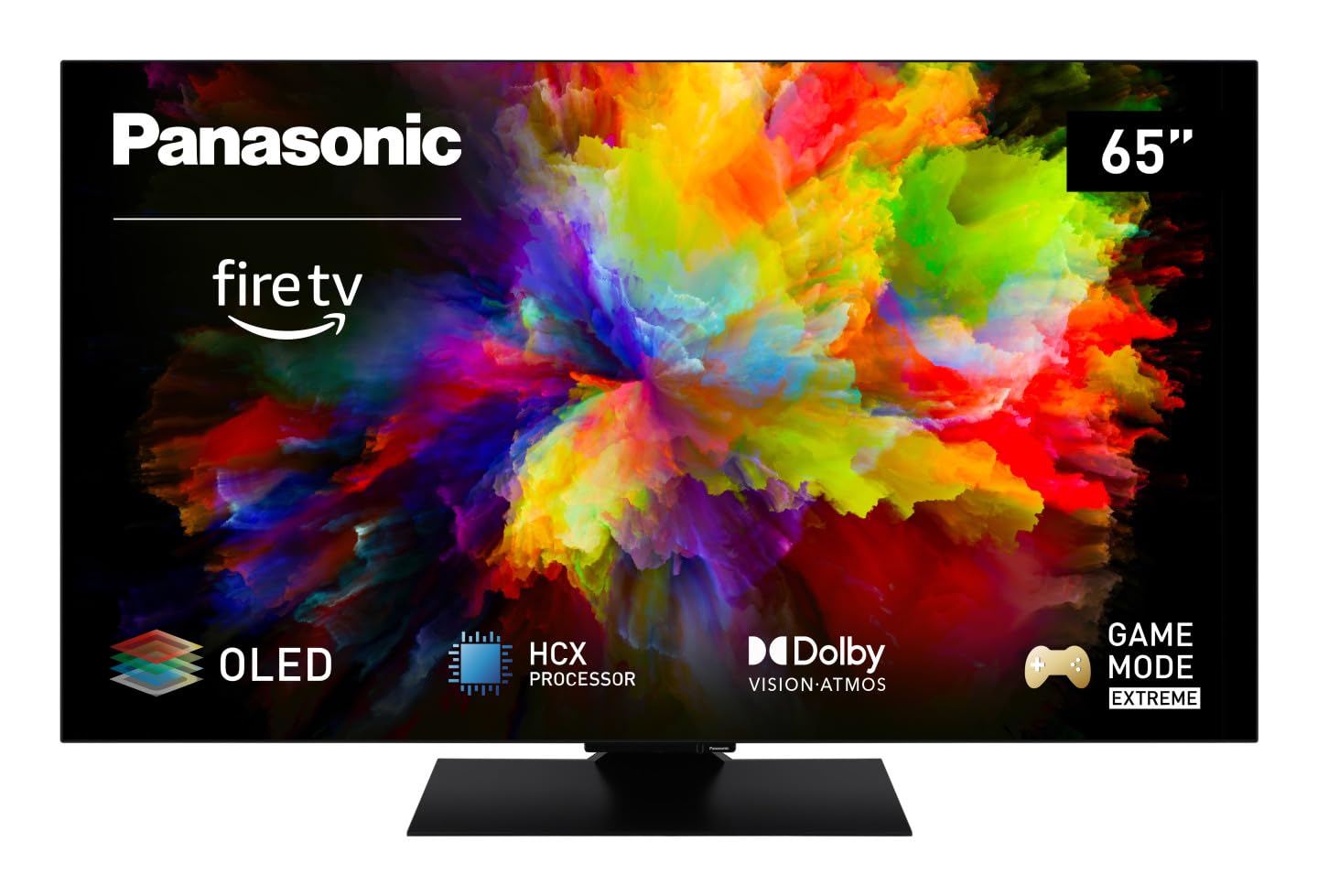
Foto: N'ihu view of the Panasonic TV-65Z80AEZ 65-inch 4K OLED Smart TV.
Ozi nchekwa
Always follow basic safety precautions when using this television to reduce the risk of fire, electric shock, and injury. Keep the television away from water and moisture. Do not block ventilation openings. Use only attachments/accessories specified by the manufacturer. Refer all servicing to qualified service personnel.
- Ịnye ọkụ: Gbaa mbọ hụ na ọkọnọ ọkụ voltage matches the rating label on the TV.
- Igwe ikuku: Do not cover or block any ventilation openings. Allow adequate space around the TV for proper airflow.
- Nhicha: Wepụ TV ahụ tupu ị sachaa ya. Jiri ákwà dị nro ma kpọọ nkụ. Ejila ihe nhicha mmiri ma ọ bụ ihe nhicha aerosol.
- Ịkwanye: If wall-mounting, ensure the wall mount is compatible with the TV's VESA standards and can support its weight. Follow the wall mount manufacturer's instructions carefully.
Ihe ngwugwu
Chọpụta na ihe niile dị na nkwakọ ngwaahịa:
- Panasonic TV-65Z80AEZ 65-inch 4K OLED Smart TV
- Njikwa anya
- Batrị AAA (2x) maka Njikwa Dị Anya
- Ụdọ ọkụ
- Ngwa TV Stand (ọ bụrụ na ọdabara)
- Ntuziaka Mmalite Ngwa Ngwa (akwụkwọ a na-eje ozi dị ka ntuziaka zuru oke)
Melite
1. Nwụnye anụ ahụ
Nwụnye guzoro: If using the included stand, carefully attach it to the television according to the diagrams in the quick start guide. Ensure all screws are securely fastened. Place the TV on a stable, level surface.
Ịkwanye mgbidi: If wall-mounting, consult a professional installer. Ensure the wall mount is rated for the TV's weight and size. Do not attempt to wall-mount the TV without proper tools and expertise.
2. Ijikọ Ngwaọrụ
Connect your external devices such as cable boxes, Blu-ray players, gaming consoles, and sound systems to the appropriate ports on the back of the TV.

Foto: Akụkụ view of the Panasonic TV-65Z80AEZ, illustrating the slim profile and connectivity ports.
- HDMI: For high-definition video and audio. This TV supports HDMI 2.1 for advanced gaming features.
- USB: For connecting USB storage devices or other peripherals. This TV has 2 USB ports.
- Ethernet: Maka njikọ ịntanetị ejikọrọ.
- Antenna/Cable: Maka ijikọ erimeri ma ọ bụ eriri TV.
3. Ike mbido na ntọala netwọkụ
- Insert the included AAA batteries into the remote control.
- Jikọọ eriri ọkụ na TV wee banye na nkwụnye ọkụ.
- Pịa bọtịnụ ike na njikwa remote ma ọ bụ na TV.
- Follow the on-screen instructions to select your language, region, and connect to your Wi-Fi network. You can also use a wired Ethernet connection.
4. Fire TV Setup
Your Panasonic TV-65Z80AEZ comes with Fire TV built-in. During the initial setup, you will be prompted to sign in with your Amazon account or create a new one. This enables access to streaming services, apps, and personalized recommendations.
Na-arụ ọrụ TV
1. Njikwa ntọala
Use the remote control to navigate the TV's interface. The remote includes standard buttons for power, volume, channel, input selection, and navigation within the Fire TV interface.
2. Smart TV Atụmatụ
- Igwe onyonyo: The intuitive 4K Fire TV home screen provides instant access to live TV, streaming apps, and personalized recommendations for up to 6 user profiles.
- Njikwa olu Alexa: Control your Smart TV using voice commands through the integrated Alexa. Press the microphone button on your remote and speak your command.
- AirPlay: Easily share content from your Apple devices (iPhone, iPad, Mac) to your TV for a seamless viewahụmahụ.
3. Picture Quality
- OLED & HCX Processor: Experience deep blacks and natural colors. The HCX processor ensures a cinematic experience with stunning image quality.
- Multi HDR Support: Enjoy optimized brightness, contrast, and colors scene by scene with support for Dolby Vision, HLG, HDR10, and HDR10+, ensuring exceptional images.
4. Audio Atụmatụ
- Surround Sound Pro & Dolby Atmos: Bulie gị elu viewing experience with immersive Dolby Atmos and Surround Sound Pro technology, including an integrated subwoofer, for a cinema-worthy audio experience.
5. Extreme Game Mode
This mode is designed for gamers, offering ultra-low latency, Variable Refresh Rate (VRR), 120 Hz refresh rate, and Auto Low Latency Mode (ALLM) via HDMI 2.1. It also supports AMD FreeSync Premium and NVIDIA G-SYNC for fluid and responsive gameplay.
Nlekọta
Proper maintenance ensures the longevity and performance of your television.
- Nchacha ihuenyo: Jiri nwayọ hichaa ihuenyo ahụ site na iji akwa dị nro na-enweghị lint. Maka akara ndị isi ike, ntakịrị dampen akwa na mmiri ma ọ bụ pụrụ iche ihuenyo Cleaner. Efesala mmiri mmiri ozugbo na ihuenyo.
- ihicha ụlọ ọrụ: Jiri akwa dị nro dị nro hichaa kabinet TV.
- Nchara Na-ekpuchi oghere ikuku ikuku mgbe niile ka ọ ghara ikpo oke ọkụ.
- eriri ike: Periodically check the power cord for any damage. If damaged, replace it immediately with an authorized part.
Nchọpụta nsogbu
Ọ bụrụ na ị na-enwe nsogbu na TV gị, rụtụ aka na azịza ndị a na-ahụkarị:
| Nsogbu | Ngwọta enwere ike |
|---|---|
| Enweghị ike | Gbaa mbọ hụ na etinyere eriri ọkụ na nke ọma na TV na oghere mgbidi. Lelee ma oghere ahụ na-arụ ọrụ site na nkwụnye na ngwaọrụ ọzọ. |
| Enweghị foto, mana ụda dị ugbu a | Check the input source. Press the 'Input' or 'Source' button on your remote to cycle through inputs. Ensure connected devices are powered on. |
| Enweghị ụda, mana Foto dị ugbu a | Check the volume level. Ensure 'Mute' is not activated. Check audio cables if using external speakers. Verify audio output settings in the TV menu. |
| Njikwa Remote anaghị arụ ọrụ | Dochie batrị. Gbaa mbọ hụ na onweghị ihe mgbochi n'etiti ime ime na ihe mmetụta IR nke TV. |
| Enweghị ike ijikọ na Wi-Fi | Hụ na rawụta Wi-Fi gị dị ma na-arụ ọrụ. Tinyegharịa paswọọdụ Wi-Fi. Gbalịa ịmalitegharịa ma TV ma rawụta ahụ. |
Ọ bụrụ na nsogbu ahụ dịgidere mgbe ịnwale azịza ndị a, biko kpọtụrụ nkwado ndị ahịa.
Nkọwapụta
| Njirimara | Nkọwa |
|---|---|
| Ụdị | Panasonic |
| Nọmba nlereanya | TV-65Z80AEZ |
| Nha ihuenyo | 65 sentimita asatọ |
| Ngosipụta teknụzụ | OLED |
| Mkpebi | 4K Ultra HD |
| Ọnụego ume ọhụrụ | 120 Hz |
| Sistemụ nrụọrụ | FireOS |
| Teknụzụ Njikọta | Bluetooth, HDMI, Wi-Fi |
| Ọdụ ụgbọ mmiri Njikọta | Ethernet, HDMI, USB |
| Mgbakọta ọdụ ụgbọ mmiri USB | 2 |
| Atụmatụ pụrụ iche | OLED, Dolby Vision, Dolby Atmos, Fire TV, Extreme Game Mode |
| Ngwa dakọtara | Laptop, Gaming Console, Smartphone, Tablet, Speakers |
| Akụkụ akụkụ | 16:9 |
| Akụkụ ngwaahịa (DxWxH) | 4.7D x 144.4W x 82.4H centimita |
| Ngwa gụnyere | Television, Remote Control, Batteries |
Akwụkwọ ikike na nkwado
Your Panasonic TV-65Z80AEZ is covered by a manufacturer's warranty. Please refer to the warranty card included with your product for specific terms and conditions, including the warranty period and coverage details. For technical support, service, or further assistance, please visit the official Panasonic support website or contact their customer service helpline. Keep your purchase receipt as proof of purchase for warranty claims.