Okwu mmalite
Thank you for choosing the Defender ARGA GM-049 Gaming Mouse. This manual provides detailed instructions for setting up, operating, maintaining, and troubleshooting your new gaming mouse. Please read this manual carefully before use to ensure optimal performance and longevity of your device.
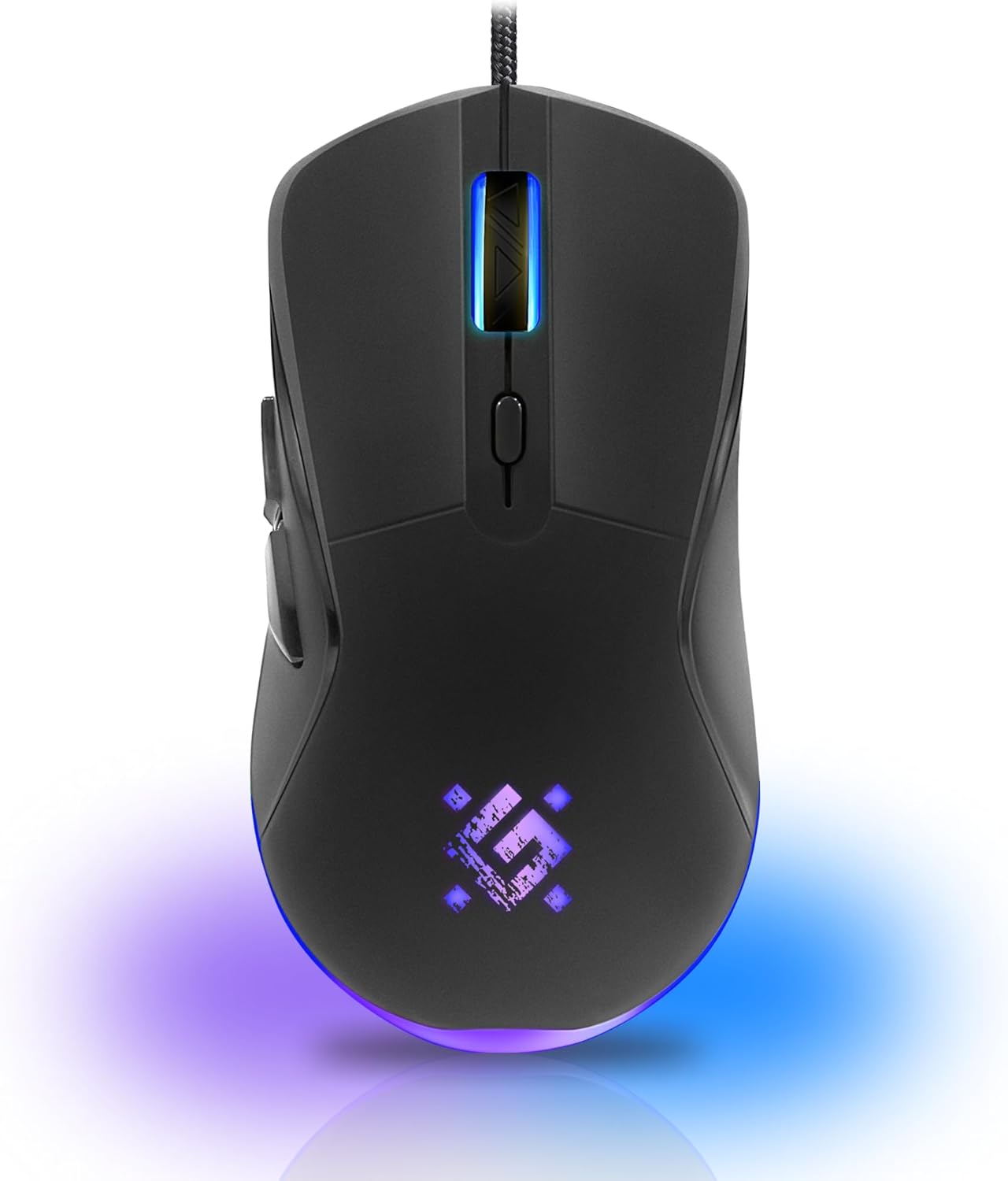
Foto: N'ihu view of the Defender ARGA GM-049 Gaming Mouse, showcasing its ergonomic design and customizable RGB lighting.
Melite
1. Ijikọ òké
- Chọta ọdụ ụgbọ mmiri USB dị na kọmputa gị.
- Plug the gold-plated USB connector of the Defender ARGA GM-049 mouse into the USB port.
- Sistemụ arụmọrụ ahụ ga-achọpụta ma wụnye draịva dị mkpa na akpaghị aka. Usoro a nwere ike were obere oge.
2. Nwụnye ngwanrọ (Nhọrọ)
For advanced customization, including macro programming and button remapping, install the Defender Game Center Software.
- Visit the official Defender website to download the latest version of the Defender Game Center Software.
- Soro ntuziaka ihuenyo iji mezue nrụnye.
- Ozugbo arụnyere, malite ngwanrọ iji hazie ntọala òké gị.

Image: Diagram illustrating the Defender Game Center Software, macro editor, optical sensor, and compatibility with Windows 2000/XP/Vista/7/8/10+ and macOS X10+.
Ntuziaka ọrụ
1. Ọrụ ndị bụ isi
- Pịa aka ekpe: Ihe omume mbụ.
- Pịa aka nri: Secondary action, typically opens context menus.
- Mpempe akwụkwọ mpịakọta: Scroll up/down documents or web pages. Pressing the scroll wheel often acts as a middle click.
2. DPI mmezi
The Defender ARGA GM-049 features adjustable DPI (Dots Per Inch) settings, allowing you to change mouse sensitivity on the fly. The available DPI levels are 1200, 1800, 2400, and 3600.
- Press the dedicated DPI button (usually located behind the scroll wheel) to cycle through the preset DPI levels.
- Each DPI level may correspond to a different LED lighting color for easy identification (refer to software for customization).
3. bọtịnụ mmemme
The mouse is equipped with 6 buttons, 5 of which are programmable using the Defender Game Center Software. These include the two main clicks, the scroll wheel click, and two side buttons.
- Launch the Defender Game Center Software.
- Navigate to the button assignment section.
- Select a button and assign a desired function, macro, or key combination.
4. RGB ọkụ
The ARGA GM-049 features customizable RGB lighting. The lighting effects and colors can be configured through the Defender Game Center Software to match your preferences or current DPI setting.

Image: Visual representation of the mouse's features including 10 million clicks lifespan, 5 programmable buttons, RGB lighting, and DPI settings (1200/1800/2400/3600).
Nlekọta
Proper maintenance ensures the longevity and optimal performance of your gaming mouse.
1. Nhicha
- Kwụpụ òké na kọmputa gị tupu ihicha.
- Jiri ákwà dị nro, kpọrọ nkụ, nke na-enweghị lint hichaa elu òké ahụ.
- Maka unyi isi ike, ntakịrị dampen akwa na mmiri ma ọ bụ dị nwayọọ, na-adịghị abrasive Cleaner. Zere kemịkalụ siri ike.
- Use a cotton swab or compressed air to clean around the buttons and scroll wheel.
- Do not allow liquids to enter the mouse casing.
2. Nlekọta n'ozuzu
- Zere ịtụfu òké ahụ ma ọ bụ itinye ya n'ihe ike dị ukwuu.
- Keep the mouse away from extreme temperatures and direct sunlight.
- Do not attempt to disassemble the mouse, as this may void your warranty.
Nchọpụta nsogbu
If you encounter issues with your Defender ARGA GM-049 mouse, refer to the following common solutions:
| Nsogbu | Ngwọta enwere ike |
|---|---|
| Òké anaghị aza |
|
| Ntugharị cursor na-adịghị agwụ agwụ |
|
| Bọtịnụ ma ọ bụ wiil mpịakọta anaghị arụ ọrụ |
|
| Igwe ọkụ LED anaghị arụ ọrụ |
|
Nkọwapụta
| Njirimara | Nkọwa |
|---|---|
| Ụdị | Onye agbachitere |
| Nlereanya | ARGA GM-049 |
| Teknụzụ Njikọta | Wired USB (Gold-plated connector) |
| Teknụzụ nchọpụta ngagharị | Ngwa anya |
| Ọkwa DPI | 1200/1800/2400/3600 |
| Ọnụọgụ bọtịnụ | 6 (5 nwere ike ime) |
| Atụmatụ pụrụ iche | RGB LED lighting, Programmable buttons, Macro editor, Durable rubberized surface, Teflon feet, Ferrite noise filter |
| Ogologo eriri USB | 1.5 meters (Braided cable structure) |
| Bọtịnụ Ogologo ndụ | Ruo nde 10 clicks |
| Ndakọrịta | Windows 2000/XP/Vista/7/8/10+, macOS X10+ |
| Ngwa gụnyere | Mouse Pad (220 x 180 mm) |

Image: Product packaging highlighting key features such as rainbow backlight, 2 thumb buttons, 4 resolution modes up to 3600 DPI, wide rubberized backlit scroll wheel, 5 customizable buttons, durable Teflon feet, ferrite noise filter, gold-plated USB connector, and bonus mouse pad.

Image: The Defender ARGA GM-049 Gaming Mouse shown alongside its included mouse pad, indicating dimensions of 220mm by 180mm.
Akwụkwọ ikike na nkwado
Ozi akwụkwọ ikike
For detailed warranty information regarding your Defender ARGA GM-049 Gaming Mouse, please refer to the warranty card included with your product or consult the retailer from whom you purchased the device. Warranty terms and conditions may vary by region and retailer.
Nkwado ndị teknuzu
If you require further assistance or encounter issues not covered in this manual, please visit the official Defender website for support resources, FAQs, and contact information for technical support.


