Okwu mmalite
Thank you for choosing the Edifier X1 Lite True Wireless Earbuds. This manual provides detailed instructions on how to set up, operate, and maintain your new earbuds, ensuring you get the best possible audio experience. The Edifier X1 Lite earbuds are designed for powerful sound, clear calls, and long-lasting comfort, featuring Bluetooth 5.4 connectivity and IP54 sweat resistance.

Foto: Ofeview of Edifier X1 Lite features, including dynamic drivers, AI call noise cancellation, extended battery life, Bluetooth 5.4, low latency, and IP54 certification.
Ozi nchekwa
Biko gụọ ntuziaka nchekwa niile nke ọma tupu iji ngwaahịa a. Debe akwụkwọ ntuziaka a maka ntụnye aka n'ọdịnihu.
- Ekpughela ihe mkpuchi ntị ma ọ bụ ihe mkpuchi chaja n'ebe okpomọkụ dị oke elu, iru mmiri, ma ọ bụ ihe ndị na-emebi emebi dị.
- Zere idobe ma ọ bụ idobe ngwaahịa ahụ na mmetụta siri ike.
- Do not disassemble, repair, or modify the product yourself. Contact authorized service personnel for assistance.
- Keep the product away from children and pets to prevent accidental ingestion of small parts.
- Jiri naanị eriri nchaji enyere ma ọ bụ ihe dabara adabara.
- Ịge ntị ogologo oge n'ogo dị elu nwere ike imebi ihe ntị. Gbanwee olu ka ọ bụrụ ọkwa dị mma.
Ihe ngwugwu
Chọpụta na ihe niile dị na ngwugwu gị:
- Edifier X1 Lite True Wireless Earbuds (Left and Right)
- Nchaji case
- Igwe nchaji USB
- Akwụkwọ ntuziaka (akwụkwọ a)
Ngwaahịa gafereview
Familiarize yourself with the components of your Edifier X1 Lite earbuds and charging case.

Image: Edifier X1 Lite Earbuds and Charging Case.

Image: Internal structure of the earbud, showcasing the 13mm dynamic driver for enhanced sound quality.
The earbuds feature a compact design, with each earbud weighing only 4g for comfortable wear. The charging case is designed to be portable and provides additional battery life.

Foto: gbawara view of the earbud highlighting the 13mm dynamic driver and AI algorithm for voice pickup.
Melite
1. Ịchaji ihe ntị na akpa
Tupu ojiji nke mbụ, chajie nke ọma ekwe ntị na akpa nchaji.
- Tinye ntị ntị abụọ n'ime akpa chaja.
- Jikọọ akpa nchaji na isi iyi ọkụ site na iji eriri USB enyere.
- The indicator light on the case will show charging status. Once fully charged, the light will indicate completion.
A full charge provides up to 7 hours of playtime for the earbuds, with an additional 19 hours from the charging case, totaling 26 hours. A quick 15-minute charge can provide 1.5 hours of playtime.

Image: Battery life details for Edifier X1 Lite earbuds, showing 26 hours total playtime and fast charging capability.

Image: Visual representation of the extended battery life and fast charging feature.
2. Mmakọ mbụ
Ekwe ntị ndị a ga-abanye na ọnọdụ njikọta ozugbo mgbe ewepụrụ ha na akpa chaja maka oge mbụ.
- Open the charging case and remove both earbuds.
- On your device (smartphone, laptop, etc.), enable Bluetooth.
- Chọọ maka "EDIFIER X1 Lite" in the list of available Bluetooth devices.
- Select "EDIFIER X1 Lite" to connect. You will hear a confirmation tone once connected.
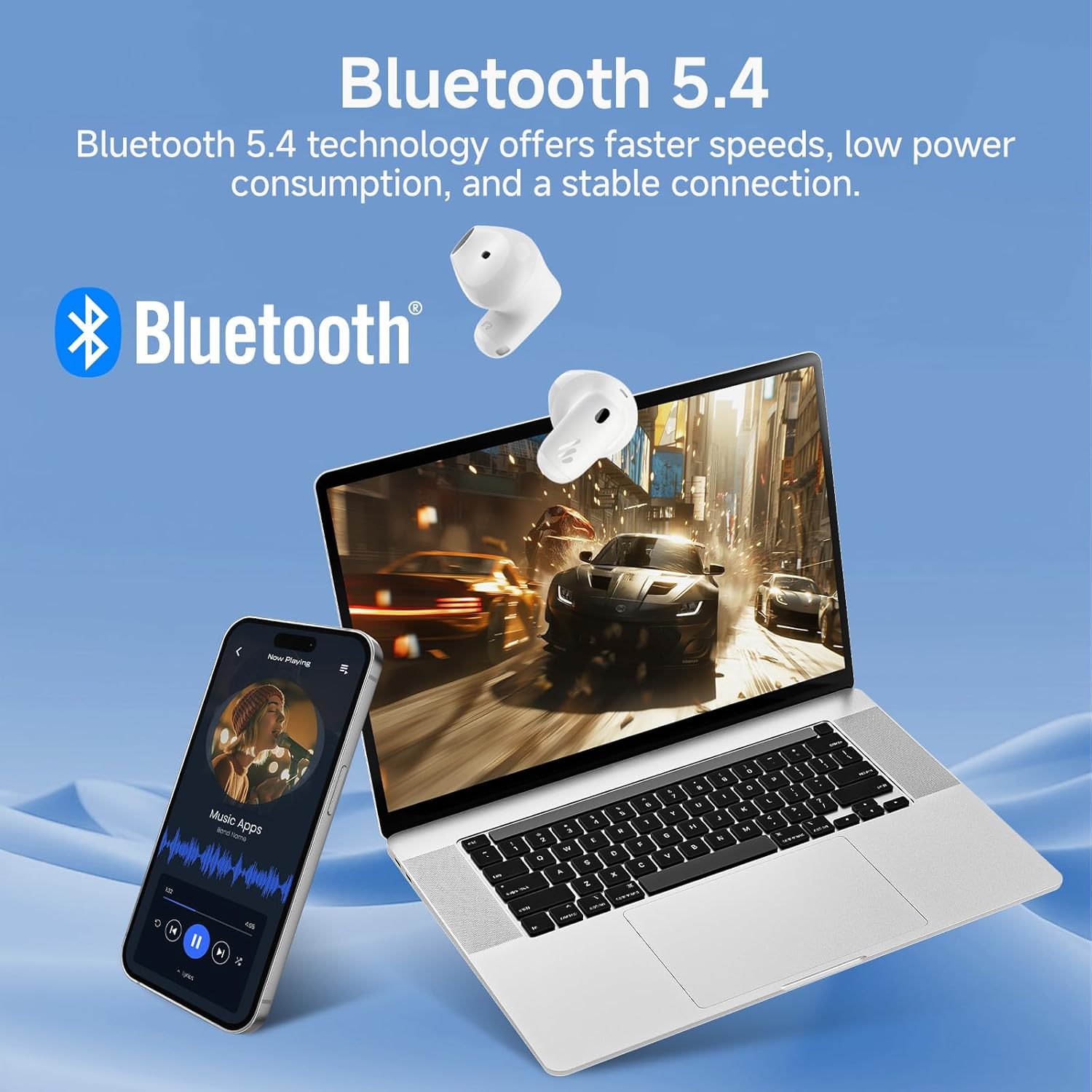
Image: Demonstrating Bluetooth 5.4 connectivity with various devices.
3. Connecting to a New Device
To connect to a new device or re-enter pairing mode:
- Tinyekwa ntị ntị abụọ n'ime igbe nchaji.
- Press and hold the function button on the charging case for approximately 3 seconds until the indicator light flashes rapidly. This indicates pairing mode.
- On your new device, search for and select "EDIFIER X1 Lite" to connect.
Na-arụ ọrụ
1. Aka njikwa
The Edifier X1 Lite earbuds feature intuitive touch controls. The touch sensitive area is located on the outer surface of each earbud.
| Omume | Ihe ntị aka ekpe | Nri ntị aka nri |
|---|---|---|
| Gwuo/kwụsịtụ | Pịa ugboro abụọ | Pịa ugboro abụọ |
| Track na-esote | N/A | Mmaji okpukpu atọ |
| Egwu gara aga | Mmaji okpukpu atọ | N/A |
| Zaa/Kwụsị Oku | Pịa ugboro abụọ | Pịa ugboro abụọ |
| Jụ oku | Jide maka sekọnd 2 | Jide maka sekọnd 2 |
| Mee ka onye enyemaka olu rụọ ọrụ | Jide maka sekọnd 2 | Jide maka sekọnd 2 |
| Gbanyụọ/ Gbanyụọ Ụdị egwuregwu | Pịa ugboro anọ | Pịa ugboro anọ |

Image: Visual guide to the touch controls on the earbuds.
2. Clear Calls with AI Algorithm
The Edifier X1 Lite earbuds utilize an AI algorithm voice pick-up technology to ensure clear communication, even in noisy environments. This technology intelligently filters out background noise, focusing on your voice.

Image: Demonstrating clear call quality enabled by AI noise reduction.
3. Low Latency Mode (Game Mode)
For an optimized gaming and video streaming experience, activate the ultra-low latency mode. This reduces audio delay to just 60ms, ensuring audio and video are perfectly synchronized.
- To activate/deactivate: Quadruple tap either earbud.

Image: Visualizing the ultra-low latency feature for gaming and video.
4. EDIFIER ConneX Ngwa
Enhance your experience by downloading the EDIFIER ConneX app. The app allows for customization of sound profiles, touch controls, and access to additional features.
- Scan the QR code or visit the provided link to download the app.
- Connect your earbuds to the app to unlock full customization options.

Image: EDIFIER ConneX app interface and QR code for download.
Download the EDIFIER ConneX App: https://foreign-app.edifier.com/index.php/edifier_provider/public/appDownload.html?appTag=EdifierConneX
Nlekọta
Nlekọta kwesịrị ekwesị na-eme ka ntị ntị gị dị ogologo ma rụọ ọrụ nke ọma.
1. Nhicha
- Jiri nwayọ hichaa ntị ntị na chaja na akwa dị nro, kpọrọ nkụ, enweghị akwa.
- Ejila ihe mkpocha abrasive, mmanya, ma ọ bụ ihe mgbaze kemịkal.
- Hụ na kọntaktị chaja dị ọcha ma ghara inwe ihe ruru unyi.
2. Water and Sweat Resistance (IP54)
The Edifier X1 Lite earbuds are IP54 certified, meaning they are protected against dust ingress and splashing water from any direction. This makes them suitable for active use and light rain.
- Ejila nkpu ntị ntị n'ime mmiri.
- Do not expose them to strong jets of water.
- Hụ na ntị ntị kpọrọ nkụ tupu etinye ha n'ime akpa chaja iji gbochie mmebi.

Image: Demonstrating the IP54 sweat-resistant feature for active daily use.
3. Nchekwa
- Chekwaa ntị ntị n'akpa chaja ha mgbe anaghị eji ya iji chebe ha ma debe ya ebubo.
- Chekwaa n'ebe dị jụụ, kpọrọ nkụ na-adịghị na ìhè anyanwụ kpọmkwem.
Nchọpụta nsogbu
Ọ bụrụ na ị hụ nsogbu ọ bụla, biko lelee nsogbu na ngwọta ndị a na-ahụkarị:
| Nsogbu | Ngwọta enwere ike |
|---|---|
| Enweghị ụda sitere na ntị ntị |
|
| Igwe ntị anaghị ejikọta ọnụ |
|
| Otu earbud anaghị arụ ọrụ |
|
| Ogo oku na-adịghị mma |
|
| Earbuds reconnect in case |
|
Nkọwapụta
| Njirimara | Nkọwa |
|---|---|
| Aha Nlereanya | edifier-x1lite-p |
| Njikọta | Ikuku (Bluetooth 5.4) |
| Ụdị Bluetooth | 5.4 |
| Nha ọkwọ ụgbọ ala ọdịyo | Φ13mm Dynamic Driver |
| Nzaghachi ugboro ugboro | 20 Hz - 20,000 Hz |
| Ndụ batrị (Earbuds) | Ruo awa iri abụọ |
| Ndụ batrị (ya na igbe nchaji) | Up to 26 hours total |
| Nchaji ngwa ngwa | Ana m akwụ ụgwọ nkeji 15 maka awa 1.5 oge egwuregwu |
| Oge Latịn | 60ms (Low Latency Mode) |
| Teknụzụ igwe okwu | AI Algorithm Voice Pick-up |
| Mmiri Nguzogide | IP54 Certified (Sweat and Splash Resistant) |
| Earbud arọ | Approx. 4g per earbud |
| Ngwa dakọtara | Smartphones, Laptops, Tablets, Gaming Consoles |
| Usoro njikwa | Touch Control, EDIFIER ConneX App |
| Onye nrụpụta | Edifier |
| Mba onye si | China |
Akwụkwọ ikike na nkwado
Edifier products come with a limited warranty. For detailed warranty information, please refer to the warranty card included in your package or visit the official Edifier websaịtị.
For technical support, troubleshooting assistance, or service inquiries, please contact Edifier customer support through their official website or the EDIFIER ConneX app.
Onye Nchịkọta Ọrụ Websaịtị: www.edifier.com


