1. Okwu mmalite
Thank you for choosing the Edifier X1 Lite True Wireless Earbuds. This manual provides detailed instructions for setting up, operating, and maintaining your new earbuds to ensure optimal performance and longevity. Please read this manual thoroughly before use.

Image: Edifier X1 Lite True Wireless Earbuds in their open charging case.
2. Kedu ihe dị na Igbe ahụ
The Edifier X1 Lite package includes the following components:
- Edifier X1 Lite True Wireless Earbuds (Left and Right)
- Nchaji case
- Igwe nchaji USB
- Akwụkwọ ntuziaka (akwụkwọ a)
3. Nhazi
3.1 Nchaji izizi
Tupu ojiji nke mbụ, chajie nke ọma ekwe ntị na akpa nchaji.
- Tinye ntị ntị abụọ n'ime akpa chaja.
- Jikọọ eriri USB na nchaji na ọdụ ụgbọ mmiri na akpa ahụ yana na isi iyi ike (dịka ọmụmaatụ, eriri USB nkwụnye, ọdụ ụgbọ USB kọmputa).
- The indicator light on the charging case will show charging status. Refer to the LED indicator section for details.
- A full charge typically takes approximately 1.5 hours for the case and earbuds.
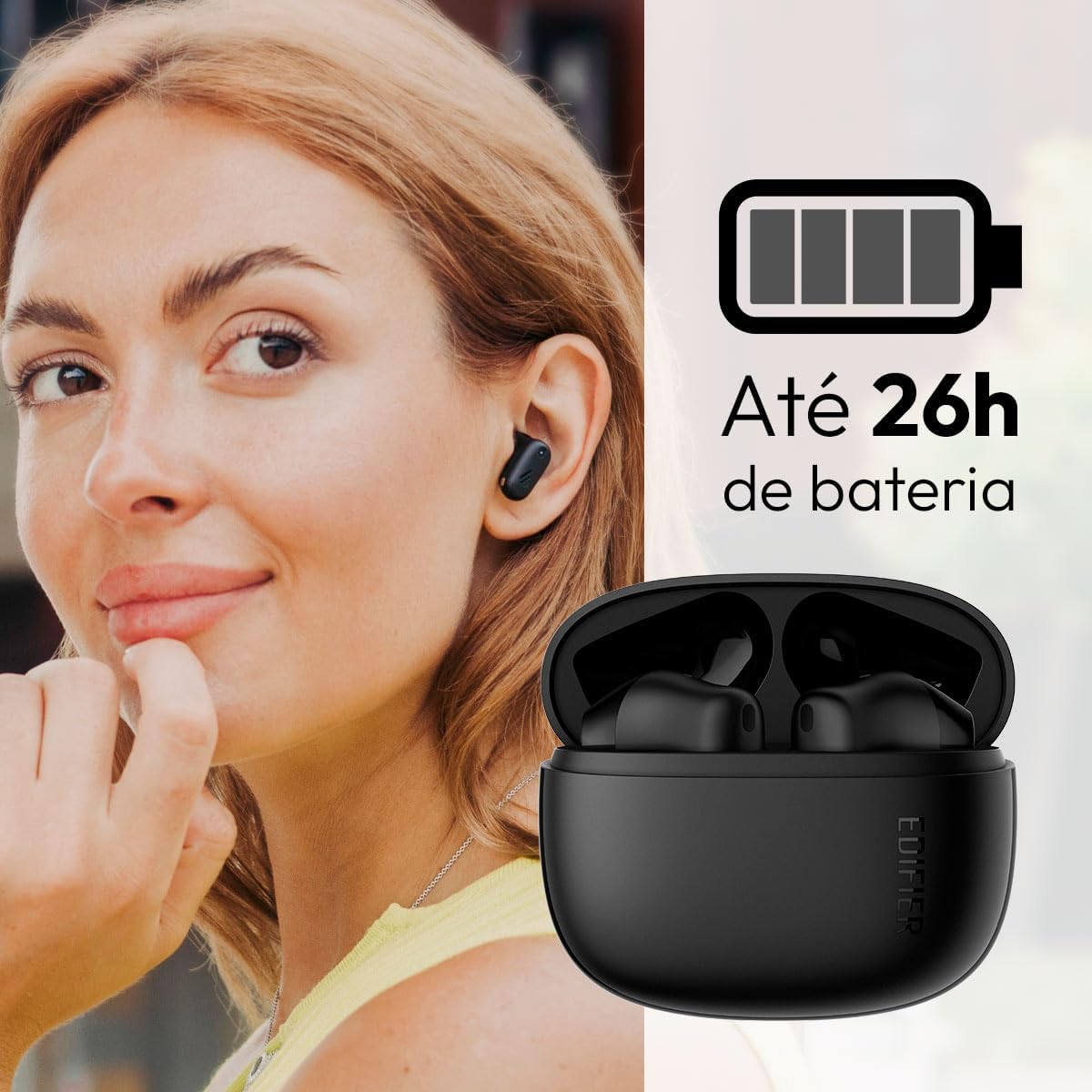
Image: Woman wearing an earbud, with the charging case and a battery icon indicating charging.
Fast Charging Feature:
A 15-minute quick charge can provide approximately 1.5 hours of playtime for the earbuds.

Image: Visual representation of battery life and fast charging capabilities.
3.2 Njikọ Bluetooth
Follow these steps to pair your Edifier X1 Lite earbuds with your device:
- Njikọ oge mbụ: Open the charging case. The earbuds will automatically power on and enter pairing mode. The indicator light on the earbuds will flash rapidly.
- Na ngwaọrụ gị (smartphone, mbadamba, laptọọpụ), gbanye Bluetooth.
- Chọọ maka "EDIFIER X1 Lite" in the list of available Bluetooth devices.
- Select "EDIFIER X1 Lite" to connect. Once connected, the indicator lights on the earbuds will turn off, and you will hear a confirmation tone.
- Re-pairing/Connecting to a New Device: If the earbuds are already connected to another device, disconnect them first. Alternatively, with the earbuds in the case and the lid open, press and hold the button on the charging case for 3 seconds to enter pairing mode.

Image: Man using earbuds, highlighting Bluetooth 5.4 connectivity.
3.3 Edifier ConneX App Installation
For enhanced features and customization, download the EDIFIER ConneX app:
- Scan the QR code provided in the image below or visit the official Edifier app download page.
- Wụnye ngwa na ama ma ọ bụ mbadamba gị.
- Open the app and follow the on-screen instructions to connect your X1 Lite earbuds.
- The app allows for sound effect customization, game mode activation, and touch control settings.

Image: EDIFIER ConneX app interface with QR code. Download the Edifier ConneX App
4. Ntuziaka ọrụ
4.1 Yiri ekwe ntị
Proper fit ensures optimal sound quality and comfort:
- Chọpụta ihe ekwe ntị aka ekpe (L) na aka nri (R).
- Jiri nwayọ tinye ntị ntị ọ bụla n'ime ọwa ntị kwekọrọ.
- Rotate the earbud slightly until it feels secure and comfortable.

Image: Man demonstrating proper earbud placement.
4.2 Gbanyụọ ma ọ bụ gbanyụọ
- Ike Na: Igwe ntị ntị na-agbanye na-akpaghị aka mgbe ewepụrụ ya na igbe nchaji.
- Gbanyụọ: The earbuds automatically power off and begin charging when placed back into the charging case and the lid is closed.
4.3 Njikwa mmetụ
The Edifier X1 Lite earbuds feature touch-sensitive controls on each earbud. These controls can be customized via the EDIFIER ConneX app.
| Omume | Ihe ntị aka ekpe (L) | Igwe ntị aka nri (R) |
|---|---|---|
| Zaa/Kwụsị Oku | Pịa ugboro abụọ | Pịa ugboro abụọ |
| Jụ oku | Pịa ugboro atọ | Pịa ugboro atọ |
| Kpọọ/kwụsịtụ egwu | Pịa ugboro abụọ | Pịa ugboro abụọ |
| Track na-esote | N/A (Customize via App) | Pịa ugboro atọ |
| Egwu gara aga | Pịa ugboro atọ | N/A (Customize via App) |
| Gbanyụọ/ Gbanyụọ Ụdị egwuregwu | Mgbata Anọ | Mgbata Anọ |
Note: These are default settings. Functions can be reconfigured using the EDIFIER ConneX app.

Image: Visual guide to earbud touch controls.
5. Nlekọta
5.1 Nhicha
- Jiri akwa dị nro, kpọrọ nkụ na-adịghị na-ehicha ntị ntị na chaja mgbe niile.
- Ejila ihe mkpocha abrasive, mmanya, ma ọ bụ ihe mgbaze kemịkal.
- Hụ na kọntaktị chajị dị na ntị na akpa ntị dị ọcha ma ghara inwe ihe ruru unyi iji mee ka chajị ahụ dị mma.
5.2 Mmiri Na-eguzogide Mmiri (IP54)
The Edifier X1 Lite earbuds are IP54 rated, meaning they are protected against dust ingress and splashing water from any direction. This makes them suitable for workouts and light rain.
- Ejila nkpu ntị ntị n'ime mmiri.
- Akpa chaja anaghị anabata mmiri. Debe ya ka ọ kpọọ nkụ.
- If earbuds get wet, wipe them dry completely before placing them back in the charging case to prevent damage.

Image: Demonstrating IP54 sweat resistance during exercise.
5.3 Nlekọta batrị
- Avoid exposing the earbuds and case to extreme temperatures (hot or cold).
- Chekwaa ngwaọrụ ahụ n'ebe dị jụụ, kpọrọ nkụ mgbe ọ naghị eji ya.
- Chaji ngwaọrụ ahụ mgbe niile, ọbụlagodi na anaghị eji ya ugboro ugboro, iji hụ na batrị dị mma.
6. Nchọpụta nsogbu
If you encounter issues with your Edifier X1 Lite earbuds, refer to the following common problems and solutions:
6.1 Enweghị ụda ma ọ bụ njikọ oge
- Lelee batrị: Gbaa mbọ hụ na ejirila earbuds na okwu ịchaji ụgwọ nke ọma.
- Tinyegharịa ụzọ: Disconnect the earbuds from your device's Bluetooth settings and then re-pair them.
- Ogologo: Ensure the earbuds are within the Bluetooth range (typically 10 meters) of your device.
- Ntinye aka: Move away from strong Wi-Fi signals or other Bluetooth devices that might cause interference.
- Tọgharia: Place both earbuds in the charging case, close the lid, wait a few seconds, then open the lid and try pairing again.
6.2 Eriri ntị anaghị agbacha
- Lelee eriri: Ensure the USB charging cable is securely connected to both the case and the power source.
- Isi mmalite ike: Nwaa ọdụ USB ma ọ bụ ihe nkwụnye mgbidi dị iche.
- Kọntaktị dị ọcha: Clean the charging contacts on the earbuds and inside the charging case with a dry cotton swab.
- Ndokwa kwesịrị ekwesị: Hụ na e tinyere ntị ntị nke ọma n'ime igbe chaja.
6.3 Ogo oku adịghị mma
- Microphone Obstruction: Ensure the microphone on the earbuds is not covered.
- gburugburu: Move to a quieter environment if possible. The AI algorithm helps, but extreme noise can still affect clarity.
- Nkwụsi ike Njikọ: Gbaa mbọ hụ na njikọ Bluetooth kwụsiri ike.

Image: Man using earbuds for a clear call, highlighting AI voice pick-up technology.
6.4 Nsogbu Njikọ Ngwa
- Bluetooth agbanyere: Ensure Bluetooth is enabled on your device and the earbuds are connected.
- Ikikere ngwa: Check if the EDIFIER ConneX app has necessary Bluetooth and location permissions.
- Malitegharịa ngwa/Ngwaọrụ: Mechie ma mepee ngwa ahụ, ma ọ bụ malitegharịa ekwentị gị.
- Mmelite ngwa: Gbaa mbọ hụ na emelitere ngwa ahụ ka ọ bụrụ ụdị kachasị ọhụrụ.
7. Nkọwapụta
| Njirimara | Nkọwa |
|---|---|
| Aha Nlereanya | X1 Lite |
| Teknụzụ Njikọta | Ikuku (Bluetooth) |
| Ụdị Bluetooth | 5.4 |
| Ụdị ọkwọ ụgbọ ala ọdịyo | Dynamic Driver (Φ13mm) |
| Oke ugboro ugboro | 20Hz-20kHz |
| Ndụ batrị | Ruo awa 7 (buds ntị), ihe ruru awa 26 (ya na igbe nchaji) |
| Nchaji ngwa ngwa | Ana m akwụ ụgwọ nkeji 15 maka awa 1.5 oge egwuregwu |
| Ọdịda ala | 60ms |
| Mmiri Nguzogide | IP54 (naanị ekwe ntị) |
| Igwe okwu | Single Mic AI algorithm voice pick-up |
| Usoro njikwa | Touch Control, App (EDIFIER ConneX) |
| Ihe onwunwe | Plastic |
| Earbud arọ | Approx. 4g per earbud |
| Agba | Nwa |
8. Akwụkwọ ikike na nkwado
Edifier products are designed with quality and reliability in mind. For warranty information and customer support, please refer to the official Edifier websaịtị ma ọ bụ kpọtụrụ ndị ahịa ha ozugbo.
- Ndị ọchịchị Websaịtị: Gaa leta www.edifier.com maka ndebanye aha ngwaahịa, FAQs, na akụrụngwa nkwado.
- Ndị ọrụ nlekọta ndị ahịa: Contact Edifier customer support for technical assistance or warranty claims. Contact details can typically be found on the official websaịtị ma ọ bụ na nkwakọ ngwaahịa.
Biko dowe ihe akaebe nke ịzụrụ ihe maka ebumnuche ikike.