1. Okwu mmalite
Thank you for choosing the itel Rhythm Pro True Wireless Earbuds. This manual provides essential information for setting up, operating, and maintaining your earbuds to ensure optimal performance and longevity. Please read this manual thoroughly before use.

Image 1.1: itel Rhythm Pro True Wireless Earbuds in their charging case.
2. Ihe ngwugwu
Gbaa mbọ hụ na ihe niile dị na ngwugwu gị:
- itel Rhythm Pro True Wireless Earbuds (Left and Right)
- Nchaji case
- C-type Charging Cable
- Akwụkwọ ntuziaka (akwụkwọ a)
- Additional Eartips (various sizes, typically pre-installed medium)
3. Ngwaahịa gafereview
The itel Rhythm Pro earbuds feature a compact design with advanced audio technology. Each earbud is equipped with a 10mm dynamic driver for clear sound and a microphone for calls. The charging case provides extended battery life and protects the earbuds.
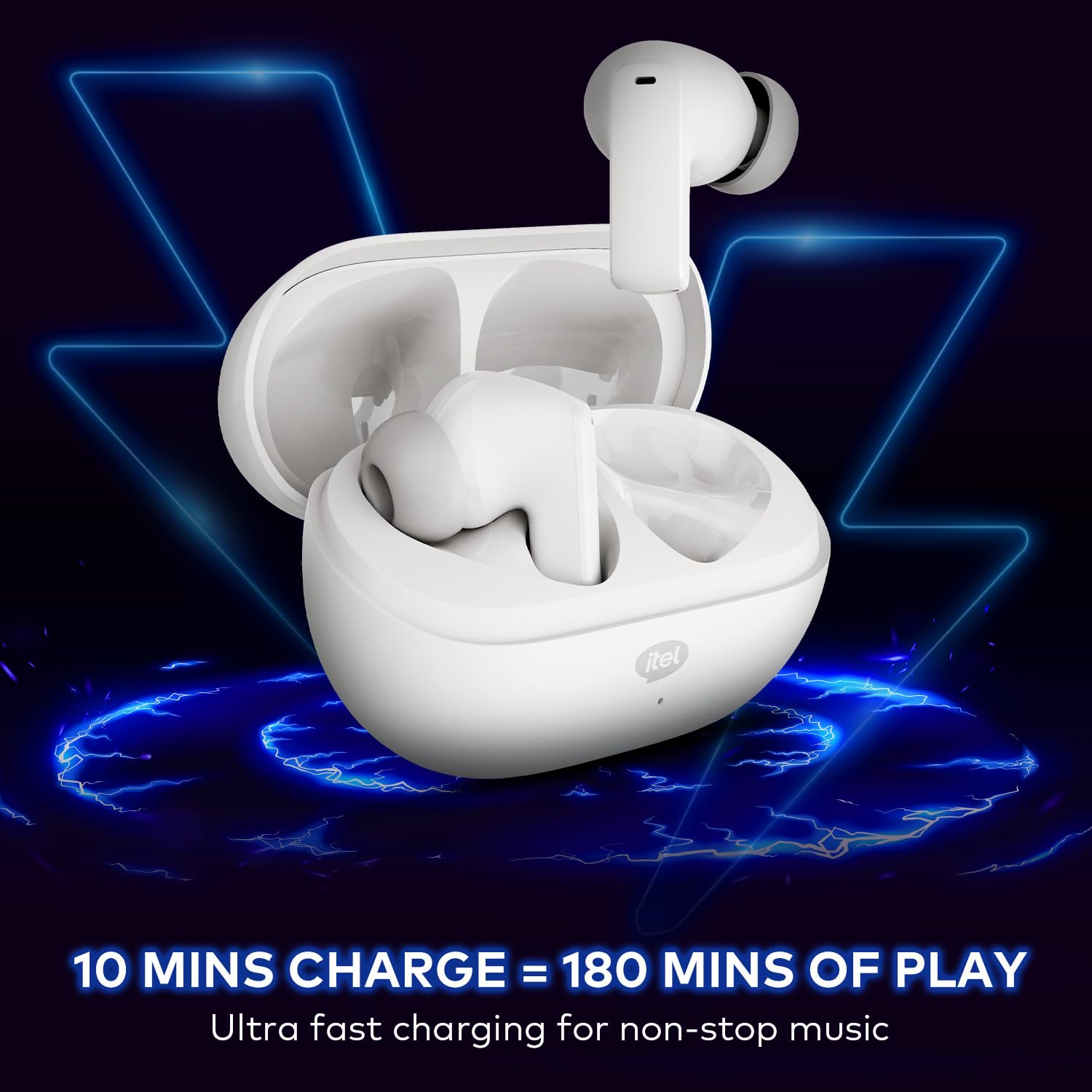
Image 3.1: itel Rhythm Pro True Wireless Earbuds removed from their charging case, showing individual earbud design.
Ihe ndị dị na ntị:
- Mpaghara njikwa aka: Maka ijikwa ọkpụkpọ egwu, oku, na onye enyemaka olu.
- Igwe okwu: For calls and AI Environmental Noise Cancellation (ENC).
- Kọntaktị na-akwụ ụgwọ: Connects with the charging case.
- Eartop: Na-enye nchekwa dị mma ma dịkwa mma.
Ihe ndị dị na ikpe chaja:
- Oghere Nchaji Earbud: Na-ejide ma na-akwụ ụgwọ ekwe ntị.
- Charging Port (USB Type-C): Maka ijikọ eriri nchaji.
- Ihe ngosi LED: Shows charging status and battery level.
4. Nhazi
4.1 Ịchaji ntị na akpa
Tupu ojiji nke mbụ, chajie nke ọma ntị na akpa nchaji.
- Tinye ekweisi n'ime akpa chaja. Hụ na ha dị n'ọnọdụ kwesịrị ekwesị n'ebe ha dị.
- Connect the provided C-type charging cable to the charging port on the case and to a USB power source (e.g., wall adapter, computer USB port).
- The LED indicator on the charging case will show the charging status. Refer to the LED indicator guide for details (usually solid or blinking light indicates charging, solid light indicates full charge).
- A 10-minute charge provides approximately 180 minutes of playback. A full charge provides up to 100 hours of total playtime with the charging case.

Image 4.1: Earbuds placed in the charging case, indicating charging process.
4.2 Ijikọ na ngwaọrụ Bluetooth
The earbuds use Bluetooth V5.3 for stable and efficient connectivity.
- Open the charging case. The earbuds will automatically enter pairing mode (or power on if already charged). The LED indicator on the earbuds may flash to indicate pairing mode.
- Na ngwaọrụ gị (smartphone, mbadamba, laptọọpụ), gbanye Bluetooth.
- Chọọ maka available Bluetooth devices. Select "itel Rhythm Pro" from the list.
- Ozugbo ejikọrọ, ntị ntị ga-egosi njikọta na-aga nke ọma (dịka ọmụmaatụ, ụda olu ma ọ bụ mgbanwe ọkụ).
- Ekwe ntị ndị a ga-ejikọghachi na ngwaọrụ ikpeazụ ejikọtara na akpa ahụ ozugbo ewepụrụ ha na akpa ahụ, ọ bụrụ na Bluetooth agbanyere na ngwaọrụ ahụ.

Image 4.2: Detail of an earbud highlighting Bluetooth V5.3 for connectivity.
5. Ntuziaka ọrụ
The itel Rhythm Pro earbuds feature intuitive touch controls. The exact functions may vary slightly based on your device and application.
5.1 Nghaghachi egwu
- Gwuo/kwụsịtụ: Kpatụ otu ntị na ntị ntị.
- Track na-esote: Kpatụ ntị ntị aka nri ugboro abụọ.
- Gara aga Track: Kpatụ ntị ntị aka ekpe ugboro abụọ.
- Olu elu: Pịa bọtịnụ ntị aka nri ugboro atọ.
- Olu ala: Pịa bọtịnụ ntị aka ekpe ugboro atọ.
5.2 Njikwa oku
- Azịza/Kwụsị Oku: Kpatụ otu ntị na ntị ntị.
- Jụ oku: Pịa ma jide otu ntị ntị maka sekọnd 2.
5.3 Onye enyemaka olu
- Activate Voice Assistant (Google Assistant): Pịa ma jide otu ekwe ntị maka sekọnd 2 (mgbe ọ bụghị na oku).
5.4 Gbanyụọ ma ọ bụ gbanyụọ
- Ike Na: Open the charging case, or press and hold the touch area on both earbuds for 3 seconds.
- Gbanyụọ: Place the earbuds back into the charging case and close the lid, or press and hold the touch area on both earbuds for 5 seconds.
6. Nlekọta
6.1 Nhicha
- Jiri akwa dị nro, kpọrọ nkụ na-adịghị na-ehicha ntị ntị na chaja mgbe niile.
- Wepụ isi ntị ma jiri ncha na mmiri dị nro hichaa ha, wee kpọọ nkụ nke ọma tupu ị tinyeghachi ya.
- Hụ na kọntaktị chajị dị na ntị na akpa ntị dị ọcha ma ghara inwe ihe ruru unyi iji mee ka chajị ahụ dị mma.
6.2 Nchekwa
- Mgbe ejighị ya, chekwaa earbuds n'ime akpa nchaji ha iji chebe ha ma debe ha ebubo.
- Debe n'ebe dị jụụ ma kpọọ nkụ, ebe okpomọkụ na anwụ na-anaghị apụta oke.
6.3 Mgbochi mmiri (IPX5)
The itel Rhythm Pro earbuds are IPX5 water-resistant, meaning they are protected against low-pressure water jets from any direction. This makes them suitable for workouts and light rain. They are not designed for submersion in water or exposure to heavy rain.
- Etinyela ntị ntị n'ime mmiri n'amaghị ama.
- Avoid using them in saunas or steam rooms.
- If the earbuds get wet, wipe them dry thoroughly before placing them back in the charging case to prevent damage to the charging contacts.

Image 6.1: The IPX5 water resistance rating ensures protection against splashes.
7. Nchọpụta nsogbu
Ọ bụrụ na ị hụ nsogbu na ntị ntị gị, gbalịa ngwọta ndị a:
- Igwe ntị anaghị ejikọta:
- Gbaa mbọ hụ na akwụgoro ekwe ntị abụọ ahụ.
- Gbanyụọ Bluetooth na ngwaọrụ gị wee gbanye ya azụ.
- Forget "itel Rhythm Pro" from your device's Bluetooth list and try pairing again.
- Tinye earbuds azụ n'ime akpa ahụ, mechie mkpuchi, chere sekọnd ole na ole, wee mepee ka ịbanye n'ụdị njikọ.
- Naanị otu earbud na-arụ ọrụ:
- Gbaa mbọ hụ na akwụgoro ekwe ntị abụọ ahụ.
- Try placing both earbuds back in the charging case, close the lid, then take them out again.
- Perform a factory reset (refer to specific instructions if available, otherwise try forgetting the device and re-pairing).
- Enweghị ụda ma ọ bụ obere olu:
- Lelee ọkwa olu na ma ngwaọrụ gị yana ntị ntị.
- Gbaa mbọ hụ na ejikọrọ ekwe ntị nke ọma na ngwaọrụ gị.
- Clean any debris from the earbud speaker mesh.
- Nsogbu ịchaji:
- Gbaa mbọ hụ na ejikọrọ eriri chajị na echekwabara na ikpe ahụ yana isi iyi ike.
- Gbalịa eriri chaja dị iche ma ọ bụ nkwụnye ọkụ.
- Hichaa kọntaktị ịchaji na ntị ntị na n'ime akpa ahụ.
8. Nkọwapụta
Below are the technical specifications for the itel Rhythm Pro True Wireless Earbuds:
| Njirimara | Nkọwapụta |
|---|---|
| Aha Nlereanya | Rhythm Pro (BudsNeo 3) |
| Teknụzụ Njikọta | Bluetooth V5.3 |
| Nha ọkwọ ụgbọ ala ọdịyo | 10mm Dynamic ọkwọ ụgbọ ala |
| Njikwa mkpọtụ | AI Environmental Noise Cancellation (ENC) |
| Playtime (Total with Case) | Ruo awa 100 |
| Nchaji ngwa ngwa | 10 minutes charge = 180 minutes playback |
| Ọkwa Nguzogide mmiri | IPX5 |
| Ụdị njikwa | Touch, Voice (Google Assistant) |
| Ihe onwunwe | Polycarbonate (PC) |
| Ibu Ibu | 46 grams |
| Akụkụ ngwaahịa | 6.8 x 2.7 x 4.9 cm |
| Ụdị batrị | Lithium Ion / Lithium Polymer |
| Oke Bluetooth | 10 mita |
| Oge Latịn | 45 nkeji |
| Mgbochi | 32 ohms |
9. Akwụkwọ ikike na nkwado
Your itel Rhythm Pro True Wireless Earbuds are covered by a standard manufacturer's warranty. Please refer to the warranty card included in your package for specific terms and conditions, including warranty period and coverage details.
For technical support, troubleshooting assistance, or warranty claims, please contact itel customer service through their official website or the contact information provided with your product documentation. Keep your purchase receipt as proof of purchase for warranty services.


