1. Okwu mmalite
This manual provides essential instructions for the installation, operation, and maintenance of your APPECK Permanent Outdoor Lights (Model C5109-C). These smart RGBW lights are designed for outdoor use, offering a variety of scene modes and control options via app, remote, and voice assistants. Please read this manual thoroughly before use to ensure proper functionality and safety.
2. Ihe ngwugwu
Nyochaa na etinyere ihe niile edepụtara n'okpuru na ngwugwu gị:
- 16.4ft String Light x 6
- Ihe nkwụnye ọkụ x 1
- Igbe njikwa x 1
- Remote Controller x 1 (AAA batteries not included)
- Screw Clips Pack x 1
- Tail Plug x 1
- Akwụkwọ ntuziaka onye ọrụ x 1

Image: Illustration of all components included in the APPECK Permanent Outdoor Lights package.
3. Ozi nchekwa
- Nchekwa Eletriki: Ensure the power adapter is connected to a suitable outdoor-rated power outlet. The power plug is not waterproof; use an outlet cover for outdoor installations.
- Nwụnye: Do not cut the string lights. The total length of the string lights should not exceed 100ft.
- Oke okpomọkụ: The lights are designed for outdoor use within a temperature range of -20℃ to 60℃ (-4℉ to 140℉).
- Nguzogide mmiri: The string lights and control box are IP65 waterproof.
- Ụmụaka na anụ ụlọ: Keep packaging materials and small components away from children and pets.
4. Ntọala na nwụnye
4.1 Nwụnye anụ ahụ
- Nwalee tupu echichi: Before mounting, connect all light segments and the power adapter. Power on the lights to ensure they function correctly.
- Nkwadebe elu: Clean the installation surface with a cloth to ensure proper adhesion.
- Ndokwa: It is recommended to install the lights 2-4 inches away from the wall surface to achieve optimal wall washing effects.
- teepu nrapado: For temporary or initial placement, peel off the backing film from the adhesive tape on the back of each light. Firmly press each light against the surface for more than 8 seconds.
- Chekwaa na skru: For long-term and stable installation, use the provided screws and clips to secure each light. This is especially recommended for wooden surfaces.
- Connecting Segments: Connect the 16.4ft string light segments using the waterproof connectors. Firmly screw on the waterproof cap of the last light string section.
Image: Step-by-step guide for physically installing the lights, including surface preparation and securing methods.
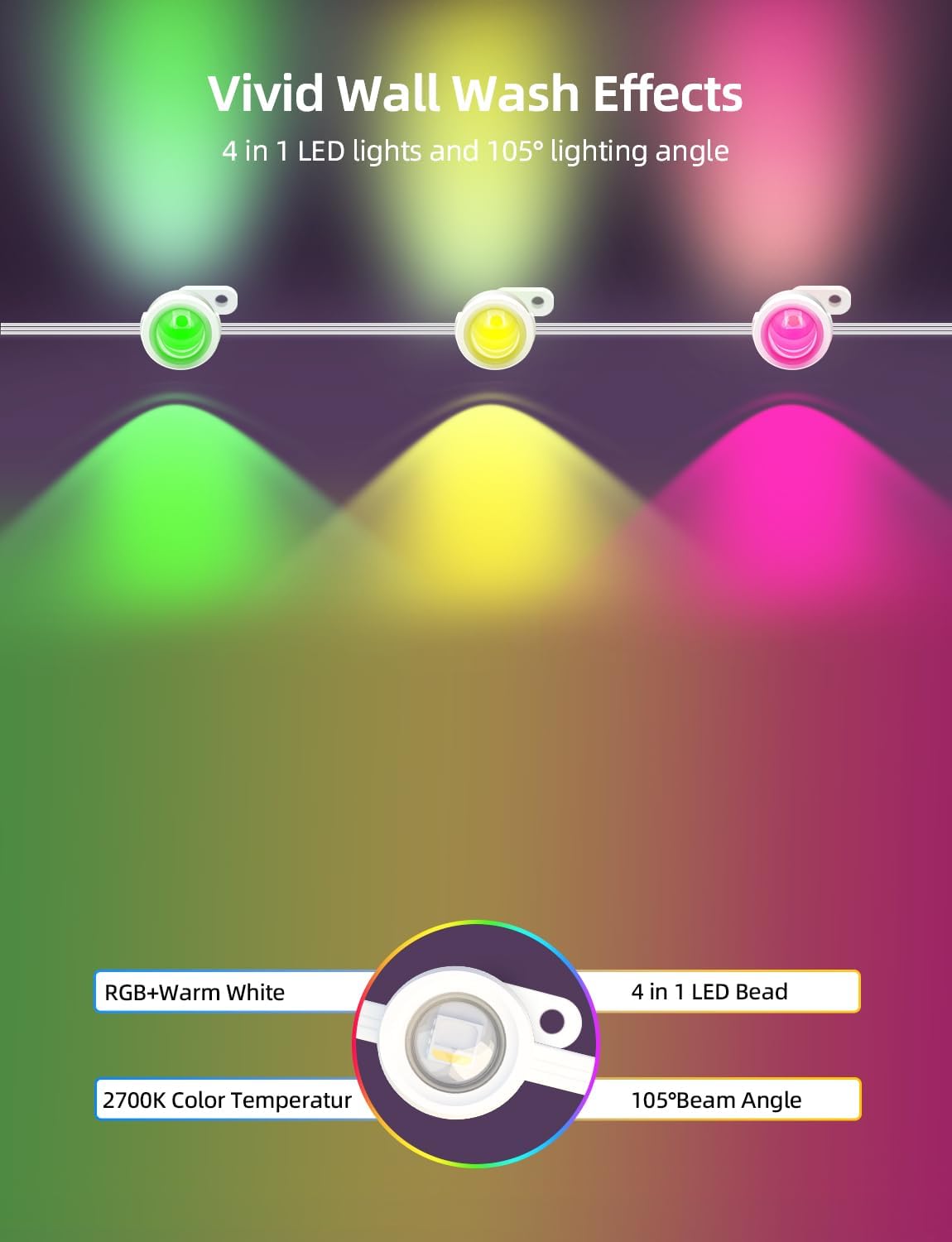
Foto: Examples of compatible installation surfaces such as fiber cement, wood, vinyl, and metal, with a note to use screws for wood.
4.2 Ngwa njikọ
The APPECK Permanent Outdoor Lights utilize the Smart Life App for advanced control. Ensure your Wi-Fi network is 2.4GHz, as 5GHz Wi-Fi is not supported.
- Budata ngwa: Download the "Smart Life" app from Google Play Store or Apple App Store.
- Debanye aha/Nbanye: Jiri akaụntụ dị adị banye ma ọ bụ mepụta nke ọhụrụ.
- Enable Wireless: Turn on Wi-Fi and Bluetooth on your mobile device.
- Mmakọ Mmakọ: Ensure the lights are powered on. Press and hold the on/off button on the control box for 3-5 seconds until the lights blink red, indicating pairing mode.
- Tinye ngwaọrụ: In the Smart Life App, tap the "+" icon in the top right corner and search for "C5109".
- Wi-Fi Selection: Họrọ netwọk Wi-Fi 2.4GHz gị wee tinye paswọọdụ.
- Mmecha: Follow the on-screen prompts to complete the pairing process. The device will be added successfully.

Image: Visual guide for connecting the lights to the Smart Life App, detailing steps from app download to device pairing.
5. Ntuziaka ọrụ
5.1 Njikwa ngwa
The Smart Life App provides comprehensive control over your APPECK lights:
- Individual Light Control: Adjust the color of each light bead individually from 16 million available colors.
- Scene Customization: Access 111 built-in scene modes. Program, save, collect, and loop custom scenes.
- Timing & Length Setting: Set schedules for lights to turn on/off and adjust the duration of specific effects.
- Njikwa otu: Control multiple sets of lights simultaneously by creating groups within the app.
- Ndozi ihie: Dim or brighten the lights. Warm white light brightness up to 40lm each, RGB brightness up to 25lm each.
- Mmekọrịta egwu: Synchronize light effects with music for dynamic displays.

Image: The Smart Life App displaying options for individual light color control.

Image: The Smart Life App interface demonstrating scene customization, collection, looping, and timing features.
5.2 Ime Remote
Use the included remote controller for convenient operation. (Requires 2 AAA batteries, not included).
- Gbanyụọ/ Gbanyụọ: Gbanyụọ ma ọ bụ gbanyụọ ọkụ.
- Nhọrọ ụdị: Cycle through various preset scene modes.
- Ndozi ihie: Mee ka ìhè dịkwuo elu ma ọ bụ belata ike ya.
5.3 Njikwa olu
The lights are compatible with Amazon Alexa and Google Assistant for hands-free control.
- Mmekọrịta: Link your Smart Life account with Amazon Alexa or Google Assistant through their respective apps.
- Iwu: Use voice commands such as "Alexa, turn on the outdoor lights" or "Hey Google, set outdoor lights to red."
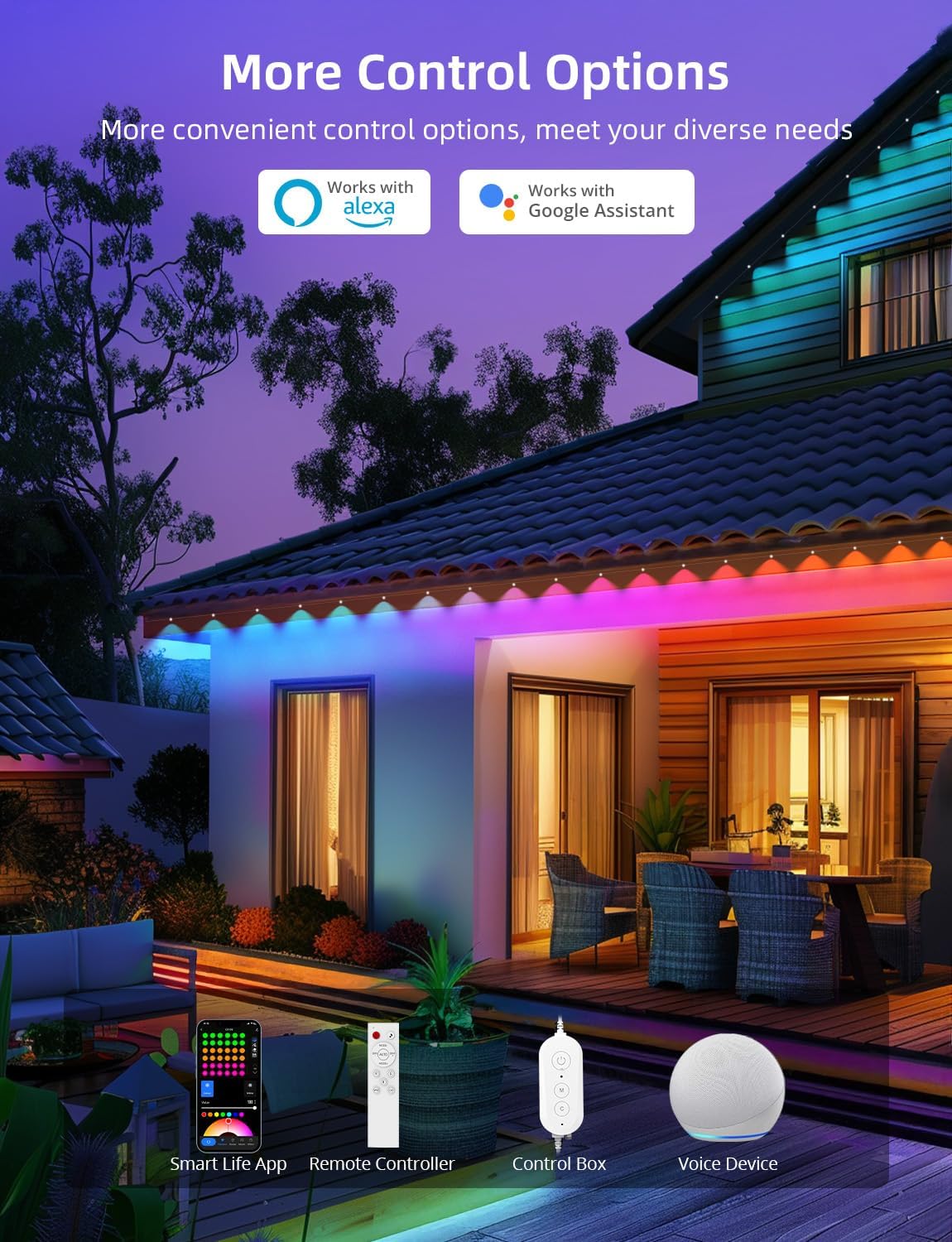
Foto: Ofeview of the multiple control methods available for the lights, including app, remote, control box, and voice assistants.
6. Nlekọta
To ensure the longevity and optimal performance of your APPECK Permanent Outdoor Lights, follow these maintenance guidelines:
- Nhicha: Periodically clean the light beads and housing with a soft, damp akwa iji wepu unyi na irighiri ihe. Ejila kemịkalụ siri ike ma ọ bụ ihe mkpocha abrasive.
- Nyocha: Regularly inspect the wiring, connectors, and mounting points for any signs of wear, damage, or loose connections.
- Nchekwa ihu igwe: While the lights are IP65 waterproof and UV resistant, ensure the power plug is protected from direct exposure to water. An outdoor outlet cover is recommended.
- Nchekwa: If storing the lights for an extended period, disconnect them from power, clean them, and store them in a cool, dry place.
Image: Visual representation of the lights' durability and reliability in different outdoor conditions.
7. Nchọpụta nsogbu
If you encounter issues with your APPECK Permanent Outdoor Lights, refer to the following common solutions:
| Nsogbu | Ihe nwere ike ime | Ngwọta |
|---|---|---|
| Ọkụ anaghị agbanwu. | Enweghị ike, njikọ na-adịghị mma, ihe nkwụnye nwere nsogbu. | Check power outlet, ensure all connections are secure, test with another power source if possible. |
| Enweghị ike ijikọ na ngwa Smart Life. | Incorrect Wi-Fi frequency, incorrect password, lights not in pairing mode. | Ensure your Wi-Fi is 2.4GHz. Re-enter Wi-Fi password. Put lights into pairing mode (hold control box button for 3-5 seconds). |
| Njikwa anya anaghị arụ ọrụ. | Batrị nwụrụ anwụ, ebe dịpụrụ adịpụ nke oke, ihe mgbochi. | Replace AAA batteries. Ensure remote is pointed at the control box and within range. Remove any obstructions. |
| Lights are not displaying correct colors/modes. | App settings incorrect, interference. | Check settings in the Smart Life App. Restart the app and lights. |
8. Nkọwapụta
| Njirimara | Nkọwa |
|---|---|
| Nọmba nlereanya | C5109-C |
| Ụdị isi iyi ọkụ | LED (RGBW) |
| Ọnụọgụ nke isi mmalite ọkụ | 72 LED |
| Mgbakọta Ogologo | 100ft (6 x 16.4ft string light segments) |
| Wire Length (Adapter to 1st Light) | 9.19 ụkwụ / 2.8m |
| Wire Length (Between 2 Lights) | 1.31ft / 0.4m (1.97ft / 0.6m with connector) |
| Warm White Brightness | 40lm per light |
| RGB ihie | 25lm per light |
| Color Temperature (Warm White) | 2700 Kelvin |
| Angle Beam | Ruo 105 ° |
| Omimi ịsacha mgbidi | Ruo 16 sentimita asatọ |
| Ọkwa Nguzogide mmiri | IP65 (lights and control box) |
| Okpomọkụ na-arụ ọrụ | -20℃ ruo 60℃ (-4℉ ruo 140℉) |
| Ogologo ndụ | Ruo awa iri abụọ |
| Ụzọ njikwa | Smart Life App, Remote Control, Control Box, Amazon Alexa, Google Assistant |
| Ndakọrịta Wi-Fi | 2.4GHz naanị |
| Voltage | 24 volts |
| Wattage | 54 watt |
| Ihe onwunwe | Plastic |
9. Akwụkwọ ikike na nkwado
APPECK products are designed for durability and performance. For warranty information, technical support, or any questions regarding your product, please contact APPECK customer service through the retailer's platform or the official APPECK websaịtị.
Biko dowe akwụkwọ nnata ịzụrụ maka akwụkwọ ikike.


