1. Okwu mmalite
The Bose QuietComfort Wireless Noise Cancelling Earbuds deliver a high-quality audio experience with advanced noise cancellation capabilities. This manual provides essential information for the proper setup, operation, and maintenance of your earbuds to ensure optimal performance and longevity.
Key features include active noise cancellation, customizable tap controls, IPX4 water resistance, up to 8.5 hours of battery life per charge, and advanced Bluetooth 5.3 connectivity. The Bose QCE app allows for personalized sound adjustments and device management.
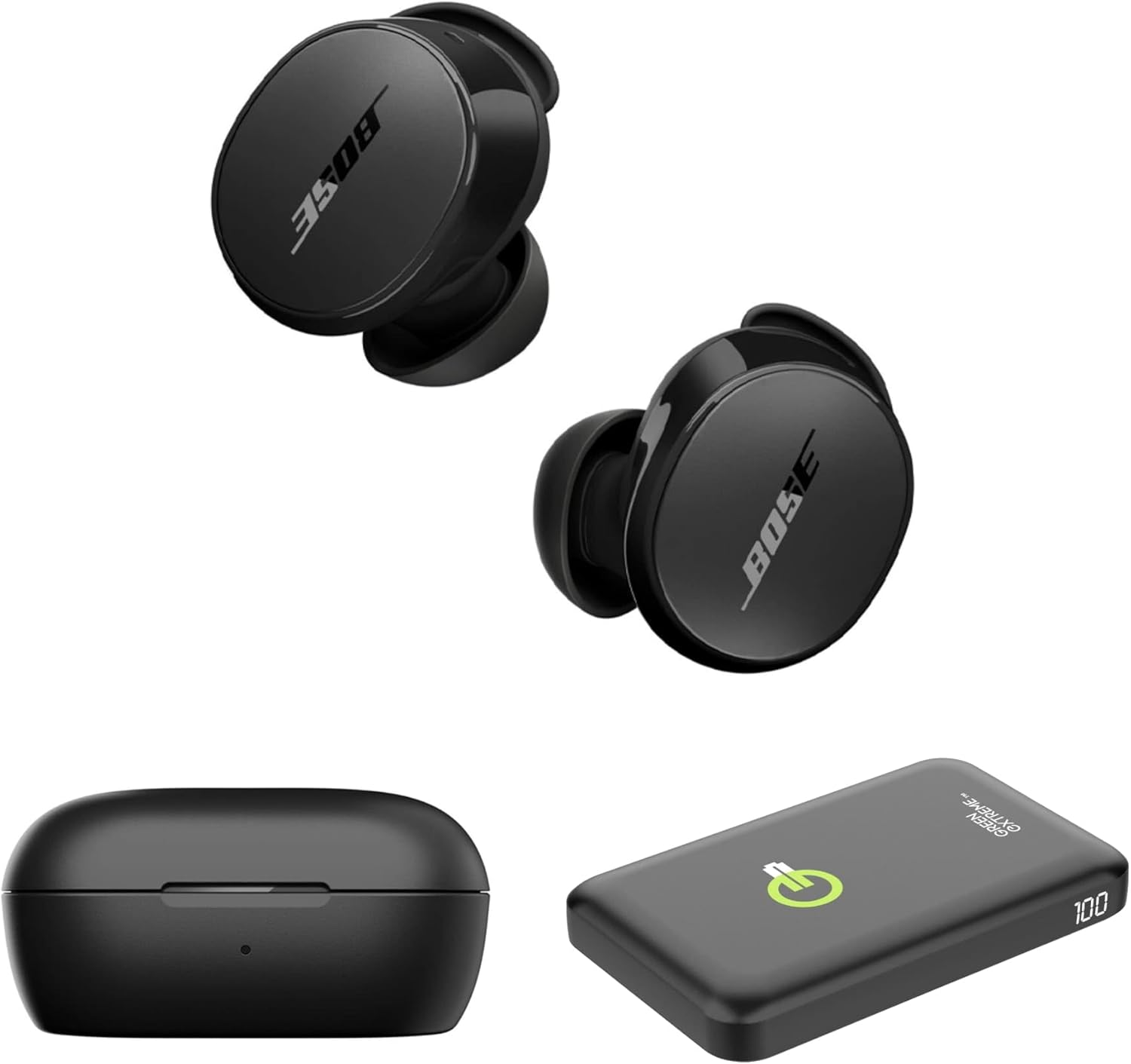
Image 1.1: Bose QuietComfort Earbuds, charging case, and Green Extreme portable charger.
2. Nhazi
2.1 Unboxing na akụrụngwa
Chọpụta na akụrụngwa niile dị na nkwakọ ngwaahịa:
- Bose QuietComfort Earbuds (Black)
- Nchaji case
- USB-A ka eriri USB-C
- Small, Medium, and Large Eartips & Stability Bands
- Green Extreme 10000mAh Qi Power Bank

Image 2.1: Bose QuietComfort Earbuds in open charging case with included eartips and stability bands.
2.2 Ịchaji ntị na akpa
- Tinye ntị ntị n'ime akpa nchaji. Gbaa mbọ hụ na ha nọkwasịrị nke ọma.
- Connect the USB-A to USB-C cable to the charging case and a power source.
- The charging case can also be charged wirelessly.
- A 20-minute charge provides approximately 2 hours of playback. Full charge provides up to 8.5 hours of playback. The case holds an additional 2.5 charges.

Image 2.2: Hand holding the Bose QuietComfort Earbuds charging case.
2.3 Selecting the Correct Fit
The earbuds come with three sizes of eartips and stability bands (S, M, L) to ensure a comfortable and secure fit. Experiment with different sizes to find the best seal for optimal sound quality and noise cancellation.
- Gently pull the eartip and stability band off the earbud.
- Select a new size and align it with the earbud.
- Press firmly until it clicks into place.

Image 2.3: Close-up of Bose QuietComfort Earbuds, highlighting the design and fit components.
2.4 Njikọ Bluetooth
The earbuds utilize Bluetooth 5.3 for stable and efficient wireless connectivity.
- Open the charging case. The earbuds will enter pairing mode.
- Na ngwaọrụ gị (smartphone, tabletị, kọmpụta), mee ka Bluetooth nwee ike wee chọọ ngwaọrụ dị.
- Select "Bose QuietComfort Earbuds" from the list.
- The earbuds support multipoint connection, allowing seamless switching between multiple paired devices.
3. Ntuziaka ọrụ
3.1 Customizable Tap Controls
The earbuds feature customizable tap controls for managing audio playback and calls. These controls can be configured via the Bose QCE app.
- Gwuo/kwụsịtụ: Otu mgbata na ntị ntị.
- Gaa egwu: Pịa bọtịnụ ntị aka nri ugboro abụọ.
- Njikwa olu: Swipe up or down on the earbud surface (customizable).
- Azịza/Kwụsị Oku: Otu mgbata na ntị ntị.
3.2 Nkagbu mkpọtụ mkpọtụ (ANC)
The earbuds feature active noise cancellation to reduce ambient sound. ANC settings can be adjusted through the Bose QCE app.
- Ụdị dị jụụ: Maximizes noise cancellation for immersive listening.
- Ụdị Mara Ihe: Allows some ambient sound to pass through, enhancing situational awareness.
- Gbanyụọ: Disables noise cancellation.
3.3 Bose QCE App Integration
The Bose QCE app provides comprehensive control and customization options for your earbuds:
- EQ nwere ike imeghari: Fine-tune bass, mid-range, and treble levels.
- Ntọala ANC: Switch between Quiet, Aware, and Off modes.
- Ndụ batrị: Monitor the current battery level of each earbud and the charging case.
- Custom Shortcuts: Personalize tap control functions.
- Njikwa ngwaọrụ: View and manage connected Bluetooth devices.
Vidiyo nke 3.1: Mwepuview of the Bose QuietComfort Wireless Noise Cancelling Earbuds, demonstrating key features and design.
4. Nlekọta
4.1 Nhicha
Regular cleaning helps maintain the performance and hygiene of your earbuds.
- Use a soft, dry cloth to wipe the earbuds and charging case.
- For eartips, remove them from the earbuds and clean with a mild soap solution, then rinse and dry thoroughly before reattaching.
- Zere iji ihe na-emebi emebi ma ọ bụ kemịkalụ siri ike.
4.2 Mmiri Nguzogide
The earbuds have an IPX4 rating, meaning they are resistant to splashes, drips, and sweat. This rating does not indicate resistance to submersion in water. Avoid exposing the earbuds to excessive moisture or liquids.
5. Nchọpụta nsogbu
If you encounter issues with your Bose QuietComfort Earbuds, refer to the following common solutions:
- Enweghị ogo ụda/adịghị mma: Ensure earbuds are properly seated in your ears with a good seal. Check the volume levels on both your device and the earbuds. Verify EQ settings in the Bose QCE app.
- Okwu Njikọta: Ensure Bluetooth is enabled on your device and the earbuds are in pairing mode. Try unpairing and re-pairing the earbuds. Ensure your device is within the 30-foot Bluetooth range.
- Earbuds anaghị akwụ ụgwọ: Ensure the earbuds are correctly placed in the charging case. Check that the charging case itself is charged or connected to a power source. Clean charging contacts if necessary.
- Nkagbu mkpọtụ anaghị arụ ọrụ: Verify ANC settings in the Bose QCE app. Ensure a proper fit of the eartips and stability bands to create an effective seal.
For further assistance, consult the Bose support websaịtị ma ọ bụ kpọtụrụ ndị ahịa.
6. Nkọwapụta
| Njirimara | Nkọwapụta |
|---|---|
| Ụdị | Bose |
| Nọmba nlereanya | 888507-Kit |
| UPC | 192223262270 |
| Ụdị Bluetooth | 5.3 |
| Oke Bluetooth | 30 ụkwụ |
| Ndụ batrị (Earbuds) | Ruo awa 8.5 |
| Charging Case Charges | 2.5 additional charges |
| Nchaji ngwa ngwa | Nkeji 20 maka awa 2 nkwughachi |
| Atụmatụ Njikwa Mkpọtụ | Nkagbu mkpọtụ nọ n'ọrụ |
| Ọkwa Nguzogide mmiri | IPX4 (mmiri na-eguzogide) |
| Usoro njikwa | Metụ aka |
| Ụdị ọkwọ ụgbọ ala ọdịyo | Ọkwọ ụgbọala dị ike |
| Ụdị ntị | Ntụpọ okirikiri |
| Ihe onwunwe | Plastic or Aluminum (Case) |
7. Akwụkwọ ikike na nkwado
Your Bose QuietComfort Wireless Noise Cancelling Earbuds are covered by a manufacturer's warranty. Please refer to the warranty card included in your product packaging for specific terms and conditions.
For product support, frequently asked questions, and additional resources, visit the official Bose support websaịtị ma ọ bụ kpọtụrụ ngalaba ọrụ ndị ahịa ha.