1. Okwu mmalite
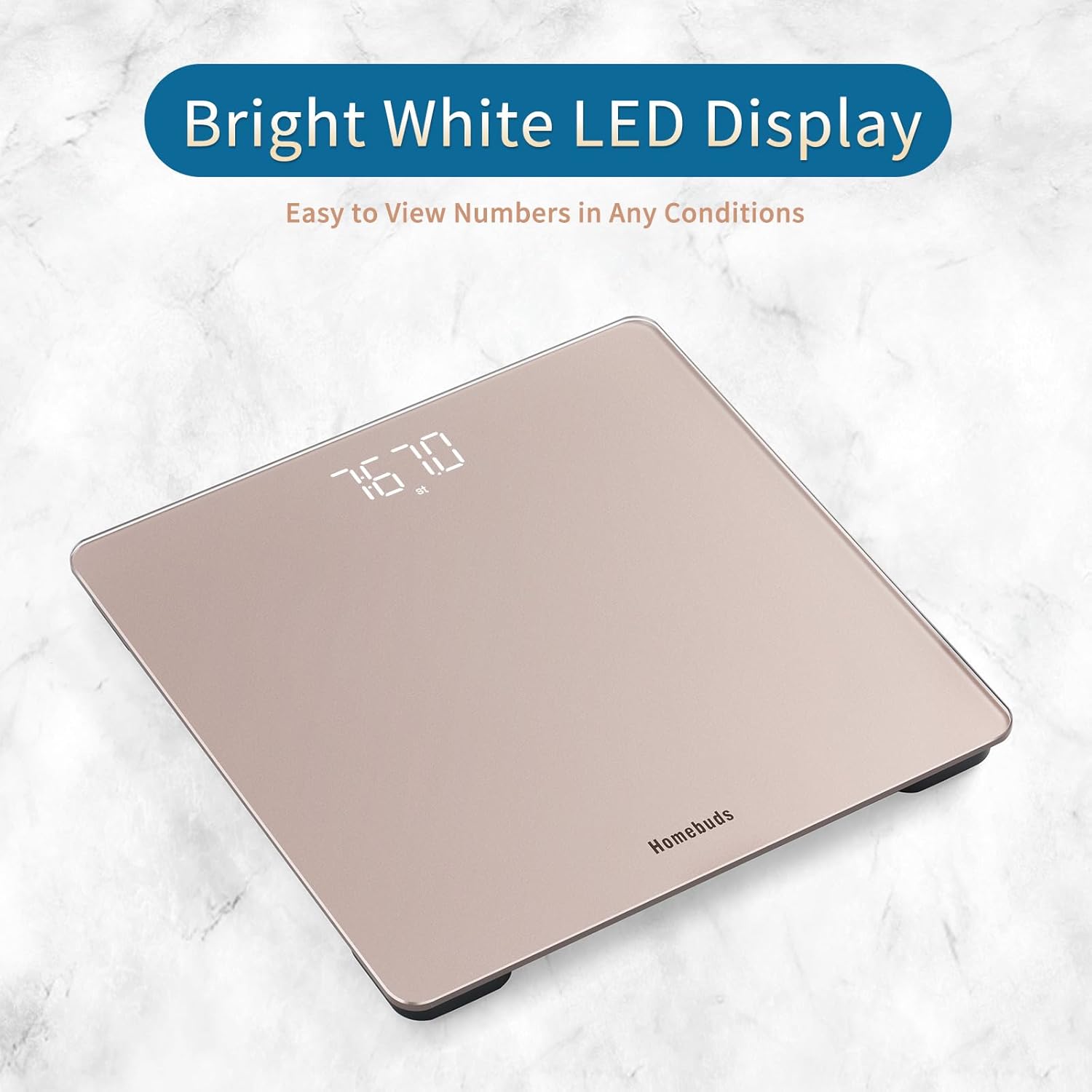
Thank you for choosing the Homebuds Digital Bathroom Scale HB9057. This high-precision body weight scale is designed to provide accurate measurements for your health monitoring. Featuring a large, bright white LED display and a durable tempered glass platform, it offers ease of use and reliable performance. This manual provides essential information for the proper setup, operation, and maintenance of your scale.
Atụmatụ gụnyere:
- High precision measurement: 0.1lb / 0.05kg accuracy.
- Large capacity: Up to 400lb / 182kg.
- Bright white LED display for clear visibility in any lighting.
- Step-on technology for instant readings.
- Automatic calibration and shut-off.
- Unit switch function: lb / kg / st.
- Comfortably large platform: 10.9 x 10.9 inches.
2. Ozi nchekwa
Please read all instructions before use and keep this manual for future reference. Improper use may result in injury or damage to the scale.
- Always place the scale on a hard, flat, and stable surface. Using it on soft surfaces like carpet can affect accuracy.
- The scale's surface is tempered glass. Handle with care. Avoid dropping or striking the scale, as this may cause damage or injury.
- Keep the scale dry. Avoid contact with water or other liquids.
- Do not use the scale if the glass surface is cracked or broken.
- Do not stand on the edge of the scale. Stand centrally to prevent tipping.
- This scale is for household use only and is not intended for medical diagnosis or treatment.
- Debe batrị ebe ụmụaka na-apụghị iru. Ọ bụrụ na iloro, chọọ nlekọta ahụike ozugbo.
3. Ihe ngwugwu
Chọpụta na ihe niile dị na ngwugwu gị:
- Homebuds Digital Bathroom Scale HB9057
- Batrị AAA 3 x (etinyere ya ma ọ bụ tinye ya iche)
- Akwụkwọ ntuziaka (akwụkwọ a)
4. Ngwaahịa gafereview
The Homebuds Digital Bathroom Scale HB9057 features a sleek design with a rose gold finish and a clear LED display. The underside includes the battery compartment and a unit switch button.


5. Nhazi
Follow these steps to prepare your scale for first use:
- Wụnye batrị: Open the battery compartment on the underside of the scale. Insert the 3 AAA batteries, ensuring correct polarity (+/-). If batteries are pre-installed, remove the plastic insulator strip if present.
- Nkwanye: Place the scale on a hard, flat, and stable surface. Avoid carpets, rugs, or uneven flooring, as this can lead to inaccurate readings.
- Nhazi izizi: For the first use or after moving the scale, it is recommended to perform an initial calibration. Briefly step on the scale until numbers appear, then step off. The display will show '0.0' or 'CAL' and then turn off. This indicates successful calibration.

6. Ntuziaka ọrụ
Your Homebuds Digital Bathroom Scale is designed for simple operation:
- Gaa n'ihu: Gently step onto the center of the scale with bare, dry feet. The scale will automatically turn on and begin measuring.
- Gụọ nha: Stand still until your weight is displayed on the bright white LED screen. The reading will flash a few times to indicate it has stabilized.
- Nchekwa onwe: After a few seconds of displaying your weight, the scale will automatically turn off to conserve battery life.
7. Ntugharị nkeji
To switch between measurement units (pounds (lb), kilograms (kg), and stones (st)):
- Locate the unit switch button on the underside of the scale (refer to Figure 4.2).
- Press the button to cycle through the available units: lb → kg → st.
- The selected unit will be displayed on the screen during your next measurement.
8. Nlekọta na nlekọta
Proper care will ensure the longevity and accuracy of your scale:
- Nhicha: Jiri nwayọ hichaa elu ọnụ ọgụgụ, damp akwa . Ejila ihe nchacha abrasive ma ọ bụ iminye nha n'ime mmiri.
- Nchekwa: Store the scale in a cool, dry place. Avoid extreme temperatures or high humidity.
- Ngbanwe batrị: When the display shows 'Lo', it's time to replace the batteries. Use 3 new AAA batteries.
- Zenarị ibu ibu: Do not exceed the maximum weight capacity of 400lb / 182kg.
9. Nchọpụta nsogbu
If you encounter issues with your scale, refer to the following common problems and solutions:
| Nsogbu | Ihe nwere ike ime | Ngwọta |
|---|---|---|
| No display / Scale won't turn on | Batrị nwụrụ anwụ ma ọ bụ arụnyere na ezighi ezi. | Lelee polarity nke batrị. Jiri batrị AAA ọhụrụ dochie ya. |
| Ọgụgụ na-ezighi ezi | Scale on soft/uneven surface; not calibrated; moved recently. | Place on a hard, flat surface. Perform initial calibration (step on, then off). Ensure scale has not been moved between measurements. |
| 'Lo' displayed | Ike batrị dị ala. | Dochie batrị AAA anọ niile. |
| 'Err' displayed | Njehie ibu oke ibu ma ọ bụ nha. | Step off the scale. Ensure weight does not exceed 400lb / 182kg. If error persists, try recalibrating. |
10. Nkọwapụta
- Ụdị: HB9057
- Ike: 400 lb / 182 n'arọ / 28 st
- izi ezi: 0.1 lb / 0.05 n'arọ
- Nkeji: lb / n'arọ / abụrụ
- Ngosipụta: Ọcha ọkụ ọkụ
- Ngwa Platform: Igwe ọkụ
- Akụkụ Platform: 10.9 x 10.9 sentimita (277 x 277 mm)
- Ike: Batrị 3 x AAA (gụnyere)
- Nchekwa onwe: Ee
- Onye nrụpụta: SHENZHEN SHINE INDUSTRIAL CO.,LTD.
11. Akwụkwọ ikike na nkwado
Homebuds is committed to providing high-quality products. For any questions, concerns, or support needs regarding your HB9057 Digital Bathroom Scale, please contact Homebuds customer service. Please refer to your purchase documentation for specific warranty details and contact information.
You can often find support contact details on the official Homebuds websaịtị ma ọ bụ site na onye na-ere ahịa ebe ịzụrụ ngwaahịa ahụ.


