1. Okwu mmalite na gafereview
The Bower Universal Battery Charger is designed for versatile charging of various battery types, including those found in DSLRs, digital cameras, camcorders, action cameras, and rechargeable NiMH AA/AAA batteries. Its adjustable design accommodates both 3.7V and 7.4V lithium-ion batteries, providing a convenient and efficient charging solution with a 5.04W power output. Additionally, it features a USB output for charging other compatible devices.
2. Ozi nchekwa
- Use this charger indoors only. Do not expose to rain or moisture.
- Ensure the correct battery type and voltage are used. Refer to your battery's specifications.
- Avoid short-circuiting the charger terminals.
- Anwala ịchaji batrị anaghị ebugharị.
- Keep the charger away from excessive heat sources and direct sunlight.
- Kpupu chaja n'oku ọkụ mgbe anaghị eji ya ma ọ bụ tupu ihicha.
- Debe ebe ụmụaka na-apụghị iru.
3. Ihe ngwugwu
- Bower Universal Battery Charger Unit
- Igwe ọkụ AC
4. Njirimara ngwaahịa na akụrụngwa

Foto 4.1: N'ihu view of the Bower Universal Battery Charger.

Foto 4.2: Zuru ezu view of charger components including power cord input, LED indicator, USB output, sliding tabs, adjustable clamp, and battery compartment.

Foto 4.3: The charger's universal compatibility with DSLR/Mirrorless, Digital Camera, Camcorder, and Action Camera batteries, along with rechargeable NiMH AA/AAA batteries. Features over-voltage and over-charge protection.
- Kemeghari Clamp and Sliding Tabs: These features allow the charger to securely hold various sizes of lithium-ion battery packs and cylindrical AA/AAA batteries.
- Ihe ngosi LED: Displays the charging status of the inserted battery. Green lights indicate charging progress, and a full green bar indicates a complete charge.
- USB mmepụta: A standard USB port is integrated, allowing you to charge any device that uses a USB connection (e.g., smartphones, tablets) directly from the charger.
- Ntinye ike AC: Connects the charger to a standard wall outlet using the provided AC power cord.
5. Nhazi
- Unpack the Bower Universal Battery Charger and its accessories.
- Connect the provided AC power cord to the charger's AC input port.
- Plug the other end of the AC power cord into a standard wall outlet. The LED indicator lights may briefly illuminate.
6. Ntuziaka ọrụ
6.1. Charging Lithium-Ion Battery Packs (3.7V/7.4V)
- Identify the positive (+) and negative (-) contact points on your battery pack.
- Press the gray button on the side of the charger to release the adjustable clamp and sliding tabs.
- Align the charger's metal pins with the corresponding contact points on your battery pack. Adjust the sliding tabs as needed to ensure a secure connection.
- Release the gray button to lock the battery pack firmly in place.
- The LED indicator will show the charging status. Green segments will light up sequentially as the battery charges. All segments illuminated green indicate a full charge.
- Once fully charged, press the gray button to release the battery and carefully remove it.

Foto 6.1: Charger with a DSLR/Mirrorless camera battery inserted.

Foto 6.2: Charger with a camcorder, digital, or action camera battery inserted.
6.2. Charging Rechargeable AA/AAA Batteries
- Ensure your AA/AAA batteries are rechargeable NiMH type. Do not attempt to charge standard alkaline batteries.
- Insert the AA/AAA batteries into the designated cylindrical slots, ensuring correct polarity (+ and - ends).
- Gently push the battery upwards until it clicks into place, securing it within the compartment.
- The LED indicator will show the charging status. Green segments will light up sequentially as the battery charges. All segments illuminated green indicate a full charge.
- Once fully charged, gently pull the battery downwards to release and remove it.
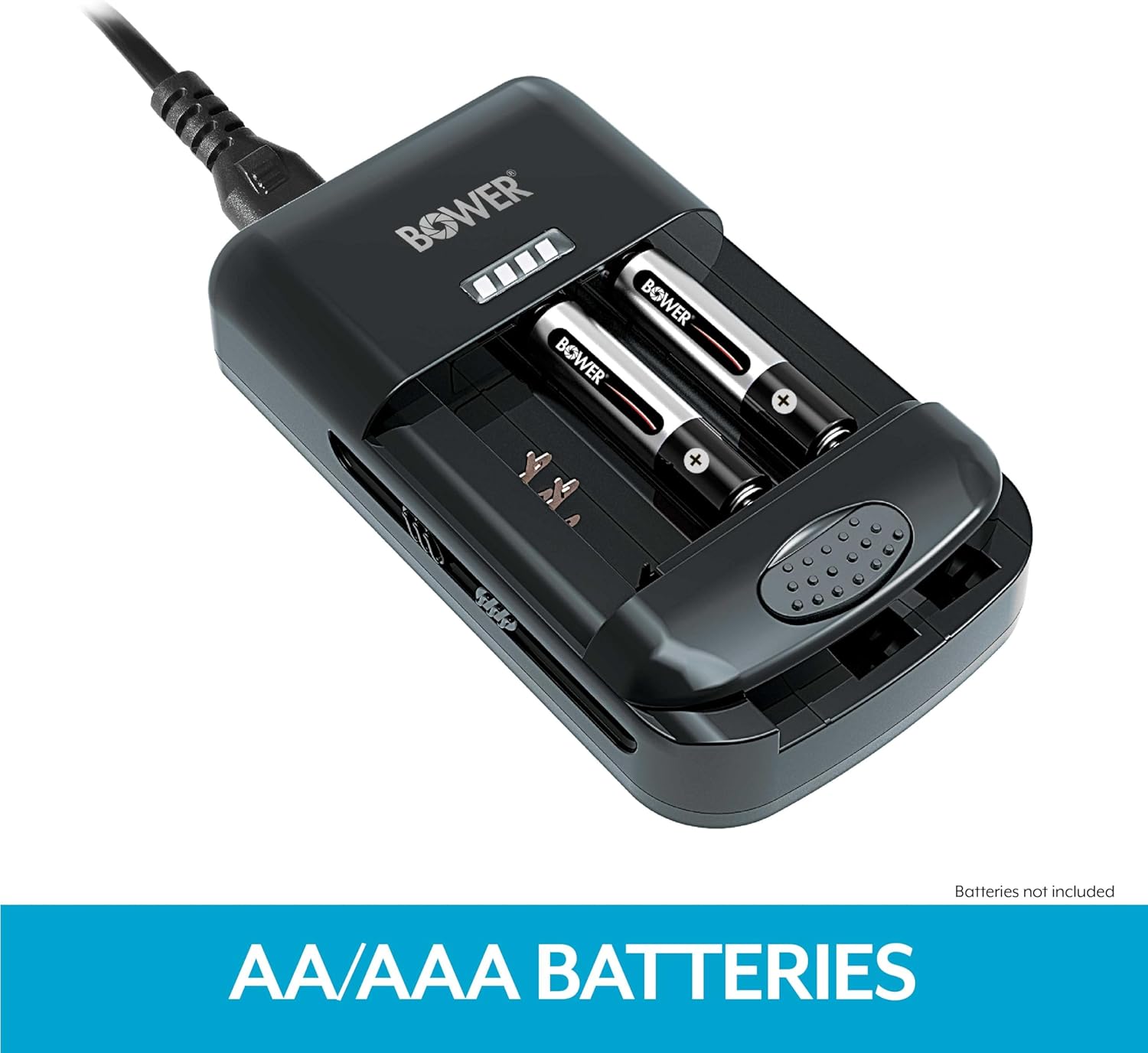
Foto 6.3: Charger with rechargeable AA/AAA batteries inserted.
6.3. Using the USB Output
- Connect your USB charging cable (not included) to the USB output port on the side of the charger.
- Connect the other end of the USB cable to your device (e.g., smartphone, tablet).
- Ensure the charger is plugged into a power source. The charger will provide power to your USB device.
7. Nlekọta
- Clean the charger with a soft, dry cloth. Do not use liquid cleaners or solvents.
- Ensure the charger's contact pins are free from dust and debris for optimal performance.
- Chekwaa chaja n'ebe dị jụụ, kpọrọ nkụ mgbe anaghị eji ya.
8. Nchọpụta nsogbu
- Chaja anaghị arụ ọrụ: Ensure the AC power cord is securely connected to both the charger and a working wall outlet.
- Battery not charging / LED not illuminating:
- For Li-ion battery packs, ensure the charger's pins are correctly aligned with the battery contacts and the battery is securely clamped.
- For AA/AAA batteries, ensure correct polarity and that the batteries are fully seated.
- Verify that the battery is rechargeable and not damaged.
- USB device not charging: Ensure the charger is connected to a power source and that the USB cable is functioning correctly and securely connected to both the charger and the device.
9. Nkọwapụta
| Akụkụ ngwaahịa | 3 x 2 x 1 sentimita (7.62 x 5.08 x 2.54 cm) |
| Ibu Ibu | 8.8 ounce (249.48 grams) |
| Mmepụta Voltage | 3.7 Volts (for Li-ion batteries) |
| Ntinye Voltage | 0.26 volts (AC) |
| Mpụta ike | 5.04 Watt |
| Agba | Nwa |
| Ndakọrịta | 3.7V/7.4V Li-ion Batteries, NiMH AA/AAA Batteries |
10. Akwụkwọ ikike na nkwado
Bower products are manufactured to high-quality standards. For warranty information, technical support, or customer service inquiries, please refer to the contact information provided on the product packaging or visit the official Bower websaịtị. Biko dowe akwụkwọ ikike ịzụrụ ihe ọ bụla.


