Okwu mmalite
Thank you for choosing the House of Marley Roots Bluetooth Speaker. This portable wireless speaker is designed for durability and exceptional sound, featuring IP67 water protection, a 10-hour playtime, and eco-friendly materials. This manual provides essential information for setting up, operating, and maintaining your speaker to ensure optimal performance and longevity.
Kedu ihe dị na Igbe ahụ
- House of Marley Roots Bluetooth Speaker
- USB-to-USB C charging cable
- Ntuziaka mmalite ngwa ngwa

Image: The House of Marley Roots speaker packaging, showing the speaker, charging cable, and quick start guide.
Ngwaahịa gafereview
Familiarize yourself with the key components and features of your Roots Bluetooth Speaker.
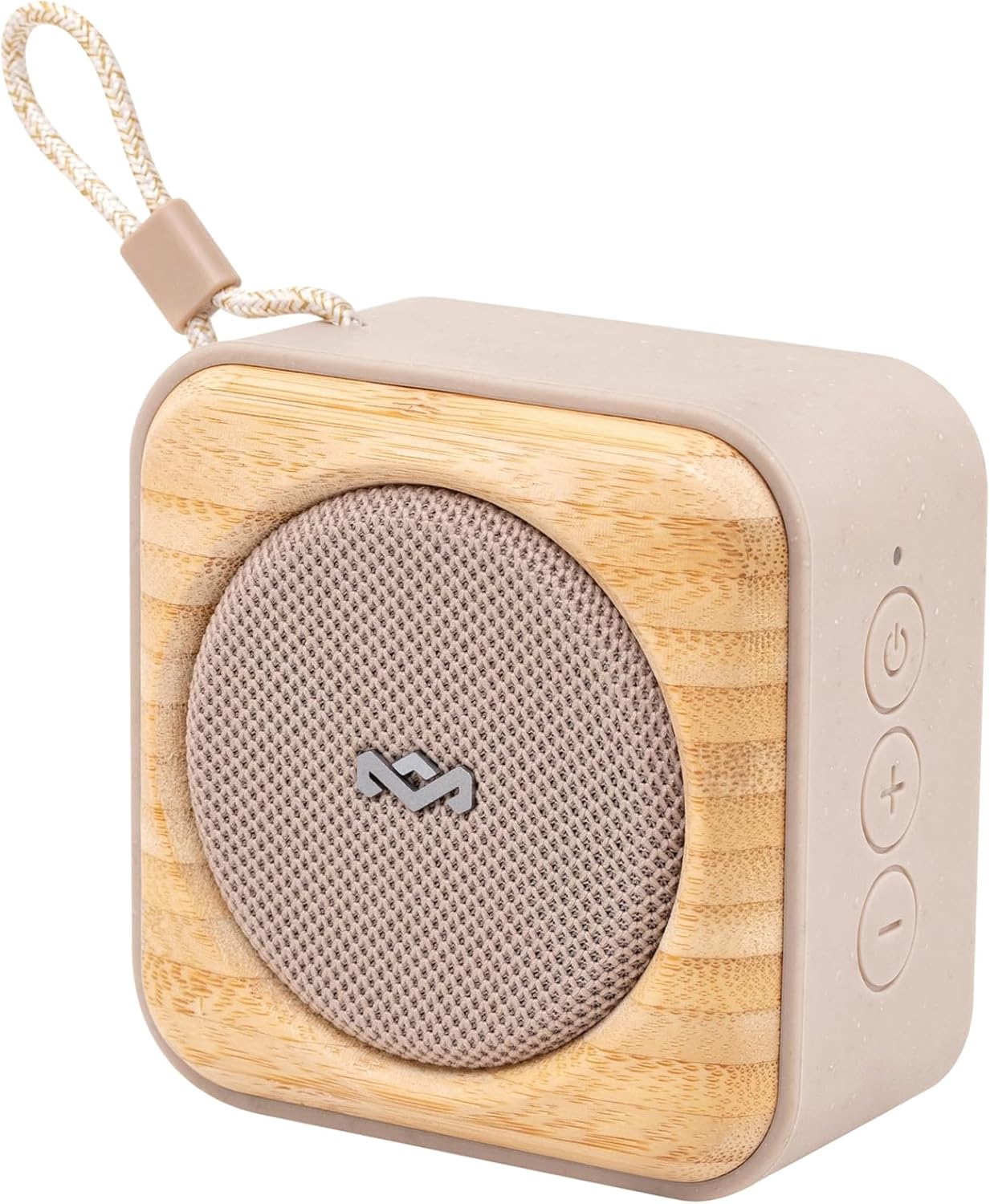
Oyiyi: Otu akụkụ view of the Roots speaker, highlighting its compact size, cream color, and bamboo front panel with a fabric grille.
Akụkụ ndị bụ isi:
- IP67 Water Protection: Designed to be fully waterproof and dustproof, suitable for outdoor use.
- Oge egwuregwu awa 10: Provides extended audio playback on a single charge.
- Ihe mmeghe karama arụrụ arụ: A convenient feature located on the back of the speaker.
- Party Pair Modes: Allows connection of multiple Roots speakers for stereo or party sound.
- Nchaji ngwa ngwa: Rapid charging capability for minimal downtime.
- Ihe na-adigide Crafted from recycled fabrics, plastics, and renewable bamboo.

Foto: N'azụ view of the Roots speaker, clearly showing the integrated bottle opener and the "MARLEY" branding.
Melite
Ịchaji ọkà okwu:
- Locate the USB-C charging port on your Roots speaker.
- Connect the provided USB-to-USB C charging cable to the speaker.
- Tinye nsọtụ nke ọzọ nke eriri USB ahụ n'ime ihe nkwụnye ike USB dakọtara (anaghị etinye ya) ma ọ bụ ọdụ USB nke kọmputa.
- The LED indicator will show charging status. A full charge provides up to 10 hours of playtime. Quick Charge allows 1 hour of playtime from 15 minutes of charging.
Njikọ Bluetooth:
- Ensure the Roots speaker is charged.
- Pịa ma jide bọtịnụ ike (⏻) on the speaker until you hear an audible prompt and the Bluetooth indicator light begins to flash, indicating pairing mode.
- On your device (smartphone, tablet, laptop), go to Bluetooth settings and enable Bluetooth.
- Chọọ maka "Roots Speaker" or a similar name in the list of available devices.
- Select the speaker to connect. Once connected, the Bluetooth indicator light will become solid, and you will hear a confirmation sound.
Ọrụ
Njikwa ndị bụ isi:
- Gbanyụọ/ Gbanyụọ: Pịa ma jide bọtịnụ ike (⏻).
- Olu elu: Pịa bọtịnụ '+'.
- Olu ala: Pịa bọtịnụ '-'.
- Gwuo/kwụsịtụ: Press the Play/Pause button (often integrated with Power or a separate button, refer to Quick Start Guide for specific button layout).
- Gaa egwu: Pịa bọtịnụ Play/kwụsịtụ ugboro abụọ.
- Gara aga Track: Pịa bọtịnụ Play/Pause ugboro atọ.

Foto: Ihu kpọmkwem view of the Roots speaker, showing the power, volume up, and volume down buttons on the right side panel.
Party Pair Modes (Stereo & Party):
The Roots speaker supports connecting to other Roots speakers for an enhanced audio experience.
- Ensure both Roots speakers are powered on and not connected to any device.
- On the first speaker (primary), press and hold the Bluetooth pairing button (or a dedicated Party Pair button if available, otherwise refer to Quick Start Guide for specific instructions).
- Repeat the action on the second speaker (secondary).
- The speakers will automatically connect to each other. Once paired, connect your device to the primary speaker via Bluetooth.
- Refer to the Quick Start Guide for detailed instructions on switching between Stereo and Party modes.
Iji ihe mepere karama:
The integrated bottle opener is located on the back of the speaker.
- Hold the speaker firmly.
- Position the bottle cap under the metal lip of the opener.
- Leverage the speaker to pop off the bottle cap.

Image: A person demonstrating the use of the Roots speaker's integrated bottle opener to open a beverage bottle.
Nlekọta
Nhicha:
- Tupu ị sachaa, hụ na agbanyụrụ igwe okwu ma gbanyụọ ya na isi iyi ike ọ bụla.
- Jiri nwayọ hichaa elu mpụta, damp akwa . Ejila kemịkalụ siri ike, ihe mgbaze, ma ọ bụ ncha siri ike.
- Allow the speaker to dry completely before use or storage.
Water Protection Guidelines (IP67):
- The Roots speaker is IP67 rated, meaning it is protected from dust ingress and can withstand immersion in water up to 1 meter for 30 minutes.
- Hụ na e mechiri mkpuchi ọdụ chaja nke ọma tupu i tinye igwe okwu n'ime mmiri.
- Etinyela okwu ahụ n'ime mmiri ruo ogologo oge ma ọ bụ karịa omimi akọwapụtara.
- After exposure to water, especially saltwater or chlorinated water, rinse the speaker with fresh water and allow it to air dry completely before charging or using.

Image: The Roots speaker resting on wet sand near the ocean, illustrating its IP67 water protection.
Nchọpụta nsogbu
| Nsogbu | Ihe kpatara/ Ngwọta nwere ike ime |
|---|---|
| Ọkà okwu anaghị agba ọkụ. | Battery is depleted. Charge the speaker using the provided USB-C cable. |
| Enweghị ike ijikọ na ngwaọrụ Bluetooth. |
|
| Enweghị ụda ma ọ bụ obere olu. |
|
| Party Pair mode not working. |
|
Nkọwapụta
| Njirimara | Nkọwa |
|---|---|
| Aha Nlereanya | Mgbọrọgwụ |
| Nọmba nlereanya | EM-JA022 |
| Ụdị Ọkà Okwu | Ọkà Okwu Nwere Ike |
| Teknụzụ Njikọta | Bluetooth |
| Teknụzụ nzikọrịta ozi ikuku | Bluetooth |
| Agba | Ude |
| Akụkụ ngwaahịa | 5"D x 5"W x 2"H |
| Ibu Ibu | 15.8 ounces |
| Ọkwa Nguzogide mmiri | IP67 (ihe mgbochi mmiri) |
| Isi Iyi Ike | Akwadoro batrị (1 batrị lithium ion gụnyere) |
| Ike Nwepu kacha elu | 7 Watt |
| Oge Nchaji | 15 minutes (for 1 hour playtime) |
| Ọnọdụ mmepụta ọdịyo | Stereo |
| Usoro njikwa | Metụ aka |
| UPC | 846885011416 |
| Onye nrụpụta | Ụlọ nke Marley |
Akwụkwọ ikike na nkwado
The House of Marley Roots Bluetooth Speaker comes with a Limited Warranty. For specific warranty terms and conditions, please refer to the warranty information included with your product or visit the official House of Marley websaịtị.
For technical support, troubleshooting assistance, or warranty claims, please contact House of Marley customer service directly. Contact information can typically be found on their official websaịtị ma ọ bụ na Ntuziaka mmalite ngwa ngwa.
Mara: Debe akwụkwọ ikike ịzụrụ gị maka ebumnuche ikike.