Okwu mmalite
This manual provides detailed instructions for the Cillso H97 Wireless Earbuds. Please read this manual carefully before using the product to ensure proper operation and to maximize your user experience. Keep this manual for future reference.

Image: The Cillso H97 Wireless Earbuds in their charging case, displaying the digital battery indicator.
Ihe ngwugwu
- Cillso H97 Wireless Earbuds (Left and Right)
- Nchaji case
- USB-C eriri USB
- Akwụkwọ ntuziaka onye ọrụ
Melite
1. Ịchaji ihe ntị na akpa
Before first use, fully charge the earbuds and the charging case. Connect the provided USB-C cable to the charging port on the case and to a 5V/1A or 5V/2A power adapter. The digital display on the case will indicate the charging status.
- Oge nchaji: Ihe dị ka awa 1.5 maka ụgwọ zuru ezu.
- Ndụ batrị: Up to 8 hours of playback per charge, and up to 40 hours total with the charging case.
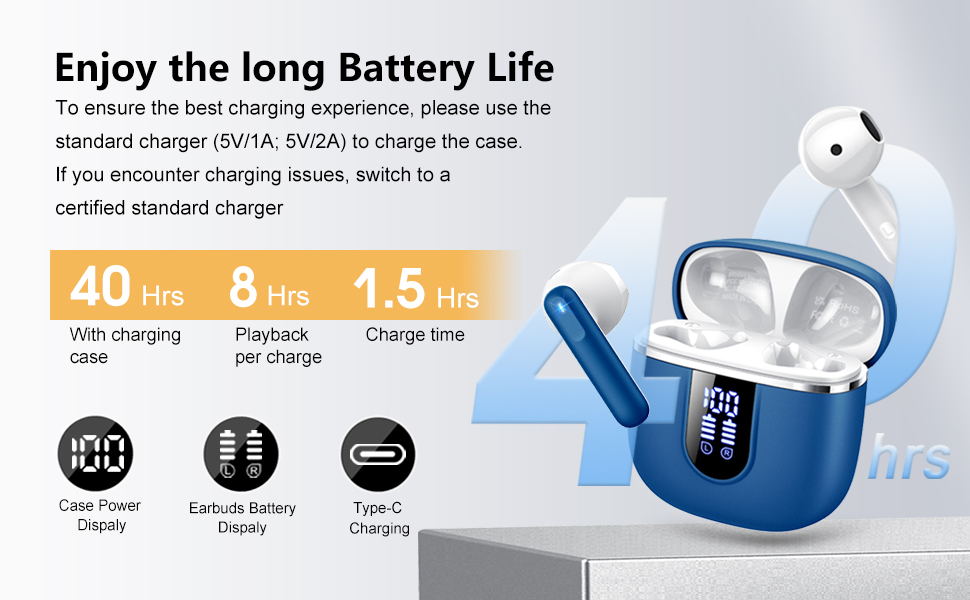
Image: Diagram illustrating the 40-hour total battery life, 8-hour single playback, and 1.5-hour charge time, along with the USB-C charging port and digital display.
The charging case is equipped with Over Current Protection (OCP) technology to prevent damage from prolonged high current. If the current exceeds the power limit, the power source will be cut off to protect the circuitry and device.

Image: Illustration explaining Over Current Protection (OCP) technology in the charging case.
2. Ijikọ na ngwaọrụ Bluetooth
- Mepee igbe nchaji. Igwe ntị ga-abanye na ọnọdụ njikọta na-akpaghị aka.
- Na ngwaọrụ gị (smartphone, mbadamba, laptọọpụ), gbanye Bluetooth.
- Chọọ maka "H97" in the list of available Bluetooth devices and select it to connect.
- Ozugbo ejikọrọ, ị ga-anụ nkwenye a na-anụ, na ntị ntị ga-adị njikere maka ojiji.
The H97 earbuds feature Bluetooth 5.4 for a more stable connection, longer transmission range, lower power consumption, and reduced latency.

Image: Visual representation of Bluetooth 5.4 technology, highlighting benefits like stable connection, longer range, lower power consumption, and lower latency.
3. Yiri ekwe ntị
Gently insert the earbuds into your ears, ensuring a comfortable and secure fit. The rounded tips are designed for in-ear comfort. Adjust them until the sound quality is optimal and they feel stable.

Image: Diagram showing the recommended angle for inserting the earbud into the ear for a secure fit.
Ntuziaka ọrụ
Njikwa mmetụ
The H97 earbuds feature sensitive touch sensors for easy control of various functions:
| Omume | Ọrụ |
|---|---|
| Double tap the left/right MFB button | Kpọọ/kwụsịtụ egwu |
| One tap the left/right MFB button | Zaa/Kwụsị oku |
| Long press the right/left MFB button for 2s | Egwu na-esote/Nke gara aga |
| One tap the left/right MFB button (during call) | Volume Up/Down (specific mapping not detailed, typical for single tap) |
| Triple tap MFB button | Activate Voice Assistant (common function) |

Image: Visual guide to the smart touch controls on the earbuds for playback and call management.
Njirimara ọdịyo
The H97 earbuds deliver a high-quality audio experience:
- Hi-Fi Stereo ụda: Featuring 13mm diameter speakers with crystal clear treble, vibrant mid-range, and powerful bass.
- 3D Bass Stereo: Enhanced bass for an immersive listening experience.
- Oku Crystal-Clear: Equipped with 4 ENC (Environmental Noise Cancelling) microphones to filter out background noise and suppress wind noise, ensuring clear communication.

Image: Diagram illustrating the 13mm speaker driver and triple-layer composite diaphragm for enhanced bass and sound quality.

Image: Illustration detailing the 4-microphone design for crystal-clear calls, including feedback and talk mics, and anti-wind noise features.
Ndakọrịta
The Cillso H97 Wireless Earbuds are compatible with a wide range of Bluetooth-enabled devices, including:
- Ekwentị mkpanaaka (Android, iOS)
- Mbadamba ụrọ
- Laptọọpụ
- Desktop Computers (with Bluetooth adapter)

Image: Icons representing compatibility with phones, tablets, laptops, and desktops, shown alongside the earbuds and a smartphone playing music.
Nlekọta
Nhicha na Nlekọta
The H97 earbuds are IP7 waterproof, offering protection against water, sweat, and rain. However, proper care is still recommended:
- Wipe the earbuds and charging case with a soft, dry cloth after each use, especially after workouts.
- Zere iji ihe nhicha ma ọ bụ ihe mgbaze.
- Gbaa mbọ hụ na ọdụ ụgbọ mmiri ahụ akpọnwụwo tupu ị jikọọ eriri chaja.
- Chekwaa ntị ntị n'akpa chaja ha mgbe anaghị eji ya iji chebe ha ma debe ya ebubo.

Image: A person wearing the earbuds with water splashing, illustrating the IPX7 waterproof feature, along with icons for dust prevention, sweatproof, and nano material.
Ịchacha Omume kacha mma
- Always use the provided USB-C cable or a certified standard charger (5V/1A or 5V/2A) to charge the case.
- If you encounter charging issues, try switching to a different certified standard charger.
- Do not expose the charging case or earbuds to extreme temperatures.
Nchọpụta nsogbu
Okwu na ngwọta nkịtị
| Nsogbu | Ngwọta enwere ike |
|---|---|
| Eti ntị anaghị ejikọ ma ọ bụ jikọọ |
|
| Naanị otu earbud na-arụ ọrụ |
|
| Obere olu ma ọ bụ ogo ụda adịghị mma |
|
| Nchaji anaghị akwụ ụgwọ |
|
Nkọwapụta
| Njirimara | Nkọwa |
|---|---|
| Nọmba nlereanya | H97 |
| Ụdị | Cillso |
| Ụdị Bluetooth | 5.4 |
| Teknụzụ ọdịyo | 3D Bass Stereo, Hi-Fi Stereo Sound |
| Nha Ọkà Okwu | 13mm dayameta |
| Igwe okwu | 4 ENC Noise Cancelling Mics |
| Ndụ batrị (Earbuds) | Ruo awa 8 (ụgwọ otu) |
| ngụkọta oge egwuregwu | Ruo awa 40 (ya na akpa chaja) |
| Nchaji ọdụ ụgbọ mmiri | USB-C |
| Nchaji ntinye | 5V/1A or 5V/2A recommended |
| Ngosi nke enweghị mmiri | IP7 |
| Ngwa dakọtara | Smartphones, Tablets, Laptops, Bluetooth Devices |
| Oke ugboro ugboro | 20 Hz - 20,000 Hz |
| Ụdị ntị | Atụmatụ gburugburu |
| Akụkụ ngwaahịa | 0.79 x 0.79 x 0.79 inches (earbud dimensions, case dimensions are 48.9mm x 53.4mm) |
| Ibu Ibu | 0.352 ounces |

Image: Visual representation of the earbuds and charging case dimensions, emphasizing their lightweight and pocket-sized design.
Akwụkwọ ikike na nkwado
Ozi gbasara akwụkwọ ikike ngwaahịa na nkwado ndị ahịa adịghị na data enyere. Biko lee nkwakọ ngwaahịa ahụ ma ọ bụ nke onye nrụpụta ahụ. website for details on warranty coverage and how to contact customer support.
Ozi nchekwa
- Do not disassemble or modify the earbuds or charging case.
- Keep the product away from extreme temperatures, direct sunlight, and moisture.
- Zere idobe ma ọ bụ idobe ngwaahịa ahụ na mmetụta siri ike.
- Debe ebe ụmụaka na anụ ụlọ na-apụghị iru.
- Tụfuo ngwaahịa ahụ nke ọma dịka iwu mpaghara siri dị.


