Okwu mmalite
This manual provides comprehensive instructions for the installation, operation, and maintenance of the K-Rain K5 Select Gear Driven Rotor. Designed for efficient and effective watering of lawns and landscapes, the K5 Select rotor delivers outstanding coverage with water-saving features. Please read this manual thoroughly before installation and operation to ensure optimal performance and longevity of your sprinkler system.
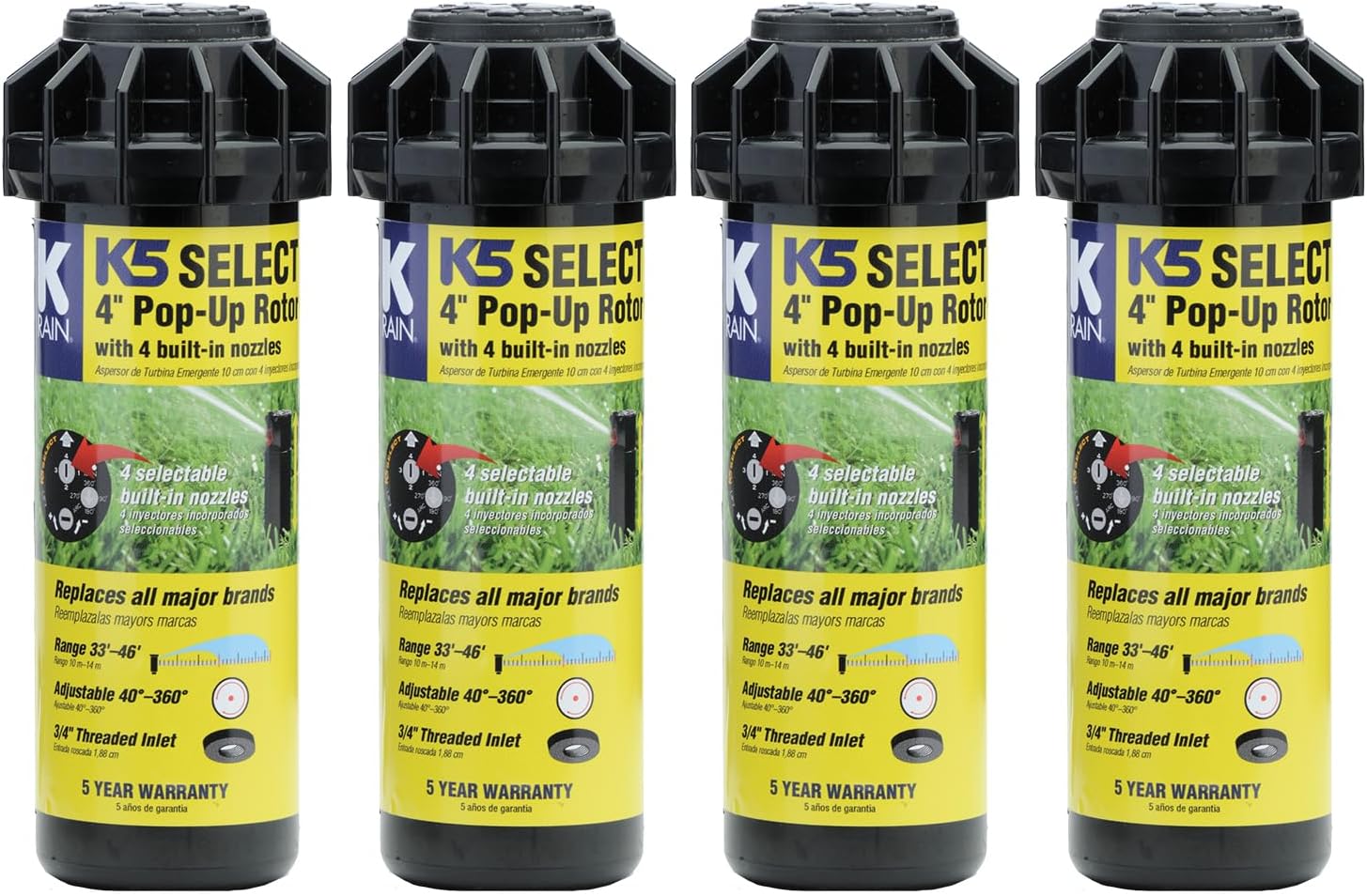
Image: A pack of four K-Rain K5 Select 4-inch Pop-Up Rotors, highlighting their key features like 4 built-in nozzles, adjustable arc, and 3/4" threaded inlet.
Njirimara ngwaahịa
- Gear Driven Rotor: Provides smooth, consistent rotation for uniform water distribution.
- Arc nwere ike imeghari: Spray arc pattern adjustable from 40° to 360° for precise coverage.
- Built-in Nozzles: Includes 4 selectable, water-saving nozzles (1.2-5 GPM output) to optimize water usage.
- ndakọrịta: Designed to replace major brands, ensuring seamless integration into existing systems.
- Ihe owuwu na-adịgide adịgide: Engineered for high performance and low maintenance, ensuring years of reliable operation.
- Standard Inlet: Features a 3/4" threaded inlet for easy connection.

Image: Diagram illustrating the K5 Select's key specifications: Radius (22'-45'), Arc Range (40°-360°), and Inlet Size (3/4").
Ntọala na nwụnye
Proper installation is crucial for the optimal performance of your K-Rain K5 Select rotor. Follow these steps carefully.
1. Nkwadebe saịtị
- Identify the desired location for the rotor, ensuring it provides adequate coverage for the area.
- Dig a trench from the main water line to the rotor location, ensuring it is deep enough to bury the pipe below the frost line (if applicable) and prevent damage.
2. Connecting the Rotor
- Ensure the water supply is turned off before beginning installation.
- Thread the 3/4" inlet of the K5 Select rotor onto the riser pipe. Hand-tighten first, then use a wrench for a snug fit, being careful not to overtighten.
- Position the rotor so that the top is flush with the ground level once the trench is backfilled.

Foto: nso nso view of the K-Rain K5 Select rotor's base, clearly showing the 3/4" threaded inlet for connection to the irrigation pipe.
3. Backfilling
- Carefully backfill the trench, ensuring the rotor remains upright and at the correct height.
- Compact the soil around the rotor to provide stability.
Ntuziaka ọrụ
The K5 Select rotor offers easy adjustment for spray pattern and distance.
1. Adjusting the Spray Arc (Pattern)
- Locate the arc adjustment slot on the top of the rotor (marked "ARC").
- Use the K-Rain adjustment tool or a flat-head screwdriver to rotate the arc adjustment screw.
- Turn clockwise to increase the arc and counter-clockwise to decrease it. The arc can be set from 40° to 360°.
2. Selecting Nozzles and Adjusting Distance
- The K5 Select comes with 4 built-in nozzles. To select a nozzle, lift the pop-up riser and rotate the nozzle turret until the desired nozzle (1, 2, 3, or 4) aligns with the nozzle arrow.
- To adjust the spray distance, locate the distance adjustment screw on the top of the rotor.
- Turn the screw clockwise to decrease the spray distance and counter-clockwise to increase it.
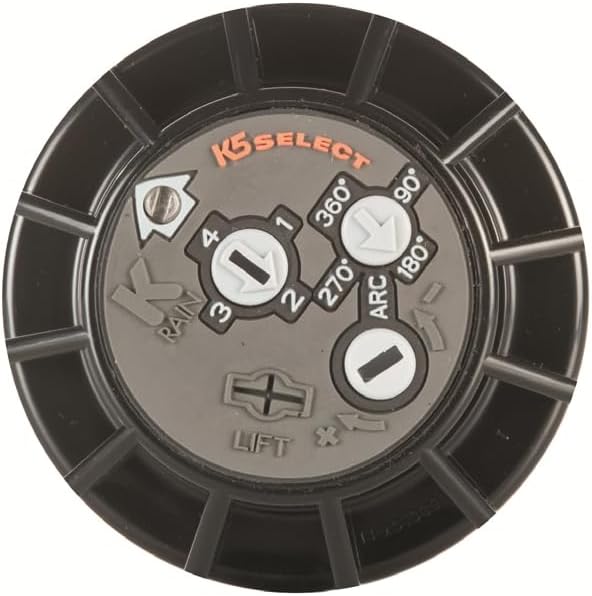
Foto: N'elu view of the K-Rain K5 Select rotor's top, displaying the markings for arc adjustment (40°, 90°, 180°, 270°, 360°) and nozzle selection (1, 2, 3, 4).
For a visual guide on adjusting the K5 Select rotor, you can refer to this video: K-Rain K5 Select Adjustment Video
Nlekọta
Regular maintenance ensures the longevity and efficient operation of your K-Rain K5 Select rotor.
- Nhicha: Periodically inspect the nozzle for debris. If clogged, gently remove any obstructions.
- Oge oyi: In colder climates, it is essential to properly winterize your irrigation system to prevent freeze damage. Consult a local irrigation professional for specific winterization procedures in your area.
- Nyocha: Regularly check for leaks around the rotor base or signs of physical damage. Address any issues promptly.
Nchọpụta nsogbu
| Nsogbu | Ihe nwere ike ime | Ngwọta |
|---|---|---|
| Rotor not rotating | Low water pressure, debris in nozzle, damaged gear mechanism. | Check water pressure, clean nozzle, inspect for damage (replace if necessary). |
| Nkesa mmiri na-ezighi ezi | Incorrect arc setting, wrong nozzle selected, clogged nozzle. | Adjust arc, select appropriate nozzle, clean nozzle. |
| Rotor not popping up | Low water pressure, debris around riser, damaged spring. | Check water pressure, clear debris, replace rotor if spring is damaged. |
| Mmiri na-agbapụta site na isi | Loose connection, damaged seal. | Tighten connection, inspect and replace seal if damaged. |
Nkọwapụta
| Njirimara | Nkọwa |
|---|---|
| Nọmba nlereanya | AMZ-K5SELECT-4PK |
| Ụdị | K-Rain |
| Ụdị | Gear Driven Rotor (Pop-Up) |
| Spray Arc Pattern | Adjustable 40° to 360° |
| Nozzles | 4 Built-in Water Saving Nozzles |
| Ọnụego mgbaba | 1.2-5 GPM (Gallons Per Minute) |
| Nha mbata | 3/4" Threaded |
| Akụkụ (L x W x H) | 2.75 x 2.75 x 7.38 sentimita asatọ |
| Ibu Ibu | 2.55 pounds (for the pack of 4) |
| UPC | 671923127398 |
Akwụkwọ ikike na nkwado
K-Rain products are designed for durability and performance. The K5 Select Gear Driven Rotor comes with a Akwụkwọ ikike nke afọ 5 as indicated on the product packaging.
For technical support, replacement parts, or warranty claims, please contact K-Rain customer service. Visit the official K-Rain websaịtị maka ozi kọntaktị na ihe ndị ọzọ.
You can visit the K-Rain Store on Amazon for more products and information: K-Rain Amazon Store


