1. Okwu mmalite
Daalụ maka ịzụrụasing the SIMATE 6.5" Self-Balancing Scooter. This manual provides essential information for the safe operation, maintenance, and troubleshooting of your scooter. Please read this manual thoroughly before first use and retain it for future reference.
2. Ozi nchekwa
Your safety is paramount. Always wear appropriate safety gear, including a helmet, knee pads, and elbow pads, when operating the scooter. Ensure you understand and comply with all local laws and regulations regarding the use of self-balancing scooters.
- This product is UL2272 Safety Certified, ensuring compliance with U.S. safety regulations.
- Ejila skuuta arụ ọrụ n'okpuru mmetụta nke mmanya ma ọ bụ ọgwụ ọjọọ.
- Avoid riding on uneven surfaces, steep slopes (over 15 degrees), or in wet conditions.
- Debe ebe dị nchebe site na ndị ji ụkwụ aga na ụgbọ ala ndị ọzọ.
- Children should be supervised by an adult during operation.
- Maximum load capacity is 220 lbs. Do not exceed this limit.
3. Ihe ngwugwu
Chọpụta na ihe niile dị na ngwugwu gị:
- SIMATE 6.5" Self-Balancing Scooter
- chaja
- Akwụkwọ ntuziaka (akwụkwọ a)
4. Ngwaahịa gafereview
The SIMATE 6.5" Self-Balancing Scooter features dual 250W motors, LED lights, and a self-balancing control system. It is designed for ease of use and enjoyment.

Foto 4.1: N'ihu view of the SIMATE 6.5" Self-Balancing Scooter in white.
Akụkụ ndị bụ isi:
- Self-Balancing System: Assists in maintaining balance for easier learning and riding.
- Ọkụ LED: Includes head lights and central lights for enhanced visibility and aesthetics.
- Bluetooth Music Speaker: Allows connection to a device for audio playback.
- APP Njikwa: Compatible with the "XsCar" app for advanced control and monitoring.
- Dual 250W Motors: Provides power for speeds up to 7.5 mph and a range of 7.5 miles.

Image 4.2: Diagram illustrating the self-balancing function and basic movement controls (Go Ahead, Back, Self-Balancing).
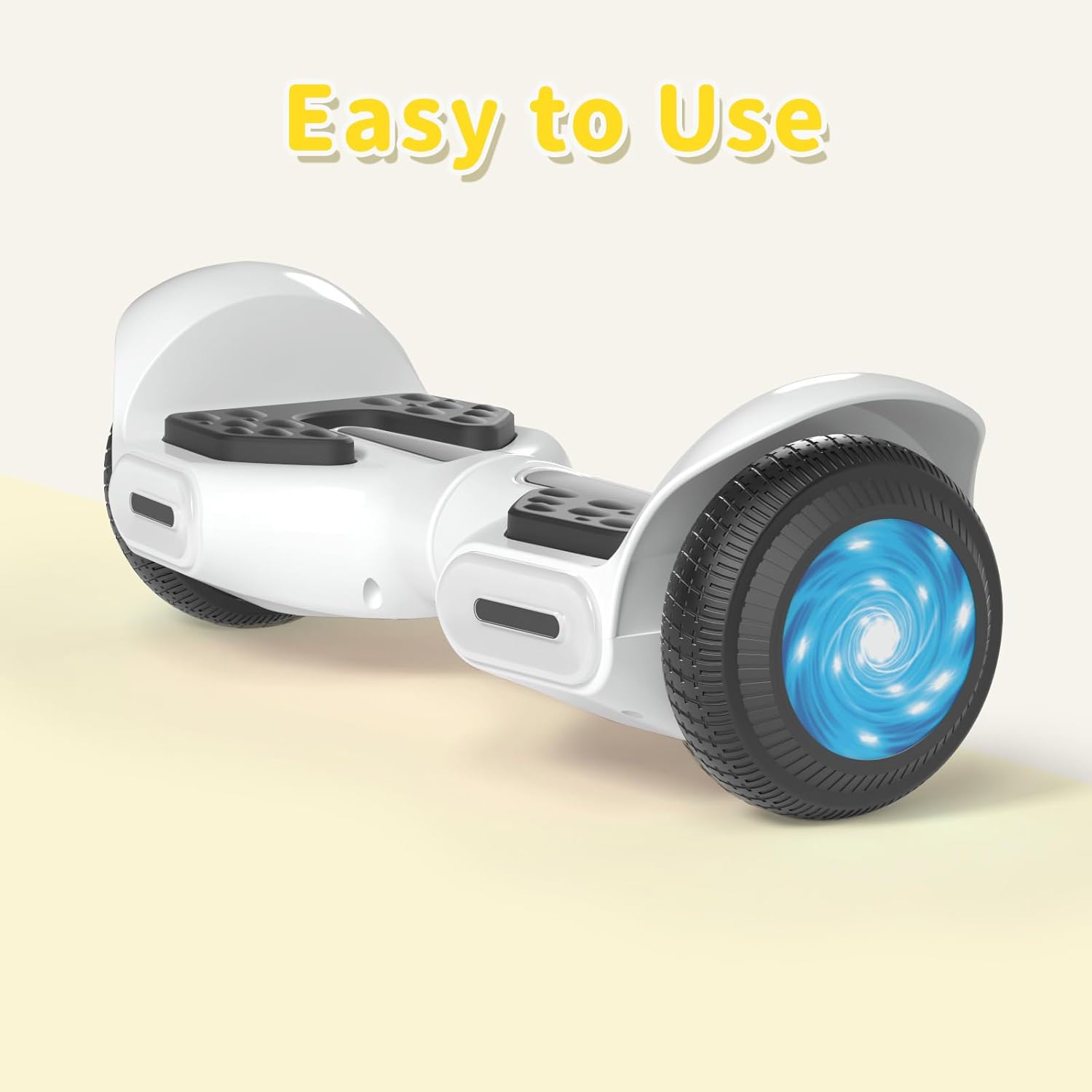
Foto 4.3: nso nso view of the head and central LED lights on the scooter.
5. Nhazi
5.1 Nchaji izizi
- Before first use, fully charge the scooter. Connect the charger to the charging port on the scooter and then to a power outlet.
- The indicator light on the charger will change (e.g., from red to green) when charging is complete. Charging typically takes 2-3 hours.
- Etinyela batrị ahụ oke chaja. Kwụpụ chaja ahụ ozugbo chajịchara.
5.2 Gbanyụọ ma ọ bụ gbanyụọ
- To power on, press and hold the power button located on the scooter.
- Iji gbanyụọ, pịa ma jide bọtịnụ ike ọzọ.
6. Ntuziaka ọrụ
6.1 First Ride Guidelines
- Place the scooter on a flat, level surface.
- Step onto one footpad, then quickly and confidently step onto the other footpad. Use a wall or another person for support initially.
- Lean slightly forward to move forward, and lean backward to slow down or move in reverse.
- To turn, apply gentle pressure with your left foot to turn right, and with your right foot to turn left.
- To dismount, step off one foot at a time, ensuring the scooter remains stable.
Video 6.1: Demonstration of basic riding techniques and self-balancing features for the SIMATE Kids Scooter.
6.2 Ụdị ọsọ
The scooter features three adjustable speed modes:
- Ọnọdụ nchekwa: Maximum speed 5 mph (suitable for beginners).
- Ụdị mmalite: Maximum speed 6.5 mph (suitable for novices).
- Ụdị egwuregwu: Maximum speed 8.5 mph (suitable for proficient users).

Image 6.2: Visual representation of the three speed modes: Safe, Beginner, and Sports.
6.3 App Control ("XsCar")
Download the exclusive "XsCar" app to unlock additional features and control options:
- Scan the QR code (if provided on packaging or scooter) or search for "XsCar" in your device's app store.
- Pair your scooter with the app via Bluetooth.
- Site na ngwa a, ị nwere ike:
- Power on/off the scooter.
- Adjust LED lights.
- Monitor speed and battery power.
- Set speed modes.
- Access other control features.

Image 6.3: Illustration of the "XsCar" app interface and its control capabilities for lights, speed, and battery.
6.4 Bluetooth Music Speaker
To use the built-in Bluetooth speaker:
- Ensure the scooter is powered on.
- Kwado Bluetooth na ekwentị mkpanaaka gị.
- Chọọ maka available Bluetooth devices and select "SIMATE Scooter" (or similar name).
- Once paired, you can play music through the scooter's speaker.
7. Nlekọta
7.1 Nhicha
- Jiri mgbasa ozi hichaa skuta ahụamp cloth after use. Avoid using excessive water or harsh cleaning agents.
- Do not use high-pressure water jets to clean the scooter, as this can damage electronic components.
7.2 Nlekọta batrị
- Chaji batrị ahụ mgbe niile, ọbụlagodi na scooter anaghị eji ya, iji hụ na batrị ahụ dị mma.
- Debe skuuta ahụ n'ebe dị jụụ ma kpọọ nkụ, ebe anwụ na-anaghị anwụ kpọmkwem na oke okpomọkụ dị oke njọ.
- If the scooter will not be used for an extended period, charge it to approximately 50% before storage.
7.3 Nchekwa
- Store the scooter indoors to protect it from weather elements.
- Debe skuuta n'ebe ihe ndị nwere ike ire ọkụ.
8. Nchọpụta nsogbu
| Nsogbu | Ihe nwere ike ime | Ngwọta |
|---|---|---|
| Scoota anaghị agba ọkụ. | Enweghị ike ịpị bọtịnụ batrị ma ọ bụ bọtịnụ ike nke ọma. | Charge the scooter fully. Ensure the power button is pressed and held for a few seconds. |
| Scooter is not balancing. | Rider weight distribution is incorrect or surface is uneven. | Ensure feet are centered on the footpads. Practice on a flat, smooth surface. |
| Igwe okwu Bluetooth anaghị ejikọta. | Bluetooth not enabled on device or scooter, or device is too far. | Ensure scooter is on and Bluetooth is enabled on your device. Move device closer to the scooter. Re-pair if necessary. |
| Oke ma ọ bụ ọsọ dị ala. | Low battery, heavy load, or riding on inclines. | Charge the battery fully. Reduce load. Avoid steep inclines. |
9. Nkọwapụta
| Njirimara | Nkọwa |
|---|---|
| Aha Nlereanya | 6.5" Scooter (K3) |
| Ụdị | SIMATE |
| Nha Wheel | 6.5 sentimita asatọ |
| Ike moto | Moto abụọ 250W |
| Ọsọ kacha | 7.5 mph (3 adjustable speed modes) |
| Max iche | 7.5 kilomita |
| Ibu Ibu | 220 n'arọ |
| Oge Nchaji | 2-3 awa |
| Ihe onwunwe | Aluminium, Rubber |
| Atụmatụ pụrụ iche | Built-In Bluetooth speaker, LED Lights, App Control |
| Asambodo nchekwa | UL2272 |
10. Akwụkwọ ikike Ozi
The SIMATE 6.5" Self-Balancing Scooter comes with a 1-afọ akwụkwọ ikike from the date of purchase. This warranty covers manufacturing defects under normal use. It does not cover damage caused by misuse, accidents, unauthorized modifications, or normal wear and tear.
Biko dowe ihe akaebe nke ịzụrụ ihe maka akwụkwọ ikike.
11. Nkwado ndị ahịa
For any questions, technical assistance, or warranty claims, please contact SIMATE customer support:
- Ọrụ ịntanetị: SIMATE provides 7*24 hours online service.
- Kpọtụrụ: Refer to the contact information provided on the product packaging or the official SIMATE websaịtị maka ọwa nkwado kachasị ọhụrụ.

Image 11.1: Illustration of a customer support representative, symbolizing available assistance.


