Okwu mmalite
Thank you for choosing the Vieta Pro Way 4 Headband Headphones. These headphones are designed to provide a superior audio experience with advanced features such as Bluetooth 5.4 connectivity, an integrated microphone, a dedicated gaming mode, and dual pairing capabilities. This manual will guide you through the setup, operation, and maintenance of your new headphones.
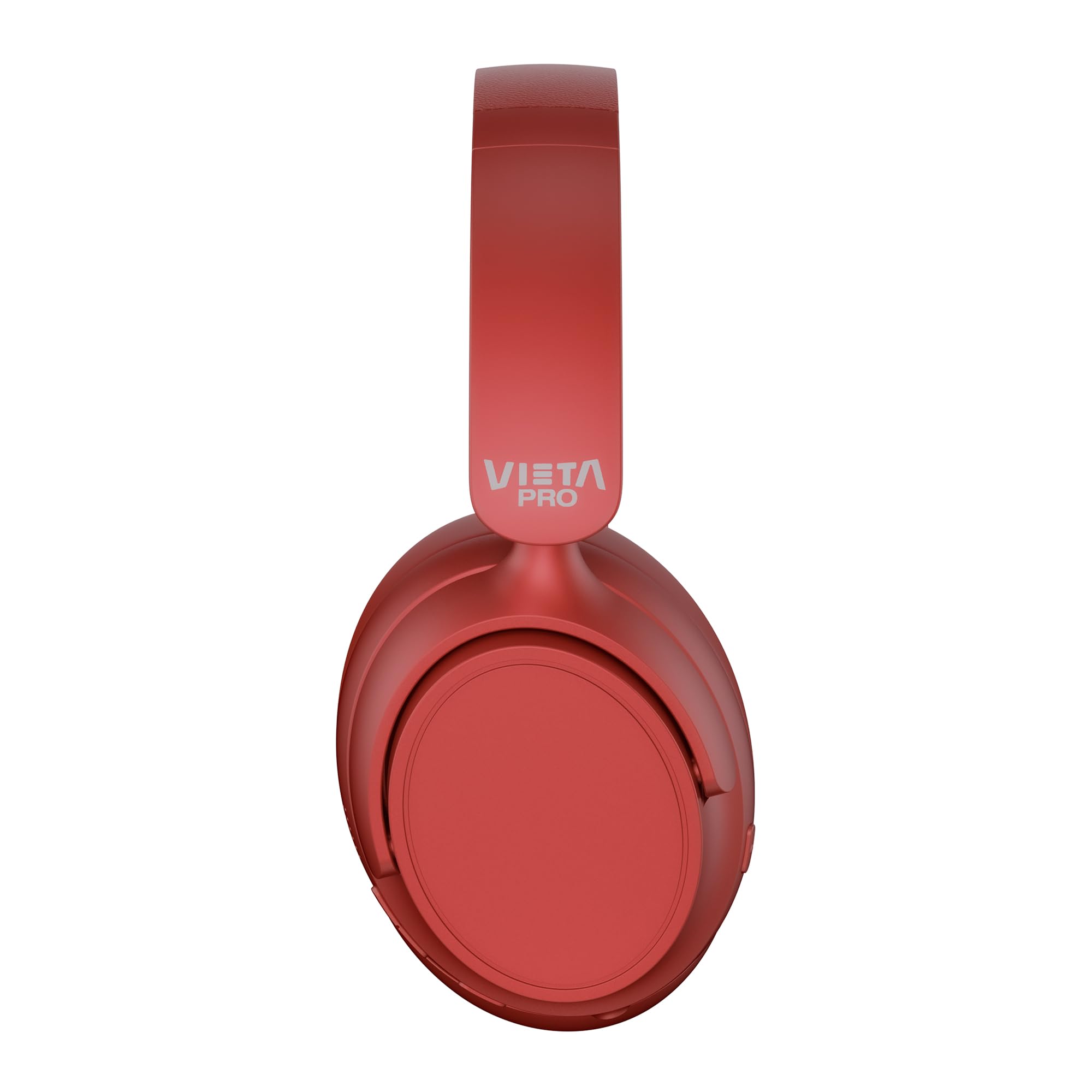
Foto: N'ihu view of the Vieta Pro Way 4 Headband Headphones in red.
Ihe ngwugwu
Biko lelee ma ihe niile dị na ngwugwu ahụ:
- Vieta Pro Way 4 Headband Headphones
- Igwe nchaji USB
- 3.5mm Audio Cable with integrated microphone
- Akwụkwọ ntuziaka (akwụkwọ a)
Ngwaahịa gafereview
Familiarize yourself with the various parts and controls of your headphones.

Image: Right earcup with power button, volume controls, USB-C charging port, and 3.5mm audio jack.
- Bọtịnụ ike: Used to power on/off and initiate Bluetooth pairing.
- Mgbakwunye olu/Bọtịnụ egwu na-esote: Press briefly to increase volume, press and hold for next track.
- Mbelata olu/Bọtịnụ egwu gara aga: Press briefly to decrease volume, press and hold for previous track.
- Bọtịnụ ọrụ ọtụtụ: For play/pause, answer/end calls, activate voice assistant.
- Ọdụ ụgbọ mmiri USB-C: Maka ịchaji ekweisi.
- Jack Audio: 3.5mm Maka njikọ wired na-eji eriri ọdịyo agụnyere.
- Igwe okwu agbakwunyere: For calls and voice assistant commands.

Image: Left earcup and adjustable headband of the Vieta Pro Way 4 headphones.
Melite
1. Ịchaji ekweisi
Tupu iji nke mbụ, chajịa ekweisi gị nke ọma.
- Jikọọ eriri USB n'ọdụ ụgbọ mmiri USB-C na ekweisi.
- Jikọọ nsọtụ nke ọzọ nke eriri na ihe nkwụnye ọkụ USB (anaghị etinye ya) ma ọ bụ ọdụ ụgbọ USB nke kọmputa.
- The LED indicator will show charging status (e.g., red for charging, blue/off for fully charged).
- Ụgwọ zuru ezu na-enye ihe ruru awa 50 nke nkwughachi.
2. Ịgbanye / gbanyụọ
- Iji gbanye: Press and hold the Power button for approximately 3 seconds until the LED indicator flashes.
- Iji gbanyụọ: Pịa ma jide bọtịnụ ike maka ihe dịka sekọnd 3 ruo mgbe ihe ngosi LED gbanyụrụ.
3. Njikọ Bluetooth
Jikọta ekweisi gị na ngwaọrụ gị maka ọdịyo ikuku.
- Gbaa mbọ hụ na agbanyụrụ ekweisi.
- Press and hold the Power button for approximately 5-7 seconds until the LED indicator flashes red and blue alternately, indicating pairing mode.
- Na ngwaọrụ gị (smartphone, tabletị, kọmpụta), mee ka Bluetooth nwee ike wee chọọ ngwaọrụ dị.
- Select "Vieta Pro Way 4" from the list of found devices.
- Once connected, the LED indicator will flash blue slowly or turn solid blue.
4. Mmakọ abụọ
The Vieta Pro Way 4 headphones support dual pairing, allowing simultaneous connection to two devices (e.g., phone and computer).
- Pair the headphones with the first device as described in "Bluetooth Pairing".
- Disable Bluetooth on the first device. The headphones will re-enter pairing mode.
- Jikọọ ekweisi na ngwaọrụ nke abụọ.
- Re-enable Bluetooth on the first device. The headphones should automatically connect to both devices.
- Audio will play from the device that is actively transmitting.
5. Wired Connection (Aux-in)
Use the included 3.5mm audio cable for a wired connection. This is useful when the battery is low or for devices without Bluetooth.
- Connect one end of the 3.5mm audio cable to the Aux-in port on the headphones.
- Connect the other end to the 3.5mm audio jack of your device.
- The headphones will automatically switch to wired mode. The integrated microphone on the cable can be used for calls in this mode.
Ntuziaka ọrụ
Egwu Egwu
- Gwuo/kwụsịtụ: Pịa bọtịnụ Multi-function ozugbo.
- Olu elu: Pịa bọtịnụ olu elu otu ugboro.
- Olu ala: Pịa bọtịnụ ụda ala otu ugboro.
- Track na-esote: Press and hold the Volume Up button.
- Gara aga Track: Pịa ma jide bọtịnụ ụda ala.
Njikwa Oku
- Azịza/Kwụsị Oku: Pịa bọtịnụ Multi-function ozugbo.
- Jụ oku: Pịa ma jide bọtịnụ ọtụtụ ọrụ maka sekọnd iri na abụọ.
- Nọmba Ikpeazụ emegharịgharịrị: Pịa bọtịnụ Multi-function ugboro abụọ.
Onye enyemaka olu
- Mee ka Onye Enyemaka Olu Mee Ọrụ (Siri, Google Assistant, wdg.): Triple-pịa bọtịnụ Multi-function.
Ụdị egwuregwu
Activate Gaming Mode to reduce Bluetooth latency for an optimized gaming experience.
- Mee ka/Mee ka egwuregwu rụọ ọrụ: Press the Power button twice quickly. The headphones will provide an audio cue.
Nlekọta
- Nhicha: Jiri ákwà dị nro ma kpọọ nkụ hichaa ekweisi gị. Ejila ihe nhicha ma ọ bụ ihe mgbaze.
- Nchekwa: Store the headphones in a cool, dry place. The foldable design allows for compact storage.
- Nlekọta batrị: Ka ịgbatị ndụ batrị ogologo, zere ịchaji ekweisi ugboro ugboro. Na-ana ha ego mgbe niile.
- Nguzogide mmiri: Igwe ekweisi ndị a anaghị egbochi mmiri. Zere ikpughe na mmiri ma ọ bụ oke mmiri.

Image: The Vieta Pro Way 4 headphones in their foldable configuration, demonstrating portability.
Nchọpụta nsogbu
| Nsogbu | Ihe nwere ike ime | Ngwọta |
|---|---|---|
| Igwe ekweisi anaghị agba ọkụ. | Batrị dị ala. | Chajie ekweisi nke ọma. |
| Enweghị ike ijikọ site na Bluetooth. | Ekweisi anaghị adị n'ụdị njikọta; Bluetooth agbanyụrụ na ngwaọrụ; ọ dị oke anya site na ngwaọrụ. | Ensure headphones are in pairing mode (flashing red/blue). Enable Bluetooth on your device. Move headphones closer to the device (within 10 meters). |
| Enweghị ụda ma ọ bụ obere olu. | Volume too low on headphones or device; incorrect audio source selected; headphones not connected. | Increase volume on both headphones and device. Check Bluetooth connection or 3.5mm cable connection. Ensure the correct audio output is selected on your device. |
| Igwe okwu anaghị arụ ọrụ. | Microphone muted on device; incorrect input device selected; issue with 3.5mm cable microphone. | Check device settings to ensure microphone is not muted and "Vieta Pro Way 4" is selected as input. If using wired connection, ensure the cable's microphone is enabled/functional. |
| Audio delay in games. | Gaming Mode is not activated. | Activate Gaming Mode by double-pressing the Power button. |
Nkọwapụta
| Aha Nlereanya | Vieta Pro Way 4 |
| Nọmba nlereanya | gbachi nkịtị 3 |
| Njikọta | Bluetooth 5.4, 3.5mm Aux-in |
| Ndụ batrị | Ruo awa iri abụọ |
| Igwe okwu | Integrated (for Bluetooth), In-line (for 3.5mm cable) |
| Atụmatụ pụrụ iche | Gaming Mode, Dual Pairing, Foldable Design, Passive Noise Reduction |
| Mgbochi | 32 ohms |
| Ntinye ntị | Over-ear (Circumaural) |
| Ihe onwunwe | Plastic |
| Mmiri Nguzogide | Ọ bụghị ihe mgbochi mmiri |
| Ngwa dakọtara | Mobile devices, computers, game consoles |
Akwụkwọ ikike na nkwado
For warranty information and technical support, please refer to the warranty card included in your product packaging or visit the official Vieta Pro websaịtị.
Biko dowe akwụkwọ ikike ịzụrụ ihe ọ bụla.


