1. Ngwaahịa gafereview
The HIFI WALKER H20 Ultra is a high-resolution digital audio player designed for audiophiles. It features advanced audio processing, versatile connectivity, and a user-friendly interface, delivering studio-grade sound quality in a portable form factor.

2. Ihe ngwugwu
Nyochaa na etinyere ihe niile edepụtara n'okpuru na ngwugwu gị:
- H20 Ultra MP3 Player
- USB-C Data USB
- 128GB TF kaadị
- Velvet Storage Bag
- Akwụkwọ ntuziaka onye ọrụ

3. Nhazi na Njikwa Ngwaọrụ
Familiarize yourself with the physical layout and controls of your H20 Ultra player.
Njikwa akụkụ

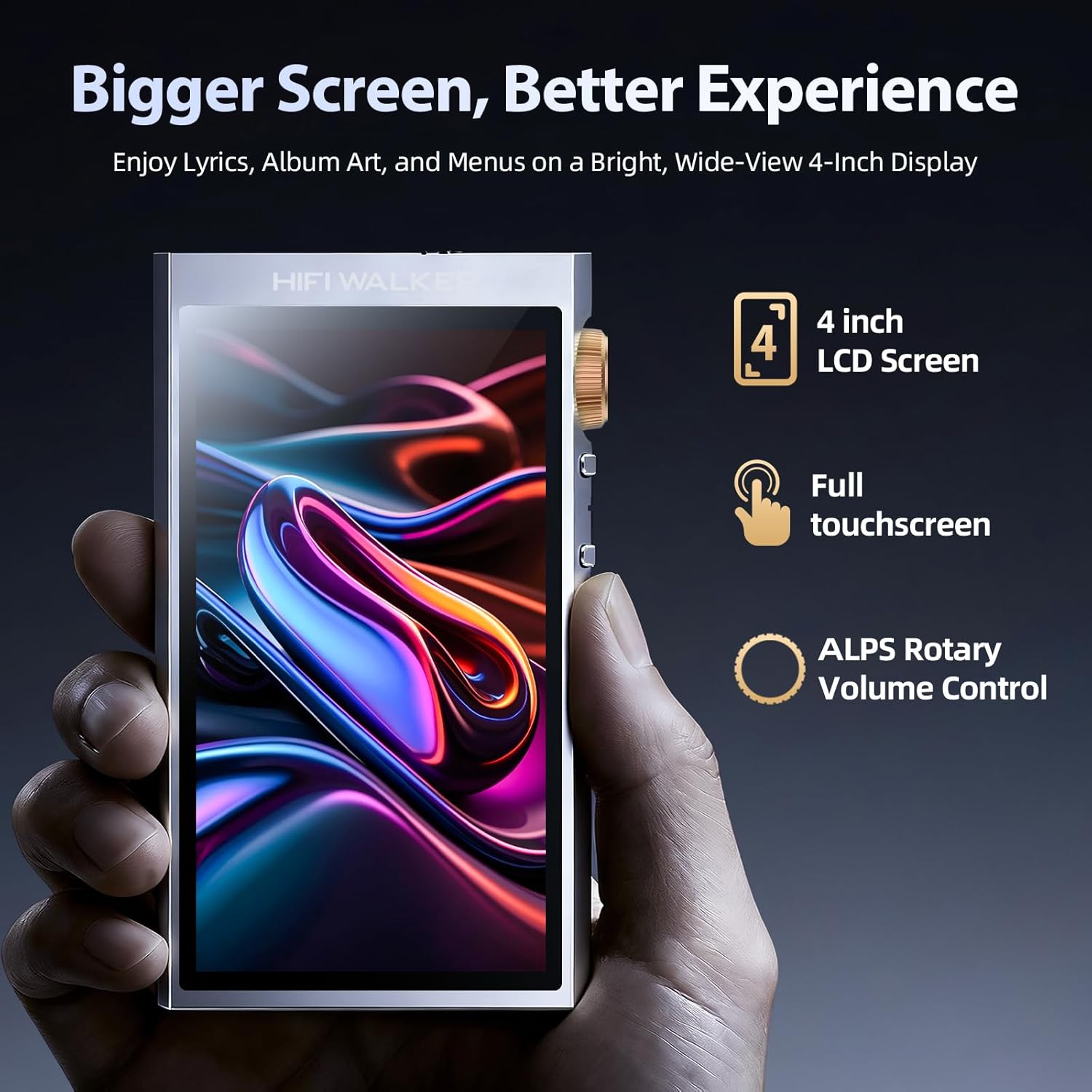
- Mpịakọta Mpịakọta: Rotatable knob for precise volume adjustment.
- Bọtịnụ ike: Press and hold to power on/off. Short press to toggle screen on/off.
- Bọtịnụ egwu gara aga/ na-esote: Navigate between tracks.
- Bọtịnụ Kwụsị/Kwụsị: Jikwaa egwu egwu.
Top and Bottom Ports
- 3.5mm Single-Ended Output: Standard headphone jack.
- 4.4mm Nwepụta Kwesịrị Ekwesị: For high-fidelity audio with compatible headphones.
- Ọdụ USB-C: For charging, data transfer, and USB DAC functionality.
- Oghere Kaadị MicroSD: For expandable storage up to 1TB.
4. Nhazi
4.1 Ịchaji ngwaọrụ
Before first use, fully charge your H20 Ultra. Connect the provided USB-C cable to the device and a compatible USB power adapter (not included). The device supports 3-hour fast charging and offers up to 36 hours of playback on a full charge.

4.2 Ịtinye kaadị MicroSD
The H20 Ultra comes with 128GB of internal storage and supports expandable storage via a microSD card up to 1TB. Gently insert the microSD card into the designated slot until it clicks into place.
4.3 Gbanyụọ/ gbanyụọ
Press and hold the Power button on the side of the device for a few seconds to power it on or off. A short press will toggle the screen on or off during operation.
4.4 Initial Language Selection
Upon first startup, you will be prompted to select your preferred language from the touchscreen interface.
5. Ntuziaka ọrụ
5.1 Nsoro Ụzọ Onye Ọrụ
The H20 Ultra features a 4-inch full touchscreen with an intuitive UI. Navigate through menus and options by tapping and swiping. Physical buttons on the side provide quick access to playback controls and volume adjustment.

5.2 Nghaghachi egwu
The H20 Ultra supports a wide array of high-resolution audio formats, including DSD, FLAC, WAV, ALAC, APE, M4A, and MP3. It offers native DSD256 decoding and PCM up to 768kHz/32bit.

Egwu nchọgharị
Access your music library through categories such as All Songs, Folders, Albums, Artists, and Genres. You can also create and manage playlists.
Ntọala nha nhata
Customize your audio experience with the built-in equalizer. Choose from preset modes (e.g., Pop, Blues, Classic, Jazz, Rock, Dance, Metal, Voice) or create a custom profile iji kwado mmasị gị.

5.3 Njikọ Bluetooth
The H20 Ultra features Bluetooth 5.2 with support for aptX HD and LDAC codecs, ensuring high-resolution wireless audio streaming. It supports both transmitter (TX) and receiver (RX) modes.

Ijikọ na ngwaọrụ Bluetooth
- Gaa na Ntọala > Ntọala ikuku > Bluetooth.
- Gbanwee Bluetooth ON.
- Họrọ Nyochaa Bluetooth to search for available devices.
- Choose your desired device from the list to pair.
5.4 Njikọta Wi-Fi
The device supports Wi-Fi for firmware updates and receiving songs wirelessly. To connect to Wi-Fi, navigate to Ntọala > Ntọala ikuku > Wi-Fi, turn it ON, and select your network.
5.5 USB DAC Functionality
The H20 Ultra can function as a USB DAC, allowing it to process digital audio from your computer or other devices for enhanced sound quality. Connect the device to your computer via the USB-C cable and select the USB DAC mode in the settings.
6. Nlekọta
6.1 Nlekọta batrị
To prolong battery life, avoid fully discharging the device frequently. Charge the 3000mAh battery regularly. The device supports up to 36 hours of playback and 3-hour fast charging.
6.2 Nhicha
Use a soft, dry cloth to clean the device. Avoid using harsh chemicals or abrasive materials that could damage the screen or casing.
6.3 Mmelite firmware
Periodically check for firmware updates to ensure optimal performance and access to new features. Connect the device to Wi-Fi and navigate to Ntọala > Ntọala sistemụ > Mmelite firmware.
7. Nchọpụta nsogbu
- Ngwaọrụ anaghị agbanye: Gbaa mbọ hụ na chajịrị ngwaọrụ ahụ nke ọma. Jikọọ ya na isi iyi ike wee nwaa ọzọ.
- Enweghị ụda: Check headphone connections (3.5mm or 4.4mm) and ensure volume is not muted or too low. Verify that the correct output mode is selected.
- Nsogbu njikọ Bluetooth: Ensure Bluetooth is enabled on both the H20 Ultra and the pairing device. Try unpairing and re-pairing the devices. Move closer to the Bluetooth device to reduce interference.
- Files not recognized: Gbaa mbọ hụ na ọdịyo files are in a supported format. Verify that the microSD card is properly inserted and not corrupted. Try updating the music database via settings.
- Enweghị ike imetụ aka na ihuenyo aka: Restart the device. If the issue persists, perform a factory reset (note: this will erase all data).
8. Nkọwapụta
| Nọmba Nlereanya ihe | H20 Ultra |
| Ụdị | HIFI WALKER |
| DAC Chip | ESS ES9038Q2M |
| Ike Nchekwa ebe nchekwa | 128 GB (expandable up to 1TB via microSD) |
| Teknụzụ Njikọta | Bluetooth 5.2 (aptX HD, LDAC), USB-C, Wi-Fi |
| Nha ihuenyo | 4 sentimita asatọ |
| Batrị | 3000mAh (up to 36 hours playback) |
| Mmepụta ọdịyo | 3.5mm Single-Ended, 4.4mm Balanced |
| Ụdị ọdịyo akwadoro | DSD256, PCM up to 768kHz/32bit, WAV, FLAC, ALAC, APE, M4A, MP3, etc. |
| Ibu Ibu | 14.4 ounces |
| Onye nrụpụta | HIFI WALKER |
9. Akwụkwọ ikike na nkwado
For warranty information and customer support, please refer to the specific warranty card included in your product package or visit the official HIFI WALKER website. The manufacturer is HIFI WALKER.


