Okwu mmalite
Thank you for choosing the Grundig Wireless Bluetooth Open-Ear Earbuds. These earbuds are designed to provide a comfortable listening experience with an open-ear design, allowing you to stay aware of your surroundings while enjoying your audio. This manual provides essential information on how to set up, operate, and maintain your earbuds.
Kedu ihe dị na Igbe ahụ
- Grundig Wireless Bluetooth Open-Ear Earbuds
- USB-C eriri USB
- Akwụkwọ ntuziaka onye ọrụ
Ngwaahịa gafereview
Familiarize yourself with the components of your earbuds:
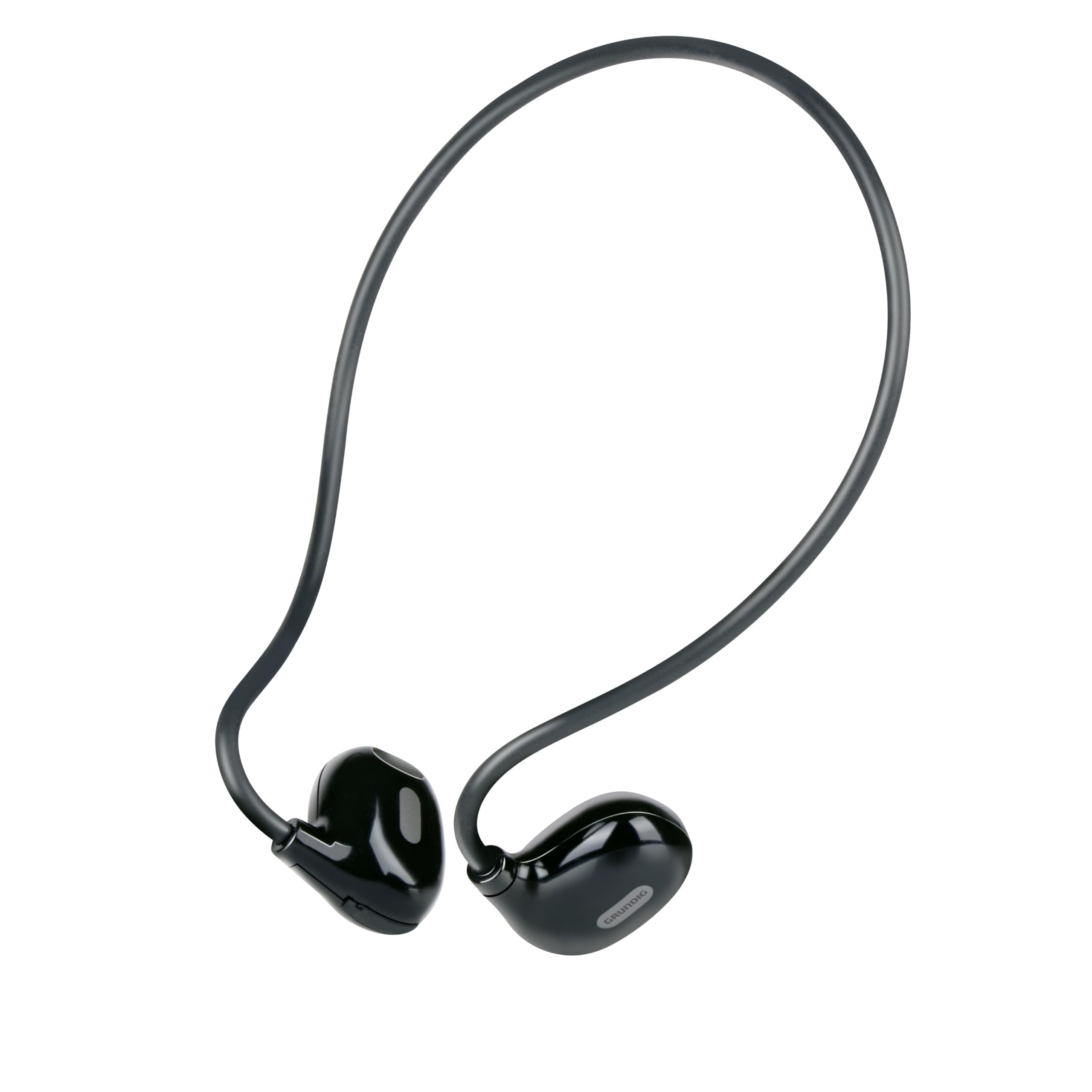
Figure 1: Close-up of a single earbud, highlighting the speaker and flexible ear hook.
- Earbud Unit: Contains the speaker and internal electronics.
- Flexible Ear Hook: Designed to fit securely around your ear.
- Igwe okwu: Maka oku na-enweghị aka.
- Mpaghara njikwa aka: For managing music and calls.
- Ọdụ ụgbọ mmiri USB-C: Located on one of the earbuds for power input.
Melite
1. Ịchaji ekwe ntị
- Connect the supplied USB-C charging cable to the charging port on the earbuds.
- Jikọọ nsọtụ nke ọzọ nke eriri USB-C na isi iyi ike USB dakọtara (dịka ọmụmaatụ, ihe nkwụnye mgbidi, ọdụ USB kọmputa).
- The indicator light on the earbuds will show the charging status. A full charge takes approximately 1.5 hours.
- Ozugbo chajịrị chaja zuru oke, kwụpụ eriri nchaji.
2. Ijikọ na ngwaọrụ
To connect your earbuds to a Bluetooth-enabled device:
- Ensure the earbuds are charged and powered off.
- Press and hold the touch control area on one earbud until the indicator light flashes, indicating pairing mode.
- On your device (phone, tablet, laptop), enable Bluetooth and search for available devices.
- Select "Grundig Earbuds" (or similar name) from the list of found devices.
- Once connected, the indicator light on the earbuds will change, usually to a slow flash or off, and you will hear an audible confirmation.
- Ekwe ntị ndị a ga-anwa ijikọghachi na ngwaọrụ ikpeazụ ejikọtara ozugbo mgbe agbanyere ya.
3. Yiri ekwe ntị
For optimal comfort and sound, wear the earbuds as shown:

Figure 2: Proper placement of the earbuds with the ear hook.
- Place the earbud unit near your ear canal, ensuring the speaker is positioned to direct sound into your ear.
- Gently hook the flexible ear hook behind your ear to secure the earbud in place.
- Adjust for a comfortable and stable fit.
Na-arụ ọrụ Earbuds
Gbanyụọ/ Gbanyụọ
- Ike Na: Press and hold the touch control area for a few seconds until you hear a power-on prompt.
- Gbanyụọ: Press and hold the touch control area for a few seconds until you hear a power-off prompt.
Egwu Egwu
- Gwuo/kwụsịtụ: Tap the touch control area once.
- Track na-esote: Double-tap the right earbud's touch control area.
- Gara aga Track: Double-tap the left earbud's touch control area.
Njikwa Oku
- Azịza/Kwụsị Oku: Tap the touch control area once during an incoming call or an active call.
- Jụ oku: Press and hold the touch control area for 2 seconds during an incoming call.
Njikwa olu
Volume control is typically managed directly from your connected device. The earbuds support media control functions for play/pause and track skipping.
Nlekọta
- Nhicha: Use a soft, dry cloth to clean the earbuds. Do not use abrasive cleaners or immerse them in water.
- Nchekwa: Store the earbuds in a cool, dry place away from direct sunlight and extreme temperatures.
- Nlekọta batrị: To prolong battery life, charge the earbuds regularly, even if not in frequent use. Avoid fully discharging the battery for extended periods.
Nchọpụta nsogbu
| Nsogbu | Ngwọta |
|---|---|
| Eti ntị anaghị agba ọkụ. | Ensure the earbuds are fully charged. Connect them to the USB-C charging cable and allow 1.5 hours for a full charge. |
| Enweghị ike ijikọ na ngwaọrụ. | Make sure Bluetooth is enabled on your device. Ensure the earbuds are in pairing mode (indicator light flashing). Move the earbuds closer to your device. Forget previous pairings on your device and try again. |
| Enweghị ụda ma ọ bụ obere olu. | Check the volume level on both your connected device and the earbuds. Ensure the earbuds are properly seated on your ears. Reconnect the earbuds to your device. |
| Calls are unclear. | Ensure the microphone is not obstructed. Move to an area with less background noise. Check your device's call settings. |
| Earbuds disconnect frequently. | Ensure the earbuds are within the Bluetooth range of your device. Avoid obstacles between the earbuds and your device. Charge the earbuds if the battery is low. |
Nkọwapụta
| Nọmba nlereanya | 8711252259871 |
| Ụdị | Grundig |
| Teknụzụ Njikọta | Ikuku (Bluetooth 5.3) |
| Ntinye ntị | Mepee Ntị |
| Usoro njikwa | Njikwa aka |
| Ndụ batrị | Ruo awa iri abụọ |
| Oge Nchaji | Ihe dị ka awa 1.5 |
| Nchaji ọdụ ụgbọ mmiri | USB-C |
| Ihe onwunwe | Plastic na silicone |
| Ọkwa Nguzogide mmiri | Ọ bụghị ihe mgbochi mmiri |
| Ngwa dakọtara | Mobile phones, tablets, laptops, game consoles, desktop computers, smart speakers |
| Atụmatụ pụrụ iche | Fast charging, Hands-free calls |
Ozi nchekwa
- Ejila ekweisi dị elu ruo ogologo oge iji gbochie mmebi ntị.
- Ejila ekweisi ekwe ntị n'ọnọdụ ebe enweghị ike ịnụ ụda gburugburu nwere ike ịdị ize ndụ (dịka ọmụmaatụ, ịnya ụgbọala, ịgba ígwè, ịga ije n'okporo ụzọ).
- Keep the earbuds away from water and moisture.
- Do not attempt to disassemble or modify the earbuds.
- Debe ebe ụmụaka na-apụghị iru.
- Tụfuo ngwaahịa ahụ nke ọma dịka iwu mpaghara siri dị.
Akwụkwọ ikike na nkwado
Grundig products are designed for reliability and performance. For warranty information and customer support, please refer to the documentation provided with your purchase or visit the official Grundig websaịtị. Biko dowe akwụkwọ ikike ịzụrụ ihe ọ bụla.


