Xiaomi Redmi Pad SE 8.7-inch WiFi Tablet User Manual
Model: VHUU5100EU
Aha: XIAOMI
Okwu mmalite
This comprehensive user manual provides detailed instructions for setting up, operating, maintaining, and troubleshooting your Xiaomi Redmi Pad SE 8.7-inch WiFi tablet (Model: VHUU5100EU). Please read this manual thoroughly to ensure proper usage and to maximize your device's performance and longevity.
Kedu ihe dị na Igbe ahụ
Your Xiaomi Redmi Pad SE package includes the following items:
- Xiaomi Redmi Pad SE 8.7-inch WiFi Tablet
- Fast Car Dual USB 16W
- Ihe nkwụnye mgbidi
- eriri USB
Ngwaahịa gafereview
Familiarize yourself with the key components and design of your Xiaomi Redmi Pad SE.

Ihu na azụ View: The Xiaomi Redmi Pad SE in Auora Green, showcasing its 8.7-inch display and the rear camera module.
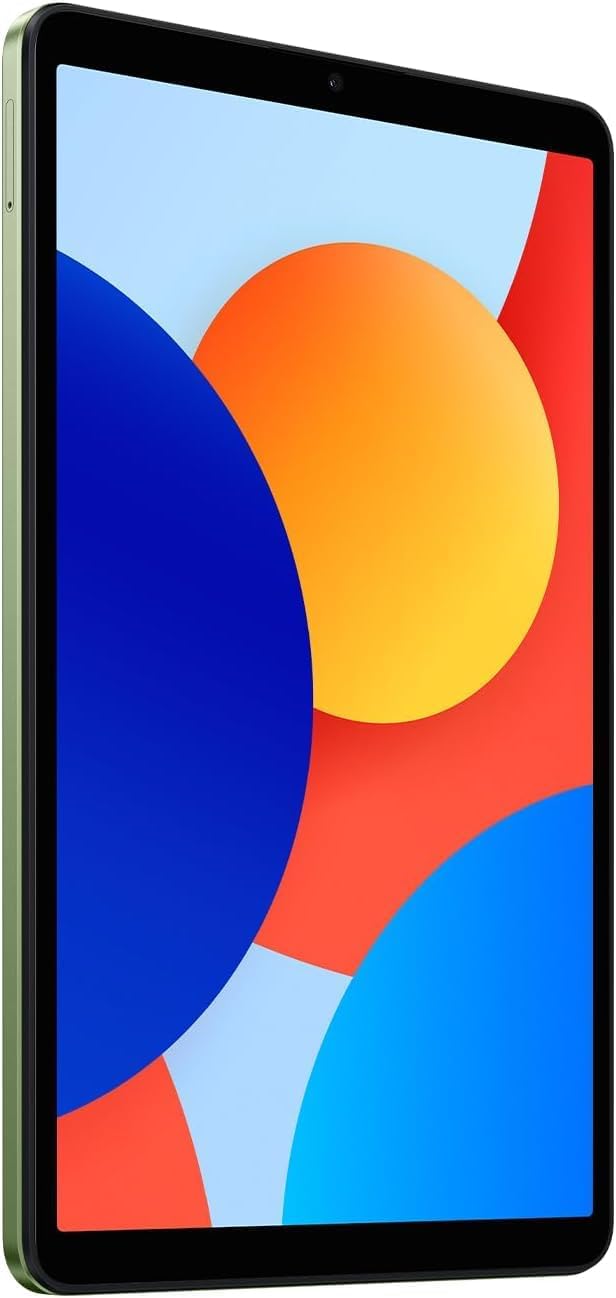
N'ihu View: A doro anya view of the 8.7-inch LCD display, ideal for media consumption and browsing.
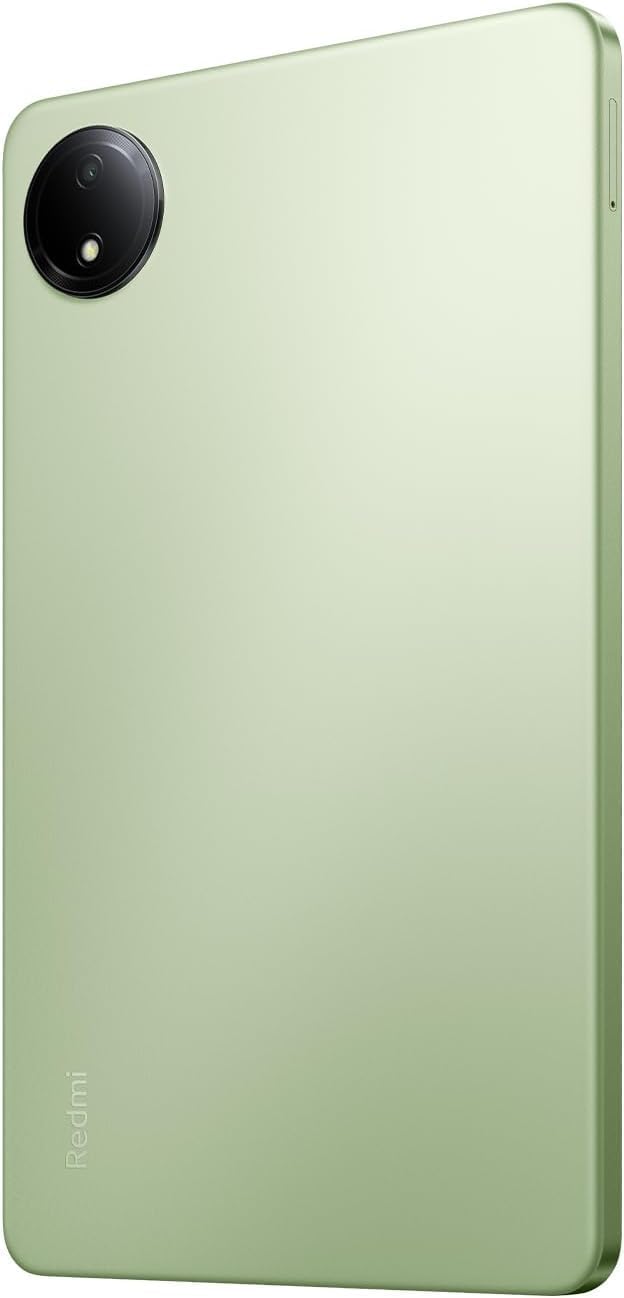
Azu View: The sleek rear panel of the tablet, highlighting the 8MP main camera.

Akụkụ View: Onye profile of the tablet, showing the power and volume buttons on the side.
Melite
- Ike Na: Press and hold the Power button on the side of the tablet until the Xiaomi logo appears.
- Nhazi izizi: Soro mkpali na ihuenyo ka ịhọrọ asụsụ gị, mpaghara, wee jikọọ na netwọk Wi-Fi.
- Akaụntụ Google: Banye na akaụntụ Google gị ma ọ bụ mepụta nke ọhụrụ. Nke a dị mkpa maka ịnweta ụlọ ahịa Google Play na ọrụ Google ndị ọzọ.
- Ntọala nchekwa: Set up your preferred screen lock method (PIN, pattern, password, or face unlock).
- Nnyefe Data (Nhọrọ): If you are upgrading from another device, you may choose to transfer your data during this step.
- Nhazi zuru oke: Finish the remaining setup steps to start using your tablet.
Ntuziaka ọrụ
Nsoro ụzọ
- Ihuenyo ụlọ: Pịa aka ekpe ma ọ bụ aka nri ka ịnyagharịa n'etiti ihuenyo ụlọ.
- Drawer ngwa: Si na ala ihuenyo pịgharịa ka ị nweta ngwa niile arụnyere.
- Amamọkwa & Ntọala ngwa ngwa: Si n'elu ihuenyo gaa ala view ọkwa na ịnweta ntọala ngwa ngwa (Wi-Fi, Bluetooth, wdg).
- Ngwa ọhụrụ: Tap the square icon (or swipe up and hold if using gestures) to view ma gbanwee n'etiti ngwa ejiri mee ihe ọhụrụ.
Multitasking
- Ihuenyo gbawara: From the recent apps screen, long-press an app icon and select the split-screen option to use two apps simultaneously.
- Floating Windows: Some apps support floating windows for quick access while using other applications.
Njikọta
- Wi-Fi: Gaa na Ntọala> Wi-Fi iji jikọọ na netwọk dịnụ.
- Bluetooth: Gaa na Ntọala > Bluetooth ijikọta ya na ngwaọrụ Bluetooth dịka ekweisi ma ọ bụ igwe okwu.
Nlekọta
Nlekọta batrị
- Zere oke okpomọkụ.
- Jiri chaja na eriri mbụ maka chaja kacha mma.
- Ekwela ka batrị kpochapu kpamkpam ugboro ugboro.
Mmelite ngwanrọ
Regularly check for and install system updates to ensure your device has the latest features, security patches, and performance improvements. Go to Settings > About tablet > System update.
Nhicha
Jiri ákwà dị nro, nke na-enweghị lint hichaa ihuenyo na ahụ nke mbadamba ahụ. Zere kemịkalụ siri ike ma ọ bụ ihe ndị na-emebi emebi.
Njikwa nchekwa
To optimize performance, regularly manage your storage by deleting unnecessary files and apps. You can expand storage using a microSD card.
Nchọpụta nsogbu
- Ngwaọrụ anaghị agba ọkụ: Ensure the tablet is charged. Connect it to the charger and wait a few minutes before attempting to power it on again.
- Okwu njikọ Wi-Fi: Restart your tablet and your Wi-Fi router. Forget the network in settings and reconnect.
- Ịrụ ngwa ngwa: Close unnecessary background apps, clear cache, and ensure sufficient storage space. Consider a factory reset as a last resort (back up your data first).
- Ngwa ndị na-emebi/na-eme ka oyi gbụpụta: Hichapụ cache na data n'ime ngwa ahụ Ntọala > NgwaỌ bụrụ na nsogbu ahụ anọgide, wepụ ma tinyegharịa ngwa ahụ.
Nkọwapụta
| Njirimara | Nkọwa |
|---|---|
| Ngosipụta ihuenyo guzoro ọtọ | 8.7 sentimita asatọ |
| Mkpebi ihuenyo | 1340x800 |
| Mkpebi ihuenyo kacha | 1340 x 800 pikselụ |
| Nhazi | 2 GHz Octa Core |
| Chipset ika | ARM |
| Sistemụ nrụọrụ | Android 14, HyperOS |
| Ibu Ibu | 13.2 ounces |
| Akụkụ ngwaahịa | 8.32 x 0.34 x 4.94 sentimita asatọ |
| Agba | Auora Green (ONLY WIFI) |
| N'azụ Webcam mkpebi | 8 MP |
| Akara nhazi | MediaTek |
| Ụdị ebe nchekwa Kọmputa | DDR3 SDRAM |
| Nha ebe nchekwa Flash | 6 GB |
| Batrị | 1 batrị lithium polymer chọrọ. (gụnyere) |
Akwụkwọ ikike na nkwado
Your Xiaomi Redmi Pad SE is covered by a manufacturer's warranty. Please refer to the warranty card included in your product packaging for specific terms and conditions. For technical support or service inquiries, please visit the official XIAOMI support websaịtị ma ọ bụ kpọtụrụ ndị ahịa ha ọrụ.


