Okwu mmalite
Thank you for choosing CINOTON Permanent Outdoor Lights. This manual provides essential information for the safe and efficient installation, operation, and maintenance of your smart RGBW+IC eaves lights. These lights are designed for year-round outdoor use, offering a wide range of customizable lighting options for daily accent lighting and festive decorations.
Ihe ngwugwu
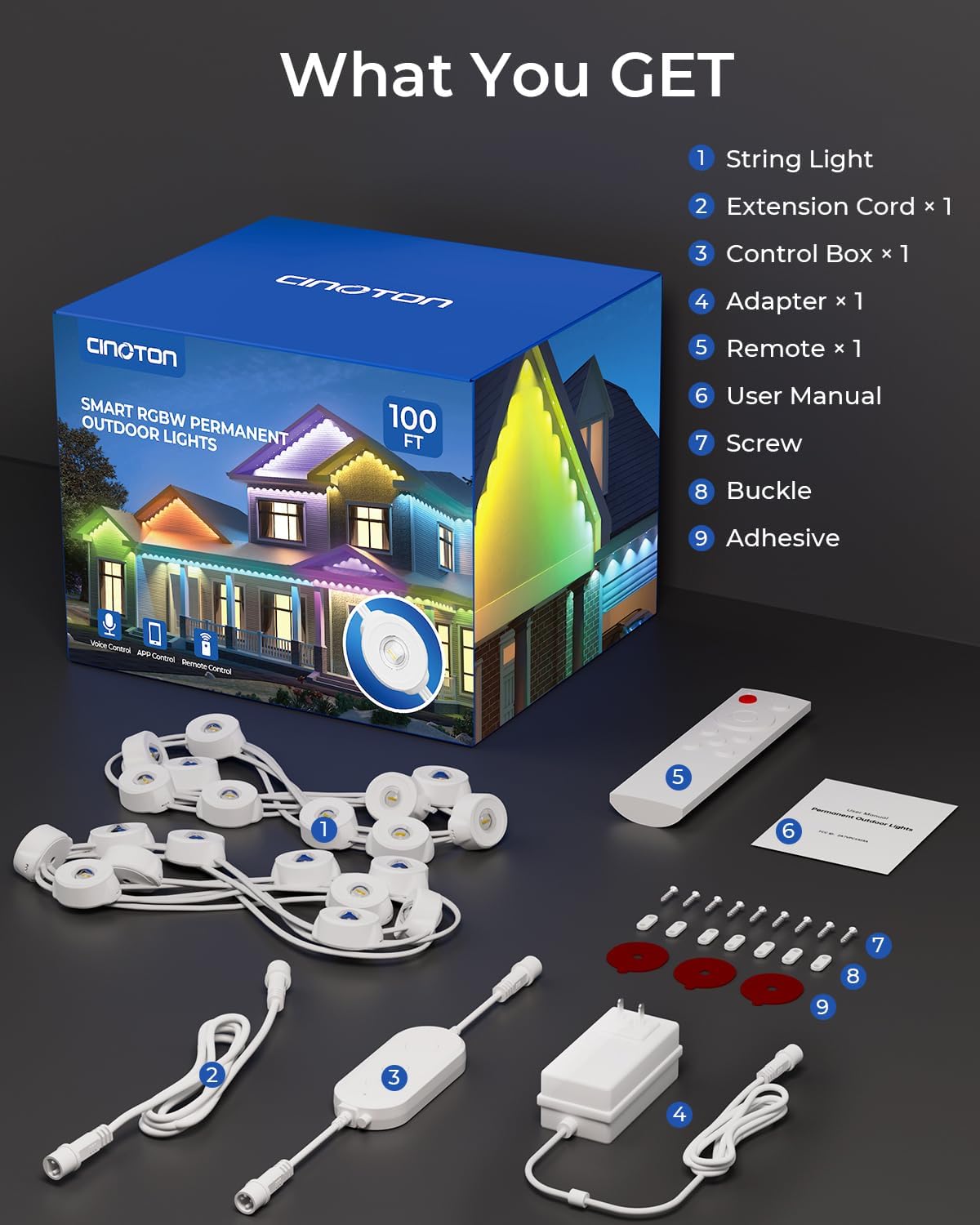
Biko chọpụta na etinyere ihe niile edepụtara n'okpuru na ngwugwu gị. Ọ bụrụ na ihe ọ bụla na-efu ma ọ bụ mebie, biko kpọtụrụ nkwado ndị ahịa.
- 25ft Permanent Outdoor Lights x 4 (Total 100ft)
- Igbe njikwa x 1
- Ihe nkwụnye ọkụ x 1
- Remote x 1 (AAA batteries not included)
- 12ft Extension Cable x 1
- Accessory Clips x 1 bag
- Screws x 1 bag
- Akwụkwọ ntuziaka onye ọrụ x 1
- Ntuziaka ntinye ngwa ngwa x 1
Ntọala na nwụnye
Follow these steps for proper installation of your CINOTON Permanent Outdoor Lights. Ensure safety by using a stable ladder and having assistance if needed.
- Hazie okirikiri gị: Before installation, plan the desired path for your lights. The lights are designed to be permanent and are not cuttable. Consider the length needed for each section of your house.
- Hichaa elu ahụ: Thoroughly clean the installation surface (e.g., eaves, walls) with a damp cloth to ensure optimal adhesion of the 3M adhesive strips. For certain surfaces like tin siding, glass cleaner may provide better results than rubbing alcohol.
- Connect Light Segments: Connect the 25ft light segments together. Align the arrows on the connectors and twist to secure. Use the provided 12ft extension cable if additional length is needed between segments.
- Test Lights Before Mounting: Before permanently mounting, connect the entire light string to the control box and power adapter. Plug it into an outlet to test all lights and ensure they function correctly. This also allows you to familiarize yourself with the app and remote control.
- Gbanye ọkụ: Peel off the 3M adhesive backing from each light puck and firmly press it against the cleaned surface. For enhanced security and long-term stability, use the provided accessory clips and screws to secure each light.
- Ebe kacha mma: For the best lighting effects, install the lights approximately 2-4 inches away from the wall. This allows for a wider and more even glow.
Vidiyo: Efereview of the CINOTON Permanent Outdoor Lights, including unboxing, component identification, and basic installation steps. This video demonstrates how to connect the light segments and power adapter, and how to secure the lights to the eaves of a house.
Ntuziaka ọrụ
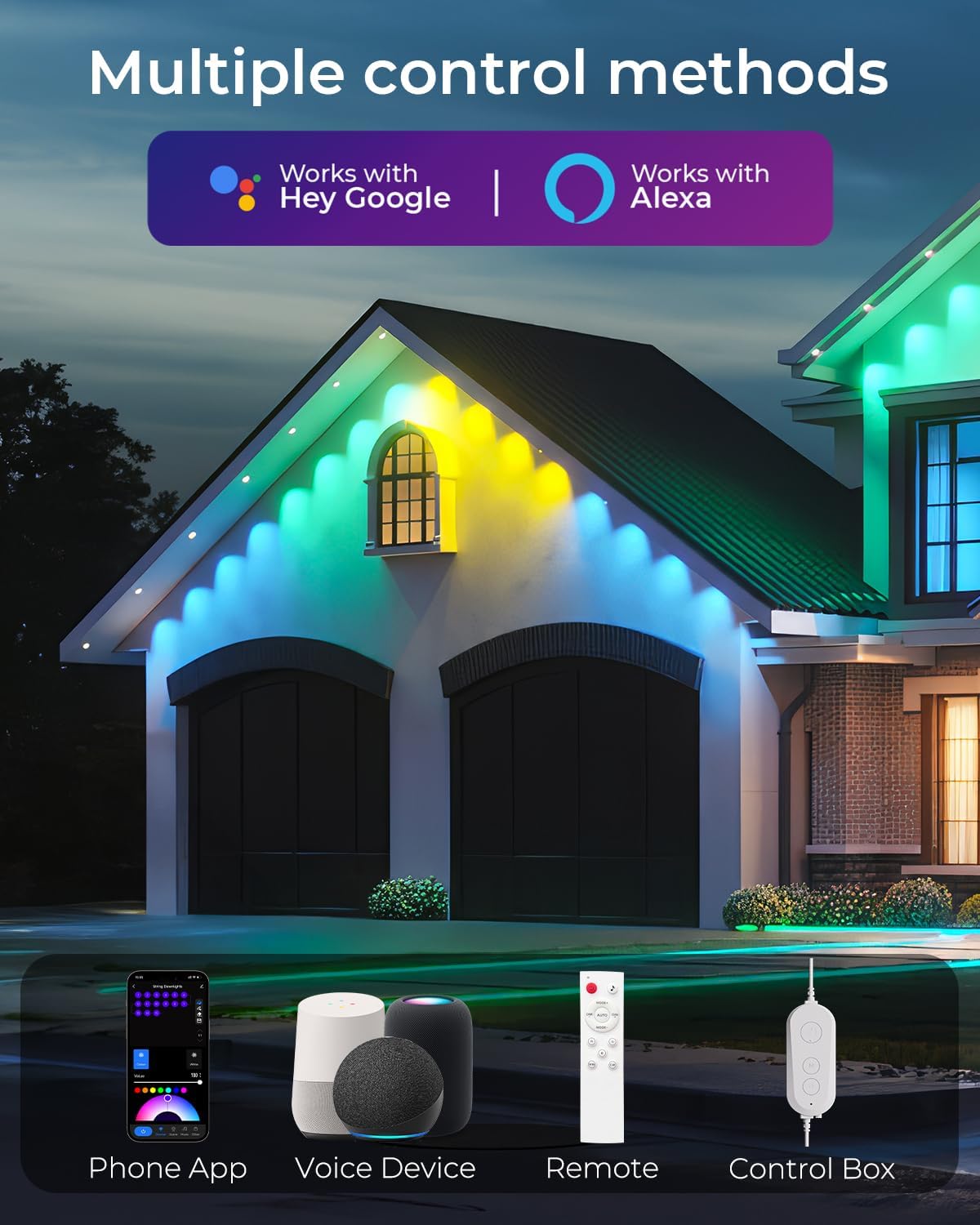
Your CINOTON Permanent Outdoor Lights offer multiple control methods for a personalized lighting experience.
1. Smart Life App Control
The Smart Life APP provides the most comprehensive control over your lights. Download the app from your device's app store.
- Na-ejikọta: Press and hold the switch on the control box or remote for 3-5 seconds to enter pairing mode (lights will flash). Open the Smart Life APP, search for nearby devices, and follow the on-screen instructions to add your lights.
- Nhọrọ agba: Choose from 16 million colors using the color wheel in the app.
- Igha: Adjust brightness from 1% to 100% for both colored and 2700K warm white lights.
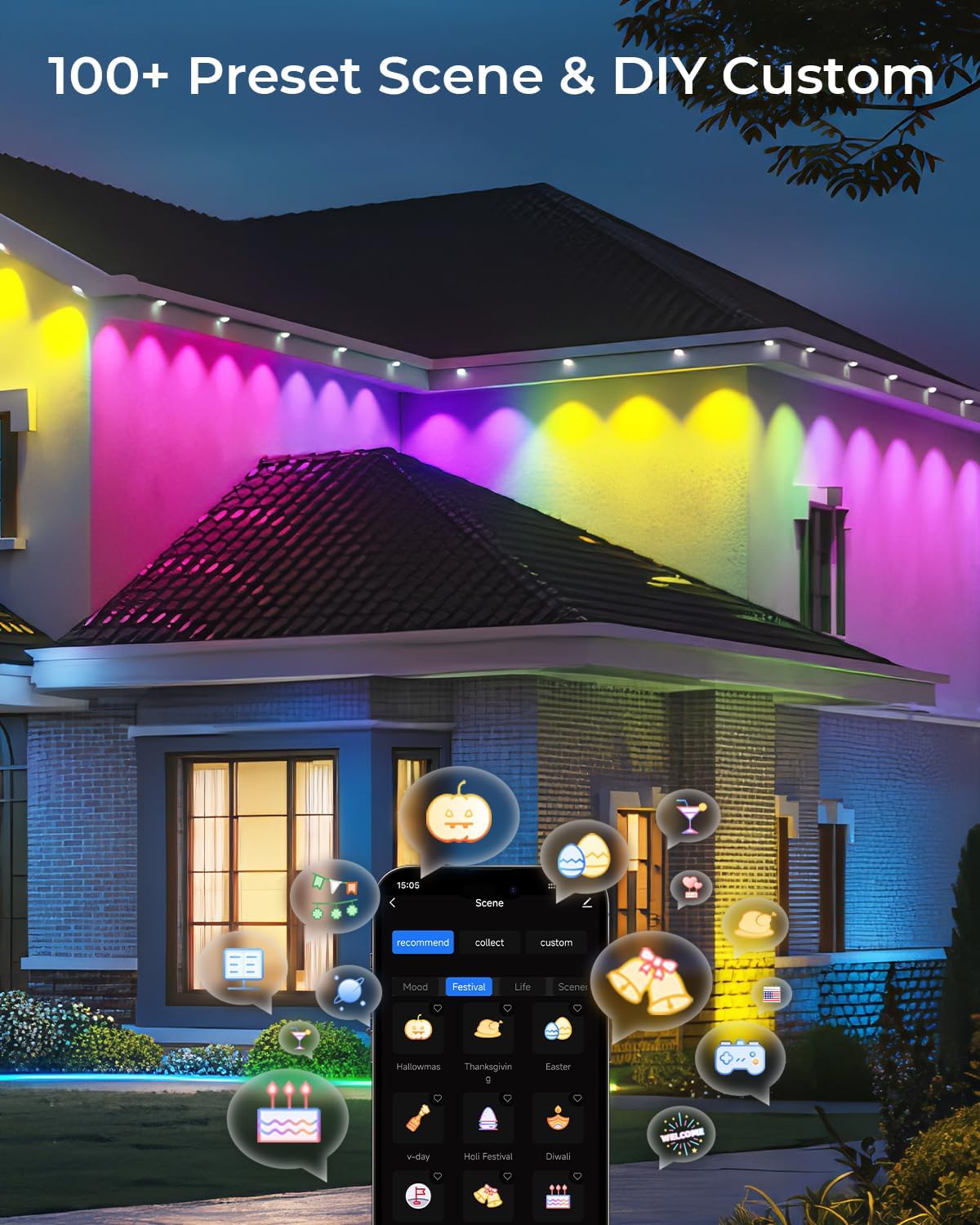
- Ụdị ihe nkiri: Select from 111 preset scenes for various occasions (e.g., Halloween, Christmas, Easter, daily decor). You can also create and customize your own unique lighting patterns.
- Mmekọrịta egwu: Utilize the built-in microphone to synchronize light effects with music, creating a dynamic party atmosphere.
- Onye na-agụ oge na usoro oge: Set schedules to automatically turn lights on/off at specific times.
Video: Demonstration of the CINOTON Permanent Outdoor Lights RGBW, showcasing various color changes and effects controlled via the Smart Life App. This video highlights the dynamic capabilities of the lights.
2. Remote Control
The included remote control provides basic functions for quick adjustments.
- Gbanyụọ/ Gbanyụọ
- Adjust Brightness (Dim/Dim+)
- Cycle through fixed colors (Red, Green, Blue, Warm White, Cool White)
- Activate Auto Mode (cycles through various effects)
- Music Mode activation
3. Njikwa olu
Integrate your lights with smart home assistants for convenient voice commands.
- Compatible with Alexa and Google Assistant.
- Enable the CINOTON skill/action in your smart assistant app.
- Use commands like "Alexa, turn on the permanent outdoor lights" or "Hey Google, set outdoor lights to red."
Video: A light show demonstration for CINOTON Permanent Outdoor Lights, illustrating various dynamic scene modes and color transitions. This video highlights the versatility of the lights for different festive and daily settings.
Nlekọta
Your CINOTON Permanent Outdoor Lights are designed for durability and minimal maintenance.
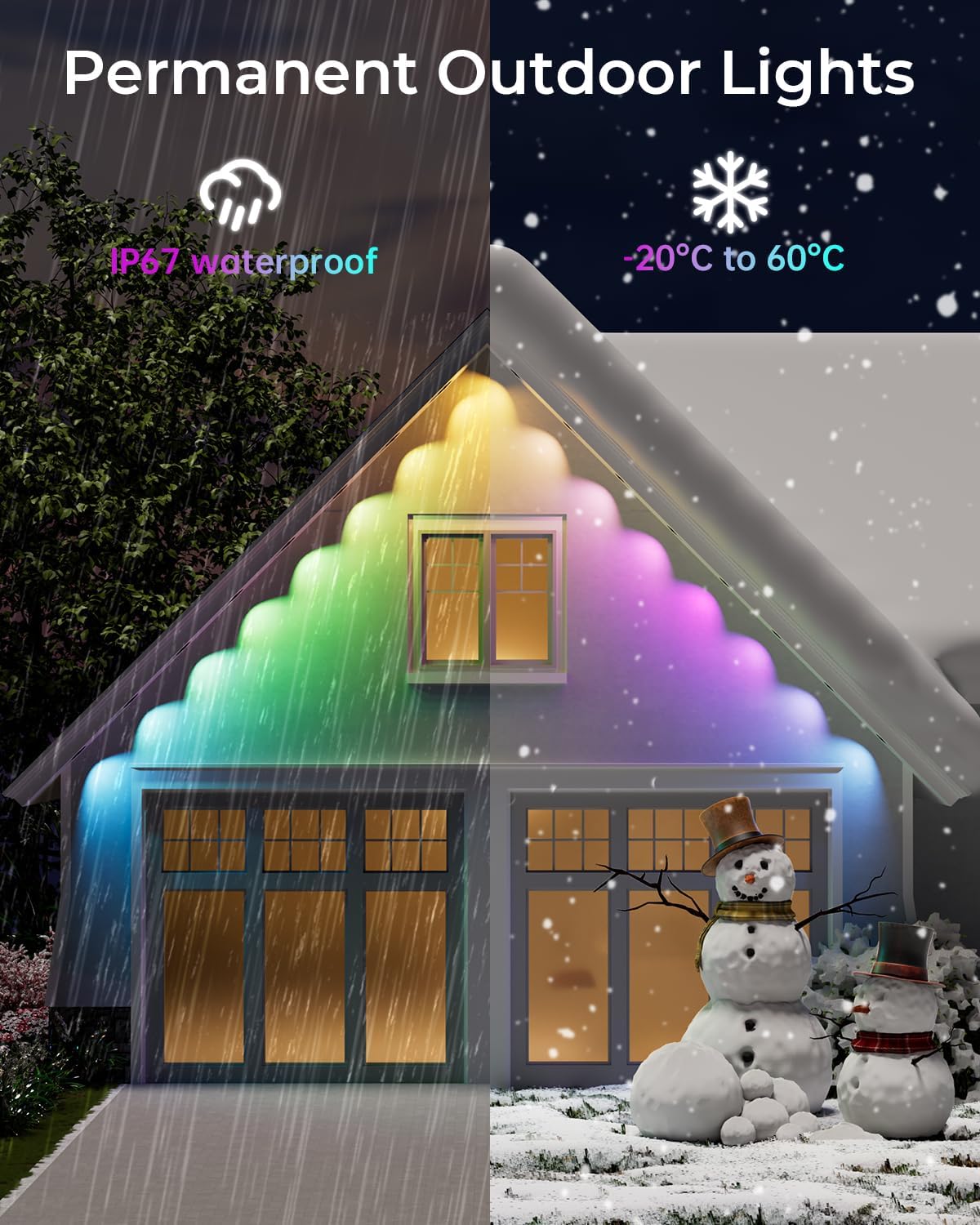
- Nguzogide ihu igwe: The string lights are IP67 waterproof, and the control box & adapter are IP65-rated, ensuring protection against rain, sun, and snow. They operate effectively in temperatures ranging from -4°F to 140°F (-20°C to 60°C).
- Ike ihe onwunwe: Made with anti-UV material to prevent degradation from sun exposure.
- Nhicha: Periodically wipe down the light pucks and cables with a soft, damp cloth to remove dirt and debris. Ensure power is disconnected before cleaning.
- Non-Cuttable: The permanent outdoor lights are uncuttable. Do not attempt to shorten the light strings, as this will damage the product and void the warranty.
Nchọpụta nsogbu
| Nsogbu | Ihe nwere ike ime | Ngwọta |
|---|---|---|
| Ọkụ anaghị agbanwu | No power, loose connection, faulty adapter/control box. | Check power outlet. Ensure all connections are secure. Test individual components if possible. |
| Remote/App not controlling lights | Not paired, remote batteries low, app connectivity issue. | Ensure lights are in pairing mode. Replace remote batteries. Check Wi-Fi connection for app control. |
| Nrapado anaghị ejide | Surface not clean, improper application, extreme weather. | Ensure surface is clean and dry before applying. Apply firm pressure. Use provided clips and screws for added security. |
| Lights not displaying desired effects | Incorrect app settings, mode selection. | Verify settings in the Smart Life App. Ensure the correct scene or color is selected. |
Nkọwapụta
- Nọmba nlereanya: C5107-B
- Ụdị ọkụ: RGBW+IC LED
- Agba ọkụ: Multicolor (16 Million Colors) + 2700K Warm White
- Ọnụọgụ nke LED: 60
- Ogologo: 100ft (4 x 25ft segments)
- Ọnụọgụ enweghị mmiri: IP67 (String Lights), IP65 (Control Box & Adapter)
- Okpomọkụ arụ ọrụ: -4°F ruo 140°F (-20°C ruo 60°C)
- Ụzọ njikwa: Smart Life App, Remote Control, Voice Control (Alexa, Google Assistant)
- Atụmatụ pụrụ iche: 111 Preset Scenes & DIY, Dimmable, Music Sync, Individual Control (IC)
- Voltage: 36 volts
- Wattage: 60 Watt
- Luminous Flux (White): 50 Lumen
- Ụdị nkwụnye: US-Style
Akwụkwọ ikike na nkwado
For warranty information or technical support, please refer to the contact details provided in the Quick Installation Guide included in your package. You may also visit the CINOTON official websaịtị maka enyemaka ọzọ.
Ozi nchekwa
- Kwupu ike mgbe niile tupu echichi, mmezi, ma ọ bụ ihicha.
- Ebipụla eriri ọkụ.
- Ensure the power adapter is installed in a weather-protected location if not IP65 rated.
- Debe ebe ụmụaka na-apụghị iru.
- Do not attempt to repair damaged components. Contact customer support.


