1. Okwu mmalite
The Edifier X2 True Wireless Earbuds offer a superior audio experience with advanced Bluetooth 5.1 connectivity, ensuring stable and fast connections. Designed for comfort and durability, these earbuds feature an IP54 water resistance rating, making them suitable for various activities. Enjoy crystal-clear calls with dual microphones and extended listening sessions thanks to their impressive 28-hour battery life with the charging case.

Image: Edifier X2 Earbuds showcasing key features such as Bluetooth V5.1, 28 hours of playtime, touch controls, comfortable fit, super lightweight design, and dust & water resistance.
2. Kedu ihe dị na Igbe ahụ
Your Edifier X2 True Wireless Earbuds package includes the following items:
- Edifier X2 True Wireless Earbuds (Left and Right)
- Nchaji case
- USB-C eriri USB
- Akwụkwọ ntuziaka onye ọrụ
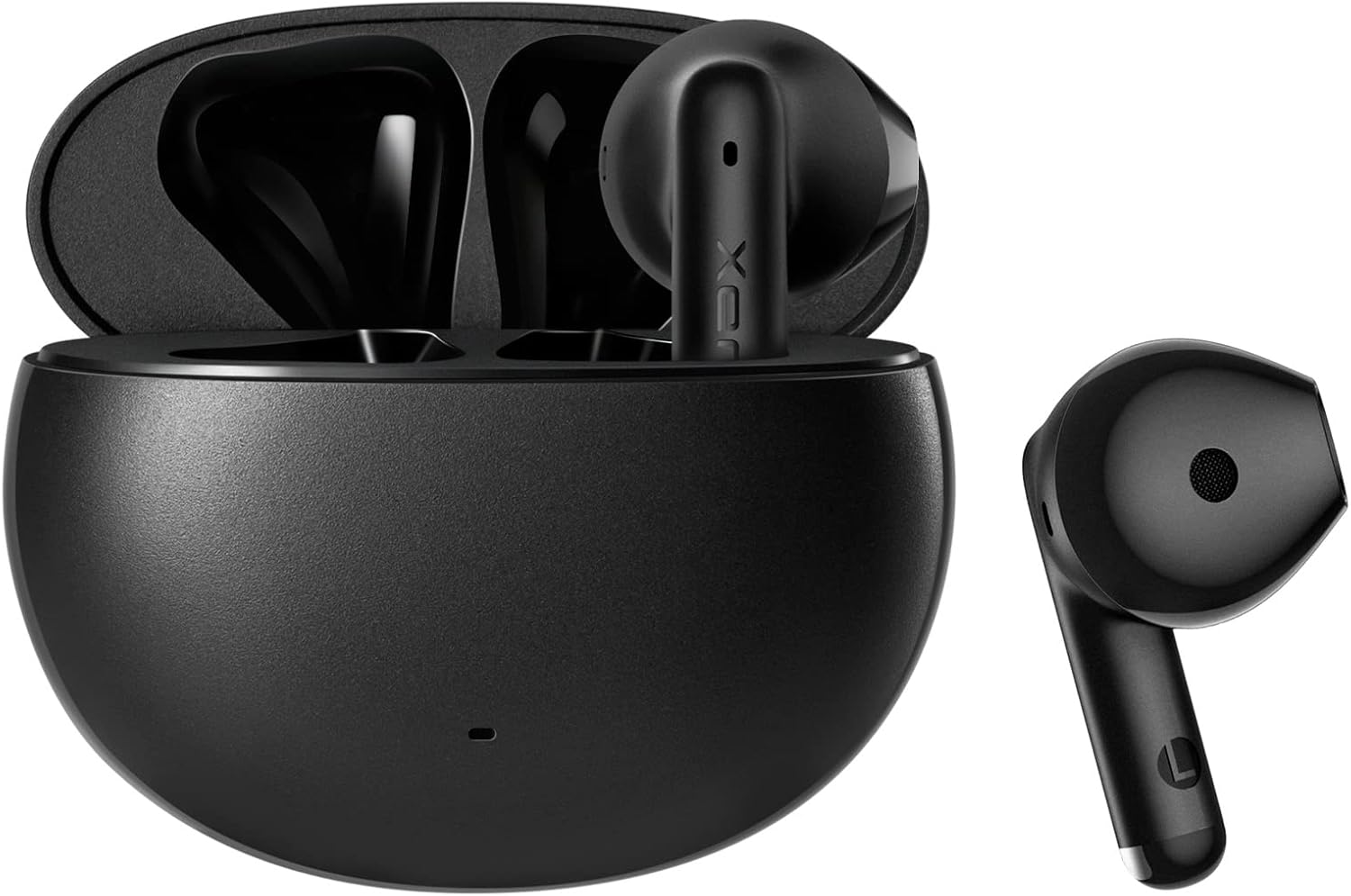
Image: The Edifier X2 True Wireless Earbuds, showing both earbuds and their compact charging case.
3. Ntọlite na Pairing
Follow these steps to set up and pair your Edifier X2 earbuds with your device:
- Mmakọ izizi: Take both earbuds out of the charging case. The red and blue LEDs on the earbuds will blink rapidly, indicating they are in pairing mode.
- Jikọọ na ngwaọrụ: Na ekwentị gị, mbadamba, ma ọ bụ kọmputa, gaa na ntọala Bluetooth. Chọọ maka and select "EDIFIER X2" from the list of available devices to connect.
- Njikọta akpaaka: Maka ojiji na-esote, earbuds ga-ejikọta na ngwaọrụ ejikọrọ ikpeazụ na-akpaghị aka mgbe ewepụrụ ya na ikpe ahụ.

Image: A visual guide demonstrating the simple pairing process of the Edifier X2 earbuds with a mobile phone's Bluetooth settings.
4. Ntuziaka ọrụ
The Edifier X2 earbuds feature intuitive touch controls for easy management of your audio and calls:
- Kwụsị/Gwuo: Double-click the left or right earbud.
- Accept/End a Call: Double-click the left or right earbud.
- Ụdị egwuregwu: Triple-click the left earbud.
- Track na-esote: Triple-click the right earbud.
- Jụ oku: Pịa ma jide ụda ntị aka ekpe ma ọ bụ aka nri maka sekọnd 3.
- Enyemaka Olu: Triple-click the left or right earbud.
The earbuds support seamless switching between one-ear and two-ear modes, allowing for flexible usage.

Image: A visual representation of the touch control functions on the Edifier X2 earbuds, detailing actions for music playback, call handling, and special modes.

Foto: A nso nso view of an earbud highlighting its touch-sensitive area for control inputs.
5. Ndụ batrị na Nchaji
The Edifier X2 earbuds provide extended listening time:
- Up to 7 hours of playback on a single charge.
- An additional 21 hours of battery life with the charging case, totaling 28 hours.
- The charging case can be fully charged in approximately 2 hours via USB-C.

Image: An infographic detailing the battery performance of the Edifier X2 earbuds, including single charge playtime and total playtime with the charging case.

Image: A visual cue indicating the charging time required for the earbuds to reach a full charge.
6. Water Resistance (IP54 Rated)
The Edifier X2 earbuds are IP54 rated, meaning they are protected against dust ingress and splashing water from any direction. This makes them suitable for workouts and light rain, but they are not designed for submersion in water.

Image: The Edifier X2 earbuds shown with water droplets, emphasizing their IP54 water-resistant capabilities.

Image: Another depiction of the earbuds with water splashes, highlighting their resistance to moisture.
7. Call Quality and Noise Reduction
Equipped with two built-in microphones (one on each earbud) and a sensitivity of -37±2dB, the Edifier X2 earbuds ensure clear and crisp call quality. They feature real-time ambient noise reduction to minimize background distractions during phone calls, providing a better communication experience.

Image: A woman wearing the Edifier X2 earbuds, with graphic overlays demonstrating the real-time ambient noise reduction feature for clear calls.

Image: A graph illustrating the effectiveness of noise reduction, comparing audio signals before and after the noise reduction process.
8. Ogo ụda
The Edifier X2 earbuds are engineered for excellent sound quality, featuring a 13mm large dynamic driver that ensures a wide soundstage and balanced audio. With Bluetooth 5.1, they provide fast and stable wireless transmission for an immersive listening experience.

Foto: Ihe dị n'ime view diagram of the Edifier X2 earbud, highlighting the 13mm large driver and integrated Bluetooth 5.1 chip for superior sound.

Image: A graphic emphasizing the powerful audio performance from the compact design, featuring the 13mm large driver and Bluetooth V5.1.
9. Nlekọta
To ensure the longevity and optimal performance of your Edifier X2 earbuds, follow these maintenance tips:
- Nhicha: Jiri akwa dị nro, kpọrọ nkụ na-adịghị na-ehicha ntị ntị na chaja mgbe niile. Zere iji ihe na-emebi emebi ma ọ bụ kemịkalụ siri ike.
- Nchekwa: Mgbe ejighị ya, chekwaa ntị ntị na chaja ha iji chebe ha pụọ na uzuzu na mmebi.
- Ịchaji: Use the provided USB-C cable for charging. Avoid exposing the charging port to moisture.
- Zere Oke Ọnọdụ: Do not expose the earbuds to extreme temperatures, high humidity, or direct sunlight for prolonged periods.
10. Nchọpụta nsogbu
If you encounter issues with your Edifier X2 earbuds, refer to the following common solutions:
| Nsogbu | Ngwọta enwere ike |
|---|---|
| Igwe ntị anaghị ejikọta ọnụ | Ensure earbuds are fully charged. Place them back in the case, then take them out to re-enter pairing mode. Check your device's Bluetooth settings and forget previous connections if necessary. |
| Enweghị ụda sitere na otu ntị ntị | Ensure both earbuds are charged. Try placing both back in the case and taking them out again. Re-pair with your device. |
| Obere olu ma ọ bụ ogo ụda adịghị mma | Clean any debris from the earbud grilles. Adjust volume on both your device and the earbuds. Ensure a secure fit in your ears. |
| Okwu ịchaji | Check the USB-C cable and charging adapter. Ensure the charging contacts on the earbuds and case are clean and free of obstruction. |
11. Nkọwapụta
Detailed technical specifications for the Edifier X2 True Wireless Earbuds:
| Njirimara | Nkọwa |
|---|---|
| Aha Nlereanya | X2 |
| Teknụzụ Njikọta | Ikuku (Bluetooth) |
| Ụdị Bluetooth | 5.1 |
| Oke Bluetooth | 10 mita |
| Ụdị ọkwọ ụgbọ ala ọdịyo | Ọkwọ ụgbọala dị ike |
| Oke ugboro ugboro | 20Hz ruo 20 kHz |
| Ndụ batrị (Earbuds) | Ruo awa iri abụọ |
| Mgbakọta ndụ batrị (ya na igbe) | Ruo awa iri abụọ |
| Oge Njikere (Ikpe) | Ihe ruru. awa 2 |
| Ọkwa Nguzogide mmiri | IP54 (Uzuzu na-eguzogide) |
| Igwe okwu | 2 (one on each earbud) |
| Usoro njikwa | Metụ aka |
| Ntinye ntị | Na Ntị |
| Agba | Nwa |
| Ihe onwunwe | Silikoni |
| UPC | 667261544935 |
12. Official Product Video
Lelee vidiyo ngwaahịa gọọmentị maka nlele anyaview of the Edifier X2 True Wireless Earbuds:
Vidiyo: Ihe ngosi vidiyo ngwaahịa gọọmentịasing the Edifier X2 True Wireless Earbuds, highlighting their design and features.
13. Akwụkwọ ikike na nkwado
Edifier products are designed for reliability and performance. For warranty information, technical support, or service inquiries, please refer to the warranty card included in your product packaging or visit the official Edifier website. You can also contact Edifier customer service for assistance.
Edifier Online Store: Gaa na Ụlọ Ahịa


