Okwu mmalite
Thank you for choosing the ToughTested Dual 10,000 mAh Solar Power Portable Charger. This device is designed to provide reliable power on the go, featuring a high-capacity power bank, an integrated LED flashlight, and solar recharging capabilities. Its rugged, waterproof design makes it ideal for outdoor activities and emergency situations.
This manual provides essential information on setting up, operating, maintaining, and troubleshooting your power bank. Please read it thoroughly before use to ensure optimal performance and longevity of your device.
Kedu ihe dị na Igbe ahụ
- ToughTested Dual 10,000 mAh Solar Power Bank (Model: TT-PBW-LED10)
- Heavy Duty USB-A to USB-C Fast Charge Cable
- Ntuziaka onye ọrụ (Akwụkwọ a)

The ToughTested power bank and its included heavy-duty USB-A to USB-C fast charge cable.
Ngwaahịa gafereview

Ihu na azụ view of the ToughTested Dual 10,000 mAh Solar Power Bank, highlighting the solar panel on one side and the 18-LED flashlight panel on the other.
- 1. Ike bọtịnụ: Activates the power bank and controls the flashlight modes.
- 2. Ihe ngosi LED: Na-egosi ọkwa chajị batrị.
- 3. Solar Panel: For emergency solar recharging.
- 4. USB-C Port (PD 18W): For fast charging the power bank and compatible devices.
- 5. USB-A Port (Quick Charge 3.0): For charging other devices.
- 6. 18-LED Flashlight Panel: Provides bright illumination with multiple modes.
- 7. Integrated Carabiner Loop: For easy attachment and portability.
Ntọlite na ojiji mbụ
Ịchaji Power Bank
Before first use, fully charge your ToughTested power bank using the included USB-C cable and a wall adapter (not included). A full charge ensures optimal performance and battery longevity.
- Connect the USB-C end of the included cable to the USB-C port on the power bank.
- Connect the USB-A end of the cable to a compatible USB wall adapter or computer USB port.
- The LED indicators will illuminate to show charging progress. All four LEDs will be solid when fully charged.
Mara: While the solar panel provides emergency charging, it is significantly slower than wall charging and is intended for maintaining charge or emergency power in direct sunlight, not as a primary charging method.

The solar panel on the ToughTested power bank, designed for emergency recharging when conventional power sources are unavailable.
Ntuziaka ọrụ
Ịchaji ngwaọrụ gị
The power bank features both USB-C (Power Delivery) and USB-A (Quick Charge 3.0) ports for versatile device charging.
- Connect your device's charging cable to the appropriate port (USB-C or USB-A) on the power bank.
- Jikọọ nsọtụ nke ọzọ nke eriri na ngwaọrụ gị.
- Press the power button once to begin charging. The LED indicators will show the remaining battery level.
- Disconnect your device once charging is complete. The power bank will automatically turn off after a period of inactivity.

The two charging ports on the ToughTested power bank: a USB-C 18W Power Delivery port and a USB Quick Charge 3.0 port, offering versatile charging options.
Iji ọkụ ọkụ ọkụ
The integrated 18-LED flashlight offers multiple lighting modes for various situations.
- Ka ịgbanwuo ọkụ: Double-press the power button.
- Iji gafee usoro: Once the flashlight is on, single-press the power button to switch between:
- Steady (Full Brightness)
- SOS (Morse Code for distress)
- Strobe (Flashing light)
- To turn off the flashlight: Double-press the power button again.

The 18-LED light panel of the ToughTested power bank, providing 550 lumens of high-output illumination.
Nlekọta
- Nhicha: Wipe the power bank with a soft, dry cloth. Do not use harsh chemicals or abrasive materials.
- Nchekwa: Store the power bank in a cool, dry place away from direct sunlight and extreme temperatures. For long-term storage, ensure the battery is charged to at least 50% to preserve battery health.
- Nguzogide mmiri: The device has an IP44 waterproof rating, meaning it is protected against solid objects larger than 1mm and splashing water from any direction. Do not submerge the device in water. Ensure all ports are dry before charging.
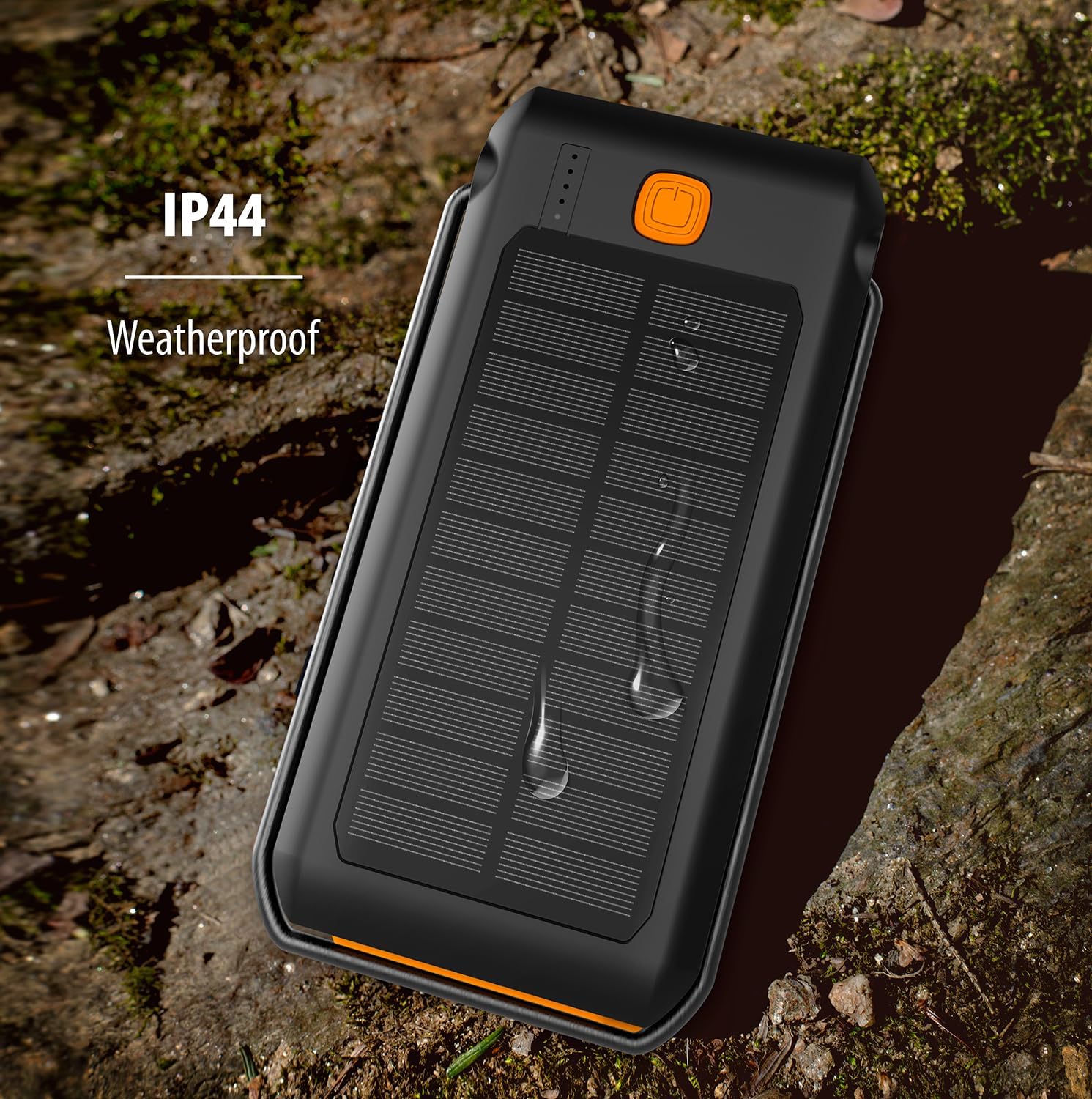
The ToughTested power bank demonstrating its IP44 weatherproof rating, indicating protection against splashing water.
Nchọpụta nsogbu
| Nsogbu | Ihe nwere ike ime | Ngwọta |
|---|---|---|
| Ụlọ akụ ọkụ anaghị akwụ ụgwọ | Cable not connected properly; faulty cable/adapter; power bank fully discharged. | Ensure cable is securely connected. Try a different cable or wall adapter. Allow a few minutes for the power bank to respond if fully discharged. |
| Ngwaọrụ anaghị akwụ ụgwọ site na ụlọ akụ ọkụ | Power bank low on charge; cable not connected properly; device not compatible; power bank in standby. | Recharge the power bank. Ensure cables are securely connected. Press the power button once to activate charging. Verify device compatibility. |
| Igwe ọkụ anaghị arụ ọrụ | Power bank low on charge; incorrect button press. | Recharge the power bank. Double-press the power button to turn on/off the flashlight. |
| Solar charging is slow | Solar charging is supplementary; insufficient direct sunlight. | Solar charging is designed for emergency use and is slower than wall charging. Ensure the solar panel is exposed to direct, strong sunlight. |
Nkọwapụta
| Njirimara | Nkọwa |
|---|---|
| Nọmba nlereanya | TT-PBW-LED10 |
| Ike batrị | 10,000 mAh (Lithium Polymer) |
| Ntinye ọdụ ụgbọ mmiri | USB-C (maka ịchaji ụlọ akụ ọkụ) |
| Ọdụ ụgbọ mmiri mmepụta | USB-C (18W Power Delivery), USB-A (Quick Charge 3.0) |
| Mpụta Panel Solar | 275mA (for emergency/supplementary charging) |
| Igwe ọkụ | 18 LED, 550 Lumen, 3 Modes (Steady, SOS, Strobe) |
| Ngosi nke enweghị mmiri | IP44 (Chedoro ka ọ ghara ịfesa mmiri) |
| Akụkụ | 6.5 x 3.5 x 1 sentimita asatọ |
| Ibu | 10.4 ounces |
| Agba | Oji / oroma |
Akwụkwọ ikike na nkwado
The ToughTested Dual 10,000 mAh Solar Power Bank is backed by ToughTested's exclusive 5-afọ akwụkwọ ikike. Akwụkwọ ikike a na-ekpuchi ntụpọ dị na ngwa na arụ ọrụ n'okpuru ojiji nkịtị.
For warranty claims, technical support, or any inquiries regarding your product, please refer to the official ToughTested websaịtị ma ọ bụ nkwakọ ngwaahịa maka ozi kọntaktị kachasị ugbu a.


