Okwu mmalite
Thank you for choosing the 1Mii RCA Bluetooth 5.3 Adapter (Model ML302+). This versatile 2-in-1 device functions as both a Bluetooth transmitter and receiver, enabling seamless wireless audio connectivity for a wide range of devices. Whether you want to stream audio from your non-Bluetooth TV to wireless headphones or transform your wired speakers into a Bluetooth-enabled system, the ML302+ provides a high-fidelity, low-latency solution.

Image: The 1Mii ML302+ Bluetooth adapter, a compact black device with control buttons and audio ports.
Ozi nchekwa
Please read the following safety guidelines carefully before using the device:
- Avoid placing the device near other wireless devices to prevent interference.
- Keep the battery away from extreme temperatures and humidity.
- Do not dispose of the battery in regular trash; follow local regulations for battery disposal.
- Do not disassemble, modify, or attempt to repair the device yourself. This may void the warranty and pose safety risks.
- Debe ngwaọrụ ahụ na mmiri ma ọ bụ mmiri mmiri ndị ọzọ.
Ihe ngwugwu
Gbaa mbọ hụ na ihe niile dị na ngwugwu gị:
- 1Mii Bluetooth Transmitter Receiver (ML302+)
- Akwụkwọ ntuziaka
- 3.5mm Audio USB
- Cable Audio RCA
- Ụdị-C eriri eriri

Image: A visual representation of the ML302+ adapter and its included accessories: instruction manual, 3.5mm audio cable, RCA audio cable, and Type-C power cord.
Ngwaahịa gafereview
The 1Mii ML302+ is designed for maximum versatility, offering both transmitting and receiving capabilities:
- Ụdị nnyefe (TX): Convert non-Bluetooth audio sources (TV, PC, Projector, Treadmills) into Bluetooth-enabled devices, allowing them to connect to Bluetooth headphones or speakers.
- Ụdị nnata (RX): Enable non-Bluetooth audio devices (Home Stereo, Speakers, Car Stereo) to receive Bluetooth audio from your smartphone or tablet.
- Bluetooth Bluetooth: Provides stable, fast, and reliable connections.
- aptX Low Latency: Ensures synchronized audio and video, minimizing lip-sync delay when paired with compatible devices.
- Njikọ abụọ: Connect two Bluetooth headphones simultaneously in TX mode, or two devices in RX mode.
- Njikwa olu: Integrated buttons for easy audio level adjustment.
- Ogologo ndụ batrị: Ruo awa iri na abụọ nke iji na-aga n'ihu n'otu ụgwọ.

Image: Diagram illustrating the 2-in-1 functionality, showing how the device acts as a transmitter for TVs/PCs to headphones/speakers, and as a receiver for phones/tablets to wired earphones/speakers/car stereos.
Melite
1. Ịchaji ngwaọrụ
Before first use, fully charge the ML302+ using the provided Type-C power cord and a standard USB power adapter (not included). The device has a built-in Lithium Polymer battery. You can check the battery level by pressing the Bluetooth button 3 times (LEDs flash 1-5 times, each flash = 20% battery level).
2. Ịhọrọ Ụdị Ọrụ (TX/RX)
Locate the TX/OFF/RX switch on the side of the device. Slide the switch to the desired mode:
- Ụdị TX (Nnyefe) To send audio from a non-Bluetooth device (e.g., TV) to Bluetooth headphones/speakers.
- Ụdị RX (nnata): To receive audio from a Bluetooth device (e.g., smartphone) and play it through wired speakers/car stereo.
3. Connecting to Your Audio Source/Device
The ML302+ supports both 3.5mm AUX and RCA connections. Choose the appropriate cable based on your device's audio output/input ports.
- N'ụdị TX: Connect the ML302+ to the AHUD AKWUTKWỌ jack of your device (e.g., TV, PC) using either the 3.5mm AUX cable or the RCA cable.
- N'ụdị RX: Connect the ML302+ to the AUDIO n'ime jack of your wired audio system (e.g., home stereo, speakers) using either the 3.5mm AUX cable or the RCA cable.
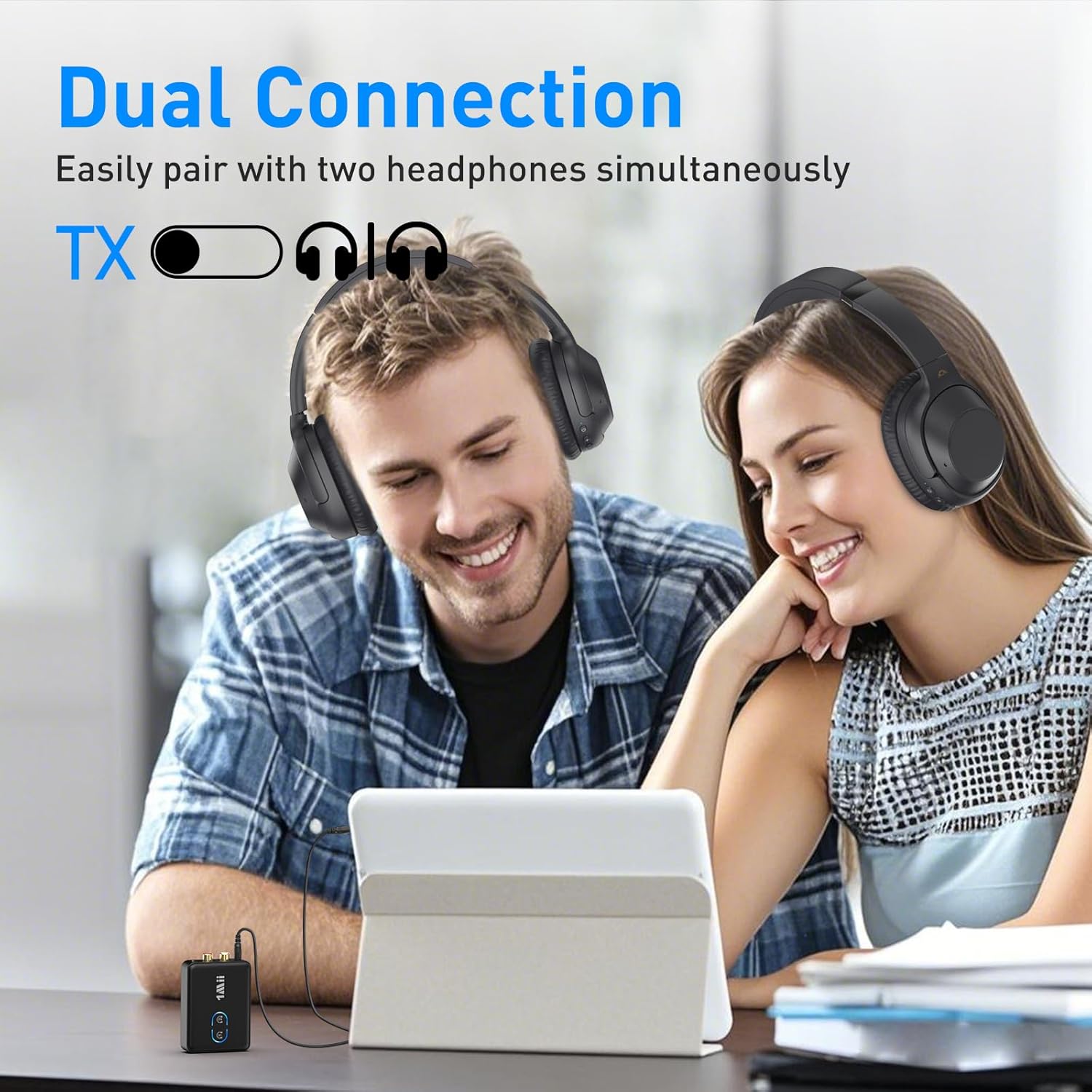
Foto: nso nso view of the ML302+ showing its 3.5mm AUX and RCA input/output ports.

Image: Diagram illustrating correct audio output connections on a TV for the ML302+, highlighting 3.5mm AUX and RCA audio out jacks.
Ntuziaka ọrụ
Transmitter (TX) Mode Operation
In TX mode, the ML302+ sends audio from your non-Bluetooth device to Bluetooth headphones or speakers.
- Ensure the ML302+ is switched to "TX" mode and connected to your audio source's AUDIO OUT port.
- Pairing the First Bluetooth Headphone/Speaker:
- Press and hold the Bluetooth button #1 (labeled with a headphone icon) on the ML302+ for 2 seconds to enter pairing mode. The LED will flash red and blue.
- Put your Bluetooth headphones/speaker into pairing mode (refer to your headphone/speaker manual for specific instructions).
- Once successfully paired, the LED on the ML302+ for button #1 will stay solid blue.
- Pairing the Second Bluetooth Headphone/Speaker (Optional):
- Press and hold the Bluetooth button #2 (labeled with a headphone icon) on the ML302+ for 2 seconds to enter pairing mode. The LED will flash red and blue.
- Put your second Bluetooth headphones/speaker into pairing mode.
- Once successfully paired, the LED on the ML302+ for button #2 will stay solid blue.
- Audio from your source device will now be transmitted to your connected Bluetooth headphones/speakers.

Image: A person watching TV with Bluetooth headphones connected via the ML302+, demonstrating aptX Low Latency for synchronized audio.

Image: Two people sharing audio from a tablet to two pairs of Bluetooth headphones, illustrating the dual connection feature in TX mode.
Receiver (RX) Mode Operation
In RX mode, the ML302+ receives audio from your Bluetooth-enabled device (e.g., smartphone) and plays it through wired speakers or a car stereo.
- Ensure the ML302+ is switched to "RX" mode and connected to your wired audio system's AUDIO IN port.
- Pairing with your Smartphone/Tablet:
- The ML302+ will automatically enter pairing mode in RX mode (LED flashes red and blue).
- On your smartphone or tablet, go to Bluetooth settings and search for "ML302+". Select it to connect.
- Once successfully paired, the LED on the ML302+ will stay solid blue.
- You can now stream audio wirelessly from your smartphone/tablet to your wired audio system.

Image: A family enjoying music through a wired speaker connected to the ML302+ in RX mode, streaming from a mobile device.
Njikwa olu
The ML302+ features dedicated volume control buttons. Use the '+' button to increase volume and the '-' button to decrease volume. For optimal sound, it is recommended to set the volume on the ML302+ to maximum and control the final output volume from your connected headphones/speakers or source device.
Official Product Video: How to use ML302+ to connect Bluetooth headphone to TV
Video: A step-by-step guide demonstrating how to set up the 1Mii ML302+ in transmitter mode to connect Bluetooth headphones to a TV, including pairing multiple headphones and connecting audio cables.
Nlekọta
To ensure the longevity and optimal performance of your 1Mii ML302+ adapter, follow these maintenance guidelines:
- Nhicha: Use a soft, dry cloth to clean the device. Avoid using abrasive cleaners, solvents, or strong chemicals, as they may damage the surface or internal components.
- Nchekwa: Mgbe ọ naghị eji ya ogologo oge, chekwaa ngwaọrụ ahụ n'ebe dị jụụ na ebe kpọrọ nkụ na-adịghị na ìhè anyanwụ kpọmkwem na oke okpomọkụ.
- Ijikwa: Handle the device with care. Avoid dropping it or subjecting it to strong impacts, which can cause internal damage.
- Ịchaji: Only use the provided Type-C power cord for charging. Do not use damaged cables or chargers.
Nchọpụta nsogbu
If you encounter issues with your 1Mii ML302+ adapter, please refer to the following common problems and solutions:
| Nsogbu | Ihe kpatara/ Ngwọta nwere ike ime |
|---|---|
| Enweghị ụda ma ọ bụ obere olu. |
|
| Cannot pair with Bluetooth headphones/speakers. |
|
| Audio delay (lip-sync issues). |
|
| Ngwaọrụ anaghị agbanwu. |
|
Nkọwapụta
| Njirimara | Nkọwa |
|---|---|
| Akụkụ ngwaahịa | 2.95 x 2.17 x 0.78 sentimita asatọ |
| Ibu Ibu | 0.634 ounces |
| Ụdị Bluetooth | 5.3 |
| Codec ọdịyo akwadoro | aptX-Adaptive, aptX-Low Latency, SBC, AAC |
| Teknụzụ Njikọta | Bluetooth, 3.5mm AUX, RCA |
| Isi Iyi Ike | Batrị kwadoro (1 batrị lithium polymer gụnyere) |
| Ndụ batrị | Ruo awa 30 (ihe dị ka.) |
| Onye nrụpụta | 1 Mii |
Akwụkwọ ikike na nkwado
1Mii products typically come with a standard manufacturer's warranty. For specific warranty details, technical support, or further assistance, please refer to the official 1Mii websaịtị ma ọ bụ kpọtụrụ ndị ahịa ha ozugbo.
You can also refer to the official User Manual (PDF) for additional information: Budata akwụkwọ ntuziaka onye ọrụ (PDF)


