1. Okwu mmalite
This manual provides essential information for the safe and effective operation of your BOIFUN No Wi-Fi Baby Monitor VB616. Please read these instructions thoroughly before use and retain them for future reference.

Figure 1: BOIFUN No Wi-Fi Baby Monitor VB616 components.
2. Ihe ngwugwu
- 1 x Baby Monitor Parent Unit
- 1 x Baby Camera Unit
- 2 x Power Adapters (Type-C)
- 1 x Akwụkwọ ntuziaka onye ọrụ

Foto 2: Ihe ndị dị na ngwugwu ahụ.
3. Ngwaahịa gafereview
The BOIFUN VB616 Baby Monitor system consists of a portable parent unit with a 4-inch IPS screen and a camera unit for monitoring your baby. It operates on a secure 2.4GHz FHSS wireless connection.
Akụkụ ndị bụ isi:
- 4-inch 720P IPS Screen: Provides a clear and wide-view ngosi.
- Mbugharị dijitalụ 3X: Allows for closer inspection of your baby.
- Invisible Infrared Night Vision (940nm): Monitors your baby in low light without disturbing their sleep.
- Secure 2.4GHz FHSS Connection: Ensures privacy and eliminates Wi-Fi hacking risks.
- Audio Ụzọ Abụọ: Enables communication with your baby.
- VOX Mode (Voice Activation): Screen activates upon detecting baby's sounds, conserving battery.
- Nyochaa okpomọkụ: Na-egosiputa okpomọkụ ụlọ.
- Lullabies: Built-in melodies to soothe your baby.
- Feeding Reminders: Customizable alerts for feeding schedules.
- Akụkụ igwefoto nwere ike imezi: Manual pan (360°) and tilt (90°) for optimal viewing.

Nyocha 3: N'eluview of monitor features.
4. Nhazi
The BOIFUN VB616 Baby Monitor is designed for quick and easy setup without the need for Wi-Fi or complex pairing procedures.
- Chọọ Ngalaba Nne na Nna: Connect the parent unit to a power source using one of the provided Type-C power adapters. The parent unit has a built-in rechargeable battery.
- Kwado nkeji igwefoto: Connect the camera unit to a power source using the other provided Type-C power adapter. The camera unit requires continuous power to operate.
- Njikọta akpaaka: The parent unit and camera unit will automatically pair within approximately 3 seconds of being powered on. No manual pairing is typically required.
- Debe igwefoto: Place the camera in your baby's room, ensuring a clear view of the crib or play area. The camera can be tabletop mounted or wall mounted. Adjust the camera angle manually for optimal viewing.

Figure 4: Manually adjusting the camera angle.
5. Ntuziaka ọrụ
5.1 Gbanyụọ ma ọ bụ gbanyụọ
- To power on, press and hold the power button on both units.
- To power off, press and hold the power button on both units.
5.2 Screen & Video Features
- Vidiyo 720P HD: The 4-inch IPS screen provides a clear, wide-angle view nke nwa gi.
- Mbugharị dijitalụ 3X: Use the zoom function on the parent unit to magnify the image for detailed viewing.
- Ọhụụ abalị: The camera automatically switches to 940nm invisible infrared night vision in low light conditions, ensuring clear monitoring without visible red light. The camera's status light can be turned off for complete darkness.

Figure 5: Invisible Infrared Night Vision.
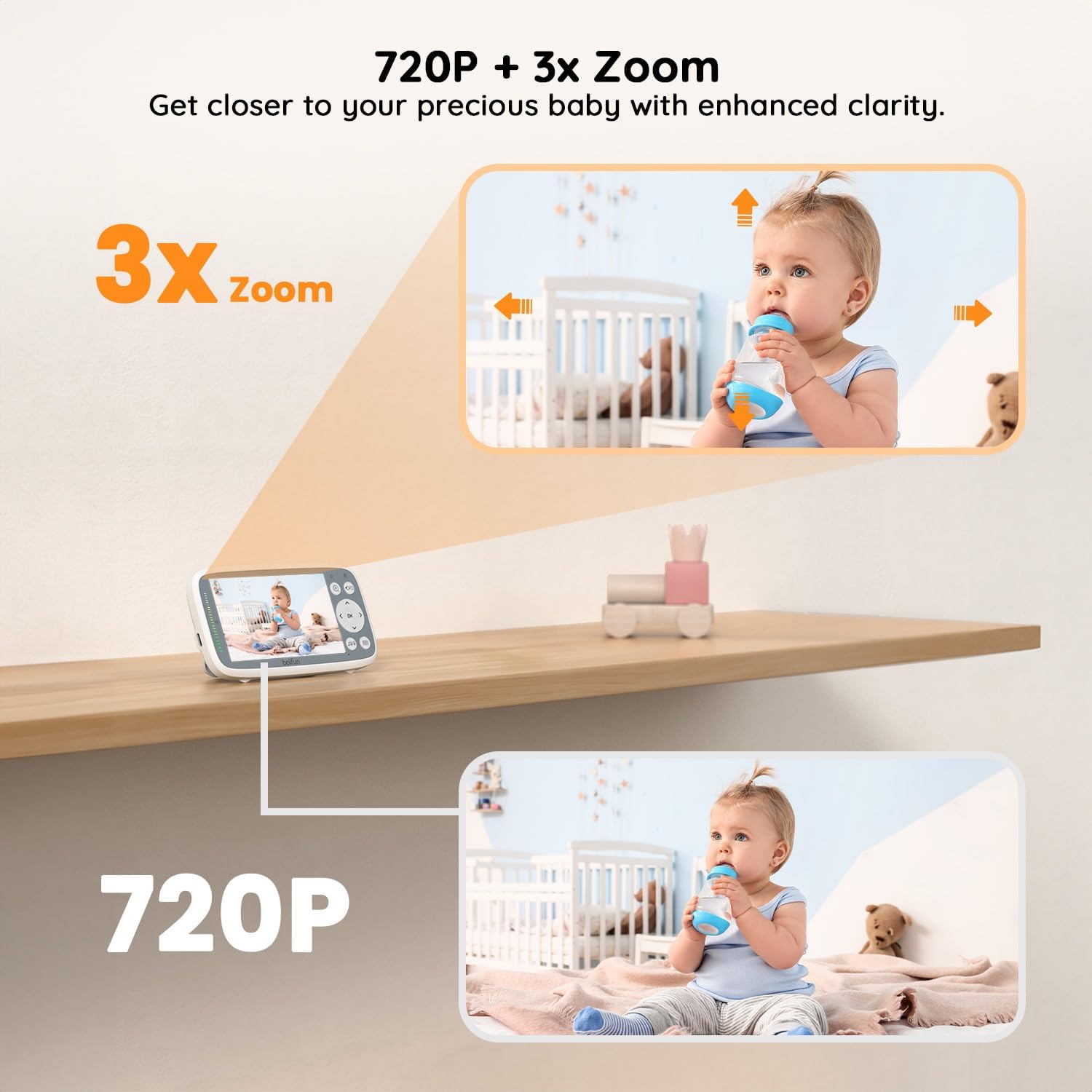
Figure 6: 720P video and 3X zoom in action.
5.3 Akụkụ ọdịyo
- Mkparịta ụka Ụzọ Abụọ: Press and hold the talk button on the parent unit to speak to your baby through the camera's speaker.
- VOX Mode (Voice Activation): When enabled, the monitor screen will light up only when sounds are detected from the baby's room, saving battery. VOX sensitivity is adjustable.
- Volume Level LEDs: Visual indicators on the parent unit display sound levels, even when the screen is off.

Figure 7: VOX Sound Activate Function.

Figure 8: Volume Level LEDs.
5.4 Atụmatụ dị elu
- Lullabies: Select from built-in lullabies to play through the camera to help soothe your baby.
- Nyochaa okpomọkụ: The parent unit displays the real-time temperature of the baby's room.
- Feeding Reminders: Set timed reminders on the parent unit to assist with feeding schedules.
6. Placement & Range
The BOIFUN VB616 utilizes 2.4GHz FHSS wireless technology for a stable and secure connection. Optimal placement of the camera and parent unit is crucial for maximum range and signal strength.
- Place the camera unit in a location that provides a clear, unobstructed view nke nwa gi.
- Avoid placing the camera or parent unit near other electronic devices that may cause interference.
- The system offers a range of up to 300 meters (outdoor) and maintains a stable connection through up to 5 walls indoors.

Figure 9: Signal strength through walls.
7. Ndụ batrị
The parent unit is equipped with a rechargeable battery. Battery life varies depending on usage:
- Up to 11 hours of continuous monitoring in VOX mode.
- Continuous monitoring with the screen always on will result in shorter battery life.
To optimize battery performance, adjust VOX sensitivity to a suitable level. Always use the original charger included in the box for safety and optimal device performance.
8. Nkọwapụta
| Njirimara | Nkọwa |
|---|---|
| Aha Nlereanya | VB616 |
| Nha ihuenyo | 4-inch IPS |
| Mkpebi vidiyo | 720P |
| Bugharịa | Mbugharị dijitalụ 3X |
| Ọhụụ abalị | 940nm Invisible Infrared, 20 Meters range |
| Njikọta | Teknụzụ Ikuku FHSS 2.4GHz |
| Audio Ụzọ Abụọ | Ee |
| Ụdị VOX | Yes, with adjustable sensitivity |
| Nlekọta okpomọkụ | Ee |
| Lullabies | Ee |
| Ụdị Batrị (Ngalaba Nne na Nna) | Lithium Polymer (1 C battery included) |
| Ndụ batrị (Ụdị VOX) | Ruo awa iri abụọ |
| Isi Iyi Ike | 2 Type-C battery chargers, 100-240 volts |
| Ụdị nwụnye | Tabletop mounted & wall mounted |
| Akụkụ ngwaahịa | 14 x 7.5 x 6.6 cm |
| Ibu Ibu | 490 g |
9. Nchọpụta nsogbu
- Enweghị foto/ụda: Ensure both the parent unit and camera are powered on and within range. Check battery levels of the parent unit.
- Ntinye aka: Move the monitor system away from other electronic devices (e.g., microwaves, Wi-Fi routers) that may cause signal interference.
- Akara ngosi na-adịghị mma: Reposition the camera and parent unit to minimize obstructions like thick walls. Extend the antenna on the parent unit for better reception.
- VOX Not Activating: Adjust the VOX sensitivity setting on the parent unit to a higher level if subtle sounds are not triggering the screen.
- Na-agbapụ batrị ọsọ ọsọ: Reduce screen brightness or utilize VOX mode to conserve battery life. Ensure the parent unit is fully charged before use.
10. Nlekọta & Nlekọta
- Clean the monitor and camera units with a soft, dry cloth. Do not use abrasive cleaners or solvents.
- Keep the units away from water and moisture.
- Avoid dropping the units or exposing them to extreme temperatures.
- Only use the original power adapters provided with the product.
11. Akwụkwọ ikike & Nkwado
Your BOIFUN No Wi-Fi Baby Monitor VB616 comes with comprehensive support:
- Akwụkwọ ikike: Akwadoro site na akwụkwọ ikike afọ iri.
- na-alaghachi: 90-day easy return policy.
- Nkwado ndị ahịa: Dedicated customer support is available.
Maka ajụjụ ma ọ bụ enyemaka ọ bụla, biko kpọtụrụ admin@boifun.net.

Figure 10: Warranty and Support details.


