1. Okwu mmalite
The Phomemo M832 is a portable, inkless thermal printer designed for convenience and efficiency. This device utilizes advanced thermal technology to print documents, images, and various other content without the need for ink cartridges, toner, or ribbons. Its compact design makes it suitable for travel, business trips, and use in various environments such as small offices, vehicles, and educational settings. This manual provides detailed instructions for setting up, operating, maintaining, and troubleshooting your Phomemo M832 printer.
The Phomemo M832 printer supports multiple paper sizes and types, including 8.5" x 11" US Letter, A4, 2.08" (53mm), 3.15" (80mm), and 4.33" (110mm) thermal paper. It is compatible with thermal roll paper, folded thermal paper, and ordinary thermal paper.

Image: The Phomemo M832 printer demonstrating its ability to print on various paper sizes, including US Letter, A4, 110mm, 80mm, and 53mm, with a smartphone wirelessly connected.
2. Ihe ngwugwu
Biko lelee ọdịnaya ngwungwu mgbe ị na-ebupụ igbe iji hụ na ihe niile dị:
- Phomemo M832 ngwa nbipute okpomọkụ
- 3 Rolls of 110mm Thermal Printer Paper
- eriri USB
- Akwụkwọ ntuziaka (akwụkwọ a)
3. Akụrụngwa Ngwaahịa
The Phomemo M832 printer offers several key features:
- Enwere ike ibugharị: Weighing approximately 1.5 lbs, the M832 is compact and easily fits into a backpack or briefcase, making it ideal for mobile use.
- Mbipụta Inkless: Utilizes advanced thermal technology, eliminating the need for ink, toner, or ribbons, which reduces operational costs and maintenance.
- Integrated Paper Bin: Features a built-in roll paper bin, allowing for convenient paper storage and transport.
- Versatile Paper Support: Compatible with 8.5" x 11" US Letter, A4, 2.08" (53mm), 3.15" (80mm), and 4.33" (110mm) thermal paper. Supports thermal roll paper, folded thermal paper, and ordinary thermal paper.
- Ndakọrịta sara mbara: Connects via Bluetooth to iPhone, Android phones, and iPad. Can also connect via USB cable to laptops and computers running Windows, macOS, Chrome OS, and Linux.
- Multi-purpose Printing: Suitable for printing office documents, receipts, contracts, resumes, invoices, drawings, school notes, shopping lists, labels, boarding passes, and DIY projects.

Image: The Phomemo M832 printer's compact dimensions (10.39in x 3.07in x 1.77in) are highlighted, demonstrating its portability for use anytime, anywhere.
4. Ntuziaka Nhazi
4.1. Ịchaji ngwa nbipute
Before initial use, fully charge the printer using the provided USB cable. Connect the USB cable to the printer's charging port and a compatible USB power adapter (not included) or computer USB port. The indicator light will show charging status.
4.2. Na-ebunye akwụkwọ ọkụ
The Phomemo M832 supports various thermal paper types and sizes. Follow these steps to load paper:
- Mepee mkpuchi nke mpempe akwụkwọ.
- Insert the thermal paper roll or folded paper stack into the compartment, ensuring the printable side faces the print head. For roll paper, ensure the paper feeds smoothly from the bottom of the roll.
- Adjust the paper guides to fit the width of your paper snugly.
- Close the paper compartment cover. Ensure a small portion of paper extends from the output slot.

Image: The Phomemo M832 printer demonstrating its flexibility with various paper types, including thermal roll paper, continuous thermal paper, and ordinary thermal paper, with an adjustable baffle for different widths.
4.3. App Installation (for Mobile Devices)
To use the printer with your smartphone or tablet, download the official "Phomemo" app:
- Chọọ maka "Phomemo" in the Apple App Store (for iOS devices) or Google Play Store (for Android devices).
- Budata ma wụnye ngwa ahụ.
4.4. Driver Installation (for Computers)
For printing from a laptop or desktop computer via USB, you may need to install the appropriate driver:
- Visit the official Phomemo websaịtị: M832.phomemo.com
- Download the driver compatible with your operating system (Windows, macOS, Chrome OS, Linux).
- Soro ntuziaka na ihuenyo iji mezue nwụnye ọkwọ ụgbọala.
5. Ọrụ
5.1. Connecting via Bluetooth (Mobile Devices)
- Ensure the Phomemo M832 printer is powered on.
- Kwado Bluetooth na ekwentị mkpanaaka gị.
- Open the "Phomemo" app.
- Within the app, navigate to the device connection section and select your M832 printer from the list of available devices. The app will guide you through the pairing process.

Image: The Phomemo M832 printer demonstrating both Bluetooth connectivity with a mobile device (iOS, Android, iPad) and USB connectivity with a laptop (Windows, Mac OS, Chrome OS, Linux).
5.2. Connecting via USB (Computers)
- Ensure the Phomemo M832 printer is powered on.
- Jikọọ ngwa nbipute na kọmputa gị site na iji eriri USB enyere.
- After driver installation (if required), your computer should recognize the printer.
- You can now print directly from your computer's applications.
5.3. Akwụkwọ mbipụta
Once connected, you can print various types of content:
- From Mobile App: Use the Phomemo app to select documents (PDF, Word), images, web pages, or create custom content for printing. The app provides options for editing and previewing before printing.
- Site na Kọmputa: Open the document or image you wish to print in your preferred application (e.g., Microsoft Word, Adobe Reader, web browser). Select the Phomemo M832 as your printer from the print dialog box and adjust settings as needed before initiating the print job.

Foto: Examples of practical applications for the Phomemo M832 printer, including printing photos, creating scrapbook elements, organizing study notes, and generating to-do lists.
6. Nlekọta
6.1. Na-ehicha isi mbipụta
To ensure optimal print quality, periodically clean the print head:
- Turn off the printer and disconnect it from any power source.
- Mepee mkpuchi nke mpempe akwụkwọ.
- Gently wipe the print head with a soft, lint-free cloth lightly dampened with isopropyl alcohol. Do not use water or abrasive cleaners.
- Allow the print head to dry completely before closing the cover and powering on the printer.
6.2. Thermal Paper Storage
Thermal paper is sensitive to heat, light, and certain chemicals. Store thermal paper in a cool, dry place away from direct sunlight and heat sources to preserve its printability and image duration. The included 110mm thermal paper is designed for an image duration of up to 10 years under proper storage conditions.
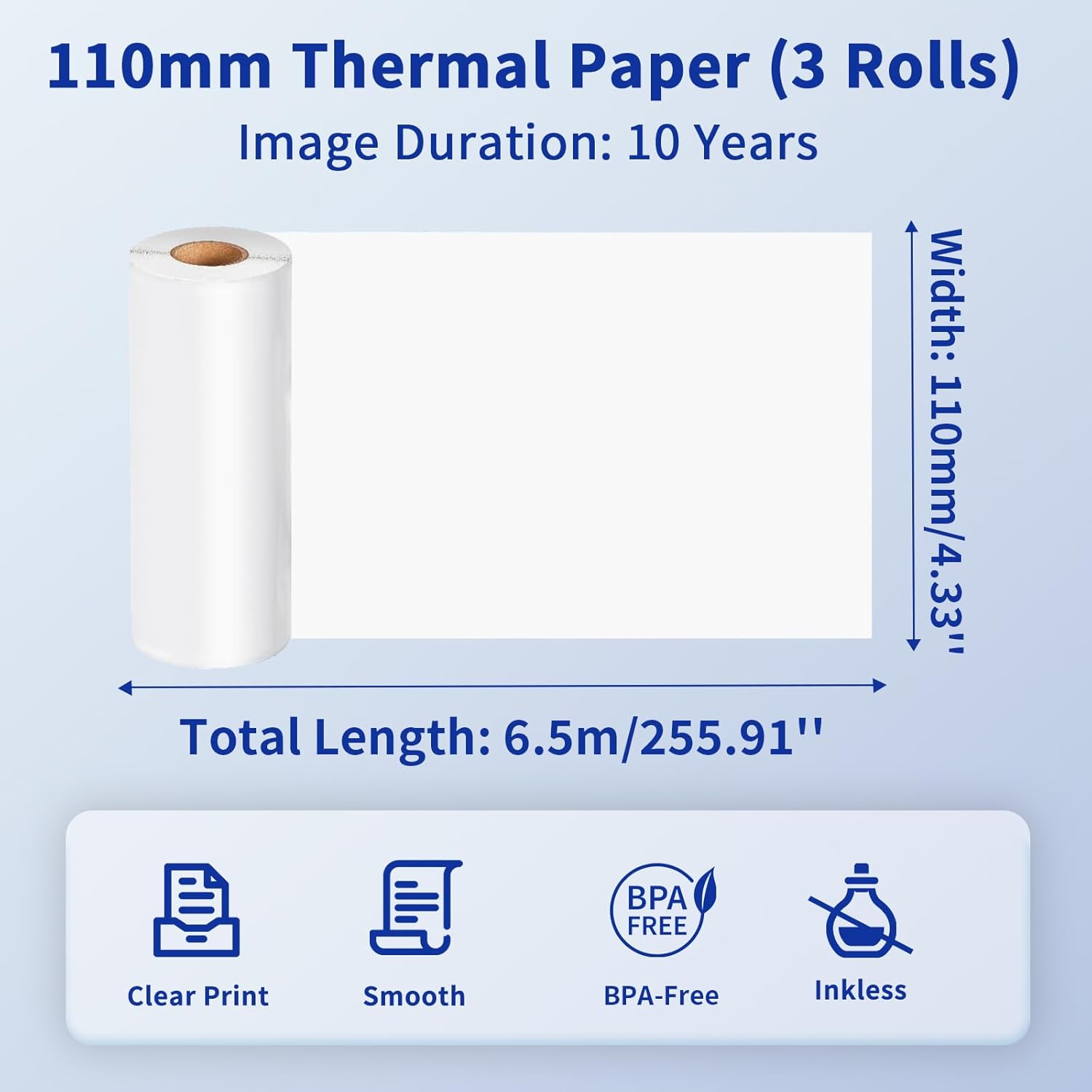
Image: Details of the 110mm thermal paper, including its dimensions (110mm width, 6.5m length) and key attributes such as clear print, smooth texture, BPA-free composition, and inkless operation, with an image duration of 10 years.
7. Nchọpụta nsogbu
If you encounter issues with your Phomemo M832 printer, refer to the following common problems and solutions:
| Nsogbu | Ihe nwere ike ime | Ngwọta |
|---|---|---|
| Printer does not power on | Obere batrị ma ọ bụ nsogbu ike | Charge the printer fully. Ensure the power button is pressed correctly. |
| Enweghị ike ijikọ site na Bluetooth | Bluetooth is off, printer not discoverable, or app issue | Ensure Bluetooth is enabled on your device. Restart the printer and the app. Try re-pairing the device within the Phomemo app. |
| Mbipụta na-adịghị mma / Mbipụta na-enweghị oghere | Incorrect paper loading, dirty print head, or low battery | Ensure thermal paper is loaded correctly with the printable side facing up. Clean the print head as described in Section 6.1. Charge the printer. |
| Mpempe akwụkwọ | Improper paper loading or foreign object | Turn off the printer. Carefully open the paper compartment and remove any jammed paper or obstructions. Reload paper correctly. |
| Kọmputa amataghị ngwa nbipute | Driver not installed or USB cable issue | Install the correct driver from M832.phomemo.com. Try a different USB port or cable. |
8. Nkọwapụta
Below are the technical specifications for the Phomemo M832 Portable Thermal Printer:
- Ụdị: M832
- Teknụzụ mbipụta: Thermal
- Njikọta: Bluetooth, USB
- Mbupute ngwa nbipute: Monochrome
- Usoro njikwa: App (Phomemo App)
- Ngwa dakọtara: Laptops, PCs, iPhone, Android Phone, iPad
- Sistemu eji arụ ọrụ akwadoro: iOS, Android, iPadOS, Windows, macOS, Chrome OS, Linux
- Supported Print Media: Thermal Roll Paper, Folded Thermal Paper, Ordinary Thermal Paper
- Supported Sheet Sizes: 8.5" x 11" (US Letter), A4, 2.08" (53mm), 3.15" (80mm), 4.33" (110mm)
- Njirimara Pụrụ Iche: Portable, Inkless
- Arọ: Ihe dịka 1.5 lbs
- Nke mbụ dị: Mee 31, 2024

Image: The Phomemo M832 printer's broad compatibility across multiple operating systems, including iOS, Android, iPad, Mac OS, Windows, Chrome OS, and Linux.
9. Akwụkwọ ikike na nkwado
Phomemo products are designed for reliability and performance. For warranty information and customer support, please refer to the official Phomemo websaịtị ma ọ bụ kpọtụrụ ndị ahịa ha ozugbo. Debe nnata nzụta gị dị ka ihe akaebe nke ịzụrụ maka nkwupụta ikike.
For additional resources and product information, visit the official Phomemo Store on Amazon: Phomemo Store


