1. Okwu mmalite
Thank you for choosing the Nimble Champ Portable Charger. This 10,000mAh power bank is designed to provide fast and reliable charging for your electronic devices on the go. This manual provides essential information for safe and efficient use of your device.
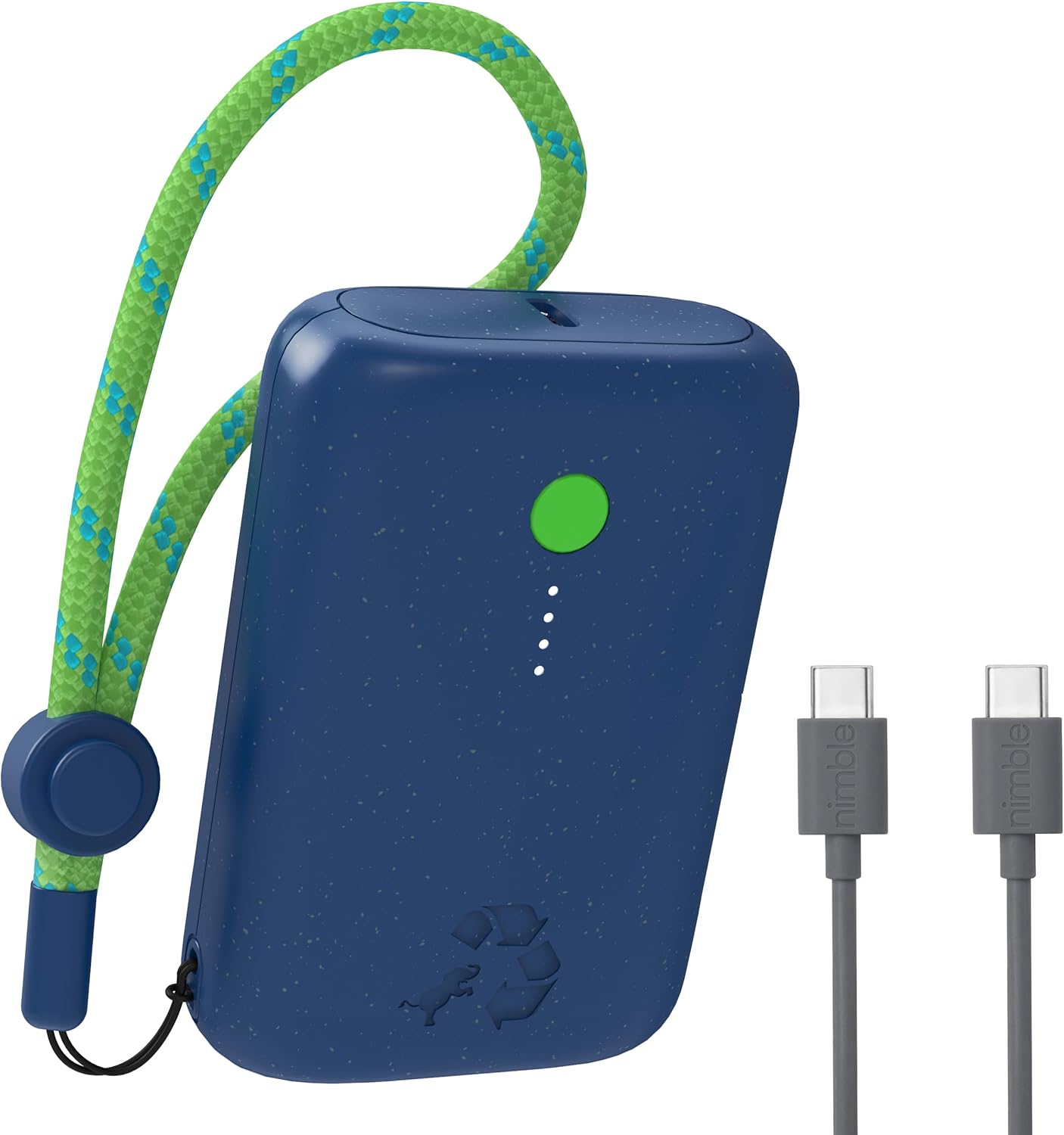
Image 1.1: The Nimble Champ Portable Charger in Nebula Blue, showcasing its compact design and the included USB-C charging cables.
2. Ozi nchekwa
- Ewepụla ụlọ akụ ike ka ọ bụrụ oke okpomọkụ, ìhè anyanwụ kpọmkwem, ma ọ bụ ọkụ.
- Avoid dropping, disassembling, or attempting to repair the device yourself.
- Debe mmiri na mmiri mmiri ndị ọzọ.
- Use only certified cables and chargers for optimal performance and safety.
- Debe ebe ụmụaka na-apụghị iru.
- Tụfuo ụlọ akụ ike nke ọma dịka iwu obodo siri dị.
3. Ihe ngwugwu
Chọpụta na ihe niile dị na ngwugwu gị:
- Nimble Champ 10,000mAh chaja ekwentị
- USB-C ka USB-C USB chaja
- Akwụkwọ ntuziaka (akwụkwọ a)
4. Ngwaahịa gafereview
The Nimble Champ Portable Charger features a compact design with essential indicators and ports for efficient charging.
- Ike On / Gbanyụọ Button: Na-eme ka ụlọ akụ ike rụọ ọrụ ma na-enyocha ọkwa batrị.
- LED Power Indicators: Four small LEDs indicate the remaining battery capacity. Each LED represents approximately 25% charge.
- Dual USB-C Ports: Used for both input (recharging the power bank) and output (charging devices).
- Adjustable Lanyard Loop: Maka ibu dị mfe.

Foto 4.1: nso nso view of the power bank showing the power button, LED indicators, and USB-C ports during a pass-through charging operation.
5. Nhazi
5.1 Nchaji mbụ nke ụlọ akụ ọkụ
- Connect the included USB-C cable to one of the USB-C ports on the Nimble Champ.
- Connect the other end of the USB-C cable to a compatible USB wall adapter (not included).
- The LED indicators will illuminate and blink to show the charging progress. All four LEDs will be solid when fully charged.
- A full charge typically takes approximately 1.85 hours with a 20W power adapter.
6. Ntuziaka ọrụ
6.1 Ịchaji ngwaọrụ gị
- Connect your device (e.g., smartphone, tablet) to one of the USB-C ports on the Nimble Champ using a compatible USB-C cable.
- The power bank will automatically begin charging your device. If not, press the Power On/Off button once.
- The LED indicators will show the remaining power bank battery level during charging.
- To stop charging, disconnect your device. The power bank will automatically power off after a period of inactivity.

Image 6.1: The Nimble Champ Portable Charger demonstrating its ability to charge two devices concurrently via its dual USB-C ports.
6.2 Dual Device Charging
The Nimble Champ features two USB-C ports, allowing you to charge two devices simultaneously. Connect each device to a separate USB-C port on the power bank. The 20W maximum output will be shared between the two devices.
6.3 Nchaji Ngafe
The power bank supports pass-through charging, meaning you can recharge the Nimble Champ while it is simultaneously charging another device. Connect the power bank to a wall adapter and then connect your device to the power bank.
6.4 Nyochaa ọkwa batrị
Press the Power On/Off button once to view the current battery level indicated by the four LED lights:
- 4 LED siri ike: 75% - 100% charge
- 3 LED siri ike: 50% - 75% charge
- 2 LED siri ike: 25% - 50% charge
- 1 LED siri ike: 0% - 25% charge (recharge soon)

Image 6.2: Illustration of the Nimble Champ's universal compatibility with a wide range of electronic devices.
7. Nlekọta
7.1 Nhicha
Wipe the power bank with a soft, dry cloth. Do not use harsh chemicals or abrasive materials.
7.2 Nchekwa
Store the power bank in a cool, dry place away from direct sunlight and extreme temperatures. For long-term storage, it is recommended to charge the power bank to approximately 50% every three months to maintain battery health.
8. Nchọpụta nsogbu
- Ụlọ akụ ọkụ anaghị akwụ ụgwọ: Hụ na eriri chaja ahụ jikọtara nke ọma na ma ebe a na-echekwa ike na ihe nkwụnye mgbidi. Nwaa eriri ma ọ bụ ihe nkwụnye dị iche.
- Ngwaọrụ anaghị akwụ ụgwọ site na ụlọ akụ ọkụ: Ensure the power bank has sufficient charge. Press the power button to activate it. Try a different cable or device.
- Nchaji nwayọ: Ensure you are using a compatible fast-charging cable and adapter. Some devices may limit charging speed based on their battery status.
- Ihe ngosi LED anaghị arụ ọrụ: If the power bank is completely depleted, the LEDs may not light up immediately. Charge the power bank for a few minutes and check again. If the issue persists, contact support.
9. Nkọwapụta
| Njirimara | Nkọwapụta |
|---|---|
| Nọmba nlereanya | NB-CPC-10K2C |
| Ike batrị | 10,000 mAh |
| Mpụta | 20W Max (Dual USB-C) |
| Ntinye | USB-C |
| Akụkụ ngwaahịa | 3.38 x 2.28 x 0.98 sentimita asatọ |
| Ibu Ibu | 7.4 ounces (ihe dị ka 210g) |
| Atụmatụ pụrụ iche | Auto Shut-Off, Portable, Travel, Pocket Size, Lightweight, Eco Print, LED Indicator Lights, Dual USB-C Ports, Fast Charging, Slim |
| Ihe onwunwe | Certified Recycled Plastic |
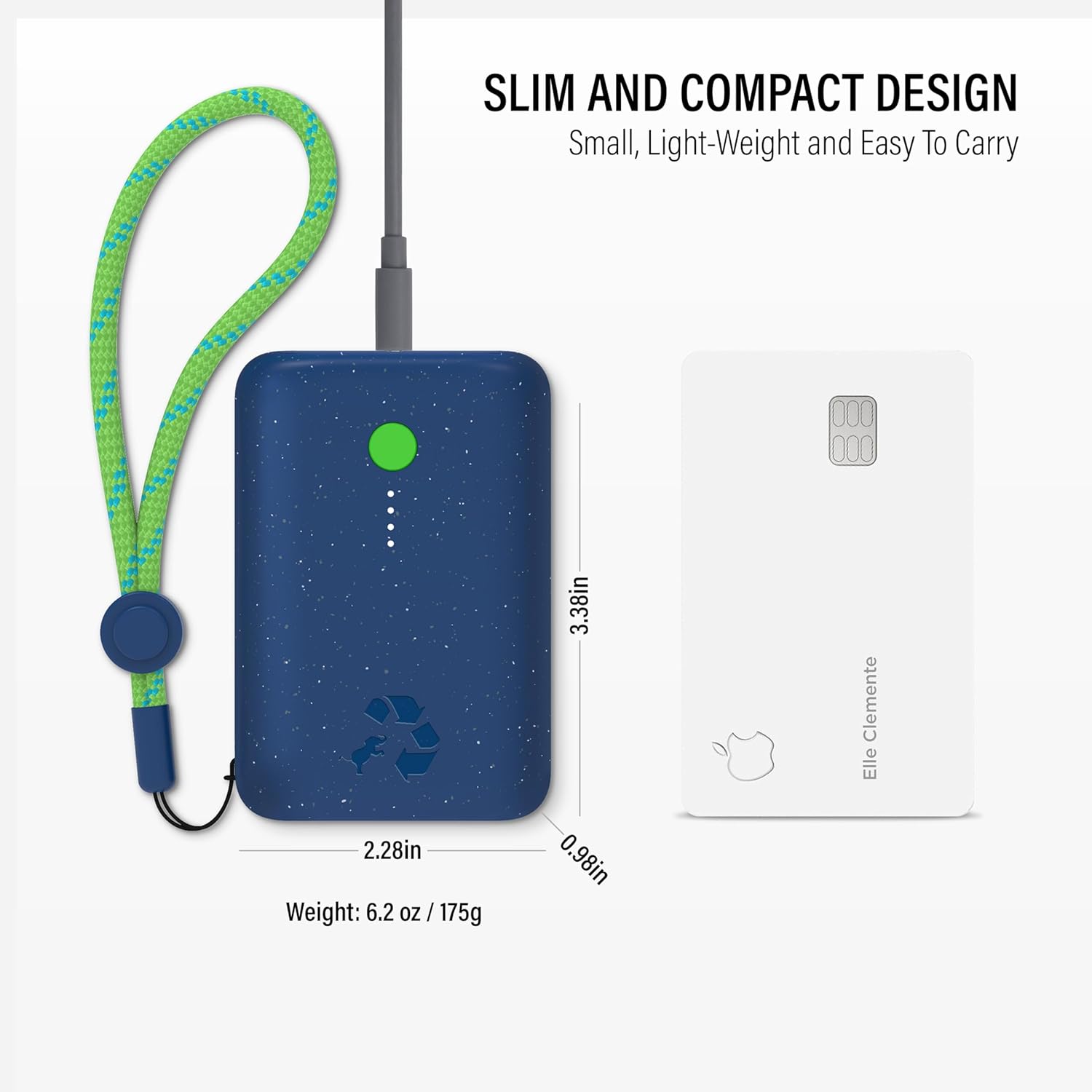
Image 9.1: The compact size of the Nimble Champ Portable Charger, illustrated by its comparison to a standard credit card.

Foto 9.2: Ofeview of the advanced 6-layer protection features integrated into the Nimble Champ Portable Charger for enhanced safety.

Image 9.3: Details on the eco-friendly design of the Nimble Champ, emphasizing its use of recycled materials and reduced carbon footprint.
10. Akwụkwọ ikike & Nkwado
The Nimble Champ Portable Charger comes with a 2-afọ akwụkwọ ikike from the date of purchase, covering defects in materials and workmanship. This warranty does not cover damage caused by misuse, accidents, unauthorized modifications, or normal wear and tear.
For warranty claims, technical support, or any questions regarding your product, please visit the official Nimble webma ọ bụ kpọtụrụ ndị ọrụ ahịa ha ozugbo. Debe ihe akaebe nke ịzụrụ ihe gị maka nkwenye akwụkwọ ikike.
Ị nwere ike ịchọta ozi ndị ọzọ na nkwado na Nimble Store on Amazon.


