1. Okwu mmalite
Thank you for choosing the THOMSON 24-inch HD Google TV (Model 24HG2S14CW). This manual provides essential information for setting up, operating, and maintaining your new television. Please read these instructions carefully before using the product to ensure safe and optimal performance.
Experience complete entertainment for the whole family with the Thomson 24-inch HD Google TV. Google TV simplifies your entertainment experience by organizing content from your apps and subscriptions per user. Create multiple user profiles and benefit from organized recommendations. Enjoy a wide range of smart features, including access to over 400,000 movies and TV shows from numerous available apps, smart voice control with Google Assistant, and integrated Google Cast for wireless streaming of movies, music, and videos from compatible devices. Its elegant design with a 3-sided bezel-less frame allows you to fully concentrate on the on-screen action. Dolby Audio technology creates a dynamic sound experience. The integrated triple tuner allows reception via satellite antenna, terrestrial antenna, or cable, meaning you can receive all available channels without additional equipment. The ergonomic remote control with backlighting allows you to keep track of everything, even in dim lighting, and a dedicated 'Favorite' button provides quick access to your preferred app.
2. Ozi nchekwa
Always follow basic safety precautions when using this product to reduce the risk of fire, electric shock, and injury.
- Isi mmalite ike: Ensure the TV is connected to a power supply that matches the voltage specified on the rating label. For 12V operation, use only the provided 12V adapter.
- Igwe ikuku: Akwụsịla oghere ikuku. Nye ohere zuru oke na gburugburu TV maka ikuku ikuku kwesịrị ekwesị iji gbochie ikpo oke ọkụ.
- Nkwanye: Place the TV on a stable, level surface. Avoid placing it in direct sunlight, near heat sources, or in environments with high humidity or dust.
- Mmiri na mmiri: Ewepụla TV na mmiri ozuzo ma ọ bụ mmiri. Edokwala ihe jupụtara na mmiri mmiri, dị ka vases, na TV.
- Nhicha: Wepụ TV ahụ tupu ị sachaa ya. Jiri ákwà dị nro ma kpọọ nkụ. Ejila ihe nhicha mmiri ma ọ bụ ihe nhicha aerosol.
- Ije ozi: Anwala ịnye ngwaahịa a n'onwe gị. Tụtụ aka n'aka ndị ọrụ ruru eru.
3. Ihe ngwugwu
Biko lelee na etinyere ihe niile na ngwugwu gị:
- THOMSON 24-inch HD Google TV
- Njikwa anya (ya na batrị)
- Power Adapter (for standard AC outlet)
- 12V Power Cable (for camping/caravan use)
- Ihe nkwụnye TV (iberibe 2)
- Ihe mkpuchi maka ihe nkwụnye TV
- Ntuziaka mmalite ngwa ngwa
- Akwụkwọ ntuziaka (akwụkwọ a)
4. Nhazi
4.1 Nwụnye anụ ahụ
Na-agbakwụnye nkwụnye:
- Jiri nlezianya dobe TV ihu n'elu ala dị nro ma dị ọcha iji gbochie mmebi ihuenyo.
- Align the stands with the screw holes on the bottom of the TV.
- Chekwaa ihe nkwụnye ahụ site na iji skru ndị enyere. Gbaa mbọ hụ na ejikọtara ha nke ọma.
The TV offers two stand positions to fit various furniture widths. Refer to the image below for guidance.

Mgbakwasị mgbidi (nhọrọ):
If you plan to wall mount your TV, please consult a professional installer. Ensure the wall mount is compatible with the TV's VESA mounting pattern and weight.
4.2 Ijikọ ike
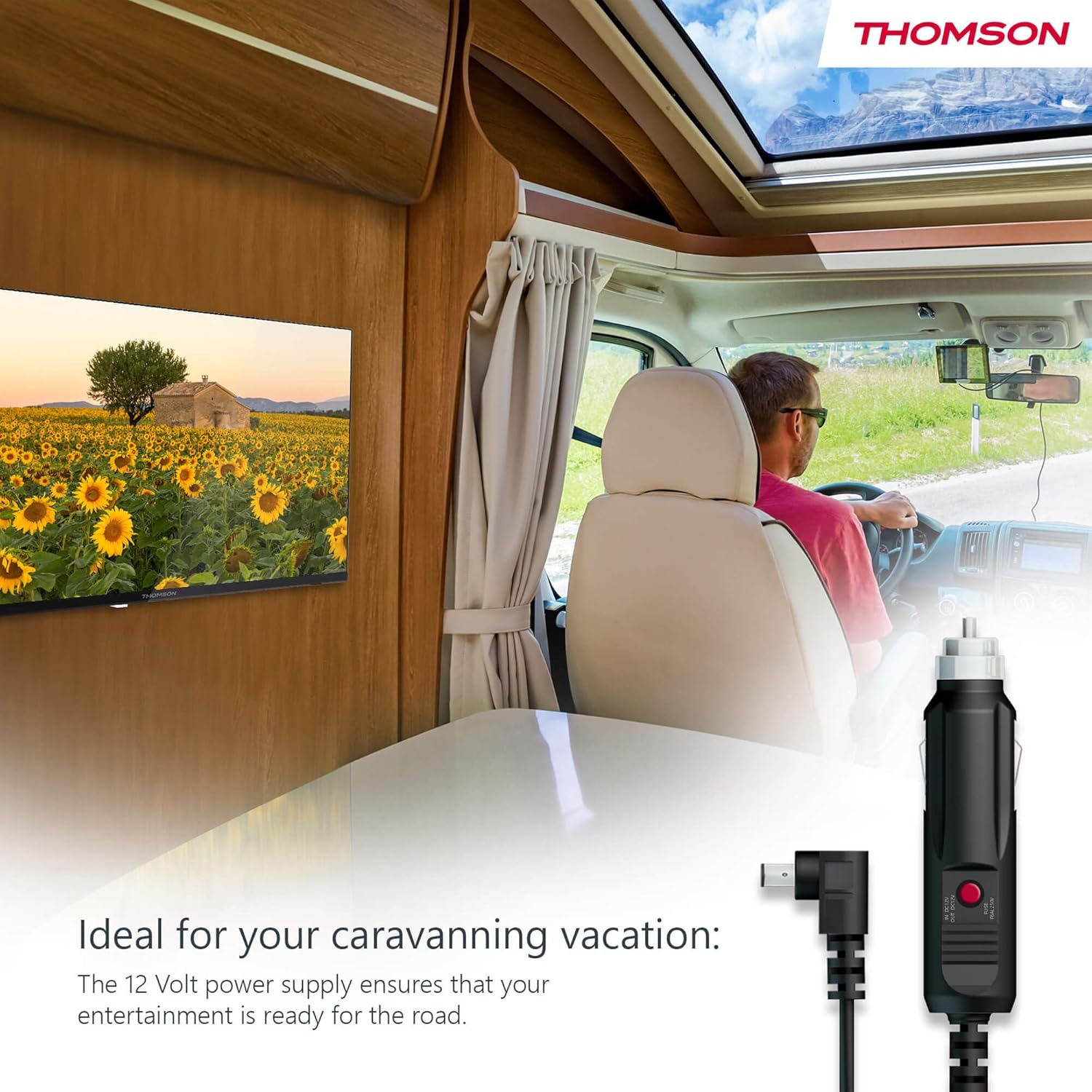
Your THOMSON TV supports both standard AC power and 12V DC power, making it ideal for camping or caravan use.
- Standard AC Power: Connect the provided power adapter to the TV's power input and then plug it into a standard wall outlet.
- 12V DC Power (Camping): For mobile use, connect the 12V power cable to the TV's power input and then to a compatible 12V power source in your vehicle or caravan.
4.3 Connecting Antennas/Cables
The integrated triple tuner allows reception via DVB-T (terrestrial antenna), cable, or satellite antenna.
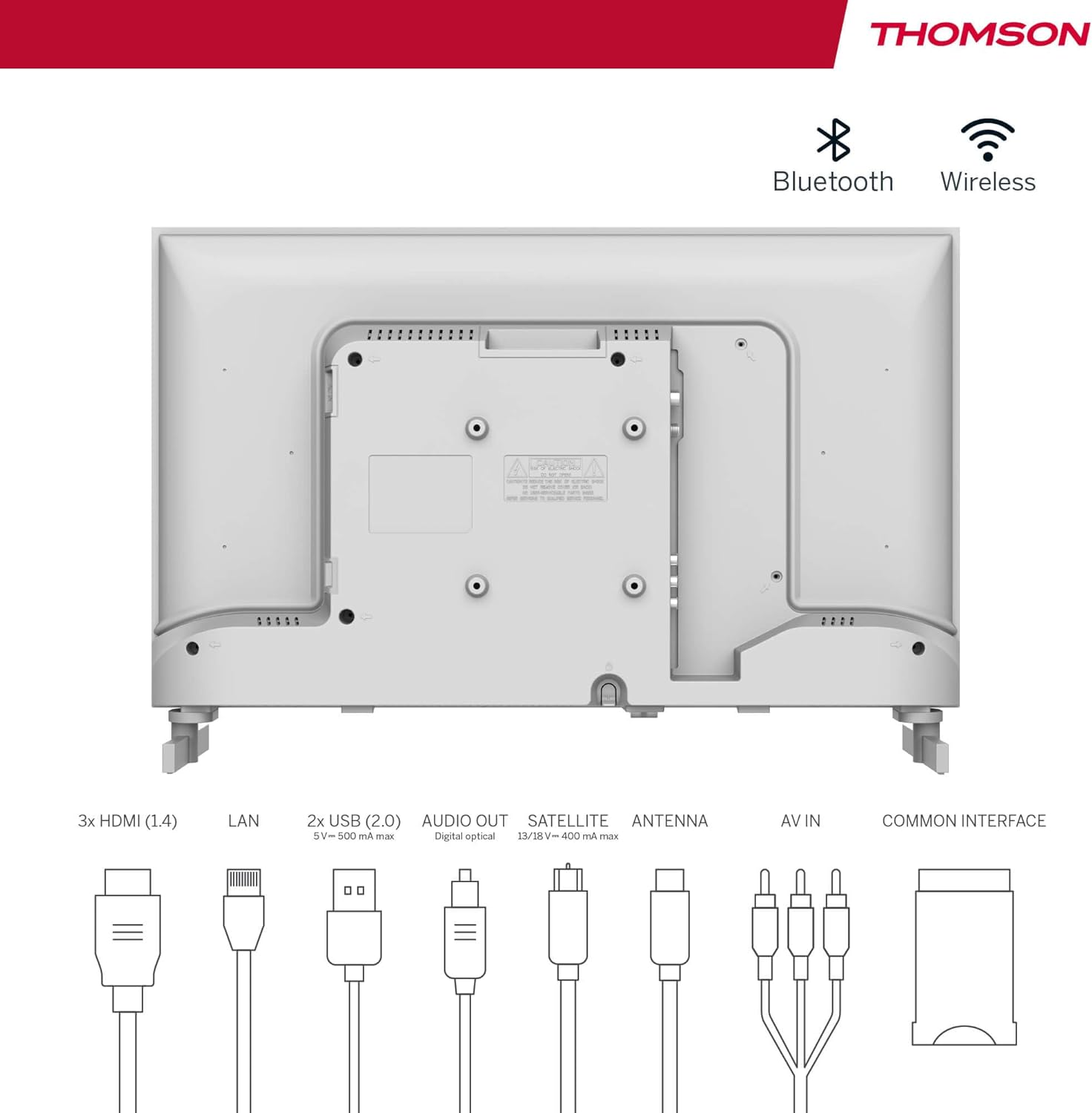
- Terrestrial Antenna: Connect a DVB-T/T2 antenna cable to the 'ANTENNA' input on the TV.
- Igwe onyonyo: Connect your cable TV coaxial cable to the 'ANTENNA' input on the TV.
- efere Satellite: Connect your satellite dish cable to the 'SATELLITE' input on the TV.
4.4 Ijikọ ngwaọrụ mpụga
- Ngwa HDMI: Connect Blu-ray players, game consoles, or other HDMI devices to the HDMI ports (3 available).
- Ngwa USB: Connect USB drives for media playback or software updates to the USB ports (2 available).
- Apụọ ọdịyo: Use the digital optical audio output to connect to a soundbar or home theater system.
- AV n'ime: For older devices, use the AV In ports.
- LAN: Maka njikọ ịntanetị ejiri waya mee, jikọọ eriri Ethernet na ọdụ ụgbọ mmiri LAN.
- CI+ Module: Insert a CI+ module and smart card (if required by your service provider) into the Common Interface slot.
4.5 Initial Setup (Google TV)
- Power on the TV. The initial setup wizard will guide you through the process.
- Họrọ asụsụ ọkacha mmasị gị.
- Connect to a Wi-Fi network or use a wired LAN connection.
- Sign in with your Google account to access Google TV features, apps, and personalized recommendations.
- Follow the on-screen prompts to set up Google Assistant and tune channels (for antenna/cable/satellite).
5. Na-arụ ọrụ TV gị
5.1 Ime Remote
The included remote control is designed for intuitive navigation of your Google TV.

- bọtịnụ azụ azụ: The remote features backlighting for easy use in dark environments.
- Njikwa olu: Press the Google Assistant button and speak into the remote to control your TV, search for content, or ask questions.
- Favorite App Button: Use the star button to quickly access your most frequently used application.
- Profile Gbanwee: Gbanwee ngwa ngwa n'etiti ndị ọrụ dị iche iche bụ ọkachamarafiles set up on your Google TV.

5.2 Google TV Interface
Google TV organizes content from your streaming services and apps into a single, easy-to-navigate interface.

- Ndụmọdụ ahaziri iche: The 'For You' tab provides content suggestions based on your viewing habits across all your streaming services.
- Ngwa: Access a wide range of applications from the Google Play Store, including popular streaming platforms.
- Ụlọ akwụkwọ: Find your purchased movies and shows from Google Play.
- Profiles: Create separate user profiles for each family member to get personalized content and recommendations.
5.3 Google Cast
Integrated Google Cast allows you to wirelessly stream movies, music, and videos from compatible devices (smartphones, tablets, computers) directly to your TV screen.
- Hụ na ejikọrọ ngwaọrụ gị na TV na otu netwọk Wi-Fi.
- Open a Cast-enabled app on your device (e.g., YouTube, Netflix).
- Pịa akara ngosi nkedo (▶) within the app and select your THOMSON TV.
5.4 Dolby Audio
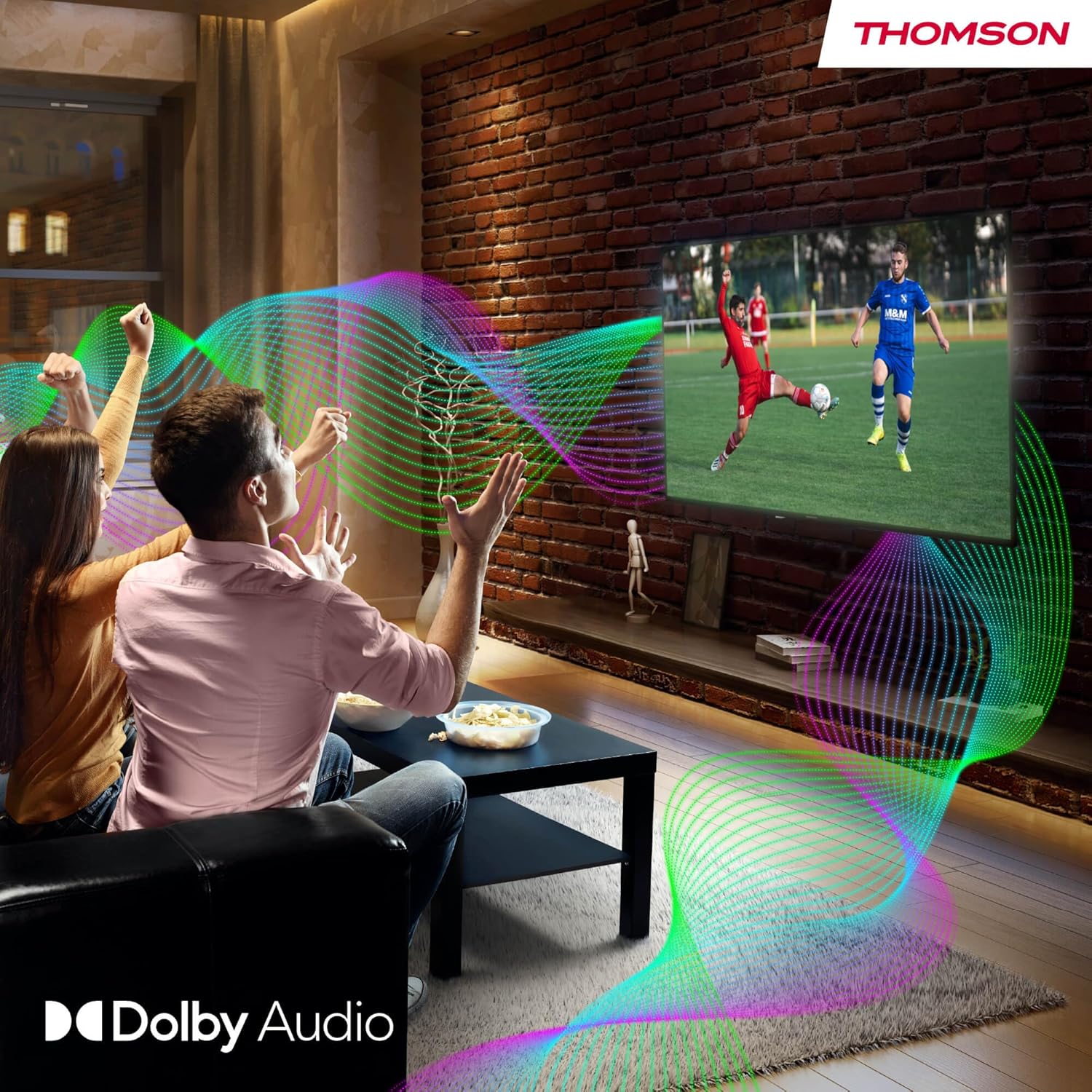
Your TV features Dolby Audio technology for an enhanced sound experience, delivering clear dialogue and immersive audio.
6. Nlekọta
- Na-ehicha ihuenyo: Jiri nwayọ hichaa ihuenyo ahụ site na iji akwa dị nro na-enweghị lint. Maka akara ndị isi ike, ntakịrị dampen the cloth with water or a specialized screen cleaner (ensure it's safe for LED screens). Never spray liquid directly onto the screen.
- Nhicha ahụ TV: Jiri ákwà dị nro ma kpọọ nkụ hichaa mpụta TV ahụ.
- Mmelite ngwanrọ: Your Google TV will periodically check for and install software updates. Ensure your TV is connected to the internet for these updates.
- Njikwa USB: Keep cables tidy and organized to prevent damage and ensure proper ventilation.
7. Nchọpụta nsogbu
If you encounter any issues with your TV, refer to the following common problems and solutions:
| Nsogbu | Ngwọta enwere ike |
|---|---|
| Enweghị ike | Check if the power cable is securely connected to the TV and the power outlet. Ensure the outlet is working. Try a different power source. |
| Enweghị foto, mana ụda dị | Lelee isi iyi ntinye. Hụ na ngwaọrụ mpụga ejikọtara ma gbanye ha nke ọma. |
| Enweghị ụda, mana foto dị | Check the volume level. Ensure mute is not activated. Check audio output settings and external audio device connections. |
| Njikwa anya anaghị arụ ọrụ | Check and replace batteries. Ensure there are no obstructions between the remote and the TV. |
| Enweghị ike ijikọ na Wi-Fi | Gbaa mbọ hụ na router gị na-arụ ọrụ. Tinyegharịa paswọọdụ Wi-Fi. Gbalịa malitegharịa TV na rawụta. |
| Àgwà foto na-adịghị mma | Check antenna/cable connections. Adjust picture settings. For streaming content, check internet speed. |
8. Nkọwapụta
| Njirimara | Nkọwa |
|---|---|
| Ụdị | Thomson |
| Nọmba nlereanya | 24HG2S14CW |
| Nha ihuenyo | 24 sentimita (60 cm) |
| Mkpebi | HD (1366 x 768) |
| Ngosipụta teknụzụ | Ikanam |
| Ọnụego ume ọhụrụ | 60 Hz |
| Sistemụ nrụọrụ | Google TV |
| Njikwa olu | Onye enyemaka Google |
| Teknụzụ ọdịyo | Dolby Audio |
| Nkwado HDR | HDR10 |
| Njikọta | Wi-Fi, Bluetooth 5.1, HDMI (3 ports), USB (2 ports), LAN, Digital Optical Audio Out, AV In, CI+ |
| Ụdị Tuner | Triple Tuner (DVB-T/T2, DVB-C, DVB-S/S2) |
| Ịnye ọkụ | 12V DC / Standard AC |
| Agba | Ọcha |
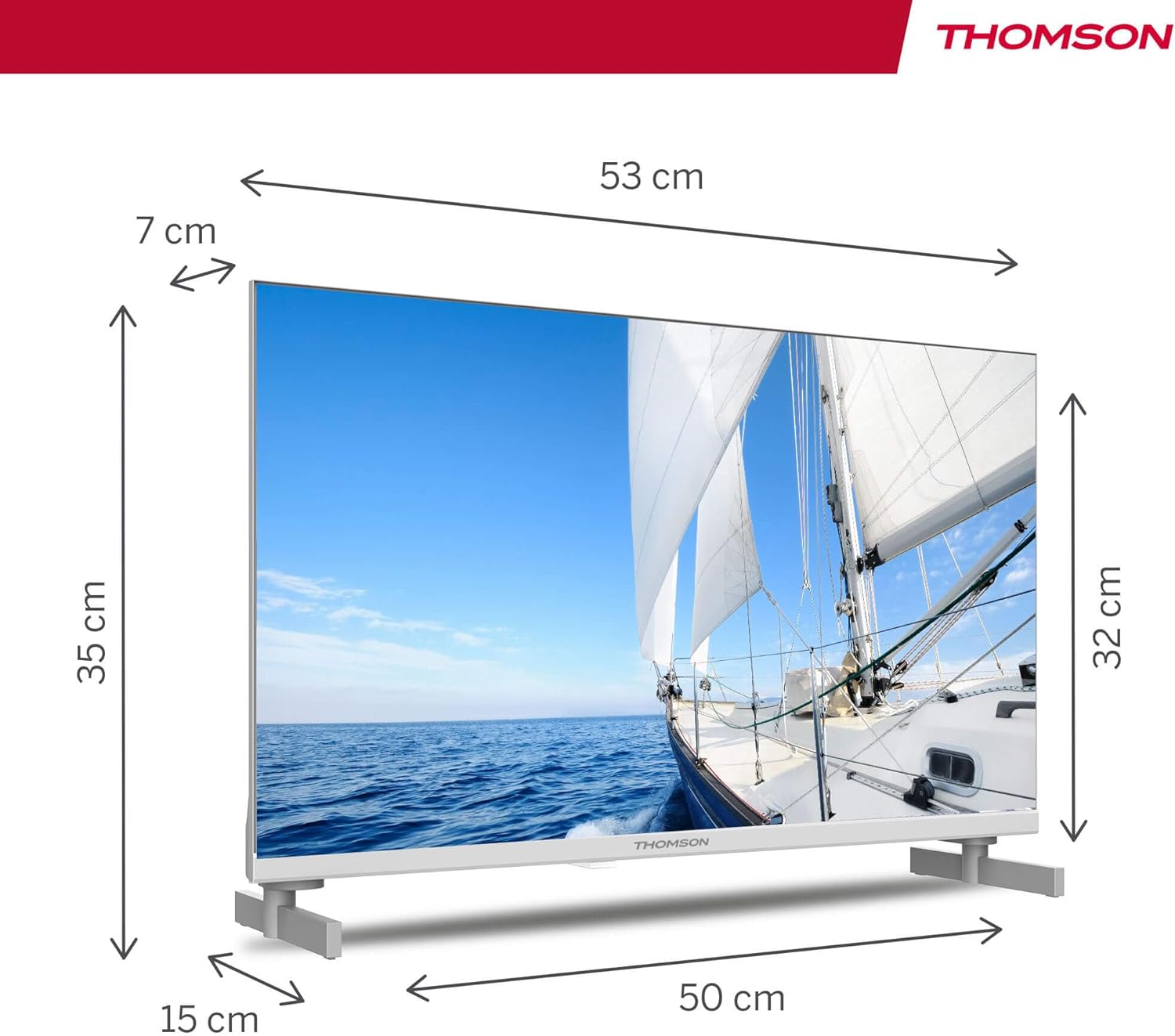
| Akụkụ ngwaahịa (L x W x H) | 53.48 x 15.05 x 35.32 cm |
| Ibu | 3.5 n'arọ |
| Klas arụmọrụ ike | E |
| Power Consumption (1000h) | 18 kWh |

9. Akwụkwọ ikike na nkwado
THOMSON products are designed and manufactured to the highest quality standards. This product is covered by a manufacturer's warranty. Please refer to the warranty card included in your package for specific terms and conditions, including the warranty period and coverage details.
For technical support, troubleshooting assistance, or warranty claims, please contact THOMSON customer service through their official websaịtị ma ọ bụ ozi kọntaktị enyere na akwụkwọ ikike gị.


