1. Okwu mmalite
The ORICO MINI20 Portable SSD is a high-performance external solid state drive designed for fast and reliable data storage. Featuring USB 3.2 Gen 2x2 connectivity, it offers data transfer speeds up to 2000 MB/s. Its robust zinc alloy design provides water and dust resistance, making it suitable for professionals and outdoor enthusiasts who require durable and portable storage solutions.
2. Kedu ihe dị na Igbe ahụ
- 1 x ORICO MINI20 Portable SSD
- 1 x USB-A and USB-C 2-in-1 Data Cable
3. Nhazi
3.1 Connecting the SSD
To connect your ORICO MINI20 Portable SSD, use the provided 2-in-1 USB-A and USB-C data cable. This cable allows for versatile connectivity with various devices. Simply plug the USB-C end into the SSD and the other end (USB-A or USB-C) into your computer, laptop, tablet, or smartphone.
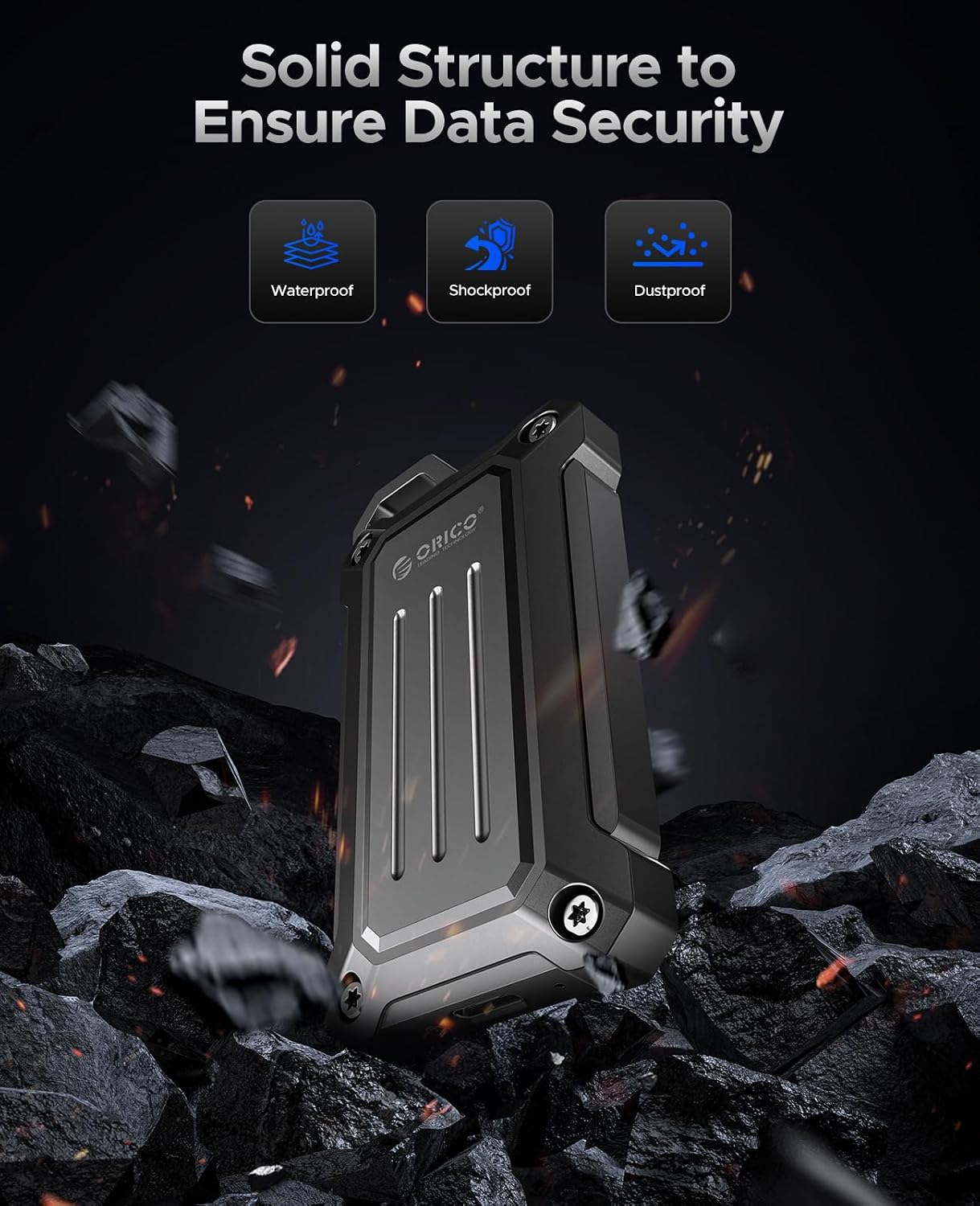
Image: The ORICO MINI20 Portable SSD connected to a laptop, demonstrating the 2-in-1 USB-A/USB-C cable for easy connectivity.
Video: A short demonstration showing the ORICO MINI20 Portable SSD being connected to a laptop and used in an outdoor setting, highlighting its portability and ease of use.
3.2 Nhazi Mmalite
Upon first use, or if the drive is not recognized by your operating system, you may need to format the SSD. Formatting prepares the drive for use with your specific operating system and can optimize performance. Ịdọ aka ná ntị: Ịhazi ga-ehichapụ data niile dị na draịva.
- Maka Windows: Open Disk Management, locate the ORICO SSD, right-click, and select 'Format'. Choose a file system like NTFS for Windows-only use, or exFAT for cross-platform compatibility.
- Maka macOS: Open Disk Utility, select the ORICO SSD, and click 'Erase'. Choose a format like APFS (for macOS 10.13 or later) or Mac OS Extended (Journaled) for macOS-only use, or exFAT for cross-platform compatibility.
4. .rụ ọrụ
4.1 Nyefee data
The ORICO MINI20 Portable SSD supports ultra-fast data transfers up to 2000 MB/s. To transfer files, simply drag and drop them to and from the SSD, or use your operating system's copy-paste functions. For optimal speeds, ensure your device supports USB 3.2 Gen 2x2.

Image: A visual representation of the ORICO MINI20's ultra-fast speed, indicating read speeds of 2000 MB/s and write speeds of 1800 MB/s, connected to a laptop.
4.2 Ngwa ndakọrịta
This SSD is compatible with a wide range of devices, including desktops, laptops, tablets, and smartphones that feature USB-A or USB-C ports. It supports various operating systems such as Windows, macOS, and Android.

Image: The ORICO MINI20 Portable SSD displayed alongside a laptop, camera, drone, and smartphone, illustrating its broad compatibility.
4.3 Portability and Usage Scenarios
The compact size and robust build of the MINI20 make it ideal for on-the-go use. It features a convenient hook for easy attachment to backpacks or camera bags, ensuring your data is always accessible during outdoor activities, photography sessions, or vlog shooting.

Image: The ORICO MINI20 Portable SSD attached to a backpack, showcasing its circular design and portability for users on the move.

Image: The ORICO MINI20 Portable SSD is shown in different outdoor scenarios, including hiking, vlog shooting, camera storage, and drone photography, emphasizing its design for outdoor professionals.
Video: A brief clip demonstrating the ORICO Portable SSD being used for vlog shooting with a smartphone, showcasing its utility for mobile content creation.
5. Nlekọta
5.1 Nlekọta na njikwa
To ensure the longevity and optimal performance of your ORICO MINI20 Portable SSD, handle it with care. While it is water and dust resistant, avoid prolonged exposure to extreme conditions, submersion in water, or excessive force. Keep the port clean and free from debris.
5.2 Nhicha
Use a soft, dry, lint-free cloth to clean the exterior of the SSD. Do not use liquid cleaners or aerosols, as these may damage the device or compromise its resistance features.
5.3 Mmelite firmware
Periodically check the official ORICO website for any available firmware updates for your MINI20 Portable SSD. Firmware updates can improve performance, add new features, or resolve potential issues.
6. Nchọpụta nsogbu
6.1 Achọpụtaghị draịva ahụ
- Lelee njikọ USB: Gbaa mbọ hụ na ejikọrọ eriri USB na nchekwa ma SSD na ngwaọrụ gị.
- Try Different Port/Device: Connect the SSD to a different USB port on your device, or try connecting it to another compatible device to rule out port or device issues.
- Lelee njikwa diski (Windows) / diski ike (macOS): Verify if the drive appears in your operating system's disk management tools. If it appears but is unallocated or unformatted, you may need to initialize and format it (refer to Section 3.2).
6.2 Ọsọ mbufe ngwa ngwa
- Ụdị ọdụ ụgbọ mmiri USB: Ensure you are connecting the SSD to a USB 3.2 Gen 2x2 compatible port on your device to achieve maximum speeds. Connecting to older USB ports (e.g., USB 2.0, USB 3.0) will result in slower transfer rates.
- Ịdị n'ezi nke eriri USB: Use the original ORICO cable or a high-quality USB 3.2 Gen 2x2 compatible cable.
- Host Device Performance: The speed of your computer's internal storage can also affect transfer rates. Transferring data to or from a slower hard disk drive (HDD) may limit the SSD's potential.
6.3 Mgbochi Mfu Data
While the ORICO MINI20 is designed for durability, it is always recommended to regularly back up important data to multiple locations to prevent data loss. In case of accidental data deletion or drive failure, specialized data recovery services may be an option, though success is not guaranteed.
7. Nkọwapụta
| Ụdị | ORICO |
| Nọmba nlereanya | MINI20-1T-US |
| Ike Nchekwa Dijitalụ | 1 TB |
| Nkọwa diski ike | Steeti siri ike |
| Interface Hard Drive | USB 3.2 Gen 2x2 (20Gbps) |
| Teknụzụ Njikọta | USB |
| Ngwa dakọtara | Desktop, Laptop, Tablet, Smartphone |
| Njirimara Pụrụ Iche | Portable, Water and Dust Resistance |
| Agba | Nwa |
| Ibu Ibu | 6.3 ounces |
| Akụkụ ngwaahịa (LxWxH) | 3.51 x 0.59 x 1.79 sentimita asatọ |
8. Akwụkwọ ikike & Nkwado
ORICO products are covered by a manufacturer's warranty. For detailed warranty information, technical support, or service inquiries, please visit the official ORICO website or contact their customer support. Data recovery plans may also be available for purchase separately to protect your valuable data.


